
Introduction
This manual provides detailed instructions for the installation, operation, and maintenance of your Bracketron TripGrip 2.0 Windshield Flex 2.0 Car Phone Holder. Please read this manual thoroughly before use to ensure proper functionality and safety.
What's in the Box
Verify that all components are present in your package:
- 1 x Bracketron TripGrip 2.0 Car Mount (Cradle Head)
- 1 x Gooseneck Base with TemperBond Suction Cup
- 1 x 3M Adhesive Dashboard Pad
- 1 x Instruction Manual

Image: Package contents including the TripGrip 2.0 car mount, gooseneck base, 3M adhesive pad, and manual.
Setup and Installation
The Bracketron TripGrip 2.0 offers flexible mounting options for your vehicle's dashboard or windshield.
Surface Preparation
Before installation, ensure the mounting surface is clean, flat, and free of dust, oil, or protectants. Clean the area with water or alcohol and allow it to dry completely.
Mounting Options
- Windshield Mounting:
The TemperBond suction cup is designed for direct application to a clean, flat windshield surface. Press the suction cup firmly against the glass and engage the lever to lock it in place.
- Dashboard Mounting:
For dashboard installation, the TemperBond suction cup can be applied directly to clean, flat, non-leather surfaces such as smooth plastic, wood, or carbon fiber. Avoid curved or uneven surfaces. If your dashboard is textured or made of real leather, use the included 3M adhesive dashboard pad.
- Using the 3M Adhesive Dashboard Pad: Apply the 3M pad to your desired dashboard location. Press firmly for at least 30 seconds. Allow 36-72 hours for the adhesive to cure completely before attaching the suction cup mount. Mounting too soon may cause the pad to peel.
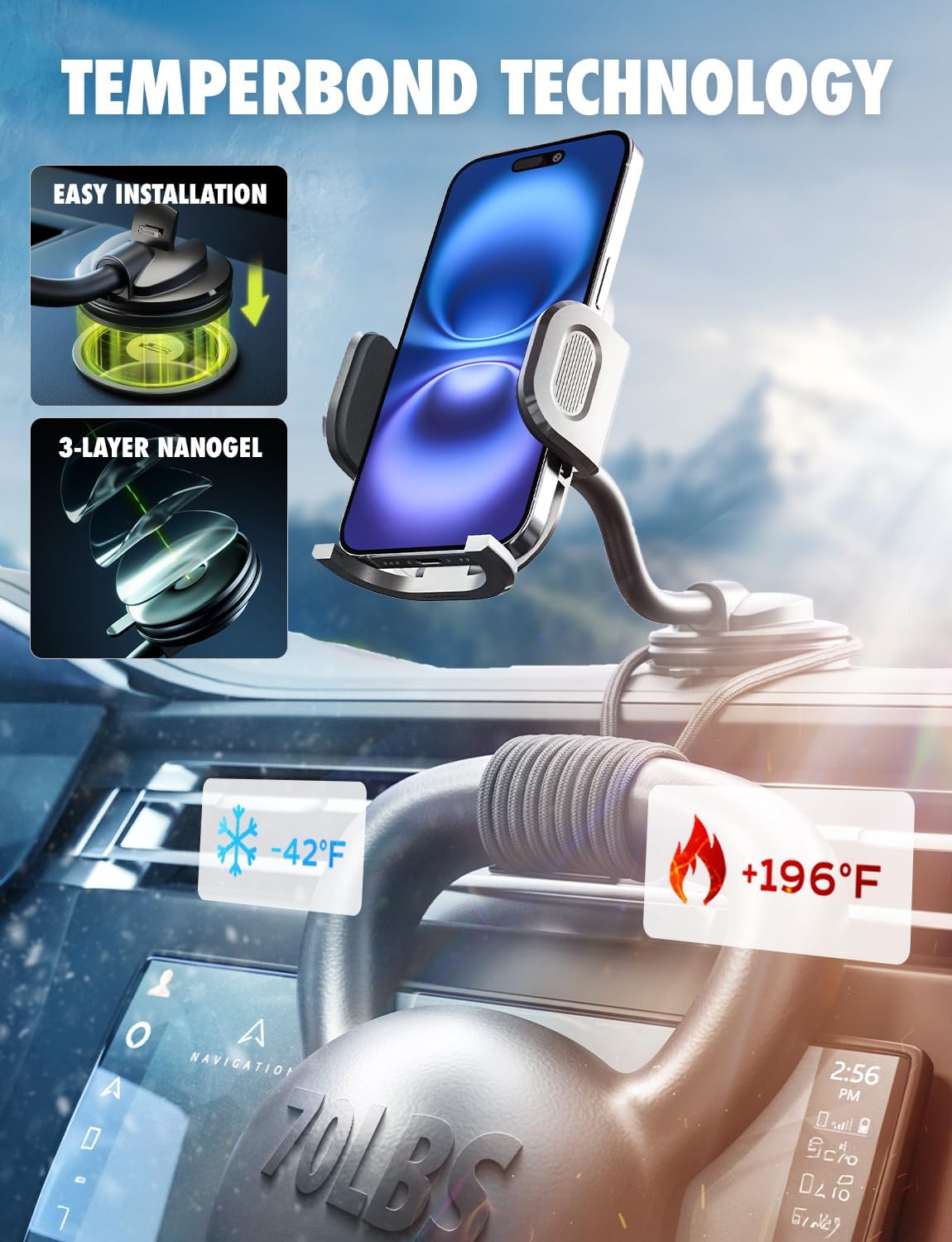
Image: TemperBond suction cup technology and installation overview.

Image: Examples of dashboard, windshield, and display mounting positions.
Operating Instructions
Securing Your Phone (One-Hand Release)
- To open the arms, gently press the release button located on the side of the cradle. The arms will expand.
- Place your smartphone into the cradle.
- Squeeze the arms together until they securely grip your phone. The fully adjustable foot at the bottom provides additional support.
- To remove your phone, press the release button again, and the arms will expand, allowing you to lift your phone out.
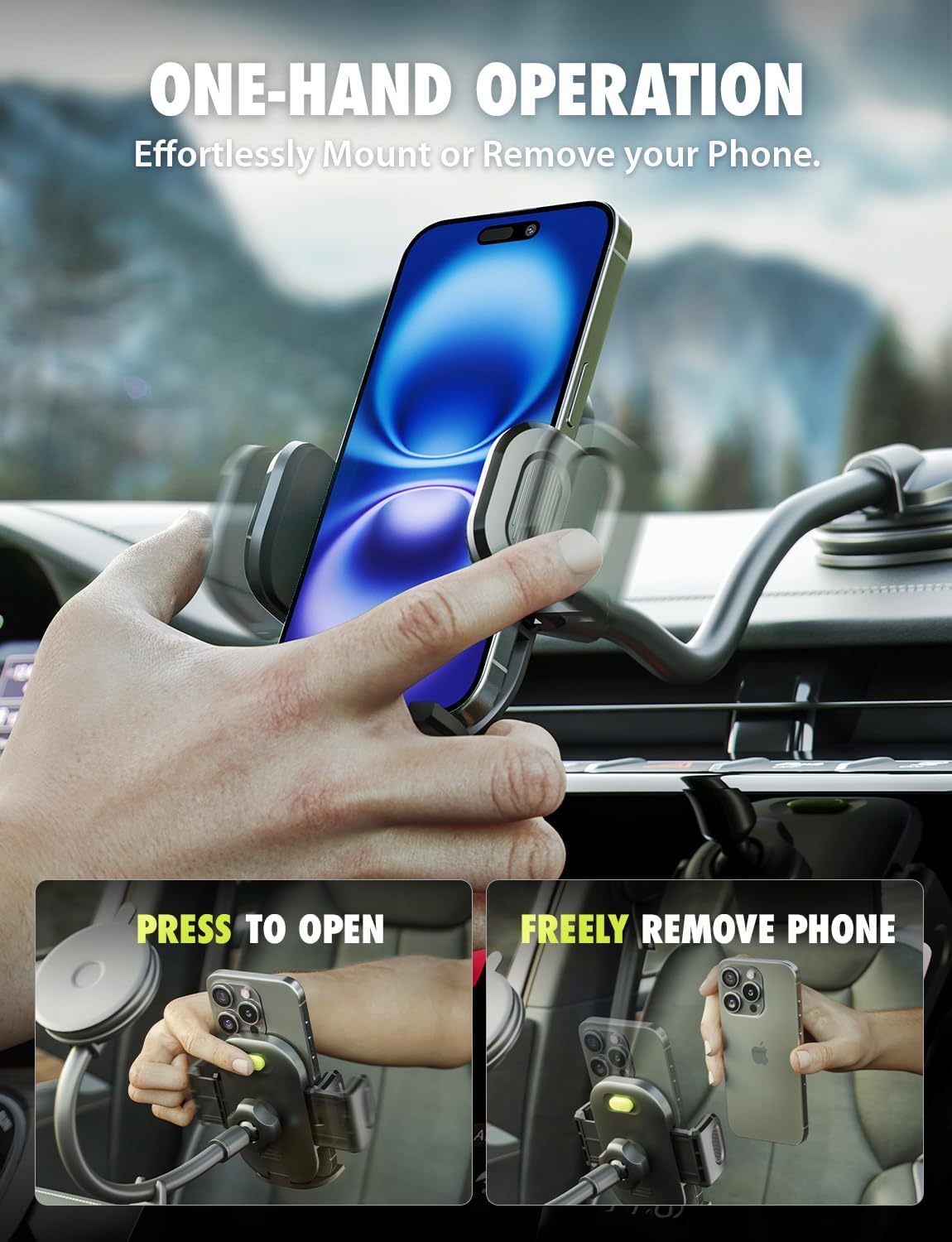
Image: One-hand operation for placing and removing your phone.
Adjusting the Viewing Angle
- Flexible Gooseneck: The 7.5-inch gooseneck arm can be bent and positioned to bring your phone closer or adjust its height and angle for optimal viewing.
- 360° Rotation: The ball joint allows for a full 360-degree rotation of your phone, enabling both portrait and landscape orientations. Adjust the angle for navigation, video calls, or media streaming.
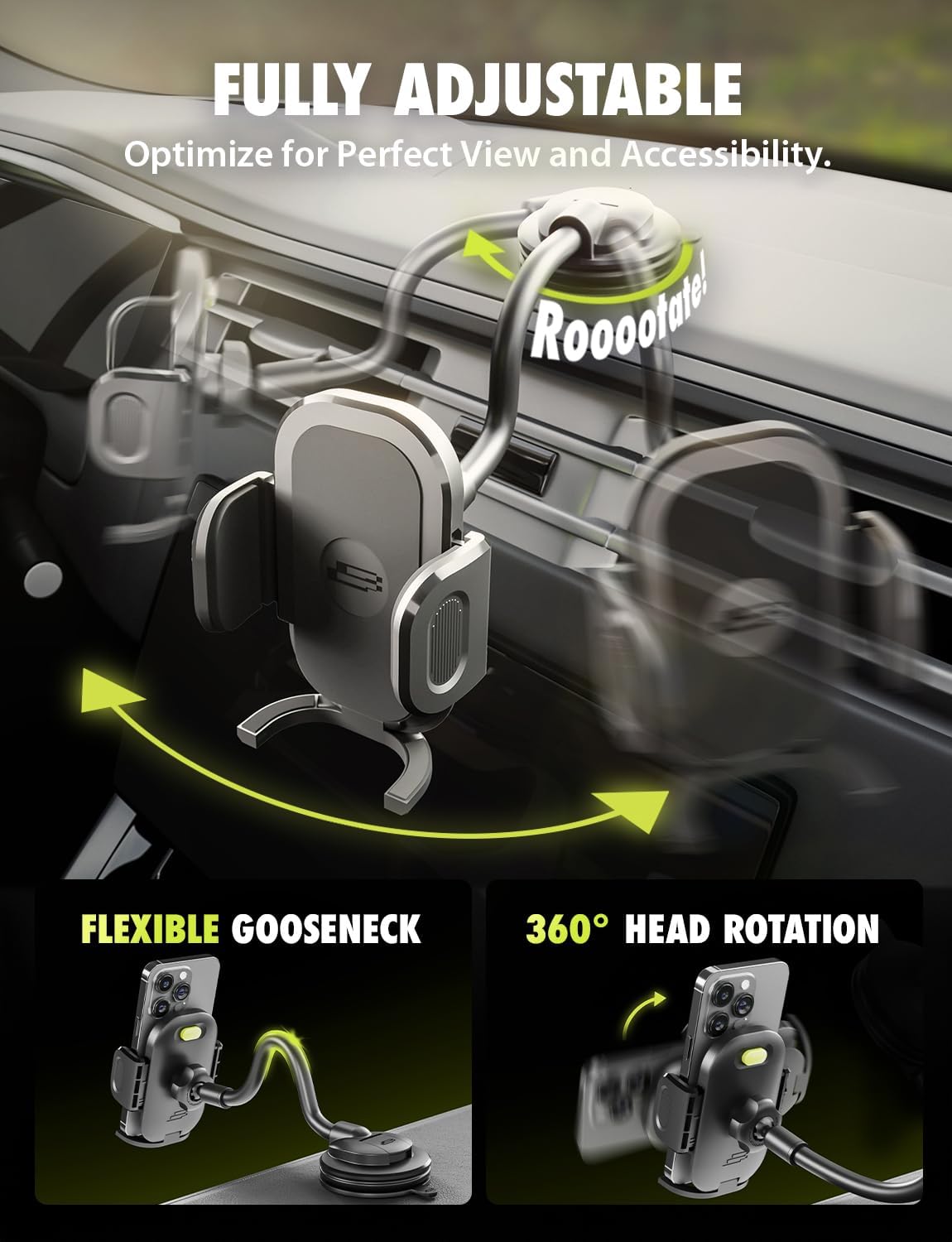
Image: Flexible gooseneck and 360-degree rotation for optimal viewing.
Phone Compatibility
The TripGrip 2.0 is compatible with most smartphones ranging from 4.2 to 7 inches. Its extra-wide and adjustable clip arm, along with the flip-out foot, accommodates various phone models and cases, including thick cases like OtterBox, MagSafe cases, PopSockets, and wallet cases.

Image: Universal compatibility with various phone cases.

Image: Wide arm adjustability for various smartphone models.
Secure Performance
The robust design ensures your phone remains secure even during challenging driving conditions, such as speed bumps, potholes, or off-road travel.

Image: Secure phone retention under various road conditions.
Maintenance
To maintain optimal suction performance of the TemperBond suction cup, periodically clean it. If the suction weakens, rinse the suction cup with cold water and allow it to air dry completely. This will restore its grip.
Troubleshooting
- Suction Cup Not Sticking:
Ensure the mounting surface is clean, dry, and flat. Avoid porous or textured surfaces. Rinse the suction cup with cold water and air dry to restore adhesion. For dashboard mounting, ensure the 3M adhesive pad (if used) has cured for 36-72 hours before attaching the suction cup.
- Phone Not Holding Securely:
Ensure the cradle arms are fully squeezed to grip your phone firmly. Verify that your phone's dimensions (4.2 to 7 inches) are within the compatible range. The flip-out foot should be extended for additional support, especially with larger or heavier phones.
- Gooseneck Arm Not Holding Position:
Ensure the base of the gooseneck is securely attached to the mounting surface. The gooseneck is designed to be flexible yet hold its shape once positioned. If it consistently sags, re-evaluate the mounting point for stability.
Specifications
| Brand | Bracketron |
| Model Number | 874688002782 |
| Item Weight | 8.8 ounces |
| Package Dimensions | 6.89 x 4.02 x 2.99 inches |
| Color | Black and Silver |
| Mounting Type | Windshield, Dashboard (with 3M pad) |
| Compatible Devices | Smartphones (4.2 to 7 inches) |
| Special Features | Adjustable, Flexible Gooseneck, One-Hand Release, 360° Rotation, TemperBond Suction |
Warranty Information
Bracketron offers a 90-day warranty on this product. Additionally, 3-year product care is available upon registration. For details regarding warranty claims or product registration, please refer to the official Bracketron website or contact customer support.
Image: Product care information.
Customer Support
For further assistance, technical support, or inquiries regarding your Bracketron TripGrip 2.0 Windshield Flex 2.0 Car Phone Holder, please visit the official Bracketron website or contact their customer service department. Contact information can typically be found on the product packaging or the manufacturer's website.


