
Important Safety Instructions
Please read this manual thoroughly before operating your DREO Portable Air Conditioner. Keep it for future reference. Failure to follow these instructions may result in electric shock, fire, or serious injury.
- Always connect the unit to a grounded power outlet.
- Do not operate the unit with a damaged power cord or plug.
- Do not block air inlets or outlets.
- Ensure the unit is placed on a flat, stable surface.
- Do not use the unit near water or in excessively humid environments (except for dehumidifier function with proper drainage).
- Unplug the unit before cleaning or servicing.
- Keep children and pets away from the unit during operation.
- Only use accessories specified by the manufacturer.
Product Overview
The DREO Portable Air Conditioner 516S is a versatile 3-in-1 unit providing cooling, fan, and dehumidification functions. It features a 14000 BTU ASHRAE (10000 BTU DOE) cooling capacity, smart control options, and a drainage-free system for cooling mode.
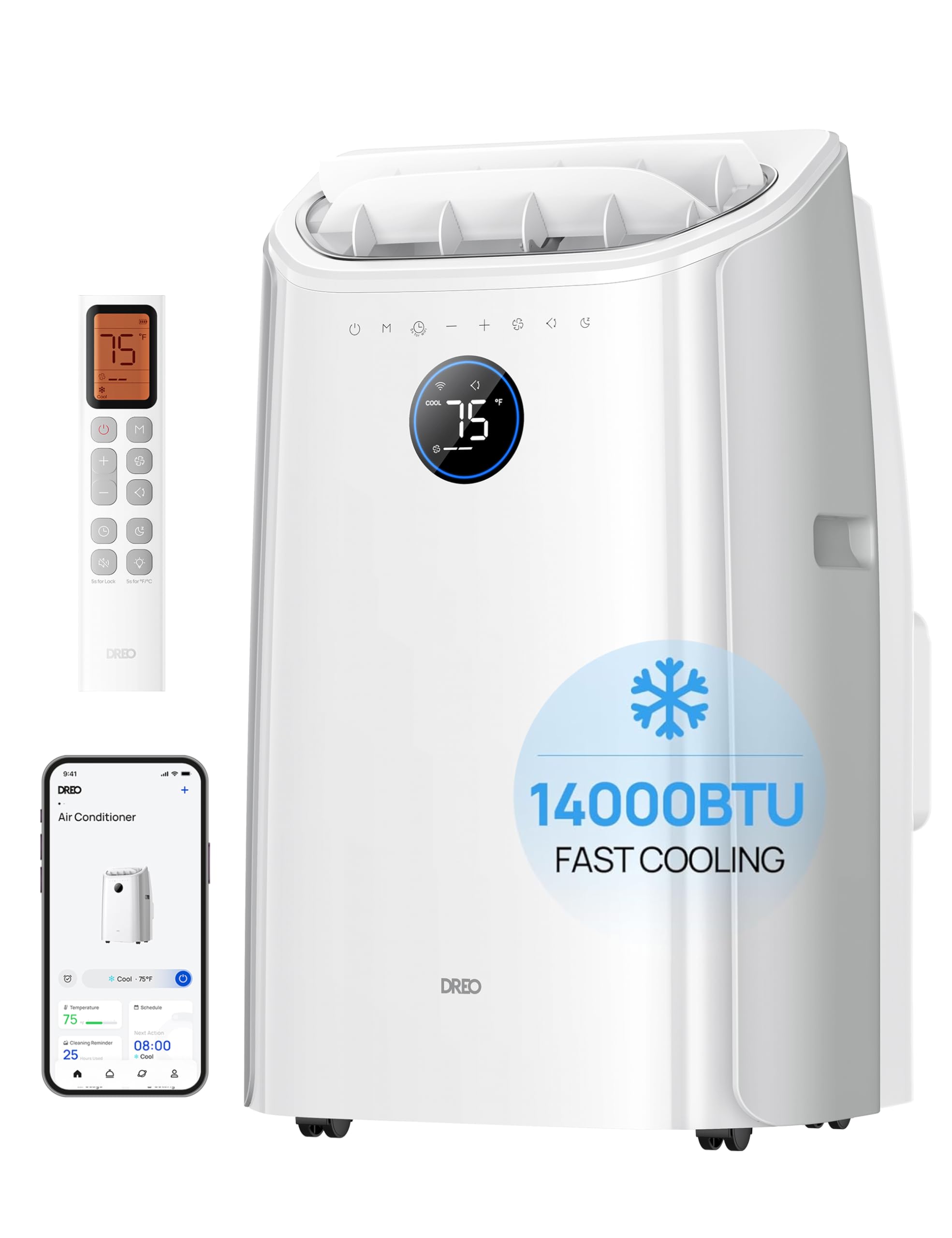
Image: Front view of the DREO Portable Air Conditioner 516S, showing the control panel and air outlet.
Key Components:
- Control Panel: Touch-sensitive buttons and LED display for settings.
- Air Outlet: Adjustable louvers for directing airflow.
- Air Inlet: Located on the back, with a removable filter.
- Exhaust Hose Connection: For connecting the exhaust hose to vent hot air.
- Drainage Port: For continuous drainage in dehumidifier mode or manual drainage.
- Casters: For easy mobility.
- Remote Control: For convenient operation from a distance.
Setup and Installation
Proper installation is crucial for efficient operation. This unit is designed for window installation to exhaust hot air.
Unpacking:
- Carefully remove the unit and all accessories from the packaging.
- Check for any damage during transit. Contact customer support if any issues are found.
- Keep packaging materials for future storage or transport.
Window Kit Installation:
The window kit is designed to fit most vertical and horizontal sliding windows with openings between 17 and 53 inches.
- Assemble Window Panels:
Measure your window opening. Combine the window panels (A, B, C, D) as needed to fit the width/height of your window. Secure them with screws if necessary.

Image: Diagram illustrating the assembly of window panels and the connection of the exhaust hose to the window kit.
- Install Exhaust Hose:
Attach one end of the exhaust hose to the exhaust port on the back of the AC unit. Attach the other end to the adapter on the window panel.

Image: A DREO portable air conditioner with its exhaust hose properly installed in a window, demonstrating a typical setup.
- Place Unit:
Position the AC unit near the window, ensuring the exhaust hose is not kinked or excessively bent. Maintain at least 20 inches of space around the unit for proper airflow.
Operating Instructions
Your DREO Portable Air Conditioner offers multiple operating modes and control options.
Control Panel:
The top panel of the unit features touch controls and an LED display for easy access to all functions.
- Power Button: Turns the unit On/Off.
- Mode Button: Cycles through Cool, Fan, and Dry modes.
- Temperature Up/Down: Adjusts the target temperature in Cool mode.
- Fan Speed: Selects fan speed (Low, Medium, High, Auto).
- Timer: Sets an auto-on or auto-off timer.
- Sleep Mode: Activates quiet operation and adjusts temperature for comfortable sleep.
Operating Modes:
- Cool Mode: Provides powerful cooling. Set your desired temperature between 61°F and 86°F. The unit will automatically adjust fan speed to maintain the set temperature.

Image: Illustration of the three operating modes: Cool, Dry, and Fan, demonstrating their respective functions and settings.
- Fan Mode: Circulates air without cooling. Choose from Low, Medium, High, or Auto fan speeds.
- Dry Mode (Dehumidifier): Removes excess moisture from the air. In this mode, continuous drainage is recommended.
Smart Control:
The DREO 516S can be controlled via the DREO app, voice commands (Siri, Amazon Alexa, Google Home), or the included remote control.
- DREO App: Download the DREO app from your smartphone's app store. Follow the in-app instructions to connect your AC unit. The app allows for remote control, scheduling, and customizing sleep curves.
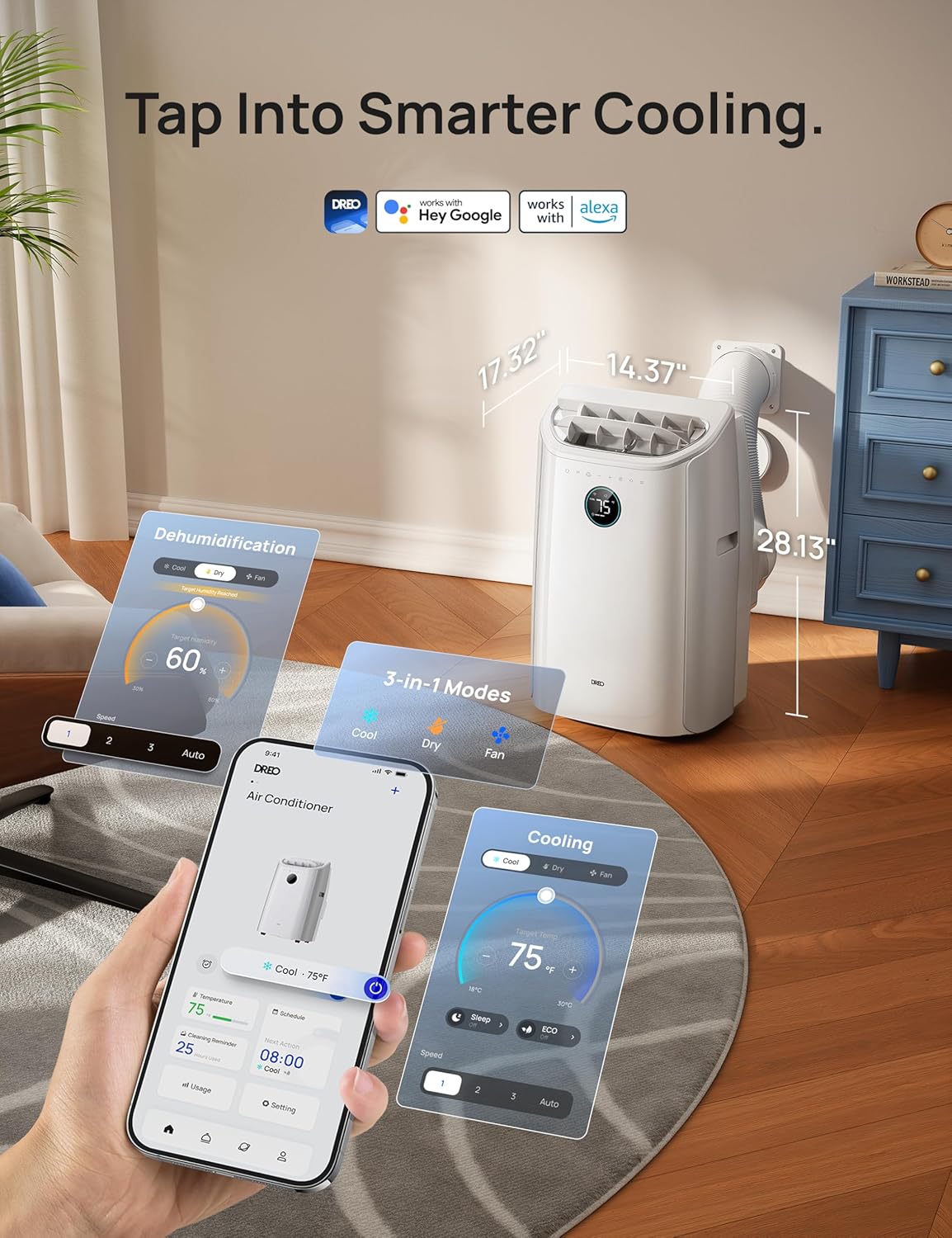
Image: A hand holding a smartphone showing the DREO app, which allows users to control the portable air conditioner's settings, modes, and schedule.
- Voice Control: Integrate with Amazon Alexa or Google Home for hands-free operation. Refer to the DREO app for detailed setup instructions.
- Remote Control: Use the provided remote to adjust settings from across the room. Ensure the remote has fresh batteries and is pointed towards the unit's receiver.
Drainage-Free Cooling:
In Cool mode, the DREO 516S features a patented drainage-free system that automatically evaporates excess water, eliminating the need for manual drainage in environments up to 90% humidity. For Dry mode, a drainage hose is required for continuous operation.

Image: An internal view diagram of the DREO portable air conditioner highlighting its drainage-free system, which evaporates condensed water during cooling operation.
Maintenance
Regular maintenance ensures optimal performance and extends the lifespan of your air conditioner.
Cleaning the Air Filter:
The air filter should be cleaned every two weeks or more frequently depending on usage and air quality.
- Unplug the unit from the power outlet.
- Locate the air filter panel on the back of the unit and remove it.
- Gently pull out the air filter.
- Wash the filter under running water (preferably warm, soapy water).
- Allow the filter to air dry completely before reinstalling. Do not expose to direct sunlight.
- Reinsert the dry filter and close the panel.
Draining Water:
While the Cool mode is drainage-free, water may accumulate in high humidity conditions or during Dry mode operation. The unit will indicate when drainage is needed.
- Manual Drainage:
- Unplug the unit.
- Place a shallow pan or tray under the drainage port at the bottom rear of the unit.
- Remove the drain plug.
- Allow all water to drain completely.
- Replace the drain plug securely.
- Continuous Drainage (Recommended for Dry Mode):
- Unplug the unit.
- Attach a drain hose (not included for continuous drainage) to the drainage port.
- Ensure the hose is directed downwards to a suitable drain or container, allowing gravity to facilitate drainage.
Storage:
If storing the unit for an extended period:
- Drain all accumulated water.
- Clean the air filter.
- Unplug the power cord and wrap it neatly.
- Store the unit in a cool, dry place, away from direct sunlight and extreme temperatures.
- It is recommended to store the unit in its original packaging.
Troubleshooting
Before contacting customer support, please refer to the following common issues and solutions:
| Problem | Possible Cause | Solution |
|---|---|---|
| Unit does not turn on. | No power, power cord damaged, circuit breaker tripped. | Check power outlet, inspect power cord, reset circuit breaker. |
| Unit is not cooling effectively. | Dirty air filter, blocked air inlets/outlets, room too large, windows/doors open, exhaust hose not properly installed. | Clean air filter, ensure clear airflow, close windows/doors, check exhaust hose installation. |
| Water leakage. | Drain plug loose, unit not level, continuous drainage hose blocked. | Tighten drain plug, place unit on a level surface, clear drainage hose. |
| Unit is noisy. | Unit not on a level surface, fan speed too high, internal component issue. | Ensure unit is level, reduce fan speed, contact support if noise persists. |
| Remote control not working. | Dead batteries, obstruction between remote and unit. | Replace batteries, remove obstructions, ensure remote is pointed at the unit. |
Specifications
| Feature | Detail |
|---|---|
| Brand | DREO |
| Model Name | DR-HAC006S White |
| Cooling Power (ASHRAE) | 14000 British Thermal Units |
| Cooling Power (DOE) | 10000 British Thermal Units |
| Coverage Area | Up to 400 Square Feet |
| Product Dimensions (D x W x H) | 14.37"D x 17.32"W x 28.13"H |
| Weight | 65.78 Pounds |
| Noise Level | 45 Decibels |
| Voltage | 115 Volts |
| Wattage | 1500 watts |
| Control Method | App, Remote, Touch, Voice |
| Refrigerant | R-32 |
| Included Components | Window Mount Kit & Drain Hose, Remote Control |
Warranty and Support
Your DREO Portable Air Conditioner 516S comes with a standard 1-year limited warranty. For warranty claims or technical assistance, please contact DREO customer service.
- Customer Service: DREO offers 24-hour customer service.
- Website: Visit the official DREO website for FAQs, product registration, and support resources.
- Email/Phone: Refer to the contact information provided on the DREO website or in your product packaging.


