
Introduction
This manual provides essential information for the safe operation, assembly, maintenance, and troubleshooting of your iScooter Electric Scooter. Please read this manual thoroughly before first use to ensure optimal performance and safety.

Figure 1: iScooter Electric Scooter, showcasing its sleek design and rear brake light.
Safety Information
- Always wear a helmet and appropriate safety gear when riding.
- Do not ride in wet conditions, heavy rain, or through puddles.
- Ensure all screws and components are securely fastened before each ride.
- Adhere to local traffic laws and regulations.
- Do not exceed the maximum weight limit of 220 lbs.
- Avoid riding on uneven surfaces or steep inclines.
- Use the dual braking system for controlled stops.
Package Contents
Upon opening your iScooter package, please verify that all the following items are included:
- iScooter Electric Scooter (main unit)
- Power Adapter for Charging
- User Manual (this document)
- Screws (6 pieces for handlebar assembly)
- Screwdriver (Hex key for assembly)
Setup
1. Handlebar Assembly
The handlebar comes folded for shipping. Carefully lift the handlebar stem into the upright position until it clicks securely into place. Use the provided hex key and screws to firmly attach the handlebar to the stem. Ensure all six screws are tightened to prevent wobbling during operation.
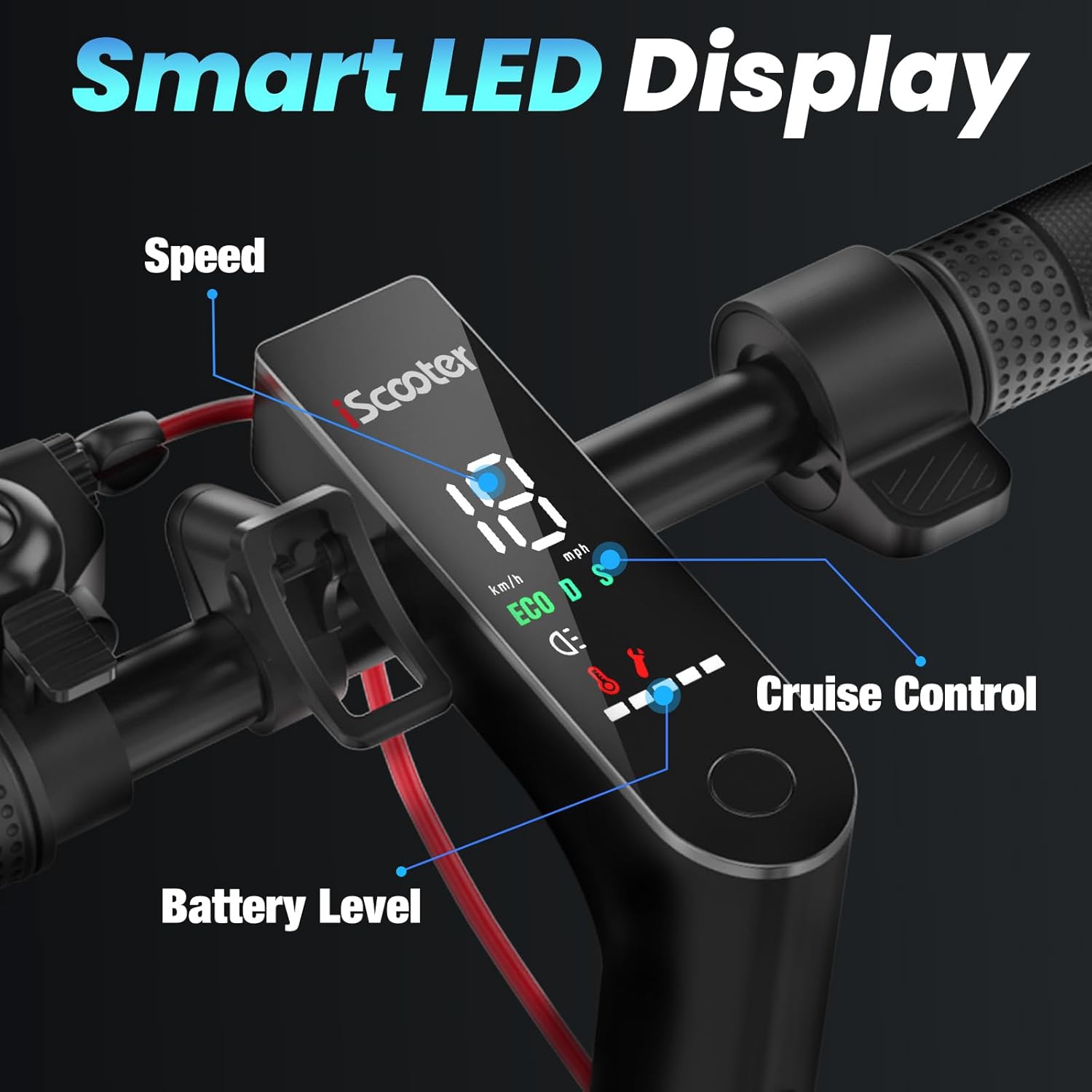
Figure 2: Close-up of the handlebar and smart LED display, showing speed, battery level, and cruise control indicators.
2. Initial Charging
Before your first ride, fully charge the scooter's battery. Locate the charging port, typically on the side or bottom of the deck. Connect the power adapter to the scooter and then to a power outlet. The charging indicator on the adapter or scooter display will show charging status. A full charge takes approximately 4.5 hours.
Operating Instructions
1. Power On/Off
Press and hold the power button on the LED display to turn the scooter on or off. The display will illuminate, showing current speed, battery level, and speed mode.
2. Speed Modes
Your iScooter features multiple speed modes for different riding conditions:
- ECO Mode: Up to 6 MPH, ideal for beginners or crowded areas.
- DRIVE Mode: Up to 12 MPH, suitable for general commuting.
- SPORT Mode: Up to 18 MPH, for maximum speed and performance.
To switch between modes, double-click the power button. The display will indicate the active mode.
3. Acceleration and Braking
Use the thumb throttle on the right handlebar to accelerate. To slow down or stop, engage the dual braking system by pressing the brake lever on the left handlebar. The scooter is equipped with a drum braking and EABS anti-lock braking system for effective stopping power.

Figure 3: The iScooter's bright headlight and eye-catching taillight for enhanced visibility during night riding.
4. Cruise Control
To activate cruise control, maintain a consistent speed for a few seconds. The scooter will beep, and the cruise control indicator will light up on the display. To deactivate, simply press the brake lever or throttle.
5. Bell
The scooter is equipped with a bell on the left handlebar for alerting pedestrians or other riders.
Folding and Portability
The iScooter features a 1-touch folding system for easy storage and transport.
- Ensure the scooter is powered off.
- Locate the folding mechanism at the base of the handlebar stem.
- Press the release lever and fold the handlebar stem downwards until it locks into place with the rear fender.
- Once folded, the scooter can be easily carried by the handlebar stem or stored in compact spaces.
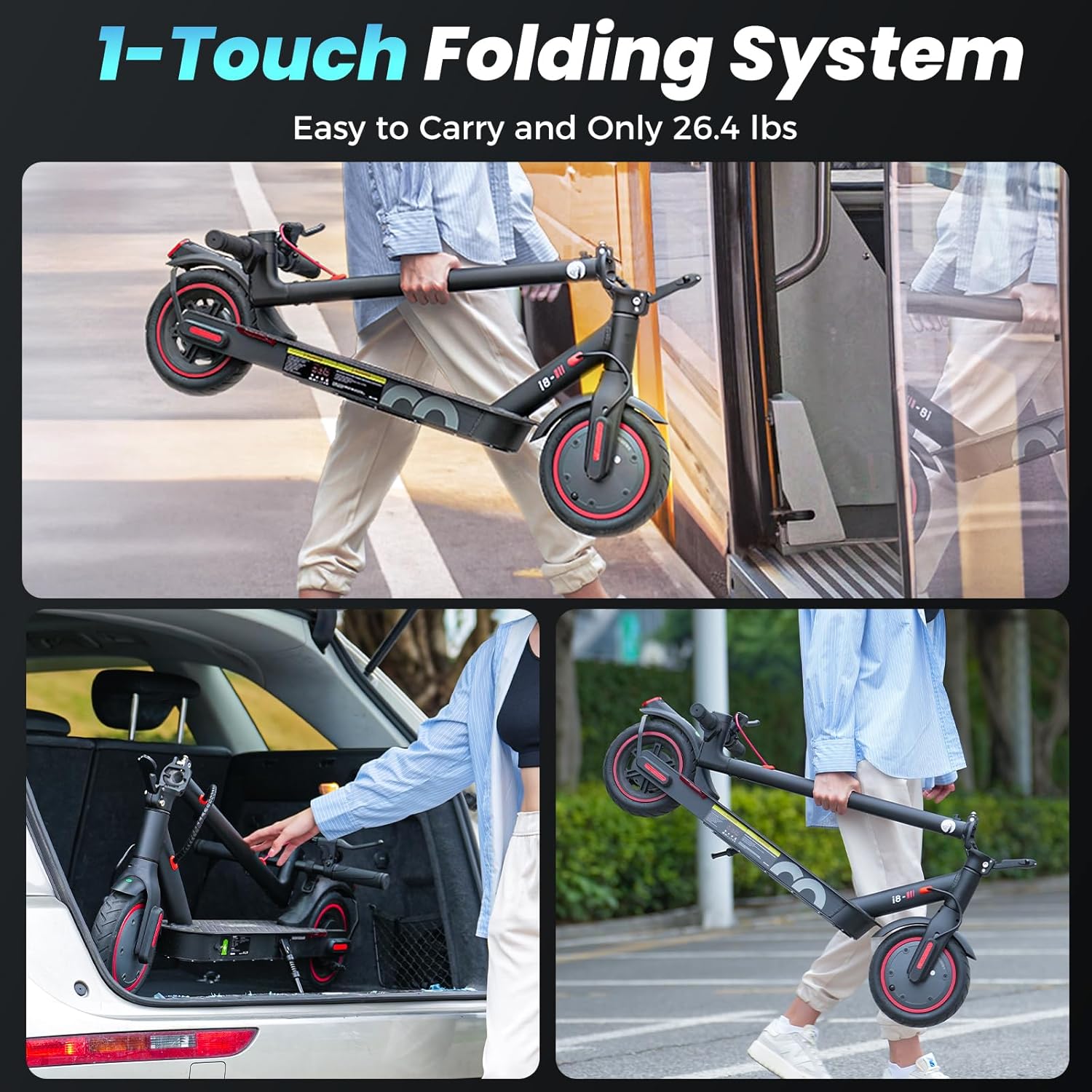
Figure 4: The iScooter folded for easy transport and storage, highlighting its lightweight design.
Maintenance
- Tire Pressure: Regularly check and maintain the recommended tire pressure for optimal ride quality and range. The 8.5-inch pneumatic tires require proper inflation.
- Cleaning: Wipe down the scooter with a damp cloth. Do not use high-pressure water or immerse the scooter in water.
- Battery Care: Charge the battery regularly, even if not in use, to prolong its lifespan. Avoid completely draining the battery. Store the scooter in a cool, dry place.
- Brake Inspection: Periodically inspect the brake system for wear and tear. Adjust or replace components as needed.
- Fastener Check: Regularly check all screws and bolts to ensure they are tight.
Troubleshooting
| Problem | Possible Cause | Solution |
|---|---|---|
| Scooter does not turn on | Low battery; Power button not pressed correctly | Charge the battery; Press and hold the power button firmly. |
| Reduced speed/range | Low tire pressure; Overload; Battery degradation | Inflate tires to recommended pressure; Ensure rider weight is within limits; Consult support for battery issues. |
| Brakes not effective | Brake cable loose; Worn brake pads | Adjust brake cable tension; Replace brake pads if worn. |
| Unusual noises | Loose components; Debris in wheels | Check and tighten all screws; Inspect wheels for foreign objects. |
Specifications
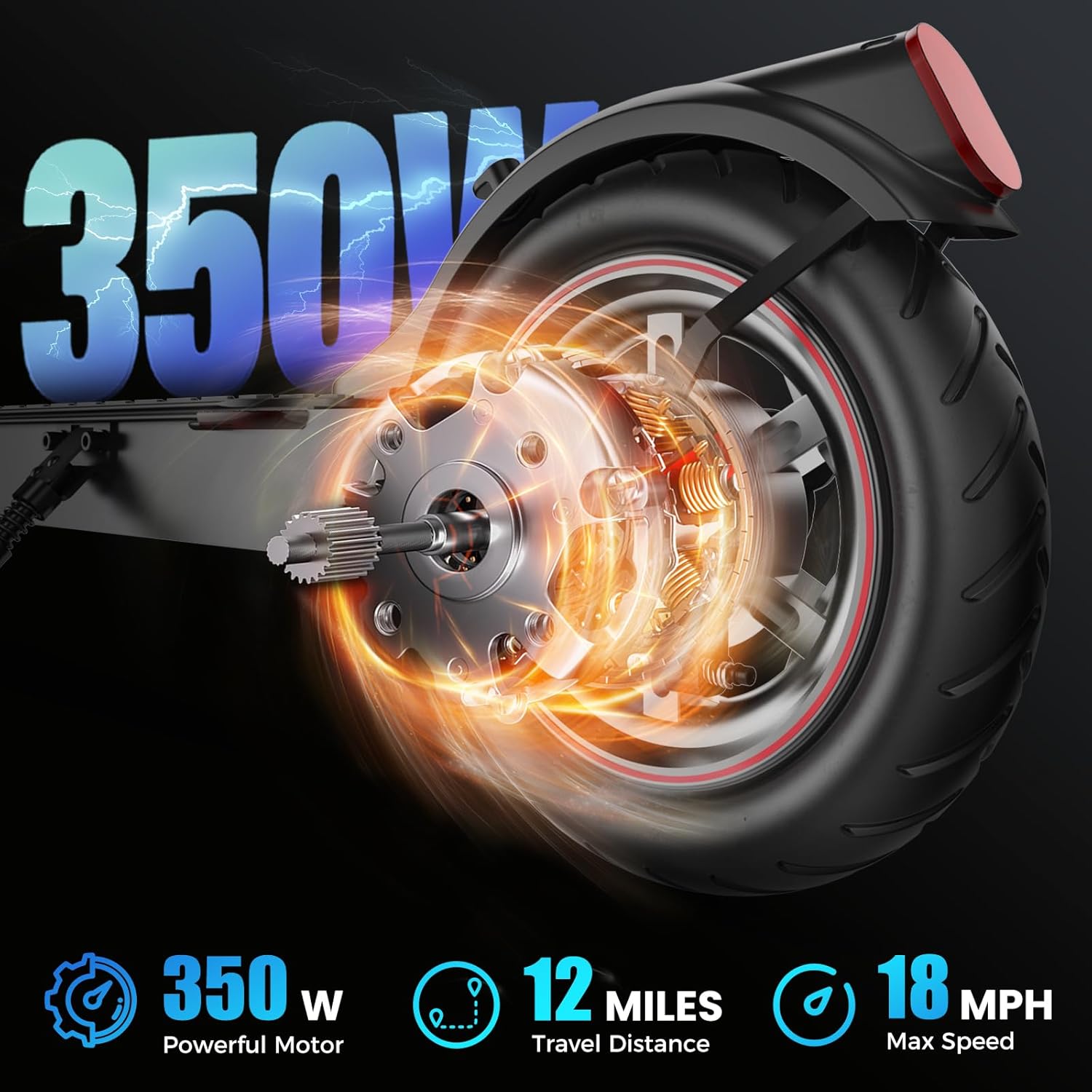
Figure 5: The powerful 350W motor of the iScooter, providing efficient propulsion.
| Feature | Detail |
|---|---|
| Brand | iScooter |
| Model Name | i8 |
| Motor Power | 500W Peak Power (350W Rated) |
| Max Speed | Up to 18 MPH (Sport Mode) |
| Max Range | Up to 12 Miles (under specific conditions) |
| Weight Limit | 220 Pounds |
| Wheel Size | 8.5 Inches (Pneumatic) |
| Brake Style | Dual Braking Systems (Drum & EABS Anti-lock) |
| Charging Time | Approximately 4.5 Hours |
| Frame Material | Aluminum |
| Product Dimensions | 41"L x 17.7"W x 43"H |
| Item Weight | 27.7 Pounds |
| Special Feature | Lightweight, Foldable, Cruise Control, LED Display |
Note: Performance may vary based on rider weight, terrain, and riding style.
Warranty and Support
Your iScooter Electric Scooter comes with a comprehensive warranty:
- Full Scooter: One-year warranty.
- Specific Parts: 180-day warranty for certain components.
For warranty claims, technical support, or any inquiries, please contact iScooter customer service. We aim to respond within 24 hours.
You can visit the official iScooter store for more information: iScooter Store on Amazon