
Introduction
This manual provides essential instructions for setting up, operating, and maintaining your FIREBAT N150-16GB/1TB Laptop. Please read this manual thoroughly before using your device to ensure proper function and longevity.
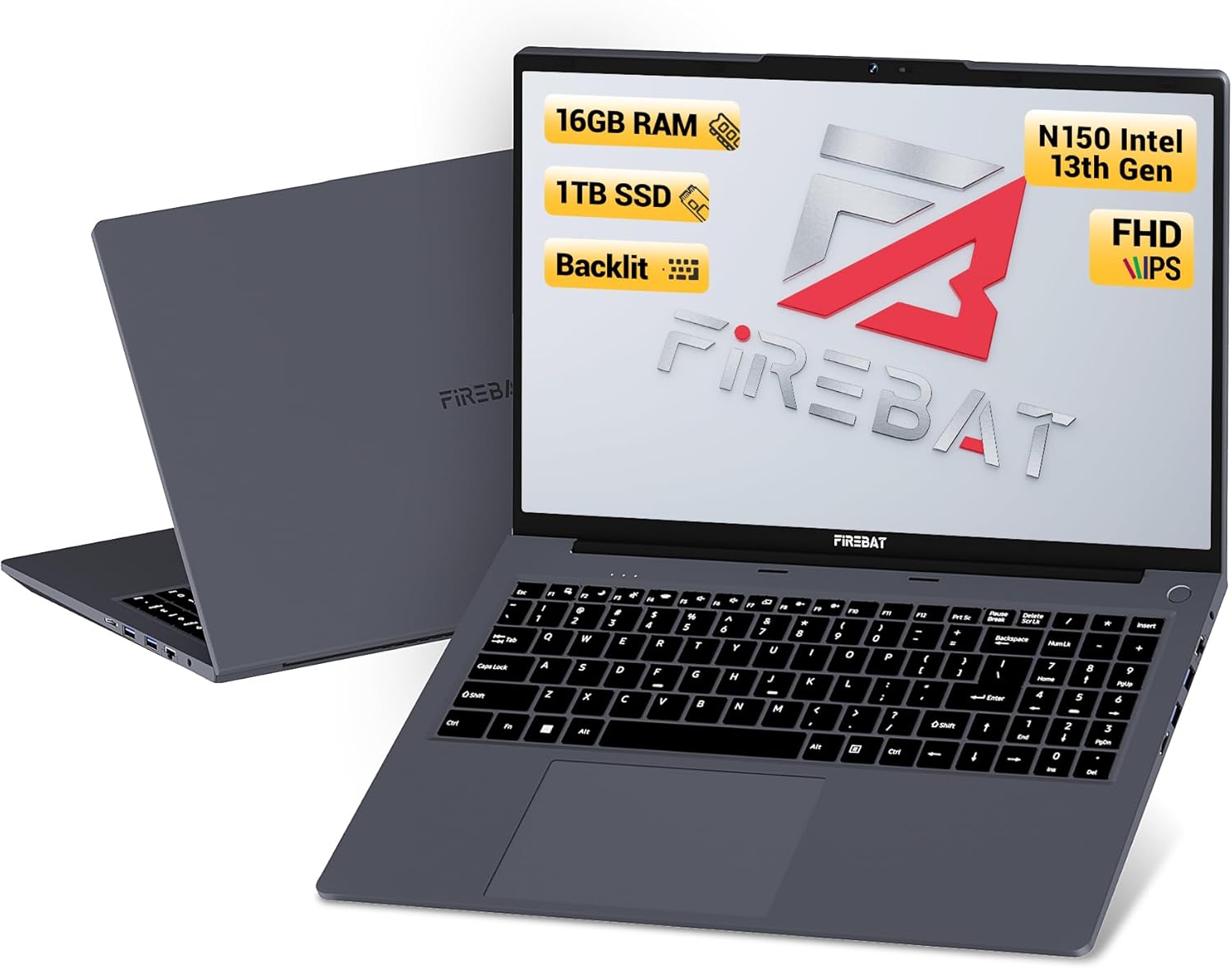
Image: The FIREBAT N150-16GB/1TB Laptop, shown open with its display and keyboard visible, alongside a view of its closed back.
Setup
Package Contents
Verify that all items are present in the package:
- FIREBAT N150-16GB/1TB Laptop
- 1x 12V/3A 36W 3.5mm Charger
- 1x User Manual (this document)

Image: Illustration showing the laptop, charger, and user manual as package contents, along with a detailed diagram of the laptop's various ports.
Initial Power On
- Connect the provided charger to the laptop's charging port and a power outlet.
- Open the laptop lid.
- Press and hold the power button (located in the upper right corner of the keyboard) until the laptop powers on.
- Follow the on-screen instructions to complete the initial operating system setup.
Port Overview
Familiarize yourself with the available ports on your laptop:
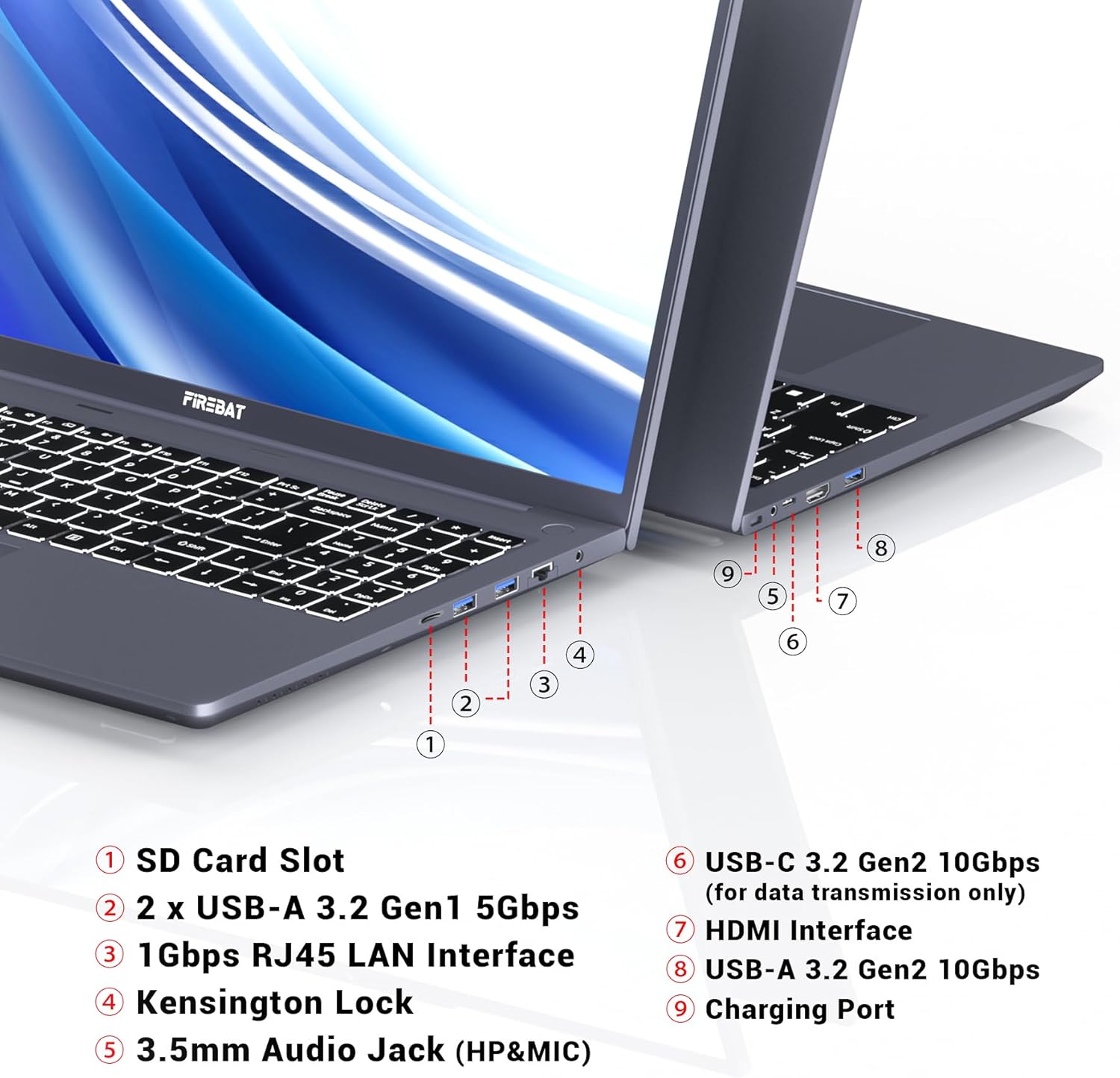
Image: A detailed diagram illustrating the location and type of each port on the FIREBAT N150-16GB/1TB Laptop.
- SD Card Slot: For reading and writing to SD memory cards.
- USB-A 3.2 Gen1 (5Gbps) Ports (x2): For connecting USB devices.
- 1Gbps RJ45 LAN Interface: For wired network connection.
- Kensington Lock: For securing the laptop with a compatible lock.
- 3.5mm Audio Jack (HP&MIC): For headphones or external microphone.
- USB-C 3.2 Gen2 (10Gbps) Port: For data transmission only.
- HDMI Interface: For connecting to external displays.
- USB-A 3.2 Gen2 (10Gbps) Port: For connecting high-speed USB devices.
- Charging Port: For connecting the power adapter.
Operating Instructions
Backlit Keyboard
The laptop features an adjustable white backlit keyboard. To adjust the brightness or toggle the backlight, press the Fn + F4 keys simultaneously.

Image: Diagram showing the Fn+F4 key combination used to control the keyboard backlight.
Touchpad Usage
The touchpad supports multi-touch and gesture operations for navigation and interaction with the operating system.
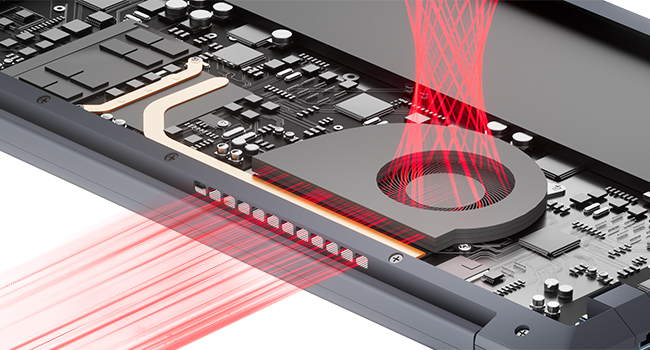
Image: Illustration of multi-touch and gesture operations on the laptop's touchpad.
Connecting an External Display
You can connect an external monitor using the HDMI port to extend or duplicate your display. The laptop supports dual-screen display for enhanced productivity.

Image: The FIREBAT laptop connected to an external monitor via HDMI, demonstrating a dual-screen setup.
Webcam and Audio
The laptop includes a 2-megapixel front camera and integrated microphone for video conferencing and communication. Stereo speakers provide audio output.
Image: A visual representation of the laptop's 2MP front camera, microphone, and stereo speakers, with a webcam shield accessory shown.
180° Lay-Flat Hinge
The laptop features a 180-degree lay-flat hinge, allowing the screen to be positioned completely flat for collaborative viewing or specific use cases.
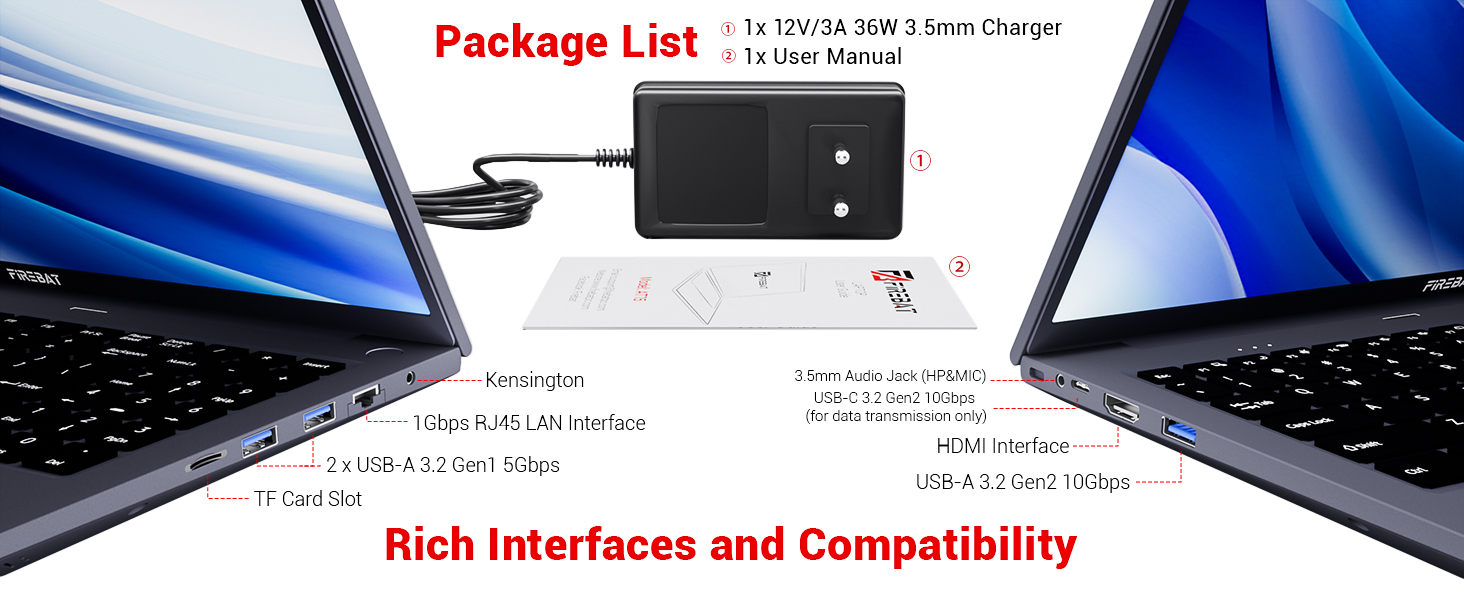
Image: A diagram illustrating the laptop's ability to open to a 180-degree flat position.
Maintenance
Cleaning
- Always power off the laptop and disconnect the charger before cleaning.
- Use a soft, lint-free cloth slightly dampened with water or a screen cleaner to clean the display.
- For the keyboard and chassis, use a soft, dry cloth. Avoid harsh chemicals or abrasive materials.
Storage and Handling
- Store the laptop in a cool, dry place away from direct sunlight and extreme temperatures.
- Avoid placing heavy objects on the laptop.
- Protect the laptop from drops and impacts.
Cooling System
The laptop is equipped with an internal cooling system to manage heat. Ensure that the ventilation openings are not obstructed during use to maintain optimal performance and prevent overheating.
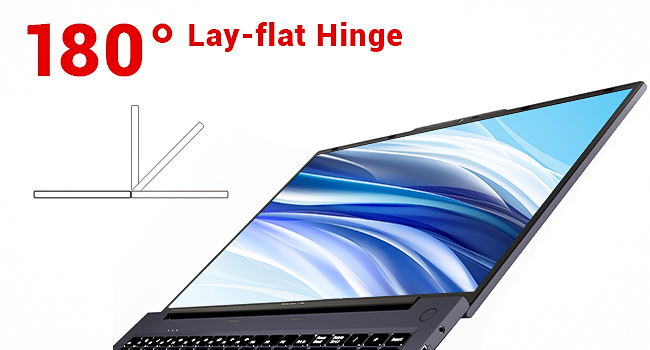
Image: An internal view of the laptop's cooling fan and heat dissipation components.
Troubleshooting
This section addresses common issues you might encounter. For more complex problems, please contact customer support.
- Laptop does not power on: Ensure the charger is securely connected to both the laptop and a working power outlet. Check if the power button is being pressed correctly.
- Screen is blank: Verify the laptop is powered on. If an external display is connected, ensure it is properly configured (Fn + F8 or similar key combination might switch display output).
- Keyboard backlight not working: Press Fn + F4 to cycle through brightness levels or toggle the backlight on/off.
- No sound: Check volume settings in the operating system. Ensure headphones are not connected if you expect sound from speakers.
- Slow performance: Close unnecessary applications. Check for system updates. Ensure sufficient free storage space.
Specifications
Detailed technical specifications for the FIREBAT N150-16GB/1TB Laptop:
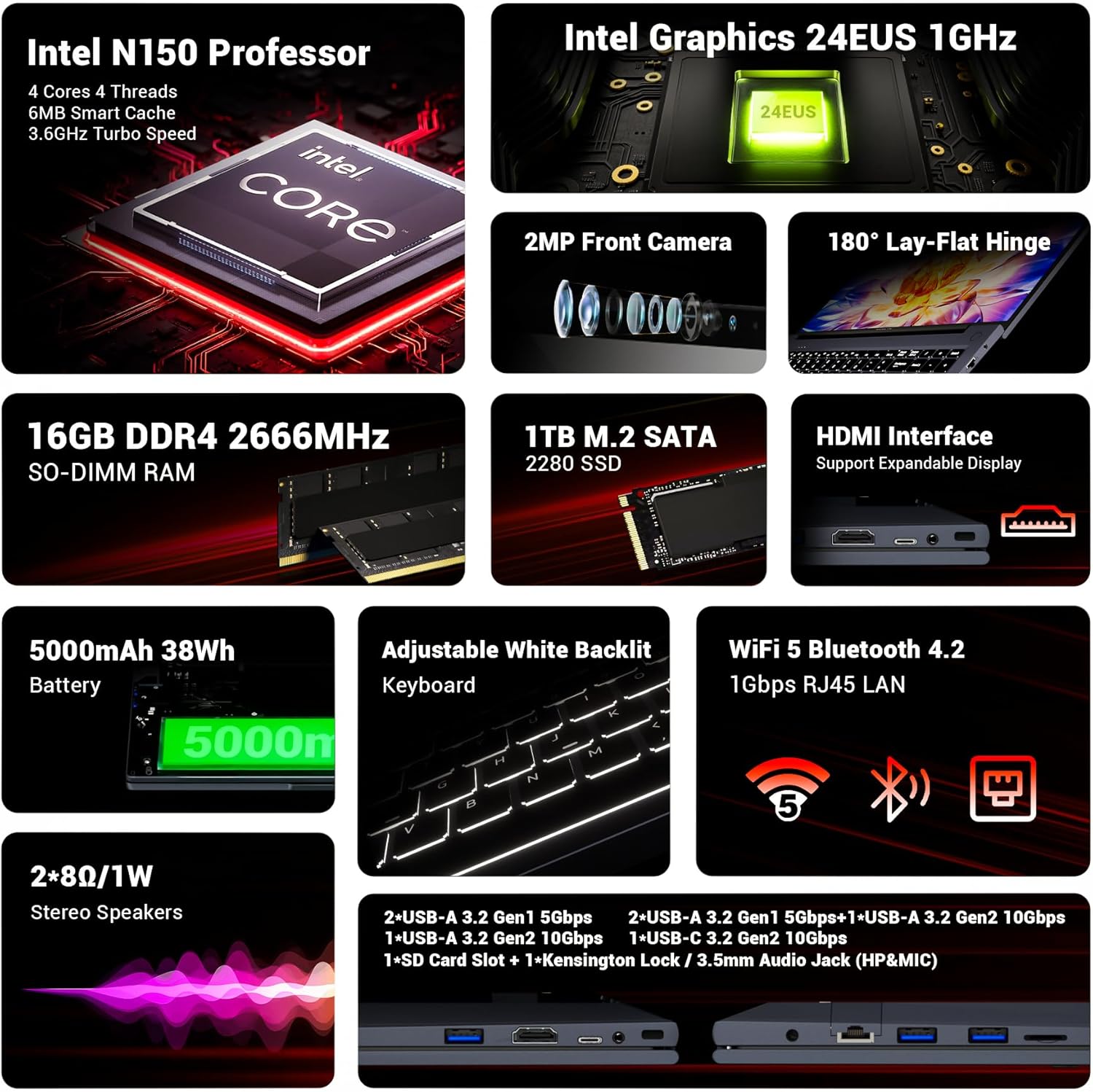
Image: An infographic detailing key features such as processor, graphics, camera, hinge, RAM, SSD, battery, keyboard, and connectivity ports.
| Feature | Detail |
|---|---|
| Model Name | N150-16GB/1TB (AT15) |
| Processor | Intel 13th Generation Twin Lake N150 (4 Cores/4 Threads, up to 3.6GHz, 6MB Smart Cache) |
| Graphics | Intel Graphics 24EUS 1GHz (Integrated) |
| RAM | 16GB SO-DIMM DDR4 (upgradable to 32GB) |
| Storage | 1TB M.2 SSD |
| Display | 15.6-inch IPS FHD (1920x1080 pixels) |
| Operating System | Default (typically Windows 11 Pro) |
| Ports | SD Card Slot, HDMI 2.1, 2x USB-A 3.2 Gen1 (5Gbps), 1x USB-A 3.2 Gen2 (10Gbps), 1x USB-C 3.2 Gen2 (10Gbps, data only), Kensington Lock, 3.5mm Audio Jack, 1Gbps RJ45 LAN Interface |
| Wireless Connectivity | Wi-Fi 5, Bluetooth 4.2 |
| Camera | 2-megapixel Front Camera |
| Audio | 2 x 8Ω/1W Stereo Speakers |
| Battery | 5000mAh 38Wh |
| Keyboard | Backlit Keyboard |
| Dimensions (LxWxH) | 14 x 9 x 0.76 inches (35.7 x 22.8 x 1.93 cm) |
| Weight | 3.5 pounds (1.59 kg) |
| Security Features | CPU Integrated TPM 2.0, Intel Control-Flow Enforcement Technology, Intel AES New Instructions, Intel Trusted Execution Technology, Intel OS Guard, Intel Boot Guard, Mode-based Execute Control (MBEC), Intel Virtualization Technology (VT-x), Intel Virtualization Technology for Directed I/O (VT-d), Intel VT-x with Extended Page Tables (EPT) |

Image: A list of Intel security and reliability features supported by the processor.

Image: A comparison chart showing the performance of the Intel N150 processor relative to older generations (N100, N95, N5105, N5095).

Image: A visual representation of the Intel 7, 10nm Core Process, highlighting its high transistor density and faster execution.
Warranty Information
Specific warranty details for your FIREBAT N150-16GB/1TB Laptop are typically provided with your purchase documentation or on the official FIREBAT website. Please refer to these resources for comprehensive warranty terms and conditions.
Support
For technical assistance, troubleshooting, or further inquiries, please contact FIREBAT customer support:
- Email: support@firebatpc.com
- Website: www.firebatpc.com


