
Introduction
This manual provides detailed instructions for the safe and effective use of your Oraimo BoomPop N Hybrid Active Noise Cancelling Headphones. Please read this manual thoroughly before using the product and retain it for future reference.
Package Contents
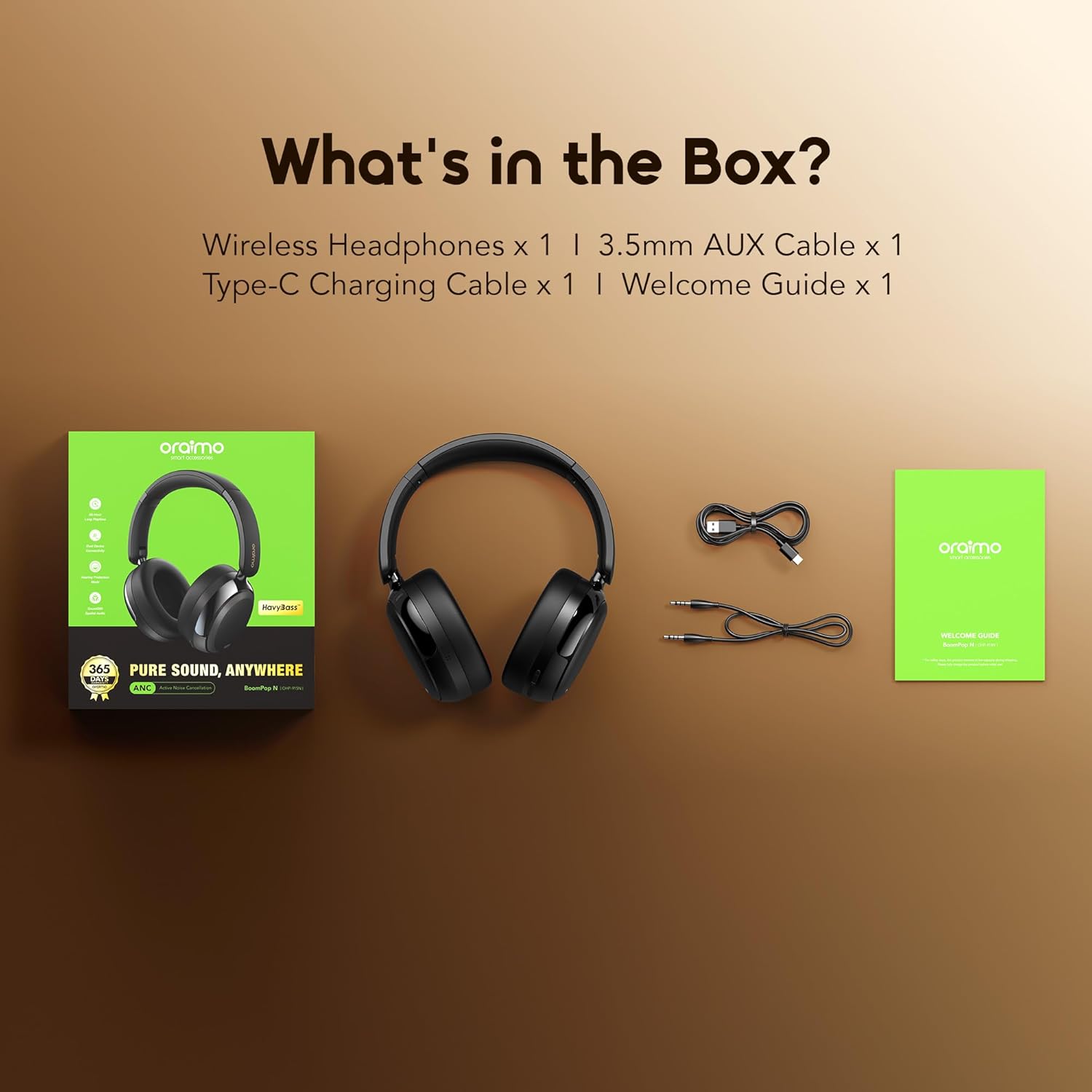
The image displays the contents of the Oraimo BoomPop N headphones package. It includes the wireless headphones, a 3.5mm AUX cable, a Type-C charging cable, and a welcome guide.
- Oraimo BoomPop N Wireless Headphones x 1
- 3.5mm AUX Cable x 1
- Type-C Charging Cable x 1
- Welcome Guide x 1
Product Overview
Familiarize yourself with the components of your Oraimo BoomPop N headphones.

This image shows the Oraimo BoomPop N over-ear headphones in black, highlighting their sleek design and ear cup structure. The Oraimo logo is visible on the headband.
The headphones feature adjustable headbands, soft ear cushions, and controls typically located on the earcups for power, volume, and mode selection.
Setup
1. Charging the Headphones
Before first use, fully charge the headphones. Connect the provided Type-C charging cable to the charging port on the headphones and the other end to a USB power source.
- A 10-minute charge provides approximately 6 hours of playtime.
- A full charge offers up to 65 hours of playtime with ANC off.

This image emphasizes the extended battery life of the Oraimo BoomPop N headphones, stating "65-Hour Long Playtime" and "Listen for Days without Recharging."
2. Power On/Off
- Power On: Press and hold the Power button until the indicator light illuminates.
- Power Off: Press and hold the Power button until the indicator light turns off.
3. Bluetooth Pairing
- Ensure the headphones are powered off.
- Press and hold the Power button for approximately 5 seconds until the indicator light flashes blue and red, indicating pairing mode.
- On your device (smartphone, tablet, computer), enable Bluetooth and search for "Oraimo BoomPop N".
- Select "Oraimo BoomPop N" from the list of available devices to connect.
- Once connected, the indicator light will flash blue slowly.

This image illustrates the Google Fast Pair feature for Android users, showing the Oraimo BoomPop N headphones connecting quickly to a smartphone with a pop-up notification.
Google Fast Pair: For Android users, the headphones support Google Fast Pair for quick and seamless connection.
4. Oraimo Sound App Control
Enhance your experience by downloading the Oraimo Sound App. The app allows for personalized settings, including switching between ANC, Game, and Transparency modes, and managing multi-device pairing.

This image promotes the Oraimo Sound App, showing a user enjoying music with the headphones and providing QR codes for downloading the app from the App Store and Google Play. More information can be found at oraimoSound.htm.
Operating Instructions
1. Active Noise Cancellation (ANC)
The headphones feature Hybrid ANC technology to reduce ambient noise by up to 95%. This is ideal for environments with constant background sounds like airplanes or public transport.

This image depicts a woman wearing the Oraimo headphones, illustrating the concept of "Hybrid Noise Cancellation" for "Pure Audio, No Unwanted Noise."
Use the dedicated ANC button or the Oraimo Sound App to toggle ANC on/off or switch to Transparency mode.
2. EQ Modes and Sound Quality
The headphones offer 3 EQ modes and feature Havy Bass sound tuning for deep, rich bass. The AAC/SBC audio decoder enhances audio frequency for clearer sound.

This image provides a conceptual cross-section of an Oraimo headphone earcup, illustrating "Enhanced Bass Boost" and the internal components that contribute to sound quality, with sound waves emanating from the earcup.
Adjust EQ settings via the Oraimo Sound App to customize your listening experience.
3. Call Functions
Equipped with ENC dual-microphones, the headphones improve call clarity by 60%, ensuring your voice is heard clearly even in noisy environments.

This image depicts a man wearing Oraimo headphones while using a smartphone, highlighting the "2-MIC ENC" feature and the benefit of being heard "Loud and Clear, Anywhere."
- Answer/End Call: Press the Multi-function button once.
- Reject Call: Press and hold the Multi-function button for 2 seconds.
4. Dual Connectivity Modes (Wireless Bluetooth & AUX Cable)
The headphones support both wireless Bluetooth 5.4 connectivity and a wired 3.5mm AUX connection.

This image illustrates the two connectivity methods: wireless Bluetooth freedom (left) and wired stability via AUX cable (right), showing the headphones connected to various devices.
- Bluetooth Mode: Offers a stable range of up to 100ft.
- AUX Mode: Use the 3.5mm AUX cable for low-latency gaming or movie watching, or when battery is depleted.
5. Multi-Device Pairing
The headphones support dual device connection, allowing for effortless switching between two paired devices.

This image demonstrates the "Dual Device Connection" feature, showing the Oraimo headphones simultaneously connected to a tablet and a smartphone, enabling "Effortless Switching between Two Devices."
6. Low-Latency Game Mode
Activate the low-latency game mode via the Oraimo Sound App for an enhanced gaming experience with minimal audio lag.

This image highlights the "Low-Latency Game Mode," showing the Oraimo headphones alongside a smartphone displaying a racing game, suggesting an "Enhanced Gaming Experience with Low Lag."
7. Foldable and Retractable Design
The headphones feature a foldable and retractable design for easy portability and storage, making them suitable for travel.

This image shows the Oraimo BoomPop N headphones in their folded configuration, emphasizing their "Foldable and Retractable Design" as a "Perfect Travelling Companion."
Maintenance
- Cleaning: Use a soft, dry cloth to clean the headphones. Do not use harsh chemicals or abrasive materials.
- Storage: Store the headphones in a cool, dry place away from direct sunlight and extreme temperatures. When traveling, utilize the foldable design for compact storage.
- Water Resistance: The headphones are water resistant. Avoid submerging them in water or exposing them to heavy rain.
Troubleshooting
| Problem | Possible Cause | Solution |
|---|---|---|
| Headphones do not power on. | Low battery. | Charge the headphones fully. |
| Cannot pair with device. | Headphones not in pairing mode; Bluetooth off on device; device too far. | Ensure headphones are in pairing mode (flashing blue/red). Enable Bluetooth on your device. Move device closer to headphones. |
| No sound or low volume. | Volume too low; incorrect audio output selected; headphones not connected. | Increase volume on headphones and device. Check device's audio output settings. Reconnect headphones. |
| ANC not effective. | ANC not activated; specific noise frequencies. | Ensure ANC is turned on. ANC is most effective against low-frequency, constant noise. |
Specifications
- Model Name: OHP-915N
- Brand: Oraimo
- Connectivity Technology: Wireless (Bluetooth 5.4)
- Compatible Devices: Cellphones, Desktops, Telephones
- Color: Black
- Material: Plastic
- Item Weight: 14 ounces
- Package Dimensions: 7.28 x 6.54 x 2.32 inches
- Frequency Response: 20 Hz (Note: Only 20 Hz is listed, typically a range is provided. This might be a partial data point.)
- Water Resistance Level: Water Resistant
- Manufacturer: Oraimo
- Included Components: Wireless Headphones, 3.5mm AUX Cable, Type-C Charging Cable, Welcome Guide
Safety Information
- Do not expose headphones to extreme temperatures or humidity.
- Avoid dropping or subjecting the headphones to strong impacts.
- Do not disassemble or attempt to repair the headphones yourself.
- Keep out of reach of children.
- Prolonged listening at high volume levels may cause hearing damage.
Warranty and Support
For warranty information and customer support, please refer to the official Oraimo website or contact their customer service directly. Details are typically provided in the included Welcome Guide.
You may also visit the Oraimo Store on Amazon for additional product information and support resources.