
Warmdance ZQ06199
Warmdance 180W LED Stage Light Bar Instruction Manual
Model: ZQ06199
Brand: Warmdance
Introduction
This manual provides comprehensive instructions for the setup, operation, and maintenance of your Warmdance 180W LED Stage Light Bar, Model ZQ06199. Please read this manual thoroughly before use to ensure safe and efficient operation.
Key Features:
- Wide irradiation range with 30° light output angle.
- Independent point control with 270 full-color LEDs (45 segments) and 180 0.5W white LEDs (30 segments).
- Built-in lighting effects: gradient, jump, flash, horse show, adjustable speed and MIC sensitivity.
- Flexible control options: 4/11/165CH DMX512, RDM, Sound Activated, Self-propelled, Master-slave.
- Intuitive 4-button LED display for easy setup.
- High-performance plastic enclosure.
- Compact and handy design with 360° rotatable bracket.
Package Contents
- Light Fixture *1
- Power Cord *1
- Remote Control *1
- Instruction Manual *1
Setup Instructions
Unpacking
Carefully remove all components from the packaging. Inspect the light bar for any signs of damage.

Image: The Warmdance 180W LED Stage Light Bar, shown here as a two-pack, features a rectangular design with numerous RGBW LEDs capable of producing a wide spectrum of colors. Each unit comes with a remote control for easy operation.
Power Connection
Connect the provided power cord to the "POWER IN" port on the back of the light bar. Plug the other end into a standard electrical outlet (AC110-240V, 50/60Hz).
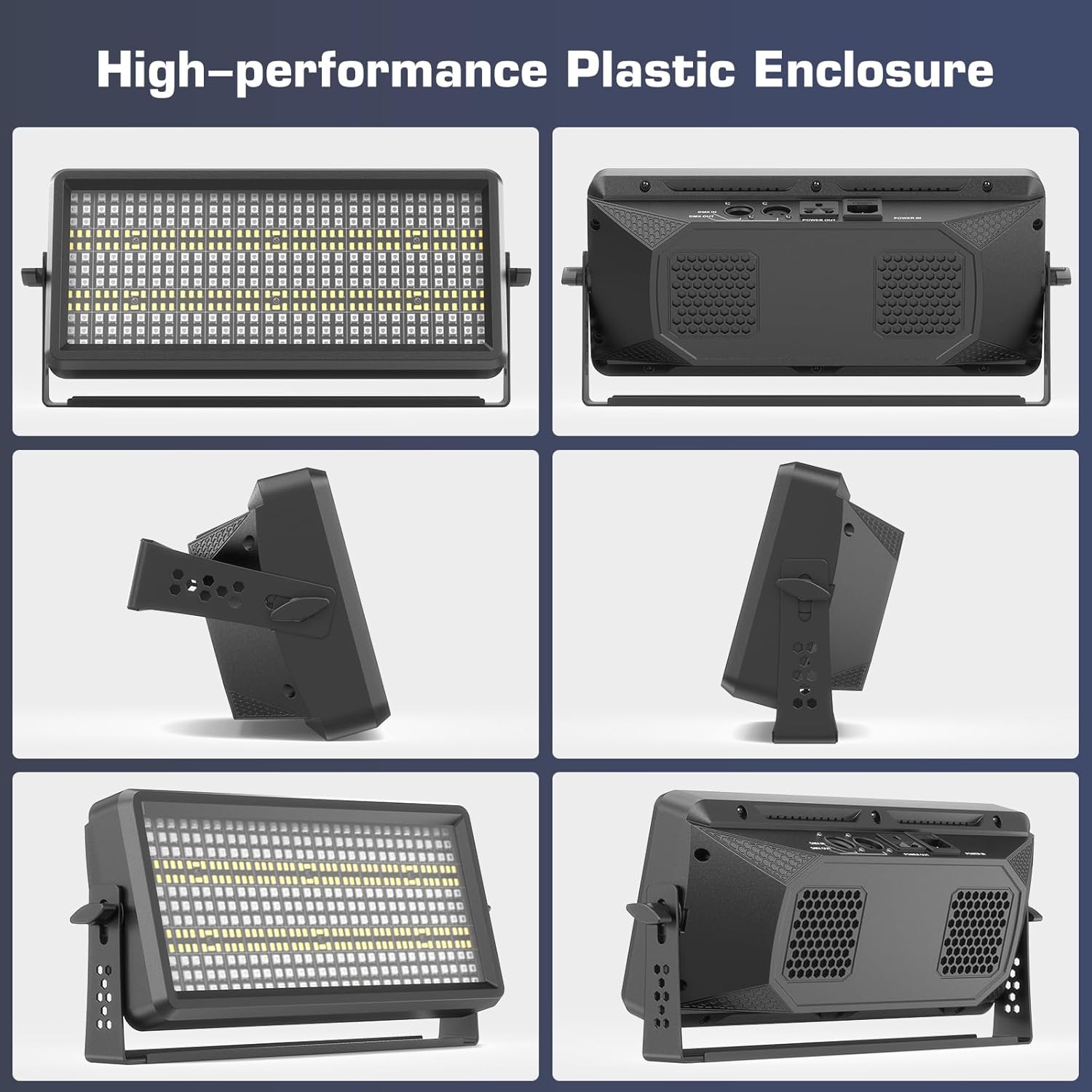
Image: The back panel of the light bar, detailing its connectivity options. It includes DMX IN and DMX OUT ports for professional control, Power IN and Power OUT for daisy-chaining, and a clear LCD display with four control buttons for direct adjustments.
Mounting and Positioning
The light bar features a 360° rotatable bracket for flexible positioning. Adjust the bracket to achieve the desired light angle. The optimal projection distance is 10 meters.

Image: This image highlights the compact and portable design of the light bar, providing its dimensions and showcasing the versatile 360° rotatable bracket, which allows for precise aiming and mounting in various configurations.
Operating the Light Bar
Control Panel
The light bar features a 4-button LED display for direct control. Use the MENU, UP, DOWN, and ENTER buttons to navigate settings and select modes.

Image: A close-up view of the light bar's 4-digit LED display and control buttons, used for navigating menus and adjusting settings directly on the unit.
Remote Control Operation
The included remote control allows for convenient adjustment of various lighting effects and modes.
Video: This video provides an overview of the Warmdance 180W LED Stage Light Bar, including a demonstration of its remote control functions and a variety of pre-programmed light shows.
Control Modes
DMX512 & RDM Control
The light bar supports 4, 11, or 165 DMX channels. Connect your DMX controller to the DMX IN port. Use the DMX OUT port to daisy-chain multiple units. Refer to the DMX channel chart in the user manual for detailed programming.
Sound Activated Control
In Sound Activated mode, the light bar responds to ambient sound, creating dynamic lighting effects synchronized with music or other audio. MIC sensitivity is adjustable.
Self-Propelled Mode
The light bar features various built-in automatic programs, including gradient, jump, flash, and horse show effects. The effect flow speed is adjustable.
Video: This video demonstrates the various dynamic lighting effects and color changes achievable with the Warmdance LED Stage Light Bar, showcasing its versatility for different event settings.
Master-Slave Mode
Connect multiple light bars using DMX cables to operate them in Master-Slave mode. One unit acts as the master, controlling all connected slave units.
Lighting Effects
The light bar offers a wide array of RGBW color mixing and dynamic effects.
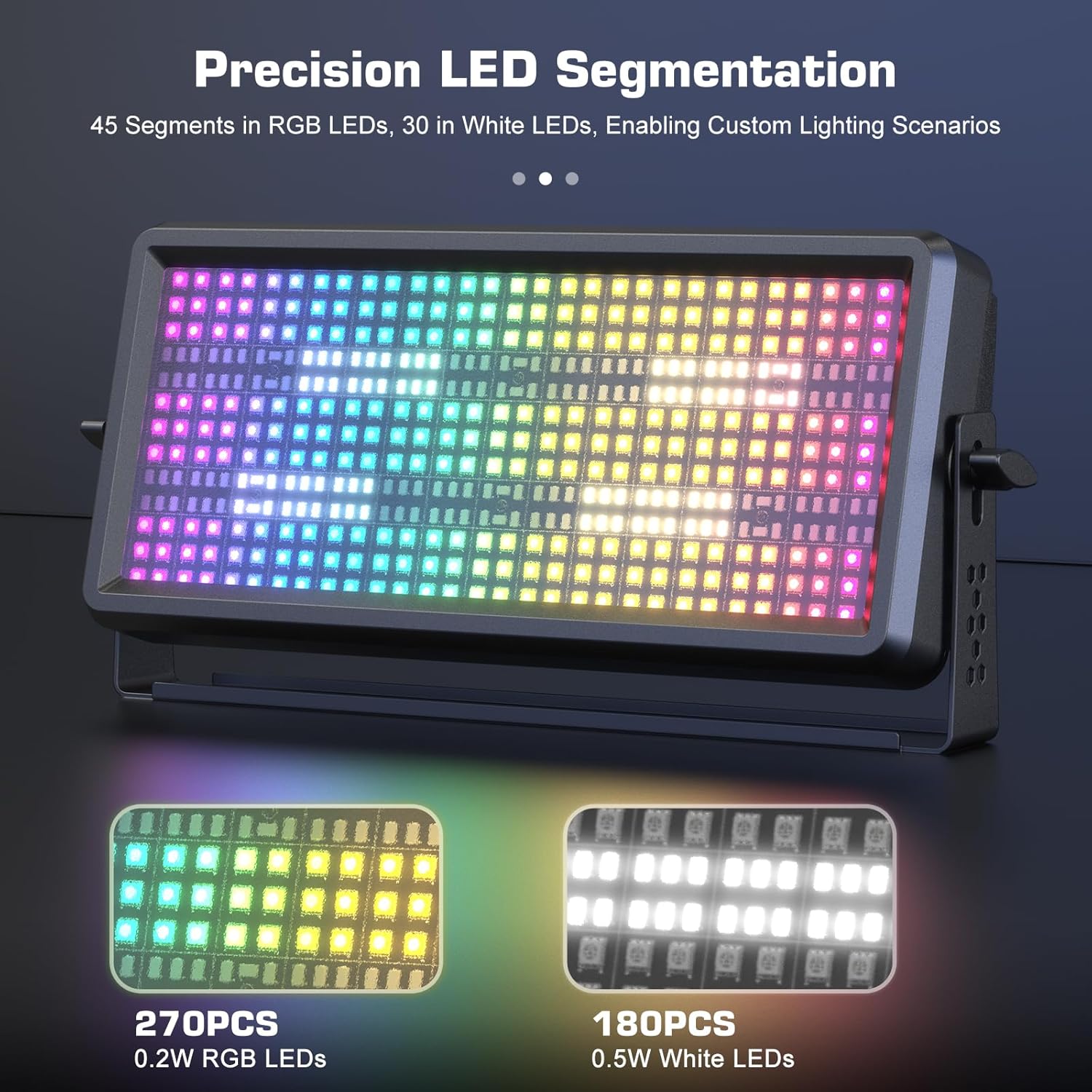
Image: Examples of the light bar's powerful wall-wash capabilities, demonstrating its ability to project solid, vibrant colors such as red, green, blue, white, yellow, purple, and cyan onto surfaces, creating immersive atmospheric lighting.

Image: This composite image displays a selection of the light bar's built-in R-G-B-W 4-in-1 effects, including dynamic strobe, jump, fade, and chase patterns, illustrating the versatility of its pre-programmed lighting sequences.

Image: A detailed view of the light bar's LED array, demonstrating its precision segmentation. It features 270 0.2W RGB LEDs and 180 0.5W white LEDs, allowing for intricate custom lighting scenarios and vibrant color mixing.
Maintenance
- Keep the light bar clean by wiping it with a soft, dry cloth.
- Ensure proper ventilation to prevent overheating.
- Avoid exposing the unit to moisture or extreme temperatures.
- Regularly check cables and connections for wear or damage.
Troubleshooting
- No Power: Check if the power cord is securely connected to both the light bar and the power outlet. Ensure the outlet is functional.
- No Light Output: Verify that the light bar is powered on and not in a black-out mode. Check selected control mode and settings.
- Incorrect DMX Operation: Ensure DMX cables are correctly connected (DMX IN to DMX OUT). Verify DMX addresses and channel settings on both the light bar and the controller. Refer to the DMX channel chart in the user manual.
- Remote Control Not Responding: Check the remote control's battery. Ensure there are no obstructions between the remote and the light bar's sensor.
- Fan Noise: Some fan noise is normal during operation to dissipate heat. If noise is excessive or unusual, ensure vents are clear and contact support if it persists.
Technical Specifications
| Feature | Specification |
|---|---|
| Rated Voltage | AC110-240V, 50/60Hz |
| Light Source | 270 RGB LEDs + 180 0.5W White LEDs |
| LED Lifespan | 50,000 hours |
| Light Output Angle | 30° |
| Dimming | 0-100% Linear Dimming |
| Strobe | 1-20Hz |
| Control Modes | DMX512, RDM, Sound Activated, Self-propelled, Master-slave |
| DMX Channels | 4/11/165 CH |
| Display | 4-digit LED Display |
| Material | High-performance Plastic Enclosure |
| Product Dimensions | 15.75"L x 3.93"W x 7.09"H |
| Item Model Number | ZQ06199 |
| Manufacturer | Shenzhen Zhuoqiong Technology Co., Ltd. |

Image: A visual representation of the light bar's physical dimensions and its rear panel connections, including the 360° rotatable bracket, DMX ports, LCD display, and power connections.
Warranty and Support
For warranty information and technical support, please refer to the contact details provided with your purchase or visit the official Warmdance website.
Ask a question about this manual
Ask about setup, troubleshooting, compatibility, parts, safety, or missing instructions. Manuals+ will review the question and use this page’s manual context to help answer it.