
1. Product Overview
The SIRUI AM-284S+G1 is a professional-grade travel carbon fiber tripod designed for photographers and videographers requiring stability, portability, and versatility. It features a robust carbon fiber construction, a 43mm low-profile ball head, and a high load capacity suitable for various camera setups.

Key Features:
- Premium Carbon Fiber Construction: Offers exceptional durability and a lightweight design.
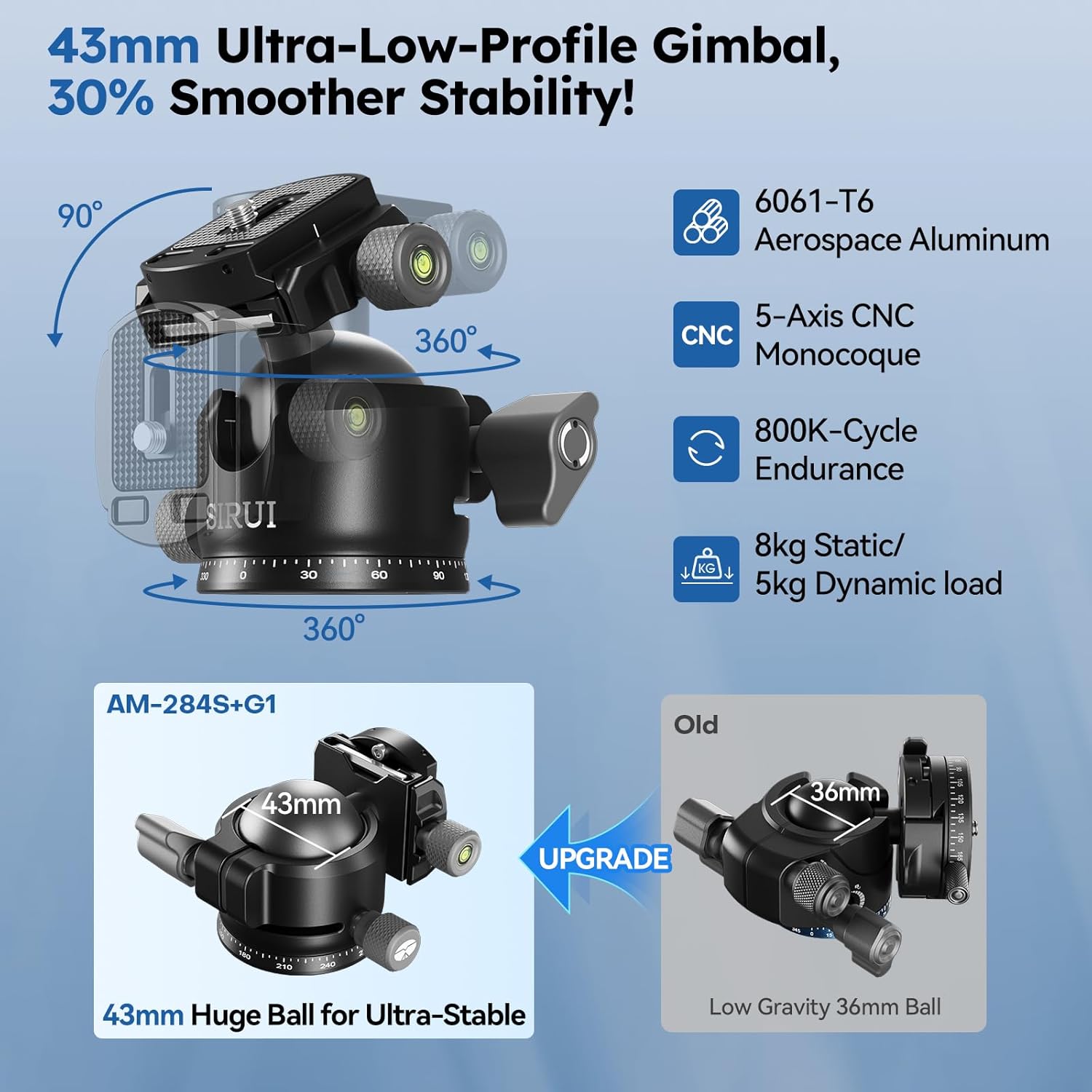
- Oversized 43mm Low-Profile Ball Head: Provides rock-solid stability and precise control.
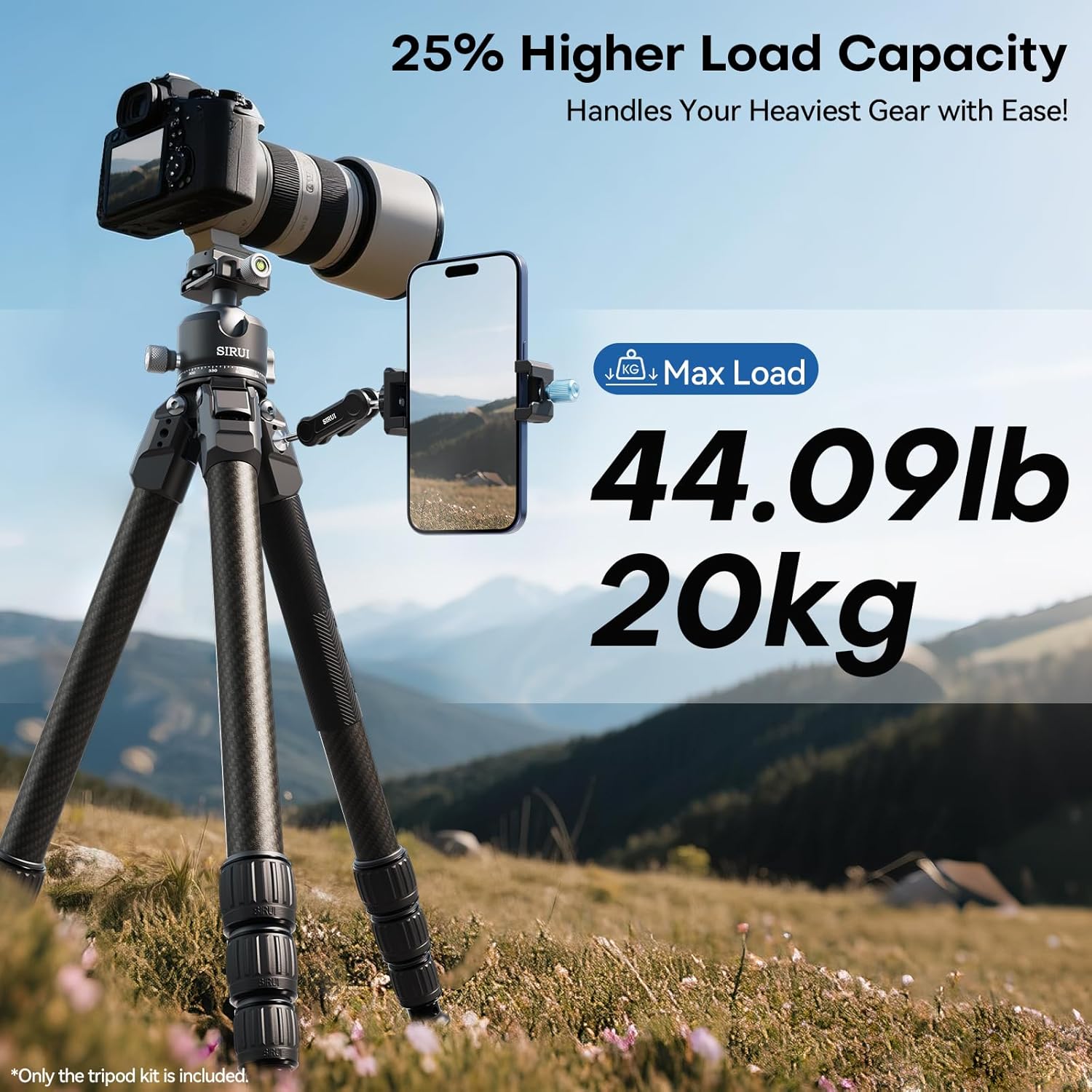
- Heavy-Duty Performance: Supports up to 20kg (44lbs) for various camera equipment.
- Portable & Compact: Folds down to 52cm (20.5") and weighs 1.52kg (3.35lbs).
- Versatile Mounting Options: Includes 6 extra mounting holes for accessories.

2. Setup
2.1 Unpacking Contents
Carefully unpack all components from the packaging. The standard kit includes:
- AM-284S Main Body x1
- G1 Ball Head x1
- Carrying Bag x1
- Allen Key x2
- Stainless Steel Spike x3

2.2 Attaching the Ball Head
- Ensure the tripod's mounting platform is clean and free of debris.
- Align the G1 ball head's base with the tripod's 3/8" mounting screw.
- Rotate the ball head clockwise until it is securely tightened onto the tripod platform. Use the included Allen key if necessary to further secure the connection from the underside of the tripod platform, if applicable.

2.3 Extending and Adjusting Legs
The tripod features 4-section carbon fiber legs with twist locks for quick and secure adjustments.
- To extend a leg, twist the lock counter-clockwise to loosen the section. Pull the leg section outwards to the desired length.
- Twist the lock clockwise to secure the leg section firmly in place. Repeat for all sections and legs.
- The tripod can be adjusted from a minimum height of 14cm (5.51") to a maximum height of 128cm (50.39").


2.4 Attaching Camera or Device
The G1 ball head features a quick-release plate system for fast and secure camera attachment.
- Ensure the quick-release plate is attached to your camera's 1/4"-20 tripod socket.
- Open the quick-release clamp on the ball head.
- Slide the quick-release plate with your camera into the clamp.
- Close the clamp securely until you hear a click or feel it lock into place. Verify the camera is firmly attached before releasing your grip.
3. Operating
3.1 Ball Head Operation
The G1 ball head provides smooth and precise control for camera positioning.
- Ball Lock Knob: Loosen this knob to adjust the camera's angle and tilt. Tighten it to secure the camera in position.
- Panning Lock Knob: Loosen this knob to rotate the camera 360° horizontally for panoramic shots. Tighten it to lock the panning movement.
- The low-profile design and 43mm ball ensure enhanced stability and minimize creep, even with heavy equipment.
3.2 Leg Angle Adjustment
Each leg can be independently adjusted to three different angles for stability on uneven terrain or for low-angle shooting.
- Press the angle lock tab at the top of each leg.
- Move the leg to the desired angle (e.g., 22°, 55°, or 85°).
- Release the tab to lock the leg securely in place.

3.3 Accessory Mounting
The tripod features 6 additional 1/4" mounting holes on the spider for attaching various accessories.
- Attach accessories such as microphones, LED lights, monitors, or phone clips directly to these ports.
- Ensure accessories are securely tightened to prevent accidental detachment.

3.4 Switchable Foot Spikes
The tripod comes with rubber feet for general use and stainless steel spikes for enhanced grip on soft or uneven surfaces.
- To switch to spikes, unscrew the rubber feet from the bottom of the tripod legs.
- Screw the stainless steel spikes into the threaded inserts.
- Ensure they are tightly secured before use.

3.5 Product Video Guide
Watch this official product video for a visual guide on the features and operation of the SIRUI AM-284S+G1 Tripod.
4. Maintenance
4.1 Cleaning
- Wipe down carbon fiber legs and aluminum parts with a soft, damp cloth after each use, especially if exposed to dust, sand, or saltwater.
- Avoid using harsh chemicals or abrasive materials that could damage the finish.
- For the ball head, use a dry, soft cloth to clean the ball and clamping surfaces. Do not apply lubricants to the ball as this can impair its locking ability.
4.2 Storage
- Store the tripod in its carrying bag in a cool, dry place away from direct sunlight and extreme temperatures.
- Ensure all leg sections are fully retracted and locks are lightly tightened to prevent dust ingress.
4.3 Inspection
- Regularly check all screws, bolts, and quick-release mechanisms for tightness. Use the provided Allen keys for adjustments.
- Inspect leg sections for any signs of damage or excessive wear.
- Ensure the ball head moves smoothly and locks securely.
5. Troubleshooting
5.1 Stability Issues
- Tripod feels wobbly: Ensure all leg sections are fully extended and their twist locks are securely tightened. Verify that the leg angle locks are engaged.
- Camera movement after locking: Confirm the quick-release plate is properly seated and its clamp is fully tightened. For the ball head, ensure the ball lock knob is firmly secured.
5.2 Ball Head Movement
- Ball head not locking securely: Check if the ball lock knob is fully tightened. Ensure no foreign objects are obstructing the ball's movement or the locking mechanism. Avoid over-tightening, which can cause wear.
- Stiff panning movement: If panning is not smooth, ensure the panning lock knob is fully loosened. Clean any dust or debris from the panning base.
5.3 Leg Extension/Retraction
- Legs are stiff or difficult to extend/retract: This may be due to accumulated dirt or sand. Fully extend the leg sections, clean them thoroughly with a damp cloth, and allow them to dry completely before reassembling. Do not apply lubricants to the twist locks.
- Leg sections slip after locking: Ensure the twist locks are tightened firmly. If the issue persists, inspect the internal locking mechanisms for wear or damage.
6. Specifications
Detailed technical specifications for the SIRUI AM-284S+G1 Tripod:
| Feature | Specification |
|---|---|
| Model Name | AM-284S+G1 |
| Material | Aluminum, Carbon Fiber |
| Tripod Section | 4 |
| Max Tube Diameter | 29.4mm / 1.16" |
| Min Tube Diameter | 18.6mm / 0.73" |
| Ball Head Base Diameter | 56mm / 2.2" |
| Ball Diameter | 43mm / 1.69" |
| Weight (Tripod + Ball Head + Steel Spike) | 1.52kg / 3.35lbs |
| Max Load | 20kg / 44.09lbs |
| Maximum Height | 128 Centimeters |
| Minimum Height | 14 Centimeters |
| Tripod Head Type | Ball Heads |
| Compatible Devices | Camcorder, Camera, Smartphone, Telescope |
| Special Feature | Foldable, Remote Control, Telescopic |

7. Warranty and Support
For warranty information, product support, or service inquiries, please refer to the official SIRUI website or contact your authorized SIRUI dealer. Keep your purchase receipt as proof of purchase.
You can also visit the official Sirui Store on Amazon for additional resources and contact options.