
1. Introduction
This manual provides comprehensive instructions for the HICSHON WDC901 4K 48MP Underwater Digital Camera. Designed for capturing high-quality photos and videos in various environments, including underwater, this camera features dual screens, autofocus, 16X digital zoom, and a built-in fill light. Please read this manual thoroughly before use to ensure optimal performance and longevity of your device.

Image 1: HICSHON WDC901 Underwater Digital Camera (Black)
2. What's in the Box
- 1 x HICSHON WDC901 Underwater Digital Camera
- 2 x 700mAh Lithium Batteries
- 1 x USB Data Cable
- 1 x User Manual
- 1 x Wrist Band
- 1 x Lanyard
- 1 x Camera Bag
- 1 x Power Adapter
3. Setup
3.1. Battery Installation and Charging
- Locate the waterproof battery compartment on the bottom of the camera.
- Slide the lock mechanism to open the compartment.
- Insert one of the provided 700mAh lithium batteries into the designated slot.
- Close the compartment securely and ensure the lock mechanism is engaged to maintain waterproofing.
- To charge, connect the camera to the power adapter using the USB data cable. The battery is rechargeable.
3.2. Micro SD Card Insertion and Formatting
- With the battery compartment open, locate the Micro SD card slot.
- Insert the provided 64GB Micro SD card (or another compatible card up to 128GB) into the slot until it clicks into place.
- Important: Please format the Micro SD card when you first use it to ensure proper functionality and storage. Refer to the camera's menu settings for the formatting option.
Video 1: Instructions on how to format the Micro SD card for the HICSHON camera.
3.3. Waterproof Seal Check
Before each use, especially when submerging the camera in water, ensure that the battery compartment cover is securely locked. This is crucial for maintaining the IP68 international waterproof standard and preventing water damage.

Image 2: Illustration of the waterproof battery compartment and Micro SD card slot.
4. Operating Instructions
4.1. Power On/Off
Press and hold the power button (usually located on the top or side) to turn the camera on or off.
4.2. Dual-Screen Functionality
The camera features an IPS dual-screen design: a 1.7-inch front HD screen for selfies and a 2.8-inch rear LCD for precise shooting. Use the dedicated one-click switch button to toggle between the front and rear displays, making underwater selfies and vlogging easier.

Image 3: The camera's dual-screen design, showing both front and rear displays.
4.3. Taking Photos (4K 48MP)
To capture stunning 48MP photos, lightly press the shutter button halfway to activate autofocus. The focus frame on the screen will change from yellow to green when focus is achieved. Press the shutter button fully to take the photo.

Image 4: Demonstrating autofocus and 16X digital zoom capabilities.
4.4. Recording Videos (4K)
The camera supports 4K Ultra HD video recording. Press the dedicated video record button to start and stop recording. The built-in microphone captures crisp audio.
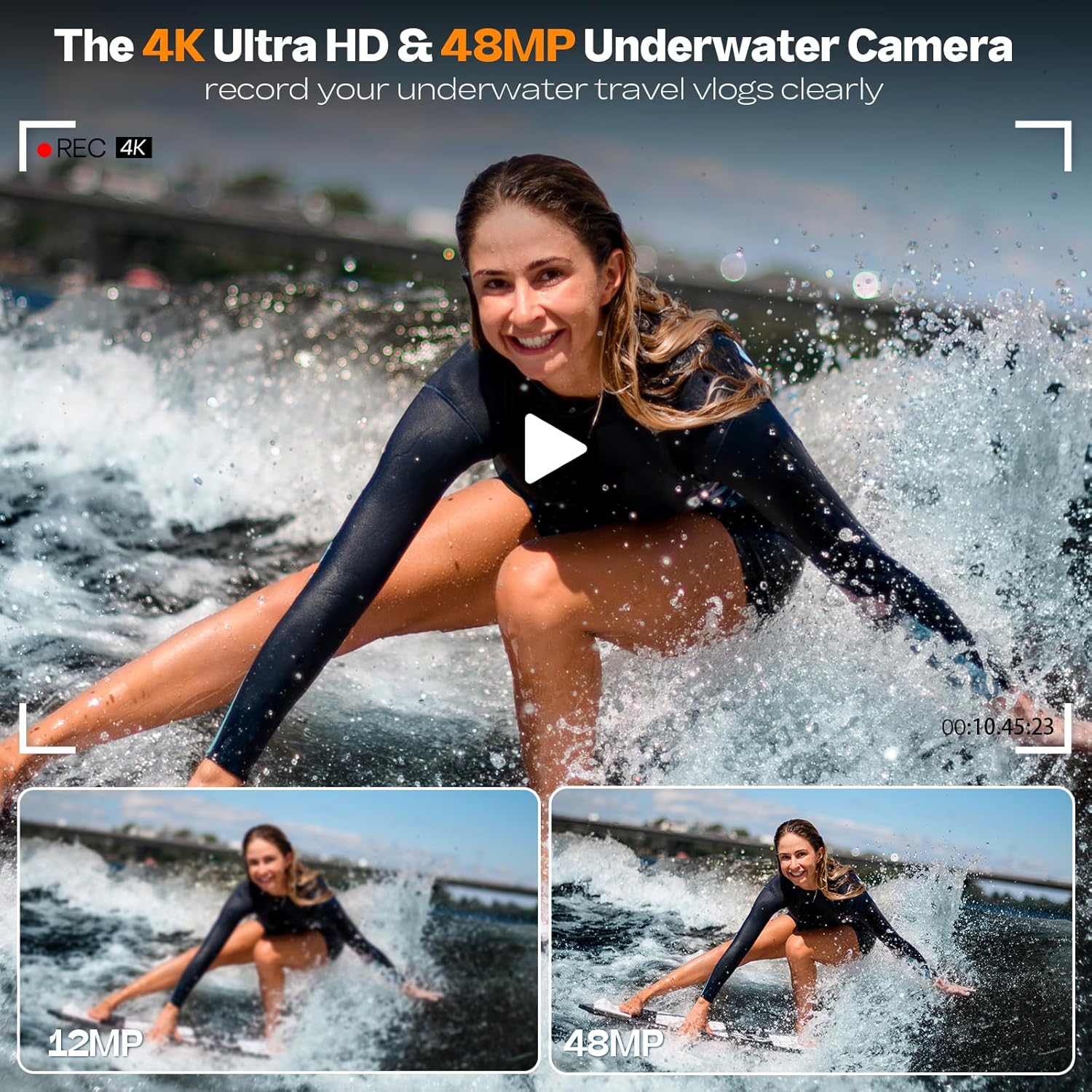
Image 5: High-resolution photo and video capture with the HICSHON underwater camera.
4.5. Zoom Functionality
Utilize the 16X digital zoom feature to capture both distant and close-up views. Adjust the zoom using the W/T buttons (Wide/Telephoto) on the camera.
4.6. Fill Light and Anti-Shake
Activate the built-in fill light to enhance image quality in low-light conditions, especially underwater. The anti-shake feature helps maintain stable footage and clear images during dynamic activities.

Image 6: Comparison of images with and without the fill light, and the effect of anti-shake.
4.7. Special Shooting Modes
Explore various shooting modes including 3 continuous shots, multiple filters, self-timer (2s/5s/10s), slow motion, and time-lapse. These features allow for creative and versatile capture of your experiences.

Image 7: Visual representation of Time Lapse, 3-Continuous Shooting, Self-Timer, and 16 Effects.
4.8. Transferring Media
To transfer your photos and videos, you can either remove the Micro SD card and insert it into a compatible card reader, or connect the camera directly to a computer or laptop using the provided USB cable.
Video 2: Overview of the HICSHON waterproof digital camera's features and ease of use.
5. Maintenance
- After each use in water, rinse the camera with fresh water and dry thoroughly with a soft cloth.
- Ensure the battery compartment is clean and free of debris before closing to maintain the waterproof seal.
- Avoid exposing the camera to extreme temperatures or direct sunlight for prolonged periods.
- Clean the lens and screens with a soft, lint-free cloth. Do not use abrasive cleaners.
6. Troubleshooting
6.1. Blurry Images/Videos
- Ensure the autofocus is engaged by pressing the shutter button halfway until the focus frame turns green.
- Check for smudges or water droplets on the lens. Clean with a soft cloth.
- Verify that the anti-shake feature is enabled in the settings for dynamic shooting.
6.2. Screen Visibility Issues Underwater
- In bright sunlight or underwater, screen visibility can be challenging. Adjust screen brightness in settings if available.
- Ensure the screen is free from water droplets or condensation.
6.3. Battery Not Charging/Holding Charge
- Ensure the USB cable and power adapter are correctly connected and functioning.
- Check the battery for any visible damage.
- If using a different charger, ensure it meets the camera's power requirements.
6.4. Cannot Transfer Photos/Videos
- Ensure the USB cable is securely connected to both the camera and the computer.
- Verify that the Micro SD card is properly inserted and not corrupted. Try reinserting or formatting the card (after backing up data).
- Check your computer's file explorer to see if the camera or SD card is recognized as a removable drive.
7. Specifications
| Feature | Detail |
|---|---|
| Brand | HICSHON |
| Model Name | WDC901 |
| Maximum Webcam Image Resolution | 48 MP |
| Photo Sensor Size | 1/3.2-inch |
| Image Stabilization | Digital |
| Supported File Format | JPEG |
| Connectivity Technology | USB |
| Video Resolution | 2160p |
| Digital Zoom | 16 x |
| Screen Size | 2.8 Inches (Rear), 1.7 Inches (Front) |
| Memory Storage Capacity | 64 GB (included), supports up to 128 GB |
| Water Resistance Level | Waterproof (IP68) |
| Water Resistance Depth | 11 Feet |
| Battery Type | Lithium Ion (2 included) |
| Item Weight | 0.32 Kilograms |
8. Warranty and Support
The HICSHON WDC901 camera comes with a 1-year hassle-free warranty. If you require assistance or have any questions regarding your camera, our 24/7 after-sales service team is available to provide timely support.
For support, please refer to the contact information provided in the included user manual or visit the official HICSHON website.