Introduction
Thank you for choosing the SYBO HS-210 Commercial Professional Blender. This heavy-duty blender is designed for both commercial and household use, offering powerful blending capabilities with a quiet shield for reduced noise. It features a 1400W high-speed motor, a 48oz BPA-free container, and precise controls for a variety of blending tasks.
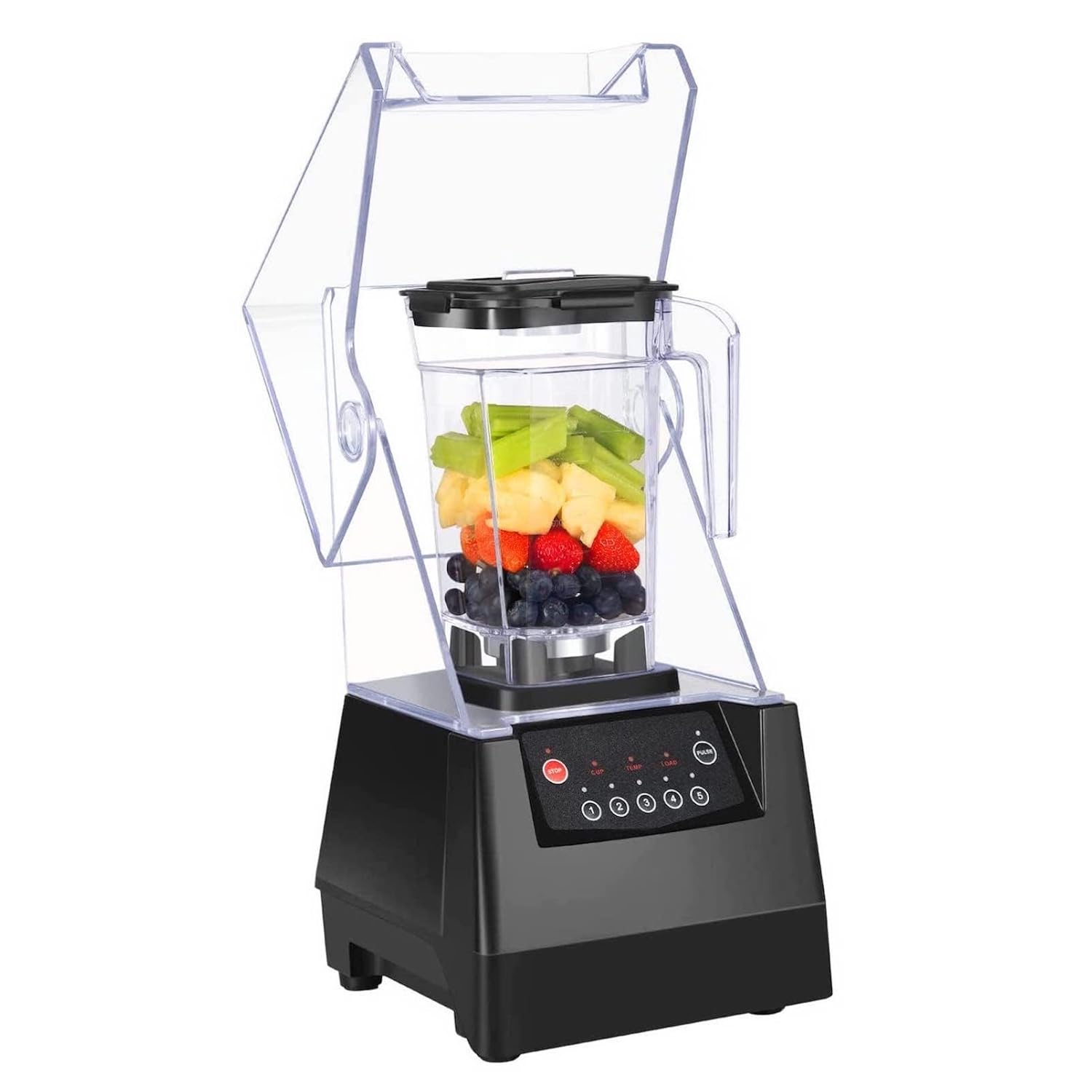
Image: The SYBO HS-210 Commercial Professional Blender with its quiet shield and control panel.
Important Safety Instructions
Please read all instructions carefully before using the blender. Failure to follow these instructions may result in injury or damage to the appliance.
- Always ensure the blender is unplugged before assembling, disassembling, or cleaning.
- Do not immerse the motor base in water or other liquids.
- Keep hands and utensils out of the container while blending to reduce the risk of severe injury to persons or damage to the blender.
- Ensure the lid and quiet shield are properly secured before operating the blender.
- Do not blend hot liquids in large quantities as pressure buildup can cause the lid to eject and result in burns.
- Never operate the blender with damaged cord or plug.
- This appliance is not intended for use by persons with reduced physical, sensory, or mental capabilities, or lack of experience and knowledge, unless they have been given supervision or instruction concerning use of the appliance by a person responsible for their safety.
Package Contents
Your SYBO HS-210 Blender package includes:
- SYBO HS-210 Motor Base
- 48oz BPA-Free Blending Container with 6-blade assembly
- Quiet Shield enclosure
- Lid with removable cap
- Tamper/Plunger
- Instruction Manual
Product Overview
The SYBO HS-210 blender is engineered for efficiency and durability. Familiarize yourself with its main components and controls.
Key Components:
- Motor Base: Houses the powerful 1400W motor and control panel.
- Blending Container: A 48oz (approx. 1.4L) BPA-free container with a 6-blade 4D system for efficient blending.
- Quiet Shield: A transparent enclosure designed to significantly reduce blending noise.
- Control Panel: Features power switches, a variable speed dial (1-15), and a pulse function.
- Lid with Removable Cap: Allows for adding ingredients during blending and ensures a secure seal.
- Tamper: Used to push ingredients towards the blades for smoother blending, especially with thick mixtures.

Image: Close-up of the SYBO HS-210 blender's control panel with speed dial and pulse button.
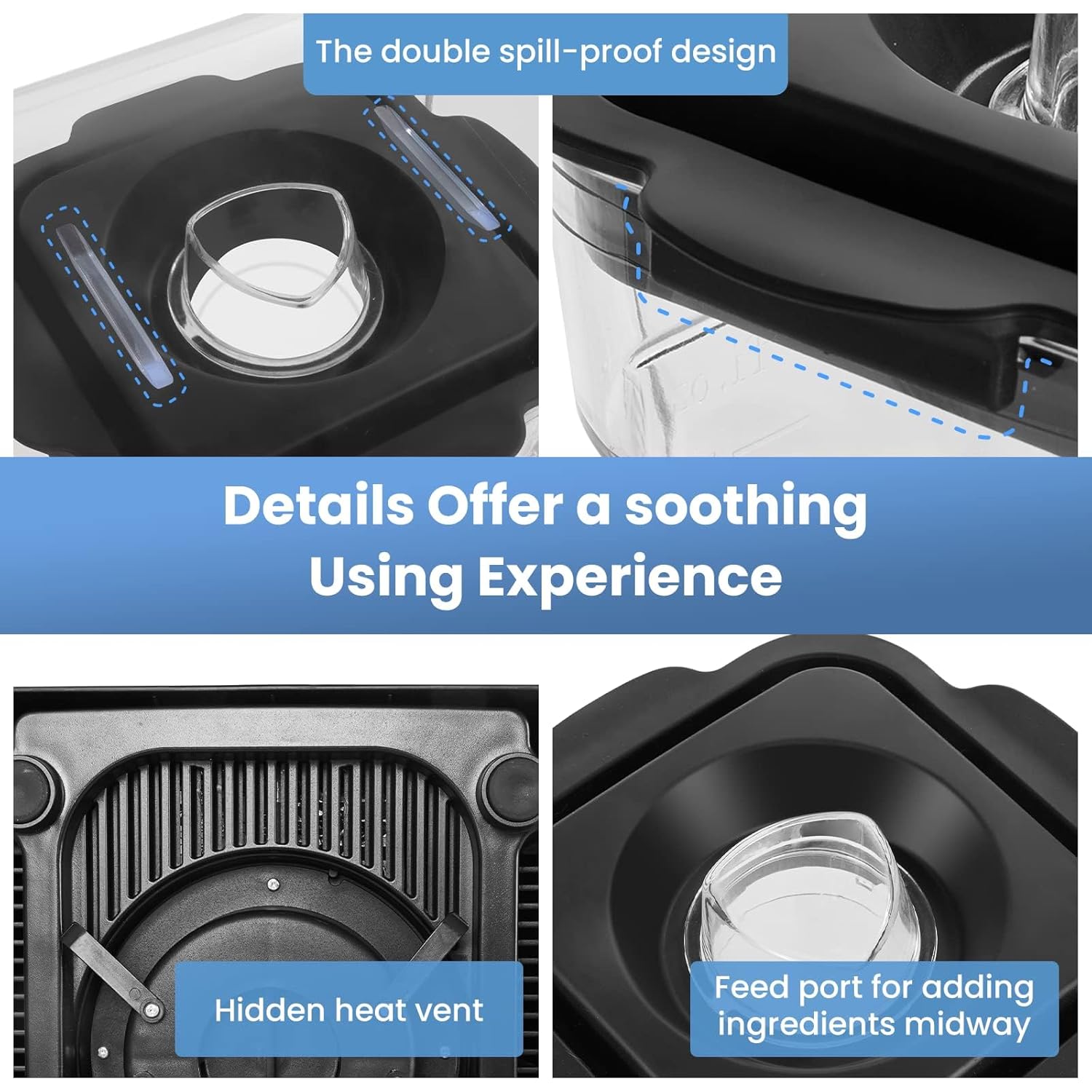
Image: Detailed view of the blender container, highlighting the double spill-proof design, hidden heat vent, and feed port.
Setup
- Unpack: Carefully remove all components from the packaging.
- Clean: Before first use, wash the blending container, lid, and tamper with warm, soapy water. Rinse thoroughly and dry. Wipe the motor base with a damp cloth.
- Assemble: Place the blending container securely onto the motor base. Ensure it clicks into place.
- Secure Quiet Shield: Lower the quiet shield over the blending container until it rests firmly on the motor base.
- Connect Power: Plug the blender into a grounded electrical outlet.
Operating Instructions
1. Adding Ingredients:
- Ensure the blender is off and unplugged before adding ingredients.
- Place ingredients into the blending container. For best results, add liquids first, followed by soft ingredients, then hard ingredients, and finally ice or frozen items.
- Secure the lid onto the container and lower the quiet shield.
2. Blending:
- Plug in the blender.
- Turn the POWER switch to "ON".
- Select your desired speed using the variable speed dial (1-15). Start with a lower speed and gradually increase as needed.
- For quick bursts of power, use the PULSE switch. Hold it down for desired duration, then release.
- If ingredients get stuck, use the tamper through the lid's removable cap to push them towards the blades. Always ensure the tamper does not touch the blades.
- When blending is complete, turn the POWER switch to "OFF" and unplug the blender.

Image: Diagram illustrating the versatility of the blender for various preparations like baby food, soup, sauces, smoothies, shakes, juice, coffee, and soy milk.
3. Quiet Blending Technology:
The integrated quiet shield significantly reduces operational noise, making the SYBO HS-210 ideal for environments where noise levels are a concern, such as cafes or busy kitchens. Ensure the quiet shield is properly closed during operation for maximum noise reduction.

Image: Illustration detailing the quiet shield's features, including all-in-one soundproof shelter, shockproof drive socket, shockproof base, and shockproof pad.
4. Smart Safety Features:
The blender is equipped with intelligent chips to prevent overheating and overloading. If the blender detects excessive heat or load, it will automatically shut down to protect the motor. Allow the unit to cool down before resuming operation.
Image: The control panel indicating TEMP/LOAD lights for intelligent chip protection.
5. Official Product Videos:
Cleaning and Maintenance
Regular cleaning ensures optimal performance and longevity of your SYBO blender.
Easy Clean-Up Function:
- After use, add a drop of dish soap and warm water to the blending container.
- Secure the lid and quiet shield.
- Run the blender on a low speed or use the pulse function for 30-60 seconds.
- Rinse the container thoroughly with clean water.
Manual Cleaning:
- The blending container, lid, and tamper are dishwasher safe.
- For the motor base, wipe with a damp cloth. Do not immerse in water.
- Ensure all parts are completely dry before reassembling or storing.
Troubleshooting
| Problem | Possible Cause | Solution |
|---|---|---|
| Blender does not turn on. | Not plugged in; Power switch off; Container not properly seated; Quiet shield not closed. | Check power connection; Ensure power switch is ON; Re-seat container firmly; Close quiet shield completely. |
| Motor stops during operation. | Overheating or overloading detected by smart safety chip. | Unplug the blender, remove some ingredients if overloaded, and allow it to cool down for 15-20 minutes before restarting. |
| Ingredients are not blending smoothly. | Too little liquid; Ingredients stuck; Speed too low. | Add more liquid; Use the tamper to push ingredients towards blades; Increase speed gradually. |
Specifications
| Feature | Detail |
|---|---|
| Model Number | HS-210 |
| Brand | SYBO |
| Power | 1400W |
| Container Capacity | 48 oz (approx. 1.4 Liters) |
| Material | BPA-Free Container |
| Special Features | Adjustable Speed Control, Automatic Cleaning, Detachable Attachment, Dishwasher Safe, Pulse Technology, Quiet Shield, Overheat Protection |
| Product Dimensions | 10"D x 10"W x 19"H |
| Color | Black |
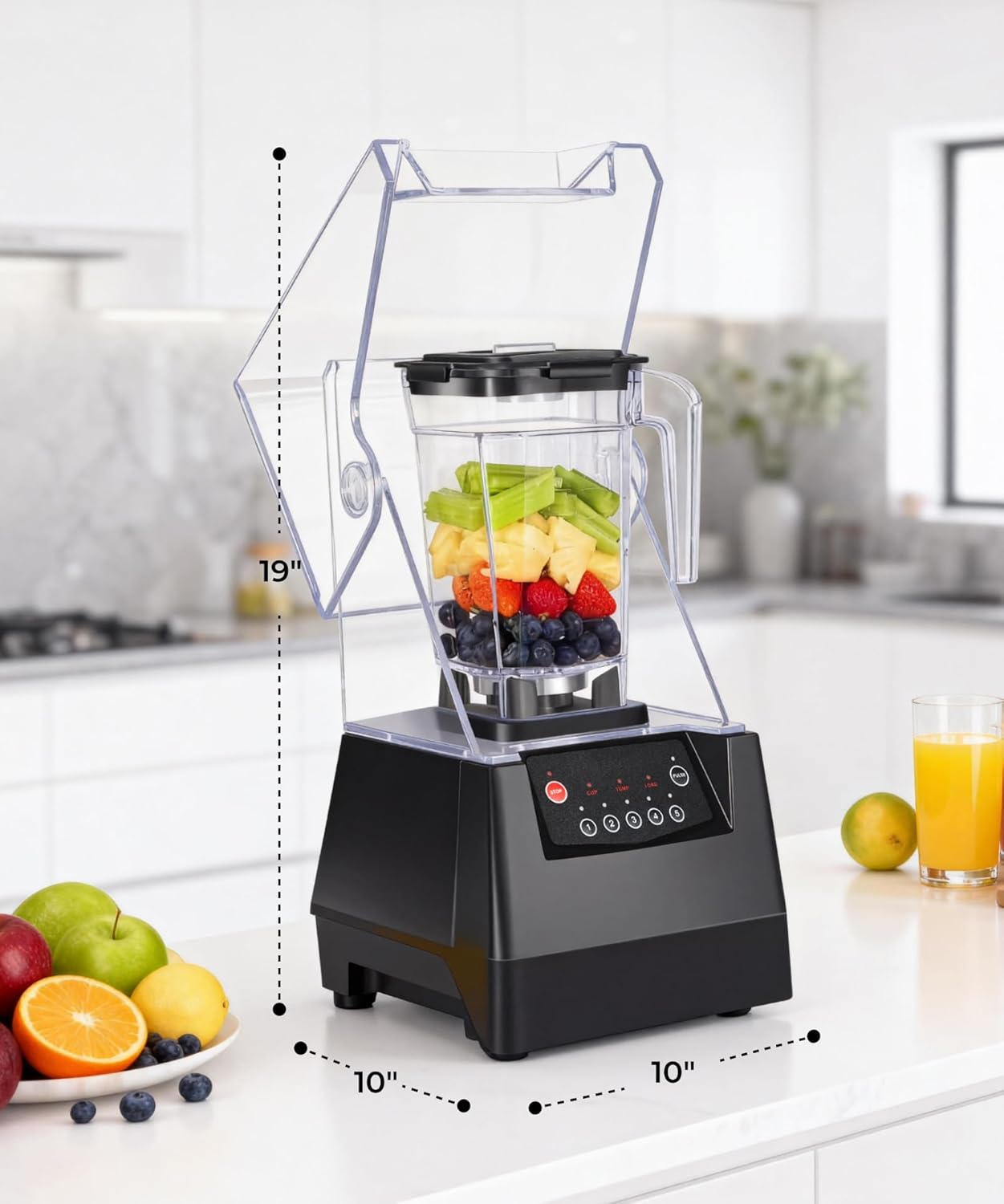
Image: Diagram showing the dimensions of the SYBO HS-210 blender (19 inches height, 10 inches depth, 10 inches width).
Warranty and Support
Your SYBO blender is built with high-quality materials and superior construction. While designed for durability, it is important to note that it is not intended for permanent, continuous operation without breaks. If you encounter any issues or believe there is a defect with your SYBO product, please contact customer support as soon as the defect is noticed.
Customer Support Email: cs@sybo.us


