Introduction
This manual provides essential information for setting up, operating, maintaining, and troubleshooting your HP 250 G9 Laptop. Please read this guide thoroughly to ensure proper use and to maximize the lifespan of your device.
What's in the Box
Verify that all items are present in the packaging:
- HP 250 G9 Laptop
- Power Adapter
- Documentation (Quick Start Guide, Safety Information)
Setup
1. Initial Power On
- Connect the Power Adapter: Plug the power adapter into the laptop's AC power port and then into a wall outlet.
- Open the Laptop: Carefully open the laptop lid.
- Power On: Press the power button, usually located on the keyboard deck, to turn on the laptop.
- Follow On-Screen Instructions: The laptop will guide you through the initial Windows 11 Pro setup process, including language selection, network connection, and user account creation.
2. Connecting Peripherals
Your HP 250 G9 Laptop offers various ports for connecting external devices:
- USB Type-C: For data transfer and connecting compatible devices.
- USB Type-A: For connecting USB devices like mice, keyboards, or external drives.
- HDMI: For connecting to external displays or projectors.
- Headphone/Microphone Combo Jack: For audio input/output.
- RJ-45 (Ethernet): For wired network connection.

Image: Overview of the HP 250 G9 Laptop's connectivity ports. This image illustrates the location and type of ports available on the laptop, including USB Type-C, HDMI, USB Type-A, headphone jack, DC-in for power, and an Ethernet port for wired network connections.
Operating Instructions
1. Basic Operation
- Power On/Off: Press the power button to turn on. To shut down, click the Start button, then Power, and select "Shut down."
- Display: The 15.6-inch Full HD anti-glare display provides clear visuals. Adjust brightness using the function keys (Fn + Fx keys, specific to model).
- Keyboard and Touchpad: Use the full-size keyboard for typing and the integrated touchpad for navigation. External mice can be connected via USB.
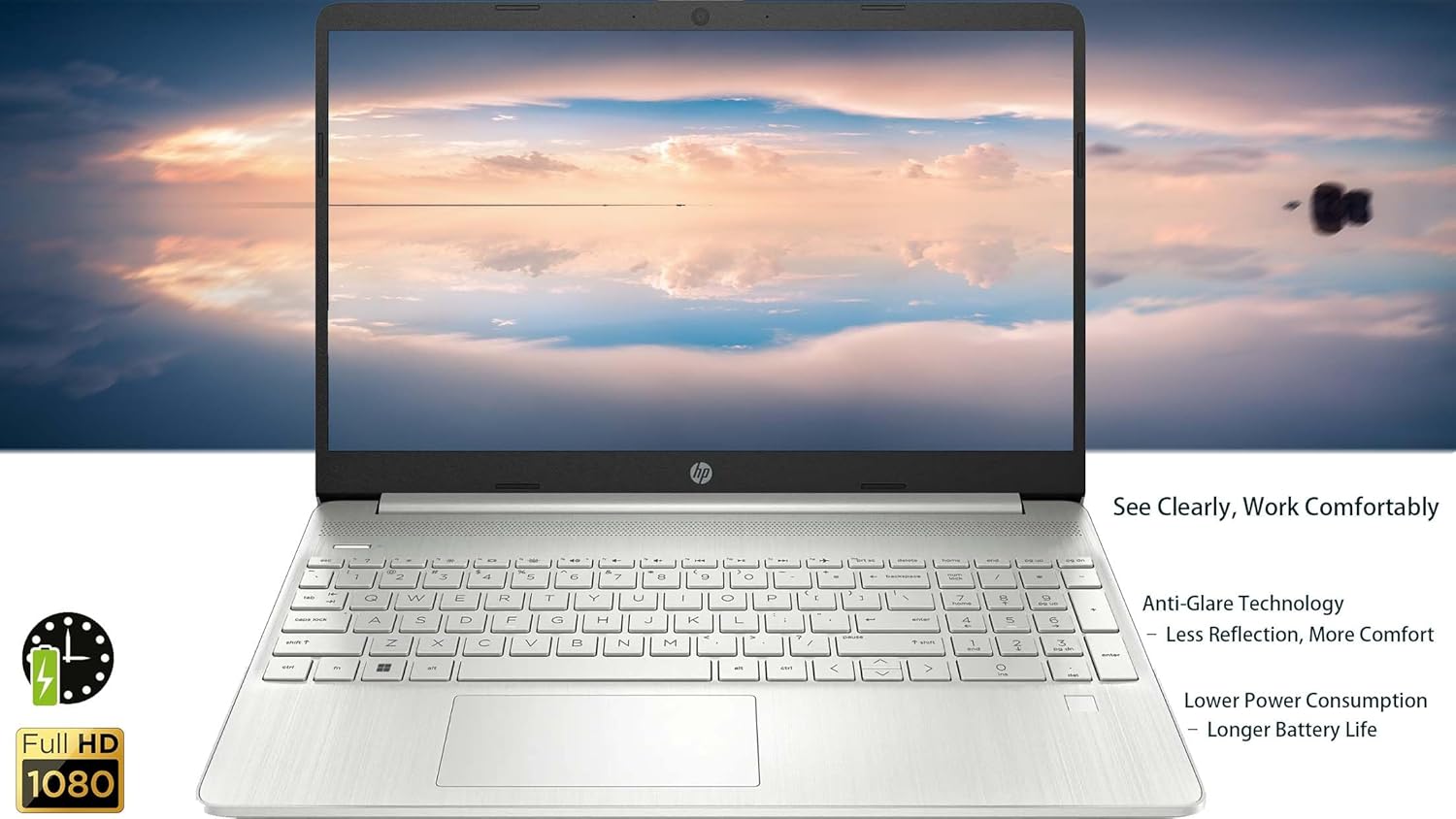
Image: The HP 250 G9 Laptop in an open position, displaying its 15.6-inch screen and full-size keyboard. This image highlights the anti-glare display and the overall design of the laptop for comfortable use.
2. Connectivity
- Wi-Fi: Connect to wireless networks via the Realtek Wi-Fi 5 card. Access Wi-Fi settings through the Windows taskbar network icon.
- Bluetooth: Pair Bluetooth devices like headphones or speakers using the integrated Bluetooth 5.0. Manage Bluetooth settings in Windows Settings > Devices.
- Ethernet: For a stable wired internet connection, plug an Ethernet cable into the RJ-45 port.
3. Webcam and Audio
- Webcam: The 720p HD camera is suitable for video calls. Ensure proper lighting for best results.
- Microphones: Dual-array microphones provide clear audio input.
- Speakers: Dual stereo speakers deliver audio output. Adjust volume using function keys or Windows sound settings.
4. Battery Management
- The 3-cell, 41Wh Li-ion battery provides power for extended use.
- For optimal battery life, avoid extreme temperatures and fully discharge/recharge periodically.
- Monitor battery status via the Windows taskbar icon.
Maintenance
1. Cleaning
- Screen: Use a soft, lint-free cloth lightly dampened with water or a screen cleaner. Do not spray liquid directly onto the screen.
- Keyboard and Chassis: Use a soft cloth to wipe surfaces. For stubborn dirt, a slightly damp cloth is acceptable. Avoid harsh chemicals.
- Ports: Keep ports free of dust and debris. Use compressed air if necessary, but sparingly.
2. Software Updates
- Regularly check for and install Windows updates to ensure system stability and security. Go to Settings > Windows Update.
- Keep device drivers updated. HP Support Assistant can help manage driver updates.
Troubleshooting
Common Issues and Solutions:
- Laptop does not power on:
- Ensure the power adapter is securely connected to both the laptop and a working power outlet.
- Try a different power outlet.
- If the battery is completely drained, it may take a few minutes of charging before the laptop can power on.
- No Wi-Fi connection:
- Check if Wi-Fi is enabled in Windows settings.
- Restart your router and modem.
- Ensure you are within range of a Wi-Fi network.
- Screen is blank or flickering:
- Adjust screen brightness using function keys.
- Connect an external monitor to check if the issue is with the laptop's display or graphics driver.
- Restart the laptop.
- Slow performance:
- Close unnecessary applications running in the background.
- Check for and install Windows updates.
- Run a disk cleanup and defragmentation (for HDD, SSDs do not need defragmentation).
- Scan for malware or viruses.
Specifications
| Feature | Detail |
|---|---|
| Model | HP 250 G9 |
| Processor | Intel Celeron N4500 (2 Cores, up to 2.8 GHz) |
| Display | 15.6-inch Full HD (1920 x 1080), Anti-glare |
| Graphics | Integrated Intel UHD Graphics |
| RAM | 32GB DDR4 |
| Storage | 2TB PCIe NVMe M.2 SSD |
| Operating System | Windows 11 Pro |
| Wireless Connectivity | Realtek Wi-Fi 5, Bluetooth 5.0 |
| Ports | 1x USB Type-C, 2x USB Type-A, 1x HDMI 1.4b, 1x Headphone/Mic Combo, 1x RJ-45, 1x AC Power |
| Webcam | 720p HD camera with dual-array microphones |
| Audio | Dual Stereo Speakers |
| Battery | 3-cell, 41Wh Li-ion |
| Dimensions (LxWxH) | 14.09 x 9.53 x 0.78 inches |
| Weight | 3.83 lbs |
| Color | Asteroid Silver |

Image: Physical dimensions and weight of the HP 250 G9 Laptop. This image provides a visual representation of the laptop's size, including its screen diagonal, height, depth, width, and overall weight, emphasizing its portability.
Warranty and Support
Your HP 250 G9 Laptop comes with a 1-Year Warranty from the Seller. For warranty claims or technical support, please contact the seller directly or visit the official HP support website for additional resources and driver downloads.
HP Support Website: support.hp.com