1. Introduction
This manual provides essential information for the installation, configuration, and operation of your NIVIAN Smart 04-BAT Outdoor 2K WiFi Battery Security Camera. Please read these instructions carefully before using the device to ensure proper functionality and safety.
The NIVIAN Smart 04-BAT is a high-performance outdoor surveillance camera designed for wireless operation. It features 2K Super HD video quality, a long-lasting rechargeable battery, and advanced human detection capabilities to enhance your security.
2. Product Overview
2.1 Key Features
- 2K Super HD Resolution: Captures video at 2304x1296p with a 1/2.8" CMOS sensor and a 108° wide-angle lens.
- 100% Wire-Free Operation: Powered by a rechargeable lithium battery, offering up to 6 months of autonomy with efficient use.
- PIR Human Detection with AI Filter: Reduces false alarms by distinguishing human movement from other environmental factors.
- Dual Night Vision: Provides clear surveillance in total darkness through infrared or full-color mode using a motion-activated white LED.
- Two-Way Audio & Siren: Allows communication through the camera and includes an integrated siren for deterrence.
- Smart App Control: Managed via the Tuya Smart or Smart Life mobile applications, providing real-time notifications and remote access.
- Smart Home Integration: Compatible with Alexa and Google Assistant for voice control and display on smart screens.
- Flexible Storage: Supports local storage on a MicroSD card (up to 256GB, not included) or optional cloud storage via Tuya Cloud (subscription required).
- Weather Resistance: IP65 rated for outdoor use, operating in temperatures from -10 °C to 50 °C.
2.2 Package Contents
- NIVIAN Smart 04-BAT Security Camera
- Mounting Bracket
- Mounting Screws and Wall Plugs
- USB Charging Cable
- User Manual
3. Setup
3.1 Initial Charging
Before first use, fully charge the camera's battery. Connect the camera to a 5V/1A USB power adapter (not included) using the provided USB charging cable. The charging indicator light will show the charging status.

A close-up of the NIVIAN Smart 04-BAT camera highlighting its long-life 5200 mAh rechargeable battery, emphasizing its wireless convenience. A note advises full charging before first use.
3.2 App Installation
Download and install the Tuya Smart or Smart Life application on your smartphone. You can find the app on the Apple App Store for iOS devices or Google Play Store for Android devices. Alternatively, scan the QR code below:

Information on smart home integration, showing the Tuya Smart app interface and QR codes for downloading the app on iOS (App Store) and Android devices, along with the Nivian Home website link for app download.
For more information, visit: nivianhome.com/app/tuya-smart-landing
3.3 Camera Pairing
- Open the Tuya Smart or Smart Life app and register/log in to your account.
- Tap the "+" icon in the top right corner to add a device.
- Select "Security & Video Surveillance" > "Smart Camera (Wi-Fi)".
- Follow the on-screen instructions to power on the camera and ensure it is in pairing mode (indicated by a flashing LED).
- Enter your 2.4 GHz Wi-Fi network credentials.
- The app will generate a QR code. Hold your phone's screen in front of the camera lens (approx. 15-20 cm) until you hear a prompt indicating successful scanning.
- Once connected, the camera will appear in your device list.
3.4 Mounting
The camera is designed for wall mounting. Choose a location that provides the desired viewing angle and is within range of your 2.4 GHz Wi-Fi network. Ensure the mounting surface is stable.
- Attach the mounting bracket to the desired location using the provided screws and wall plugs.
- Securely attach the camera to the mounting bracket.
- Adjust the camera angle for optimal coverage.

The NIVIAN Smart 04-BAT camera shown alongside a smartphone displaying the live view and control interface of the companion application. This illustrates the remote monitoring capabilities.
4. Operating Instructions
4.1 Live View
Open the Tuya Smart or Smart Life app and select your camera from the device list to access the live video feed. You can view real-time footage from anywhere with an internet connection.
4.2 Two-Way Audio
From the live view screen in the app, tap the microphone icon to speak through the camera's speaker. Tap the speaker icon to listen to audio from the camera's surroundings.

An illustration of the two-way audio feature, showing a user communicating with a delivery person at their door via the camera's live feed on a smartphone.
4.3 Night Vision Modes
The camera offers two night vision modes:
- Infrared Night Vision: Provides clear black and white images in low-light conditions.
- Color Night Vision: Activates the built-in white LED light upon motion detection to provide full-color video at night.
You can configure the night vision mode settings within the camera's settings in the app.

A comparison of night vision modes: traditional infrared (left, black and white) and color night vision (right) activated by the camera's white LED light, showing a child running at night.
4.4 Detection Settings (PIR & AI Human Filter)
The camera uses a Passive Infrared (PIR) sensor combined with an AI human filter to accurately detect human movement and minimize false alarms. Adjust sensitivity settings in the app to suit your environment.

The camera activating its light and sound alarm in response to human detection, demonstrating its deterrent capabilities against unauthorized entry.
4.5 Alarms (Siren & LED)
In the event of detected activity, the camera can activate an audible siren and its white LED light to deter intruders. These features can be manually triggered from the app or configured to activate automatically upon detection.
4.6 Recording and Storage
The camera supports two storage options:
- MicroSD Card: Insert a MicroSD card (up to 256GB, not included) into the designated slot on the camera for local storage of recordings.
- Tuya Cloud Storage: An optional subscription service for secure cloud-based storage of your video recordings. Access and manage recordings directly through the app.
4.7 Smart Home Integration
The NIVIAN Smart 04-BAT camera can be integrated with Amazon Alexa and Google Assistant. Follow the instructions in your smart home assistant app to link your Tuya Smart/Smart Life account and enable voice control or display on compatible devices like Echo Show or Google Nest Hub.
5. Maintenance
5.1 Battery Charging
Monitor the battery level through the app. When the battery is low, remove the camera from its mount and recharge it using the USB cable and a 5V/1A power adapter. A full charge can provide up to 6 months of operation depending on usage and settings.
5.2 Cleaning
Periodically clean the camera lens and body with a soft, dry cloth to ensure clear image quality and proper sensor function. Avoid using harsh chemicals or abrasive materials.
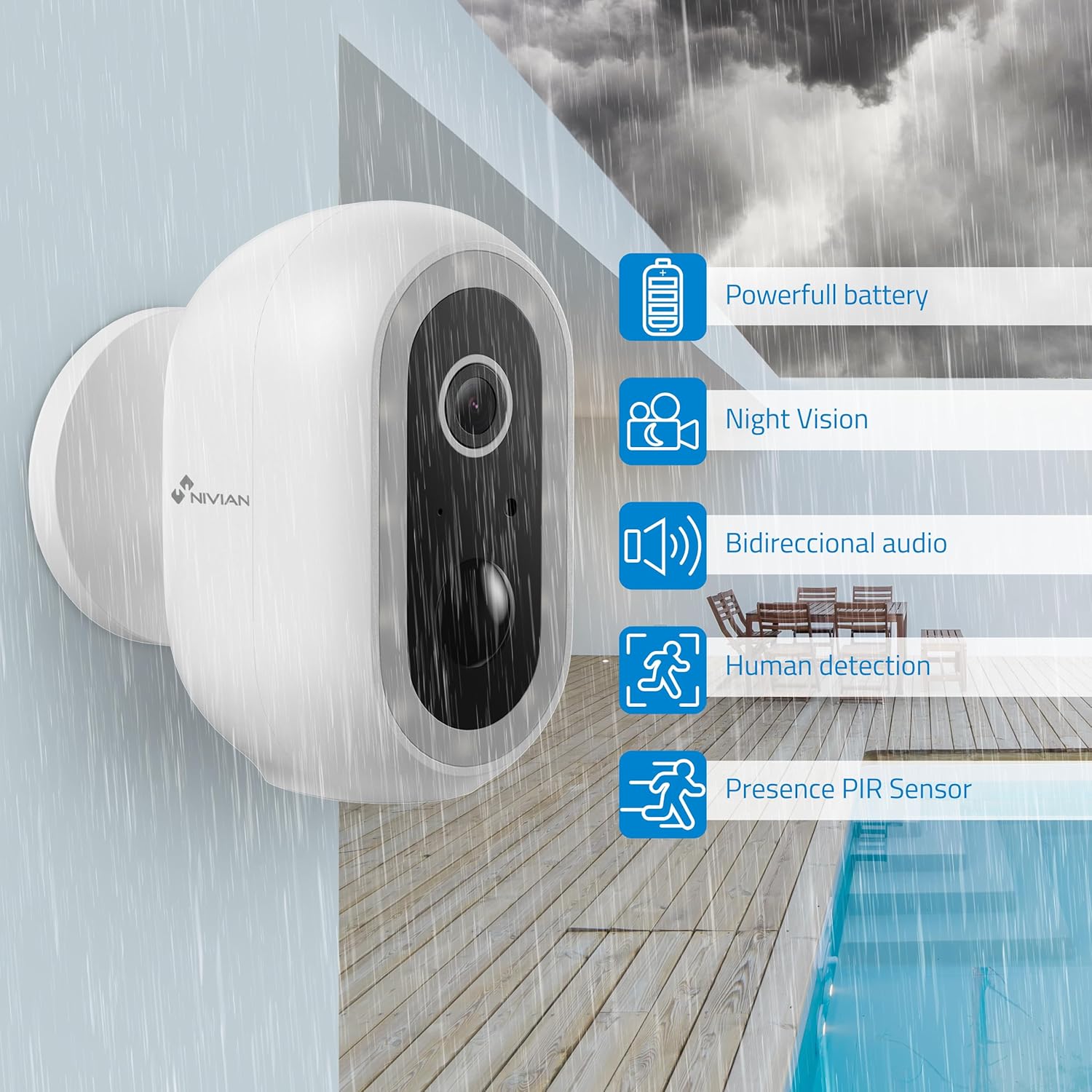
The NIVIAN Smart 04-BAT camera mounted outdoors in rainy conditions, illustrating its IP65 weather resistance and highlighting features like powerful battery, night vision, two-way audio, human detection, and PIR sensor.
6. Troubleshooting
- Camera not connecting to Wi-Fi: Ensure your Wi-Fi network is 2.4 GHz. Check Wi-Fi signal strength at the camera's location. Re-enter Wi-Fi password carefully.
- Frequent false alarms: Adjust the PIR sensitivity settings in the app. Ensure the AI human filter is enabled. Avoid placing the camera where it might detect constant movement from trees or busy roads.
- Poor image quality: Clean the camera lens. Ensure there are no obstructions. Check your Wi-Fi connection speed.
- Battery draining quickly: Reduce the frequency of motion detection events, shorten recording durations, or decrease live view access. Ensure the camera is fully charged.
- App not receiving notifications: Check your phone's notification settings for the Tuya Smart/Smart Life app. Ensure the app has necessary permissions.
7. Specifications
| Manufacturer | NIVIAN |
| Model Number | NVS-IPC-04-BAT |
| Dimensions (L x W x H) | 10 x 10 x 10 cm |
| Weight | 400 grams |
| Video Resolution | 2K Super HD (2304x1296p) |
| Connectivity | Wi-Fi (2.4 GHz) |
| Battery Capacity | 5200 mAh |
| Usage Environment | Outdoor (IP65 Weather Resistant) |
| Operating Temperature | -10 °C to 50 °C |
| Storage Options | MicroSD (up to 256GB) / Tuya Cloud |
8. Warranty and Support
For warranty information and technical support, please refer to the documentation included with your purchase or visit the official NIVIAN website. Keep your proof of purchase for warranty claims.


