
Introduction
The EZON C022Pro Heart Rate Monitor Armband is designed to provide accurate heart rate tracking for various fitness activities. Featuring advanced optical sensor technology, Bluetooth and ANT+ compatibility, and a 5-color LED heart rate zone indicator, this armband helps optimize your training. It is lightweight, comfortable, and waterproof, making it suitable for diverse environments and workouts.

Image: EZON C022Pro Heart Rate Monitor Armband, vibrant orange color.
Setup
1. Unboxing and Initial Charge
Upon opening the package, ensure all components are present: the C022Pro heart rate monitor sensor, the adjustable armband, and the magnetic charging cable. Before first use, fully charge the device.
- Connect the magnetic charging cable to the charging port on the sensor.
- Plug the USB end of the cable into a standard USB power adapter (not included) or a computer USB port.
- The LED indicator will show charging status. A full charge provides up to 30 hours of battery life.

Image: The EZON C022Pro armband connected to its magnetic charging cable.
2. Wearing the Armband
For accurate heart rate measurement, proper placement of the armband is crucial. The C022Pro can be worn on your upper or lower arm.
- Place the sensor flat against your skin.
- Ensure the armband is snug but comfortable, not overly tight to restrict circulation.
- Avoid placing it directly over bone or major tendons.

Image: The EZON C022Pro armband correctly positioned on an upper arm.
3. Power On/Off
- To power on: Press and hold the power button until the LED indicator lights up.
- To power off: Press and hold the power button until the LED indicator turns off.
4. Pairing with Fitness Devices and Apps
The C022Pro supports both Bluetooth and ANT+ protocols, allowing connection to a wide range of devices simultaneously.
- Bluetooth Pairing: Activate Bluetooth on your smartphone, GPS bike computer, or fitness watch. Search for available devices and select "EZON C022Pro" to pair.
- ANT+ Pairing: For ANT+ compatible devices (e.g., certain bike computers, gym equipment), ensure ANT+ is enabled on the device. The C022Pro will automatically broadcast its ANT+ signal for detection.
- The armband is compatible with popular platforms such as Peloton, Wahoo, and Strava.
Video: Instructions on how to connect the EZON C022Pro to popular fitness applications.
Operating Instructions
1. Heart Rate Zone Monitoring
The C022Pro features a 5-color LED indicator system to visually display your current heart rate zone, allowing for effective zone-based training.
- Blue: Warm-up Zone
- Green: Fat Burning Zone
- Yellow: Cardio Zone
- Purple: Strengthening Zone
- Red: X-games Zone (Maximum Effort)
These indicators help you maintain your desired intensity level during workouts without needing to constantly check a connected device.

Image: The EZON C022Pro armband displaying its LED heart rate zone indicator.
2. Real-time Heart Rate Data
Once paired, your heart rate data will be transmitted in real-time to your connected fitness device or application. Refer to your device's or app's instructions for viewing and recording this data.
Video: Demonstration of the accurate heart rate monitoring capabilities of the C022Pro armband.
Maintenance
1. Cleaning the Armband
To ensure hygiene and prolong the life of your armband, regular cleaning is recommended.
- Detach the sensor module from the fabric strap.
- Hand wash the fabric strap with mild soap and water. Rinse thoroughly and air dry.
- Wipe the sensor module with a damp cloth. Do not submerge the sensor module in water unless specified for cleaning.
2. Water Resistance
The C022Pro is 3ATM waterproof, meaning it can withstand pressures equivalent to a depth of 30 meters. This makes it suitable for swimming, showering, and use in rainy conditions. However, it is not designed for deep diving or high-pressure water activities.
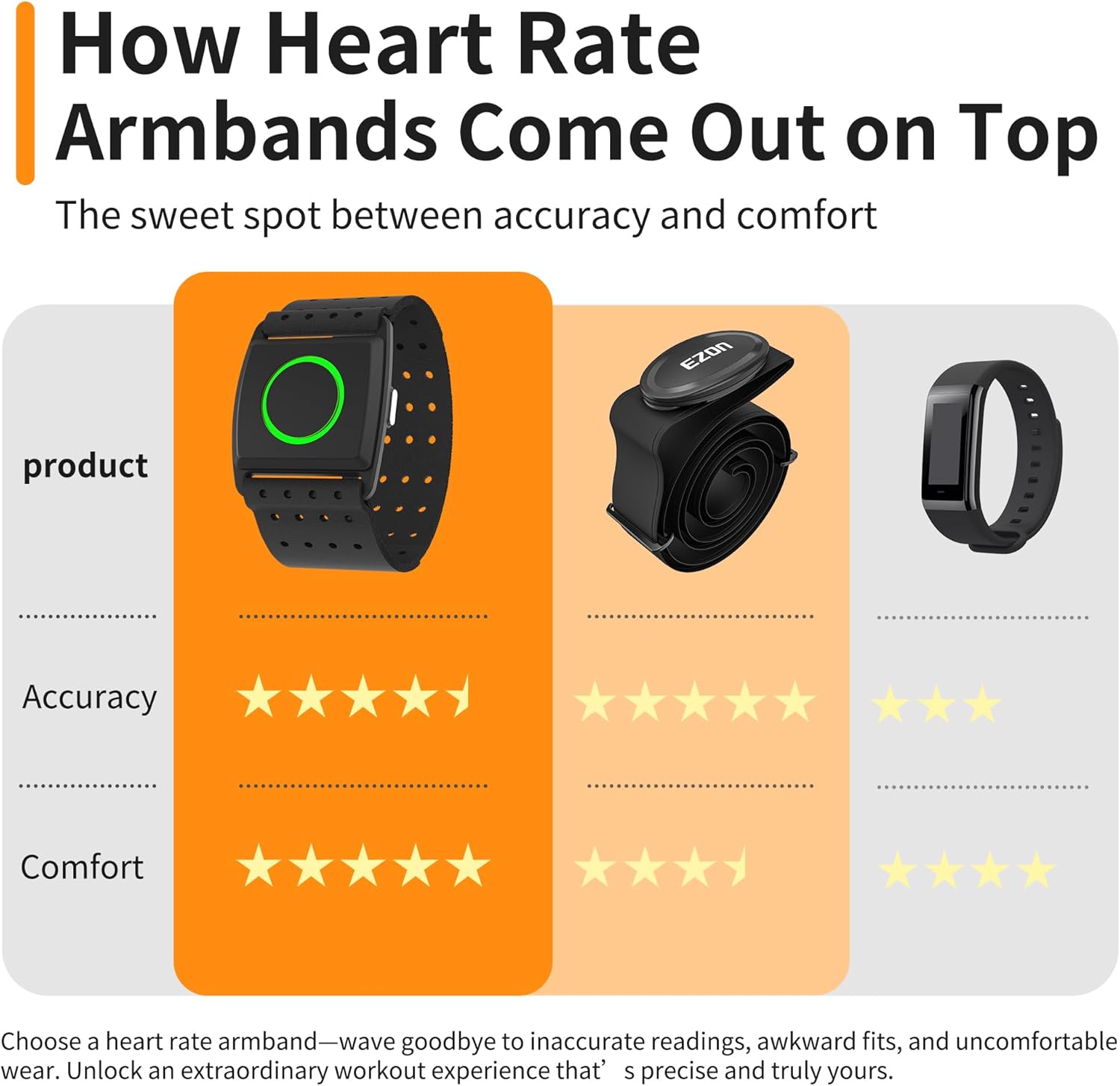
Image: The EZON C022Pro armband demonstrating its water resistance.
3. Battery Care
To maximize battery lifespan:
- Avoid fully discharging the battery frequently.
- Store the device in a cool, dry place when not in use.
- Charge the device regularly, even if not used for extended periods, to prevent deep discharge.
Troubleshooting
1. Device Not Pairing
- Ensure the armband is powered on and fully charged.
- Verify Bluetooth/ANT+ is enabled on your receiving device.
- Move the armband closer to the receiving device.
- Restart both the armband and the receiving device.
- Check if the armband is already paired with another device; some devices may have limitations on simultaneous connections.
2. Inaccurate Heart Rate Readings
- Ensure the armband is worn snugly on your arm, with the sensor making good contact with the skin.
- Avoid placing the sensor directly over bone or areas with excessive hair.
- Clean the sensor lens if it appears dirty.
- Allow a few minutes for the sensor to stabilize at the beginning of a workout.
3. Charging Issues
- Ensure the magnetic charging cable is securely attached to the sensor.
- Try a different USB power source or cable.
- Check for any debris or damage in the charging port or on the cable.
Specifications
| Brand | EZON |
| Model Number | C022Pro |
| Material | Nylon |
| Color | Vibrant Orange |
| Compatible Devices | Smartphones, GPS Bike Computers, Fitness Apps, Gym Equipment, Running Watches |
| Screen Size | 22 Millimeters (LED Indicator Area) |
| Battery Life | Up to 30 Hours |
| Sensor Type | Optical Heart Rate Sensor (4-Channel) |
| Waterproof Rating | 3ATM (30 Meters) |
| Connectivity | Bluetooth & ANT+ |
Warranty and Support
EZON products are designed for reliability and performance. This product is typically covered by a manufacturer's warranty against defects in materials and workmanship. Please refer to the specific warranty information provided with your purchase or visit the official EZON website for details.
For technical assistance, troubleshooting, or customer service inquiries, please contact EZON customer support through their official channels. Keep your purchase receipt or order number handy for faster service.
A 30-day return policy is generally available for this product, allowing for refunds or replacements in case of issues.


