
Introduction
Thank you for choosing the iKF T1 Max Wireless Bluetooth Over Ear Headphones. These headphones are designed to provide a premium audio experience with features like Active Noise Cancellation, HiFi sound, and extended battery life. This manual will guide you through the setup, operation, and maintenance of your new headphones to ensure optimal performance and enjoyment.
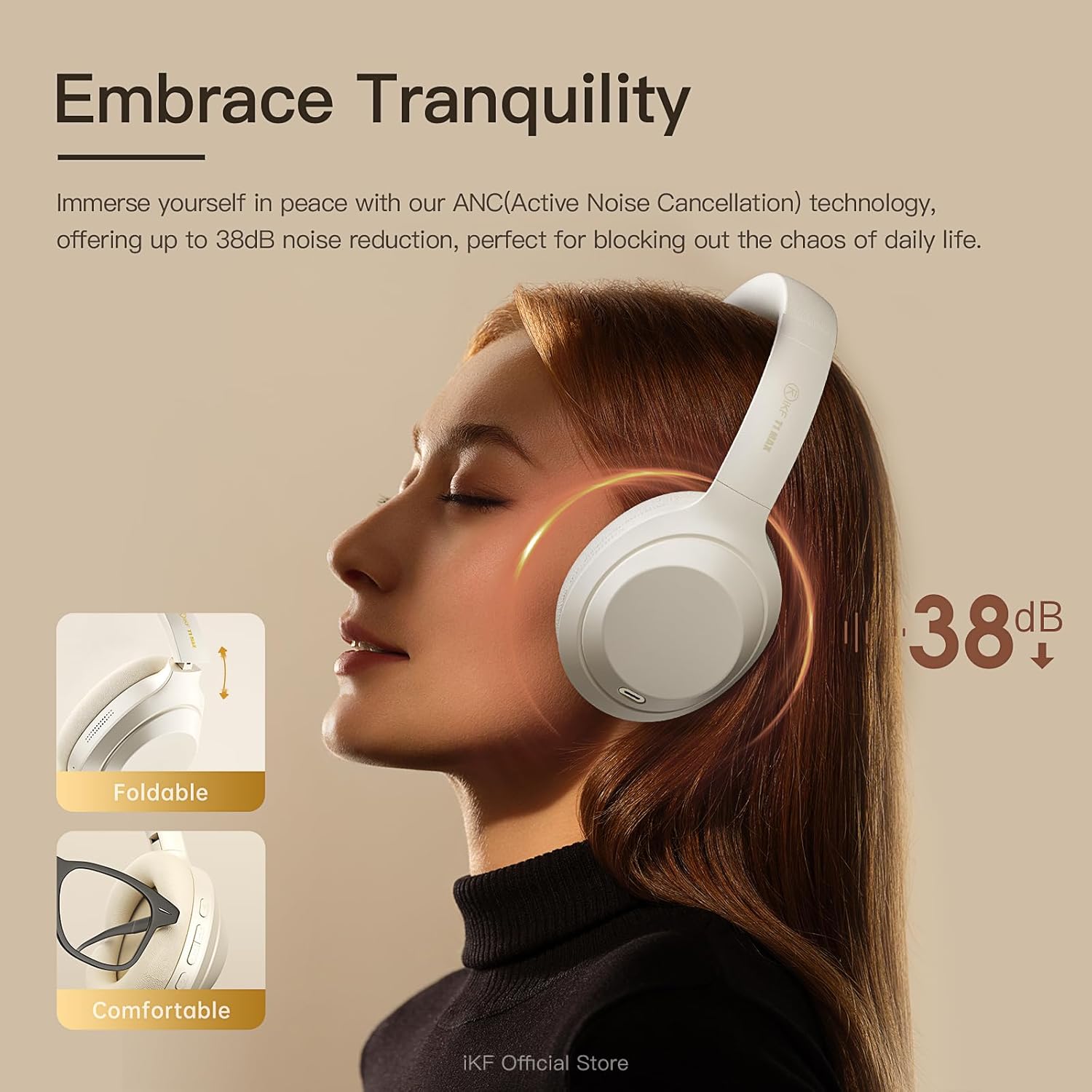
Image: Front view of the iKF T1 Max Wireless Bluetooth Over Ear Headphones.
What's in the Box
Please check the package contents to ensure all items are present:
- iKF T1 Max Wireless Bluetooth Over Ear Headphones
- User Manual
- Charging Cable
- Audio Cable (3.5mm AUX)

Image: The iKF T1 Max headphones and included accessories.
Product Features
Premium HiFi Sound with 40mm Drivers
The iKF T1 Max headphones feature 40mm HiFi speakers, engineered to deliver deep bass, rich mids, and crisp highs. This ensures a studio-quality audio performance for music, movies, and podcasts.

Image: Illustration of the 40mm dynamic driver for HiFi sound.
Up to 100 Hours Playtime
Enjoy extended listening sessions with a long-lasting battery. The headphones offer up to 100 hours of wireless playtime with Active Noise Cancellation (ANC) off, and 75 hours with ANC on. This makes them suitable for long commutes, travel, or remote work without frequent recharging.

Image: Battery life details for iKF T1 Max headphones.
Active Noise Cancelling with Adjustable Levels
Immerse yourself in your audio with advanced Active Noise Cancellation (ANC) technology, providing up to 38dB noise reduction. Customize ANC levels through the iKF app to effectively block out distractions in various environments such as flights, offices, or public spaces.

Image: Active Noise Cancellation feature of the iKF T1 Max headphones.
Dual Device Bluetooth Connection
Connect your headphones to two Bluetooth devices simultaneously. This allows for seamless switching between your phone and laptop for calls, meetings, or music without the need to disconnect and reconnect. This feature is ideal for multitasking professionals.

Image: Dual device connection capability of the headphones.
Wireless and Wired Modes
The iKF T1 Max offers both wireless Bluetooth 5.4 connectivity and a wired mode via the included 3.5mm AUX audio cable. This ensures continuous listening even if the battery runs low, providing flexibility for various usage scenarios.

Image: Wireless and wired connection options.
Customization via iKF App
Connect to the iKF-APP to personalize your listening experience. Adjust ANC levels, create custom sound profiles, and fine-tune settings to match your unique preferences and lifestyle.

Image: iKF App interface for personalized settings.
Setup
1. Charging the Headphones
Before first use, fully charge your iKF T1 Max headphones. Connect the provided charging cable to the USB-C port on the headphones and to a USB power source (e.g., computer, wall adapter). The charging time is approximately 2 hours for a full charge.

Image: Charging port location on the headphones.
2. Powering On/Off
- To Power On: Press and hold the Power button for approximately 3 seconds until the indicator light illuminates.
- To Power Off: Press and hold the Power button for approximately 5 seconds until the indicator light turns off.
3. Bluetooth Pairing
- Ensure the headphones are powered off.
- Press and hold the Power button for about 5-7 seconds until the indicator light flashes blue and red, indicating pairing mode.
- On your device (smartphone, laptop, etc.), enable Bluetooth and search for available devices.
- Select "iKF T1 Max" from the list of found devices.
- Once connected, the indicator light will turn solid blue or flash blue slowly.
4. Wired Connection (AUX Mode)
To use the headphones in wired mode, connect one end of the 3.5mm audio cable to the AUX port on the headphones and the other end to your audio source. The headphones will automatically switch to wired mode, and Bluetooth will be disabled.
Operating Instructions

Image: Overview of headphone control buttons.
Music Playback
- Play/Pause: Press the Multi-function button (usually the power button or a dedicated play/pause button) once.
- Next Track: Press and hold the Volume Up button or a dedicated "Next" button. (Refer to specific button layout in the included manual for exact controls).
- Previous Track: Press and hold the Volume Down button or a dedicated "Previous" button. (Refer to specific button layout in the included manual for exact controls).
- Volume Up: Short press the Volume Up button.
- Volume Down: Short press the Volume Down button.
Call Management
- Answer/End Call: Press the Multi-function button once.
- Reject Call: Press and hold the Multi-function button for 2 seconds.
- Voice Assistant: Double-press the Multi-function button to activate your device's voice assistant (Siri, Google Assistant).
Active Noise Cancellation (ANC) Control
- Toggle ANC Modes: Press the ANC button once to cycle through ANC On, Ambient Sound Mode, and ANC Off.
- Customize ANC: Use the iKF app to fine-tune ANC levels and ambient sound settings.
Dual Device Connection
When connected to two devices, the headphones will intelligently switch audio sources. For example, if you are listening to music on your laptop and receive a call on your phone, the headphones will automatically switch to the phone call. After the call, they will return to the laptop audio.
Maintenance
- Cleaning: Use a soft, dry cloth to clean the headphones. Do not use abrasive cleaners or solvents.
- Storage: Store the headphones in a cool, dry place, away from direct sunlight and extreme temperatures. When not in use for extended periods, ensure they are fully charged.
- Water Exposure: These headphones are not waterproof. Avoid exposure to water or excessive moisture.
- Battery Care: To prolong battery life, avoid fully discharging the headphones frequently. Charge them regularly, even if not in constant use.
Troubleshooting
| Problem | Possible Solution |
|---|---|
| Headphones do not power on. | Ensure the headphones are charged. Connect them to a power source using the charging cable. |
| Cannot pair via Bluetooth. |
|
| No sound or low volume. |
|
| ANC is not effective. |
|
| Sound quality is poor. |
|
Specifications
| Feature | Detail |
|---|---|
| Model Name | iKF T1 Max |
| Connectivity Technology | Bluetooth, Wired (3.5mm Jack) |
| Wireless Communication | Bluetooth 5.4 |
| Ear Placement | Over Ear |
| Noise Control | Active Noise Cancellation, Environmental Noise Cancellation |
| Driver Size | 40mm |
| Battery Life (ANC Off) | Up to 100 Hours |
| Battery Life (ANC On) | Up to 75 Hours |
| Charging Time | Approximately 2 Hours |
| Material | Plastic, Polyurethane (PU) |
| Included Components | Headphones, Charging Cable, Audio Cable, User Manual |
| Compatible Devices | Android Phone, Laptops, Smart Watch, Tablets, iPhone/iPad/Macbook |
Warranty Information
The iKF T1 Max headphones come with a standard manufacturer's warranty. Please refer to the warranty card included in your product packaging or visit the official iKF website for detailed warranty terms and conditions. Keep your proof of purchase for warranty claims.
Support
For further assistance, technical support, or customer service inquiries, please visit the official iKF store or contact their customer support team:
- iKF Official Store: Visit iKF Store on Amazon
- Online Support: Refer to the official iKF website for FAQs and contact information.


