
EUQQ Q10 pro AI
EUQQ AI Language Translation Earbuds
Model: Q10 pro AI
1. Introduction
The EUQQ AI Language Translation Earbuds are a revolutionary device designed to break down language barriers and enhance communication. These Bluetooth 5.4 headphones offer real-time translation for 144 languages and accents, combined with high-fidelity audio and crystal-clear calling. Featuring active noise cancellation (ANC), transparency mode, and CVC 8.0 noise reduction, they provide an immersive and adaptable audio experience. The intuitive LCD full-color touch screen on the charging case and smart touch controls on the earbuds ensure ease of use. With up to 36 hours of total playtime, these IP7 waterproof earbuds are perfect for travelers, business professionals, and language learners.

Figure 1: EUQQ AI Language Translation Earbuds and Charging Case
What's in the Box
- 2 x AI Language Translation Earbuds
- 1 x Charging Case
- 1 x Charging Cable (Type-C)
- 3 x S/M/L Ear Caps
- 1 x User Manual
2. Setup
Initial Charging
Before first use, fully charge the earbuds and the charging case. Connect the provided Type-C charging cable to the charging port on the case and a power source. The LED display on the case will indicate the charging status. A full charge takes approximately 1 hour for the earbuds and the case.

Figure 2: Charging Case with Battery Life Indication
Pairing with Your Device
- Download the "NebulaBuds" APP by scanning the QR code in the user manual or on the charging case.
- Turn on Bluetooth on your mobile phone.
- Open the "NebulaBuds" APP. The app will automatically prompt for necessary permissions; click "Allow".
- The app will automatically detect and display "YYK-Q10 Pro AI". Select it to connect. Once connected, the app will show "Connected".
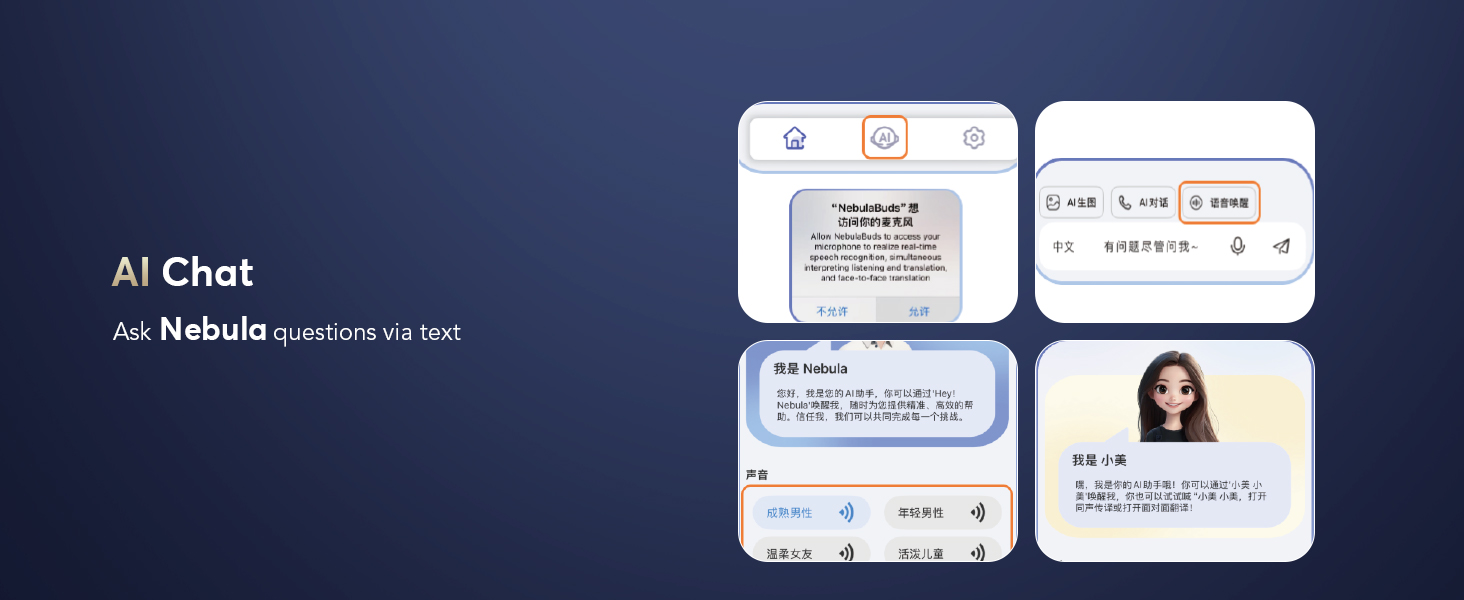
Figure 3: Connecting Earbuds to the NebulaBuds App
Video 1: Real-time demonstration of AI translation earbuds in use.
3. Operating Modes (Translation)
The earbuds offer various translation modes to suit different communication scenarios, all managed through the NebulaBuds app.

Figure 4: Overview of Key Translation Modes
Touch Mode
Ideal for fluent conversations. Each person wears an earbud and touches it before speaking. The other person will hear the translation in their earbud.
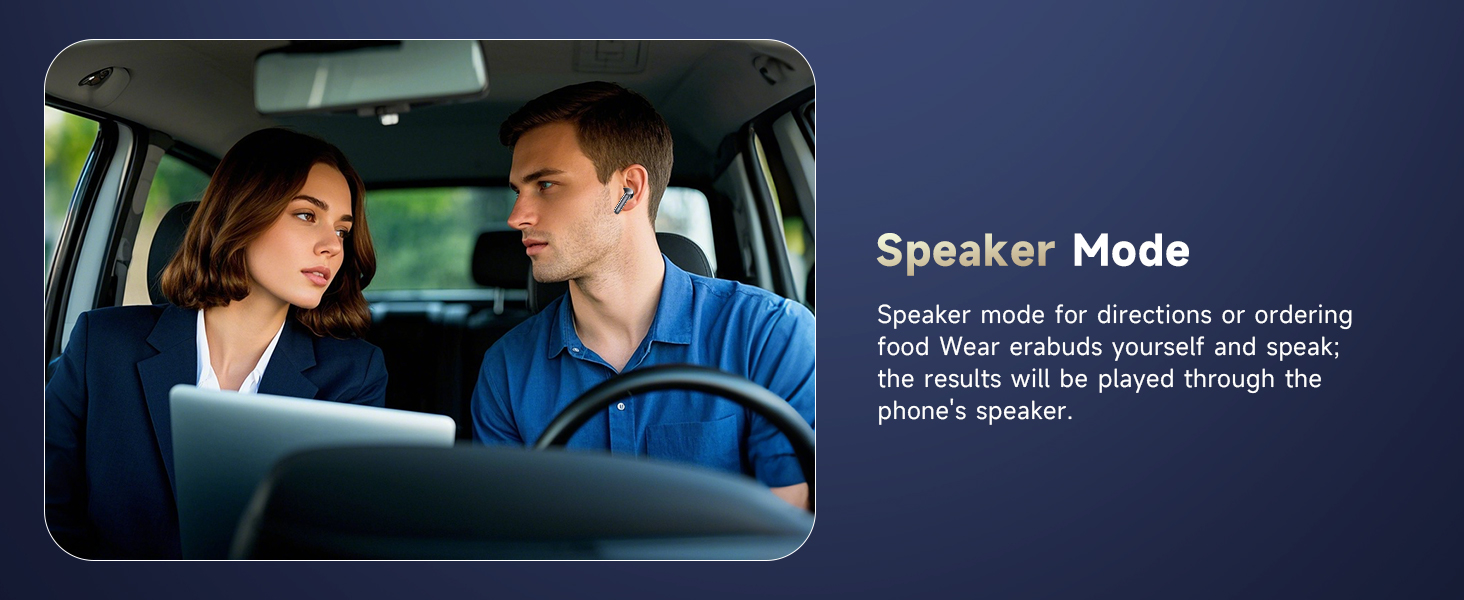
Figure 5: Touch Mode for Fluent Conversation
Free Speech Mode
For in-depth one-on-one conversations. Each person wears an earbud and talks as normal without touching, allowing for hassle-free communication.

Figure 6: Free Speech Mode for Natural Dialogue
Speaker Mode
Useful for directions or ordering food. Wear one earbud yourself and speak; the translation results will be played through your phone's speaker.
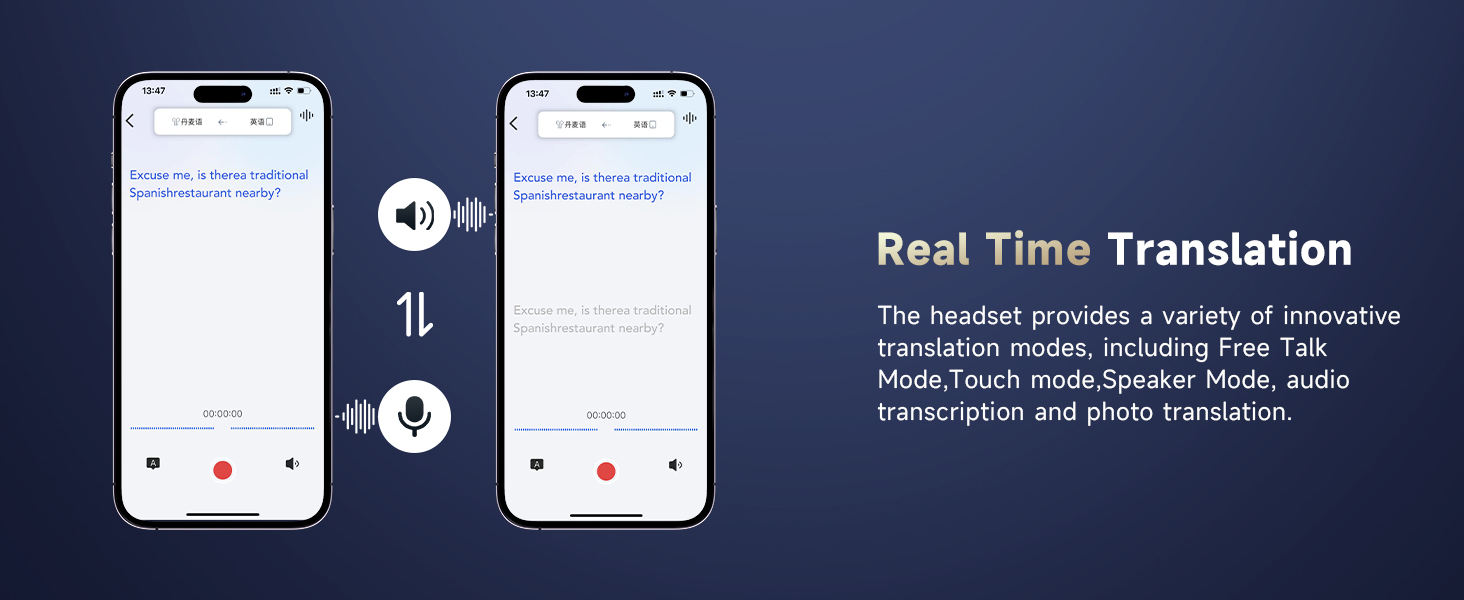
Figure 7: Speaker Mode for Public Translation
Offline Mode
Supports offline translation in most parts of the world, ensuring communication even without an internet connection.
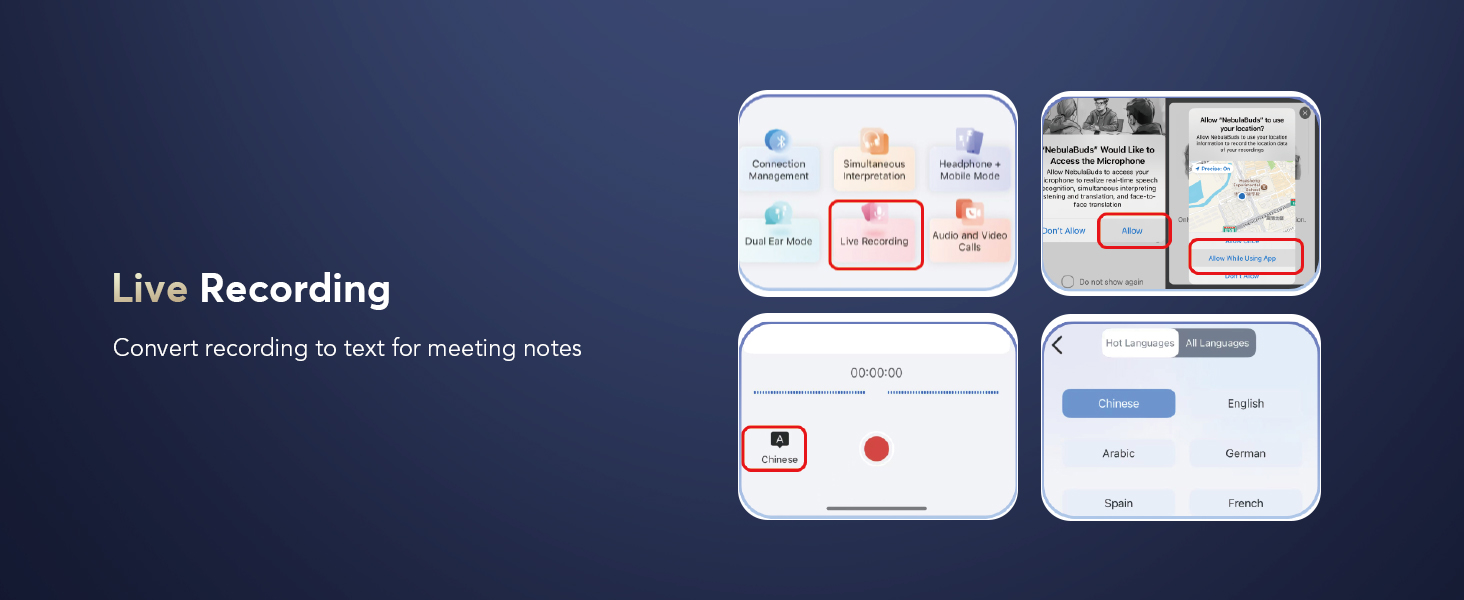
Figure 8: Offline Translation Capability
Live Recording
Convert recorded speech to text for meeting notes or transcription. Supports various languages.
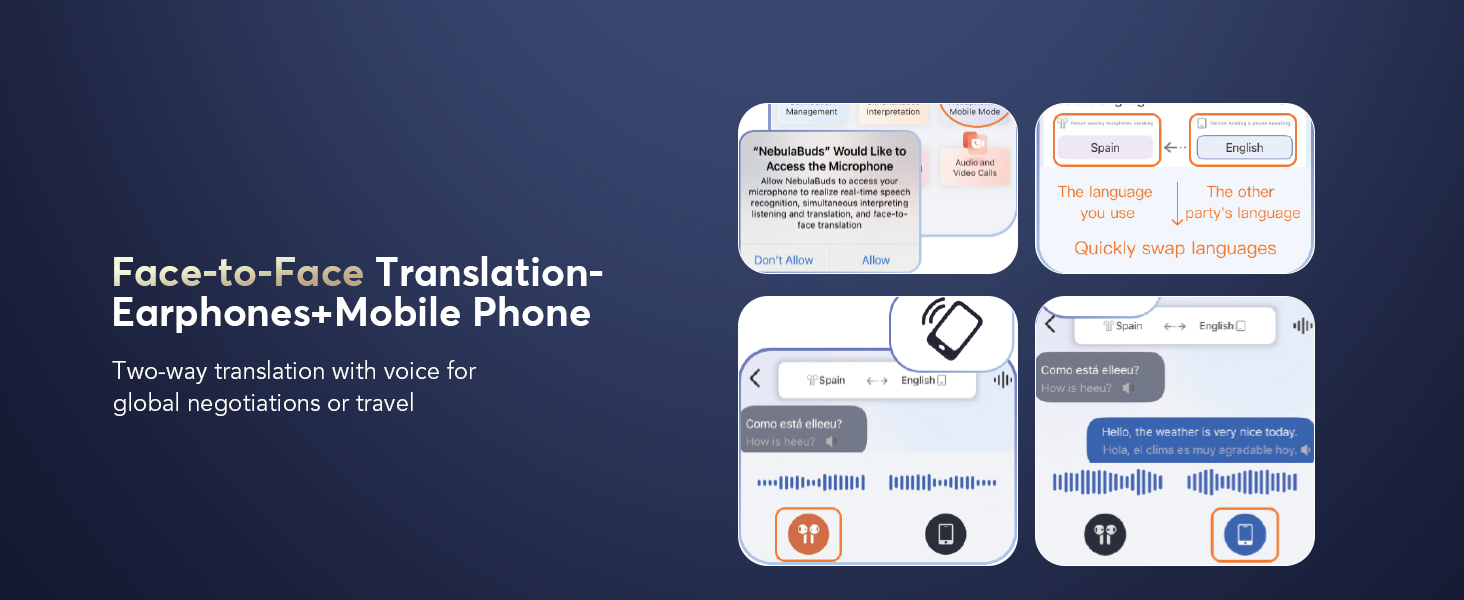
Figure 9: Live Recording for Meeting Notes
Simultaneous Interpretation
Provides real-time translation with voice, ideal for international conferences or lectures.
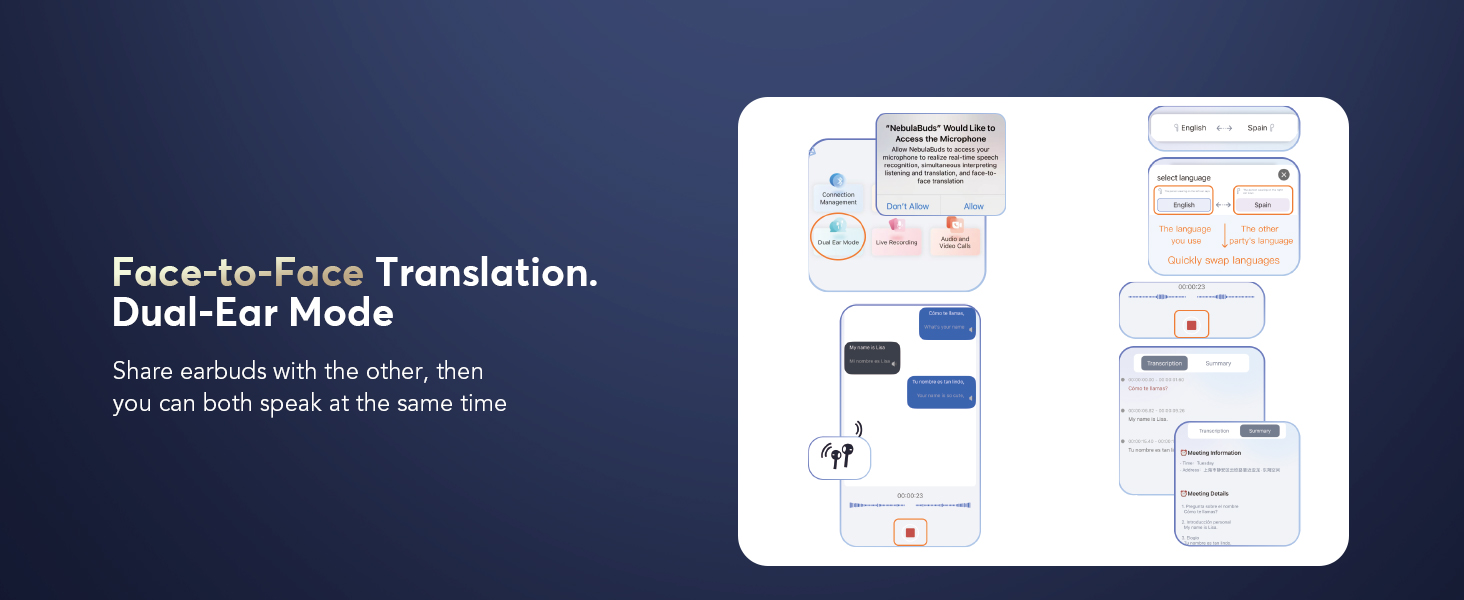
Figure 10: Simultaneous Interpretation for Conferences
Face-to-Face Translation (Earphones + Mobile Phone)
Two-way translation with voice, perfect for global negotiations or travel. One person speaks into the phone, the other listens via earbud.
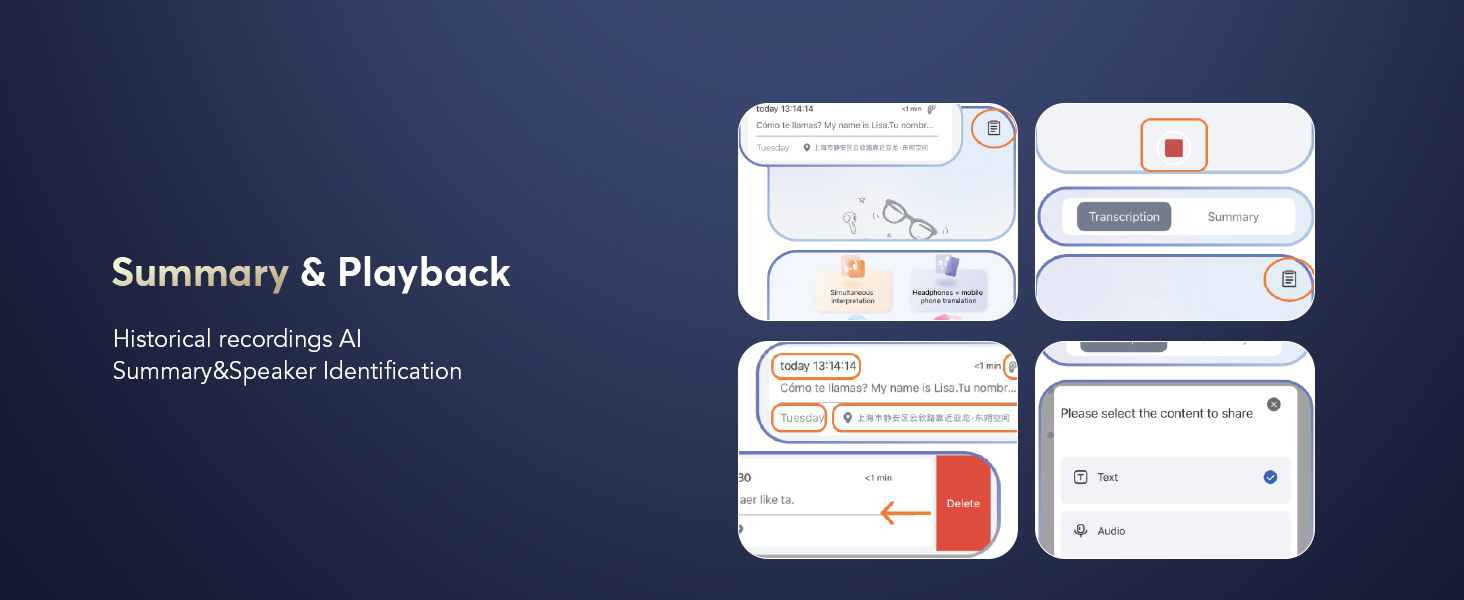
Figure 11: Face-to-Face Translation with Phone
Face-to-Face Translation (Dual-Ear Mode)
Share earbuds with another person for simultaneous speaking and listening, enabling seamless two-way communication.

Figure 12: Dual-Ear Mode for Shared Translation
4. Audio Features
3-in-1 Modes: ANC, Normal, Transparency
The earbuds offer versatile audio modes to adapt to different environments:
- Active Noise Cancellation (ANC): Blocks out distractions for immersive sound.
- Normal Mode: Standard audio experience.
- Transparency Mode: Allows you to hear your surroundings without removing the earbuds, balancing ambient sounds for safety and interaction.

Figure 13: ANC and CVC 8.0 Noise Cancellation
CVC 8.0 Noise-Canceling Algorithm
Ensures crystal-clear calls by cutting through background noise, even in bustling environments.
Hi-Fi Sound Quality with 13mm Dynamic Driver
Experience rich, high-fidelity audio for music and calls.
Advanced Bluetooth 5.4 Technology
Provides lightning-fast data transfer, ultra-stable connection, and an extended range of up to 15 meters (50 feet). Enjoy minimal latency for seamless audio and real-time translation.
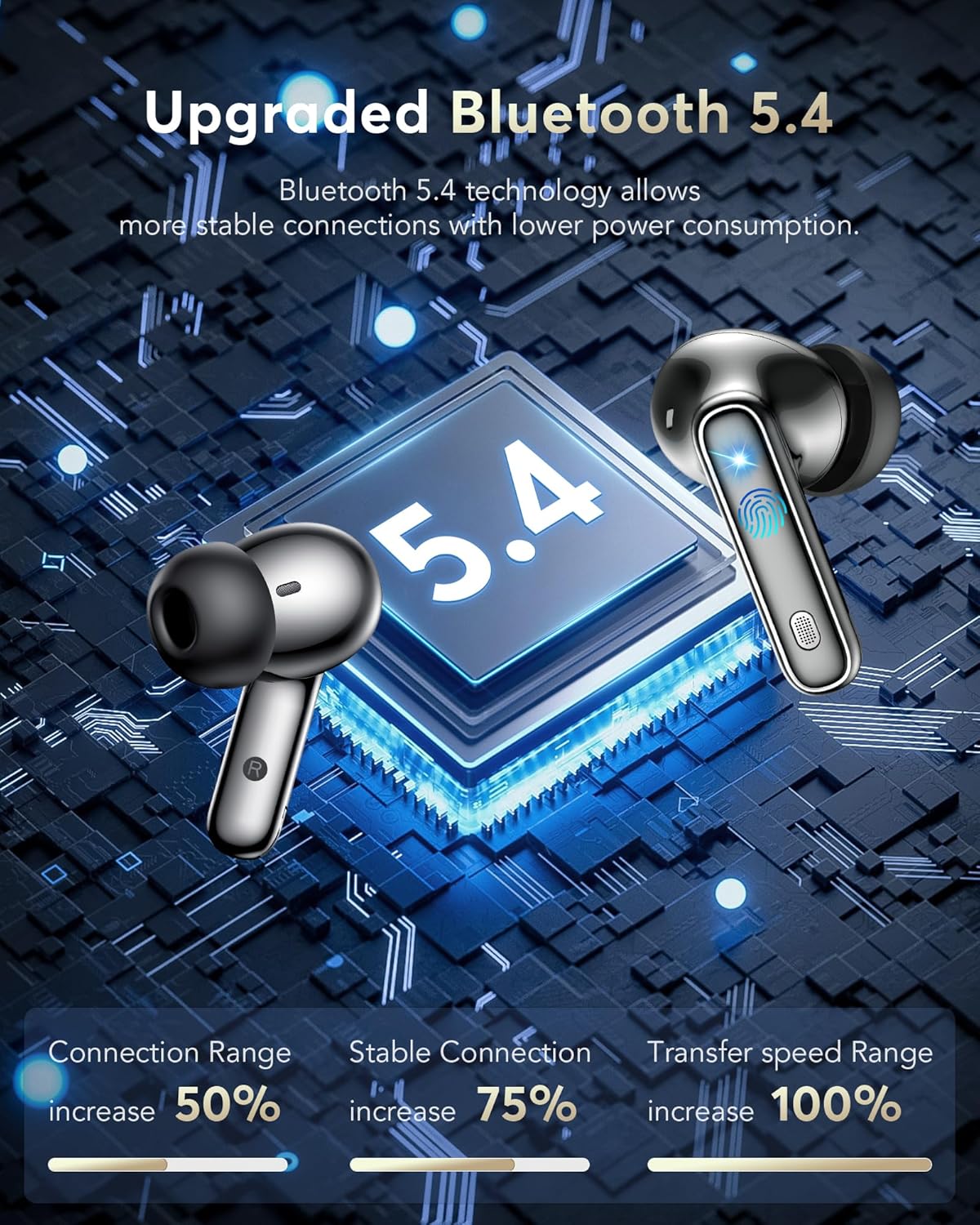
Figure 14: Bluetooth 5.4 Technology Advantages
5. Charging & Battery Life
The earbuds offer impressive battery performance for extended use:
- Earbud Playtime: 6-7 hours of continuous use on a single charge.
- Total Playtime with Charging Case: Up to 36 hours.
- Fast Charging: Just 1 hour of charging fully recharges the earbuds.
- Charging Interface: Type-C.

Figure 15: Extended Playtime with Charging Case
6. Smart Touch Controls
The earbuds feature intuitive touch controls for easy management of music, calls, and modes without needing to access your phone.
- Click MFB key: Pause/Play music.
- Double-click left/right MFB buttons: Skip tracks.
- Click MFB button: Answer/End call.
- Long press MFB button: Reject call.
- Call Siri: Press and hold the right MFB button for 2 seconds.
- Switch ANC mode: Press and hold the left MFB button for 2 seconds.
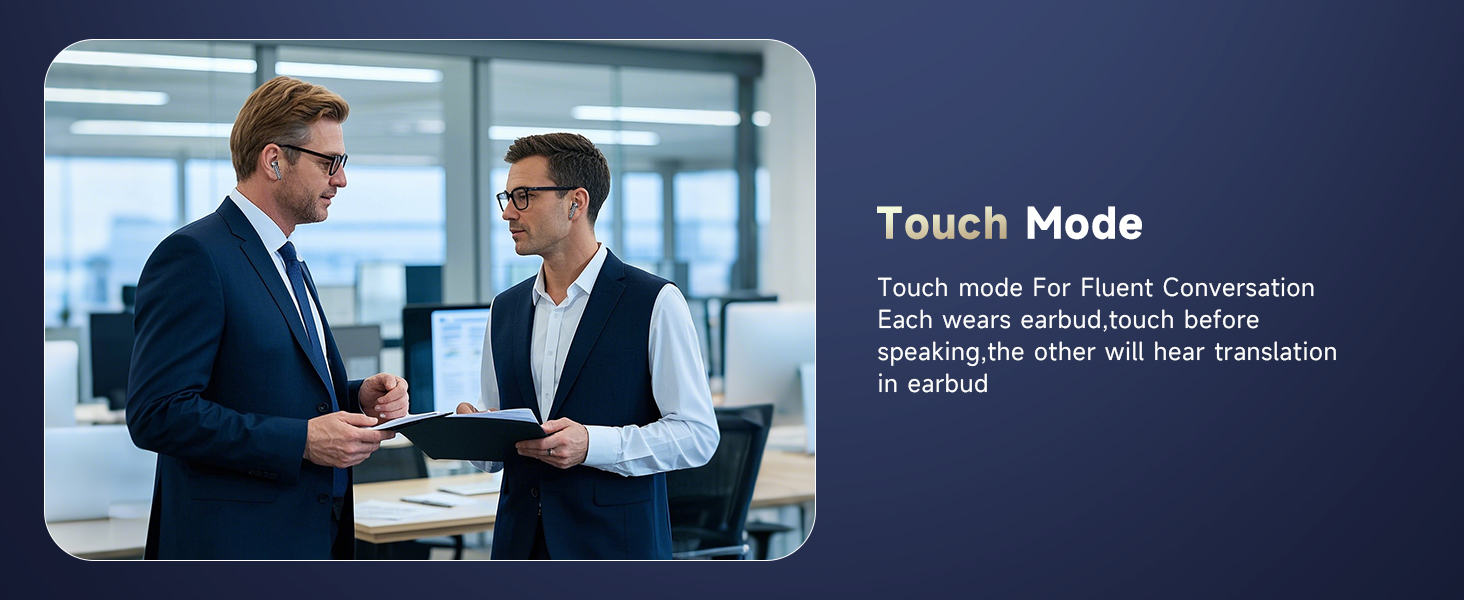
Figure 16: Earbud Smart Touch Controls
7. NebulaBuds App Features
The NebulaBuds app unlocks the full potential of your AI Language Translation Earbuds, offering advanced functionalities beyond basic translation.
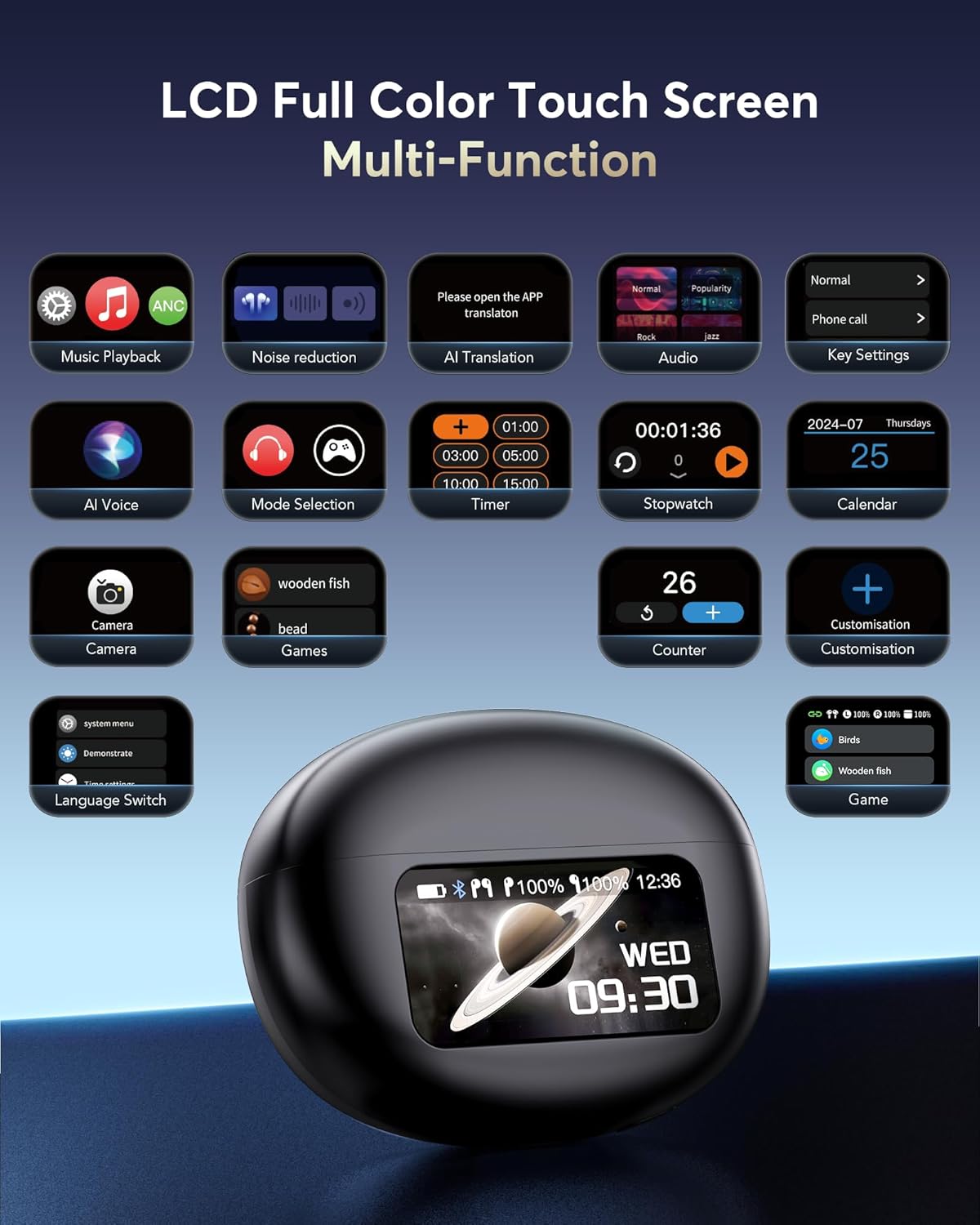
Figure 17: LCD Full Color Touch Screen Functions
AI Voice Smart Dialogue
Engage in real-time voice interaction to ask Nebula questions and receive intelligent responses.

Figure 18: AI Voice Smart Dialogue
AI Chat
Communicate with Nebula via text to get answers and assistance.
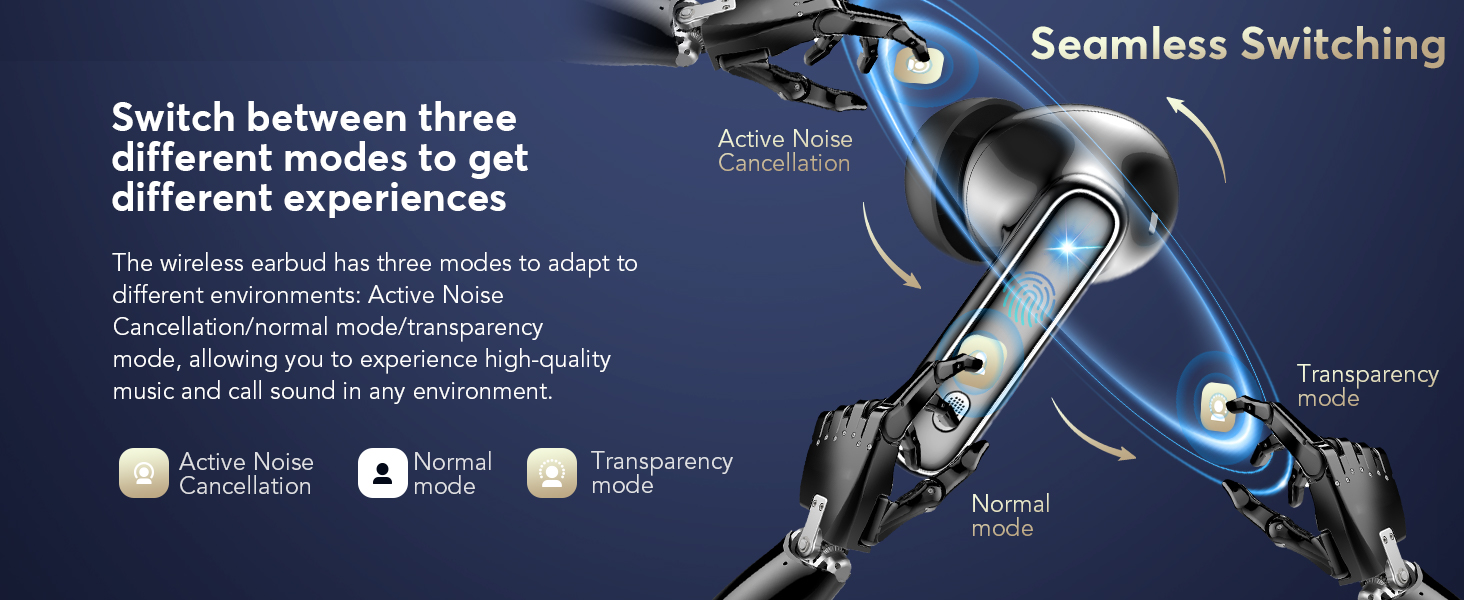
Figure 19: AI Chat Functionality
Text-to-Image Generation
Generate images based on provided text descriptions. You can choose the size and save the image.
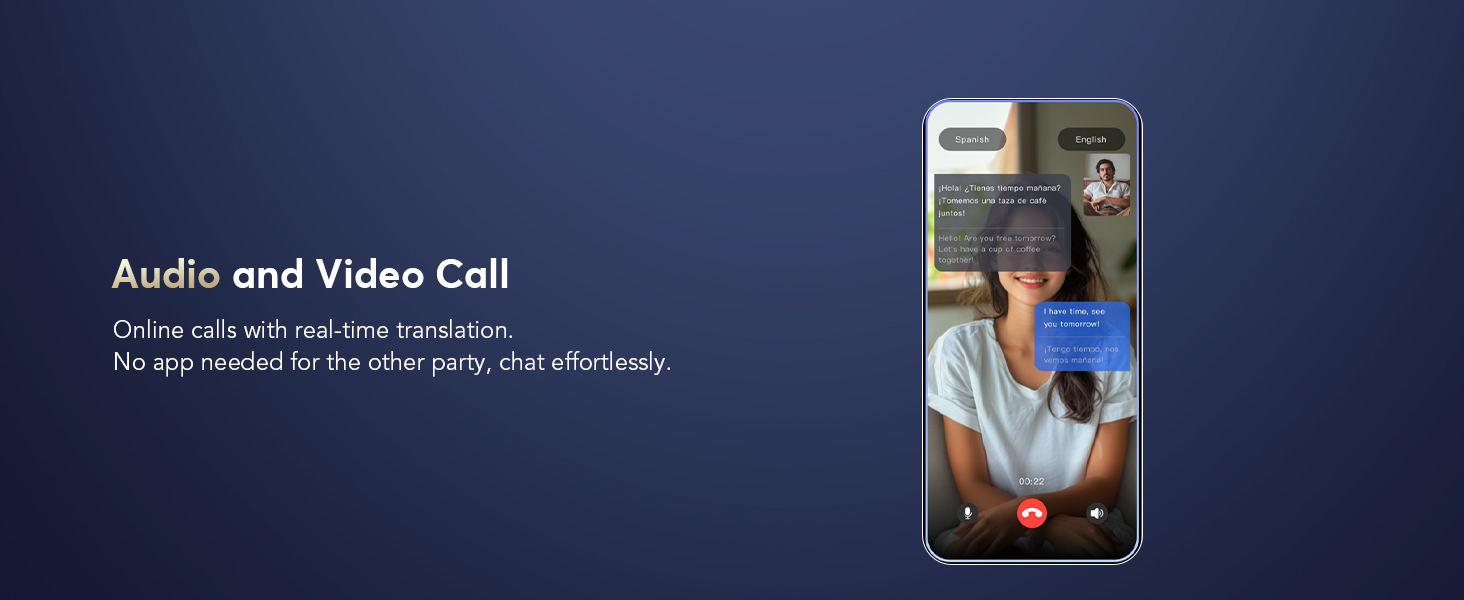
Figure 20: Text-to-Image Generation
Image-to-Image Generation
Generate images based on a reference image and text description, with fixed image size.
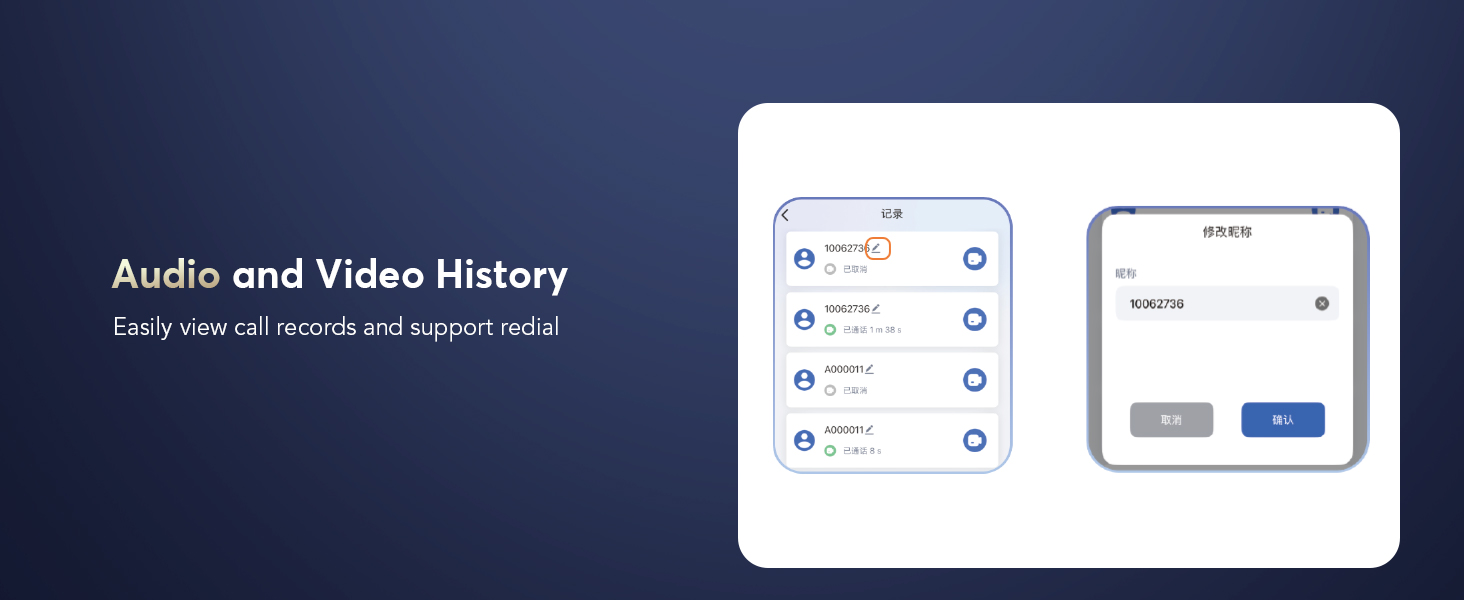
Figure 21: Image-to-Image Generation
Audio and Video Call with Real-time Translation
Conduct online calls with real-time translation. No app is needed for the other party, allowing for effortless communication.

Figure 22: Real-time Translated Audio/Video Calls
Audio and Video History
Easily view call records and support redialing for convenience.

Figure 23: Call History and Redial
Summary & Playback
Access historical recordings with AI summary and speaker identification features.

Figure 24: Summary and Playback of Recordings
8. Specifications
| Feature | Detail |
|---|---|
| Model Number | Q10 pro AI |
| Brand | EUQQ |
| Connectivity | Bluetooth 5.4 |
| Translation Languages | 144 Languages & Accents |
| Translation Modes | Touch Mode, Free Speech Mode, Speaker Mode, Offline Mode, Live Recording, Simultaneous Interpretation, Face-to-Face (Phone/Dual-Ear) |
| Noise Cancellation | ANC (Active Noise Cancellation), CVC 8.0 Noise-Canceling Algorithm |
| Audio Modes | ANC, Normal, Transparency |
| Playtime (Earbuds) | 6-7 hours |
| Total Playtime (with Case) | Up to 36 hours |
| Charging Time | 1 hour (full charge) |
| Charging Interface | Type-C |
| Waterproof Rating | IP7 |
| Control Type | Smart Touch Control |
| Display | LCD Full Color Touch Screen (on charging case) |
| Item Weight | 3.17 ounces |
| Package Dimensions | 3.78 x 3.74 x 1.26 inches |
9. Maintenance
- Cleaning: Regularly clean the earbuds and charging case with a soft, dry cloth. Avoid using abrasive materials or harsh chemicals.
- Ear Tips: Remove and clean the ear tips periodically. Replace them if they become worn or damaged to maintain optimal sound quality and fit.
- Charging Ports: Ensure the charging ports on both the earbuds and the case are free from dust and debris.
- Storage: When not in use, store the earbuds in their charging case to protect them and keep them charged. Store in a cool, dry place away from extreme temperatures.
- Water Resistance: While IP7 waterproof, avoid prolonged submersion in water. Dry thoroughly if exposed to moisture before placing back in the charging case.
10. Troubleshooting
| Issue | Solution |
|---|---|
| Earbuds not pairing | Ensure Bluetooth is enabled on your device. Make sure earbuds are charged. Try resetting the earbuds (refer to user manual for specific steps). Restart your phone and the app. |
| No sound or low volume | Check volume levels on both your device and the earbuds. Ensure earbuds are properly seated in your ears. Try different ear tip sizes. Reconnect the earbuds to your device. |
| Translation not working | Ensure the NebulaBuds app is open and connected. Check internet connection if using online translation modes. Verify correct source and target languages are selected in the app. Speak clearly and at a moderate pace. |
| Charging issues | Ensure the charging cable is securely connected. Try a different charging cable or power adapter. Clean the charging contacts on the earbuds and case. |
| App crashing or freezing | Close and reopen the app. Clear the app's cache (in phone settings). Ensure the app is updated to the latest version. Restart your phone. |
11. Warranty & Support
EUQQ products are designed and manufactured to the highest quality standards. This product is covered by a limited warranty from the date of purchase. For detailed warranty terms and conditions, please refer to the warranty card included in your product packaging or visit the official EUQQ website.
If you encounter any issues or have questions regarding your AI Language Translation Earbuds, please contact our customer support team:
- Email: support@euqq.com (Example email, please refer to actual manual for correct contact)
- Website: EUQQ Official Store on Amazon
Please have your model number (Q10 pro AI) and purchase details ready when contacting support.
Ask a question about this manual
Ask about setup, troubleshooting, compatibility, parts, safety, or missing instructions. Manuals+ will review the question and use this page’s manual context to help answer it.