
1. Overview
This manual provides essential information for setting up, operating, maintaining, and troubleshooting your Samsung Galaxy M56 5G Mobile. The device features a slim design, Gorilla Glass Victus+ protection, a 50MP camera system, a Super AMOLED+ display, and a powerful 4nm Exynos 1480 processor.
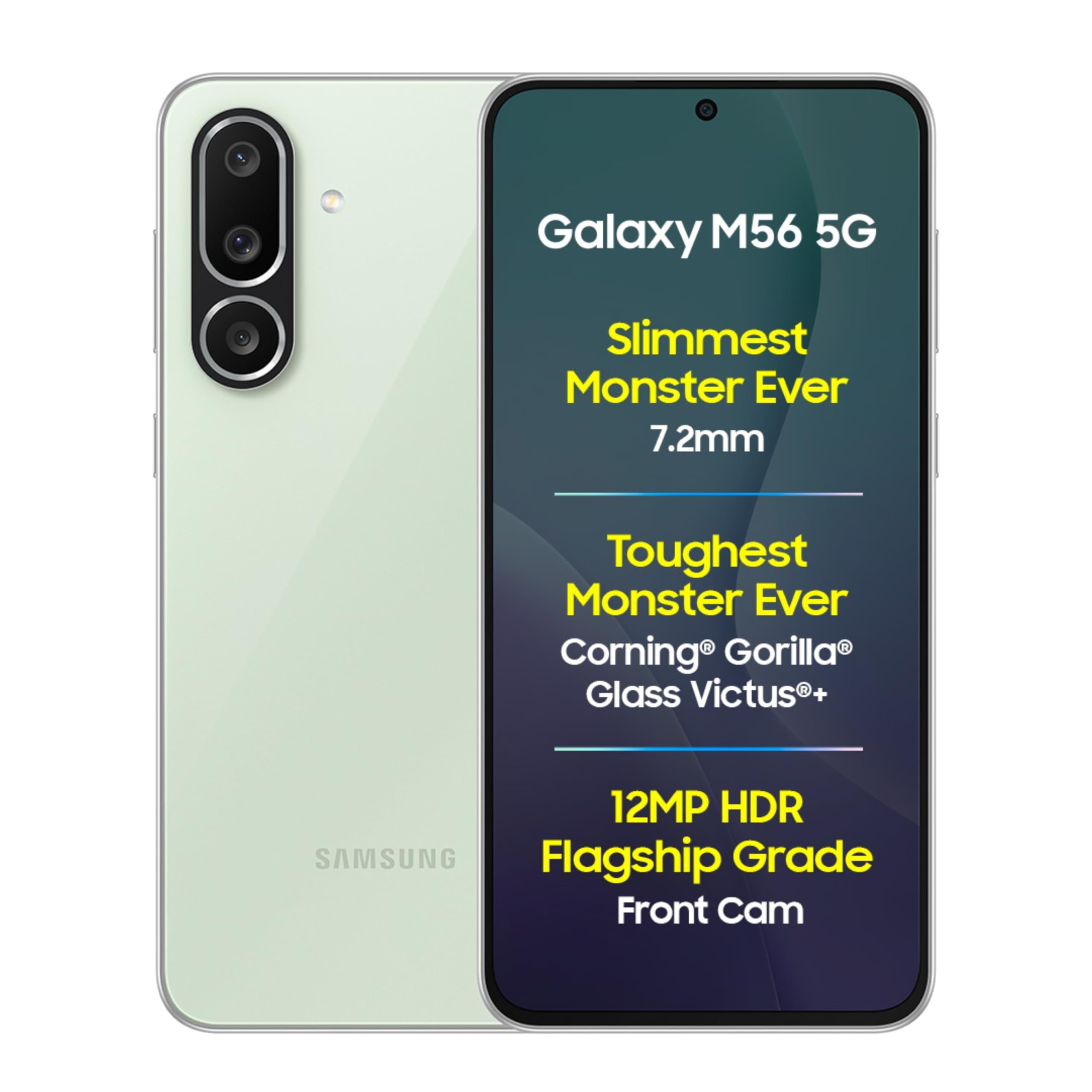
Image: Samsung Galaxy M56 5G Mobile in Light Green, showcasing its sleek design.
2. What's in the Box
Verify that all items are present in your product package:
- Samsung Galaxy M56 5G Smartphone
- Data Cable (USB Type-C to Type-C)
- SIM Ejection Pin
- Quick Start Guide

Image: The Samsung Galaxy M56 5G phone, a USB-C to USB-C data cable, and a SIM ejection pin, as typically found in the product box.
3. Setup
3.1. Inserting the SIM Card
- Locate the SIM card tray on the side of your device.
- Insert the SIM ejection pin into the small hole next to the tray and press gently until the tray ejects.
- Place your Nano-SIM card(s) into the tray with the gold contacts facing down. Ensure proper orientation. The device supports Dual SIM.
- Carefully reinsert the tray into the phone.
3.2. Initial Power On and Basic Setup
- Press and hold the Power button (located on the side) until the Samsung logo appears.
- Follow the on-screen prompts to select your language, connect to a Wi-Fi network, and agree to the terms and conditions.
- Sign in with your Google account or create a new one. This is essential for accessing the Google Play Store and other Google services.
- Set up your preferred screen lock method (PIN, pattern, password, or fingerprint).
- You may transfer data from a previous device during this setup process.
4. Operating Your Device
4.1. Display and Navigation
The Galaxy M56 5G features a Super AMOLED+ display with a 120Hz refresh rate for smooth visuals. Utilize the Vision Booster feature for enhanced visibility in bright conditions.

Image: Comparison of the Samsung Galaxy M56 5G's sAMOLED+ display with Vision Booster against a standard display, highlighting superior brightness and color.
4.2. Camera Usage
Your device is equipped with a versatile camera system:
- Rear Cameras: 50MP Main Wide Angle Camera, 8MP Ultra Wide Angle Camera, 2MP Macro Angle Camera. Supports 4K video recording at 30FPS with 10 Bit Video HDR.
- Front Camera: 12MP HDR Camera with a flagship-grade sensor for high-quality selfies and 10 Bit HDR Video.
Explore features like Enhanced Nightography (Low Noise Mode, Big Pixel, AI ISP) for clear low-light photos, 2x Zoom Portraits for detailed portrait shots, and AI-powered editing tools such as Object Eraser and Image Clipper.

Image: Detailed view of the Samsung Galaxy M56 5G's triple camera setup, indicating the 8MP ultra-wide, 50MP main, and 2MP macro lenses.

Image: A side-by-side comparison demonstrating the improved clarity and reduced noise in low-light photos using Advanced Nightography on the Galaxy M56 5G.
4.3. Performance and Gaming
The device is powered by a 4nm Exynos 1480 Processor, designed for smooth performance and lag-free gaming. It features a Vapour Cooling Chamber to manage heat during intensive use, LPDDR5X memory, and UFS 3.1 storage. The phone runs on Android 15 with One UI 7.0.

Image: Visual representation of the Samsung Galaxy M56 5G's internal components, emphasizing the 4nm processor and the larger vapour cooling chamber for optimal performance.
4.4. Battery Management
The Galaxy M56 5G is equipped with a 5000 mAh battery. It supports 45W Fast Charging, allowing for quick replenishment of power. Use a compatible 45W charger (sold separately) for optimal charging speeds.

Image: The Samsung Galaxy M56 5G connected to a charger, with a graphic indicating 45W fast charging capability.
4.5. Security Features
Protect your device and data with built-in security features:
- Knox Security: Samsung Knox provides multi-layered security for your device.
- Fingerprint Sensor: Use the integrated fingerprint sensor for quick and secure unlocking.
- Knox Vault: Enhanced security for sensitive data.

Image: Visuals representing Samsung Knox Vault and the Fingerprint Sensor, highlighting the security features of the Galaxy M56 5G.
4.6. AI Features
The Galaxy M56 5G integrates AI capabilities, including:
- Circle to Search with Google: Circle an object on your screen to instantly search for information about it.
- In-built Gemini: Access AI assistance directly on your device.

Image: A demonstration of the Circle to Search with Google feature on the Samsung Galaxy M56 5G, showing a user circling an object on screen to initiate a search.
5. Maintenance
5.1. Software Updates
Your device is eligible for 6 years of OS upgrades and 6 years of security updates. Regularly check for and install software updates to ensure optimal performance, security, and access to new features. Navigate to Settings > Software update to check for updates.

Image: A graphic illustrating the commitment to 6 generations of OS upgrades and 6 years of security updates for the Samsung Galaxy M56 5G.
5.2. Cleaning Your Device
To clean your device, gently wipe it with a soft, lint-free cloth. Avoid using harsh chemicals or abrasive materials that could damage the screen or finish.
5.3. Durability
The Samsung Galaxy M56 5G features Corning Gorilla Glass Victus+ protection on both the front and back, offering enhanced scratch resistance and fall endurance.

Image: The Samsung Galaxy M56 5G showcasing its Gorilla Glass Victus+ protection on both the front and back surfaces.
6. Troubleshooting
If you encounter issues with your device, try the following steps:
- Restart the Device: A simple restart can resolve many minor software glitches. Press and hold the Power button, then select 'Restart'.
- Check Connections: Ensure Wi-Fi, Bluetooth, and cellular data are properly enabled and connected.
- Clear Cache: If an app is misbehaving, try clearing its cache (Settings > Apps > [App Name] > Storage > Clear cache).
- Software Update: Ensure your device is running the latest software version (see Section 5.1).
- Factory Reset: As a last resort, you can perform a factory data reset (Settings > General management > Reset > Factory data reset). Warning: This will erase all data on your device. Back up important data before proceeding.
7. Specifications
| Feature | Detail |
|---|---|
| Brand | Samsung |
| Model | Galaxy M56 5G |
| Operating System | Android 15.0 |
| Processor | 4nm Exynos 1480 S5E8845 (2.75 GHz) |
| RAM | 8 GB |
| Storage | 128 GB |
| Display | 6.7 Inches Super AMOLED+, 2340 x 1080 Resolution, 120 Hz Refresh Rate, 382 PPI |
| Rear Camera | 50MP Main + 8MP Ultra-Wide + 2MP Macro |
| Front Camera | 12 MP HDR |
| Video Recording | 4K at 30FPS (10 Bit HDR Video) |
| Battery Capacity | 5000 Milliamp Hours |
| Charging | 45W Fast Charging Support |
| SIM Card Slot | Dual SIM (Nano) |
| Connectivity | 5G, Bluetooth, USB Type C, Wi-Fi |
| Security | Fingerprint Recognition, Knox Security, Knox Vault |
| Dimensions | 7 x 77 x 162 Millimeters |
| Weight | 180 Grams |
| Durability | Corning Gorilla Glass Victus+ (Front & Back) |
8. Warranty and Support
8.1. Warranty Information
Your Samsung Galaxy M56 5G Mobile comes with a 1 Year Manufacturer Warranty for the device and 6 Months Warranty for in-box accessories from the date of purchase.
8.2. Customer Support
For technical assistance, service, or warranty claims, please contact Samsung customer support:
- Manufacturer: Samsung India Electronics Pvt. Ltd.
- Registered Office: 6th Floor, DLF Centre, Sansad Marg, New Delhi – 110001
- Email: support.india@samsung.com
Samsung offers over 3300 service touchpoints with 24x7 support.

Image: A map of India highlighting numerous Samsung service touchpoints, indicating widespread 24x7 support availability.


