1. Introduction
The BAOFENG UV-25 PRO is a robust 10W heavy-duty handheld radio designed for reliable communication across multiple frequency bands. Featuring a 1.77-inch color display, full keyboard operation, and a 5200mAh Type-C rechargeable battery, this device offers extensive functionality for various applications. It supports UHF, VHF, MW, FM, Air, and NOAA multi-band reception, along with advanced features like DTMF coding/decoding, frequency hopping, and scrambling for enhanced privacy and versatility.
2. Safety Information
Please read and understand all safety instructions before using the radio. Failure to follow these instructions may result in injury, damage to the radio, or voiding the warranty.
- Do not operate the radio in explosive atmospheres (e.g., around flammable gas, dust, or powders).
- Do not transmit without an antenna connected to the radio. This can damage the radio's power amplifier.
- Use only BAOFENG-approved batteries and chargers. Unauthorized accessories may cause damage or fire.
- Keep the radio away from medical devices, as it may interfere with their operation.
- Avoid exposing the radio to extreme temperatures, direct sunlight, or moisture.
- Do not attempt to disassemble or modify the radio. Servicing should only be performed by qualified technicians.
3. Setup
3.1. Unboxing and Package Contents
Upon opening the box, verify that all components are present:
- BAOFENG UV-25 PRO Radio Unit
- Li-ion Battery (5200mAh)
- Battery Charger Base
- Power Adapter for Charger
- USB-C Charging Cable
- Standard Antenna
- Longer Whip Antenna
- Belt Clip
- Lanyard
- Flathead Screwdriver (for battery attachment)
- Microphone and Earpiece
- User's Manual
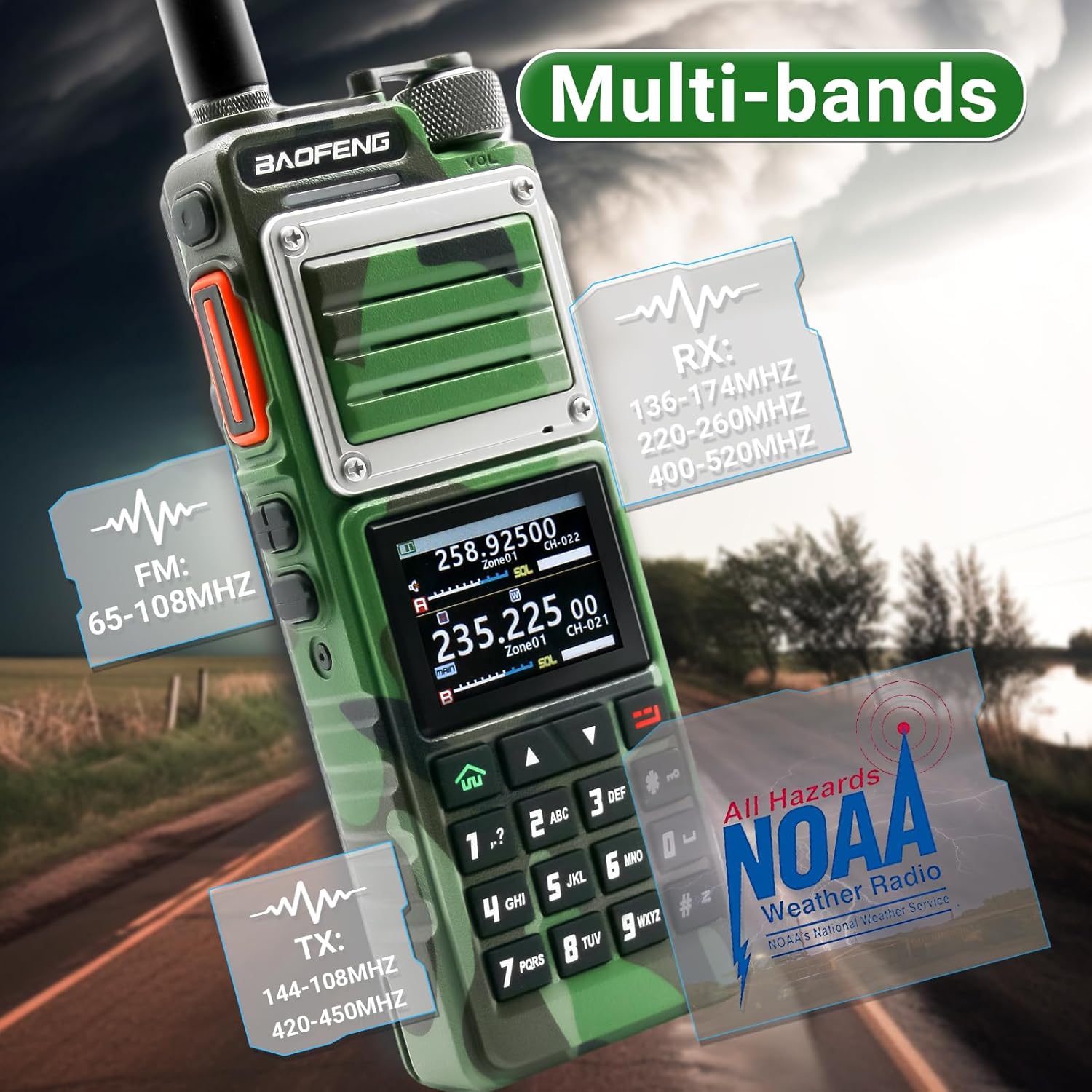
Figure 1: BAOFENG UV-25 PRO radio and included accessories.
3.2. Battery Installation
- Align the battery with the back of the radio unit.
- Slide the battery into place until it clicks securely.
- Use the provided flathead screwdriver to secure the battery screw at the bottom of the radio.
Video 1: Demonstrates the unboxing and initial setup, including battery and antenna installation.
3.3. Antenna Installation
Screw the desired antenna (standard or whip) clockwise onto the antenna connector at the top of the radio until it is finger-tight. Do not overtighten.
3.4. Charging the Battery
The UV-25 PRO offers multiple charging options:
- Desktop Charger: Place the radio with the battery installed into the desktop charger base. Connect the power adapter to the charger base and a power outlet.
- Direct Type-C Charging: Connect the USB-C cable directly to the Type-C port on the battery (located at the bottom of the radio when installed) and to a compatible USB power source (e.g., car charger, power bank, PC).

Figure 2: The Type-C charging port is located on the battery for convenient charging.
Video 2: Highlights the 10W high power and long-range capabilities, including charging methods.
3.5. Software Installation and Programming Cable Connection
To program the radio via computer, download the official software from the BAOFENG website. Connect the radio to your computer using a compatible programming cable.
Video 3: Provides instructions on how to program BAOFENG walkie-talkies using software.
4. Operating Instructions
4.1. Power On/Off and Volume Adjustment
To power on the radio, rotate the Power/Volume knob clockwise. To power off, rotate it counter-clockwise until it clicks. Adjust the volume by rotating the same knob.
4.2. Basic Controls and Display
The radio features a 1.77-inch color LCD screen and a full numeric keypad for direct frequency input and menu navigation. Use the arrow keys to navigate menus and the P1/P2 buttons for programmable functions.
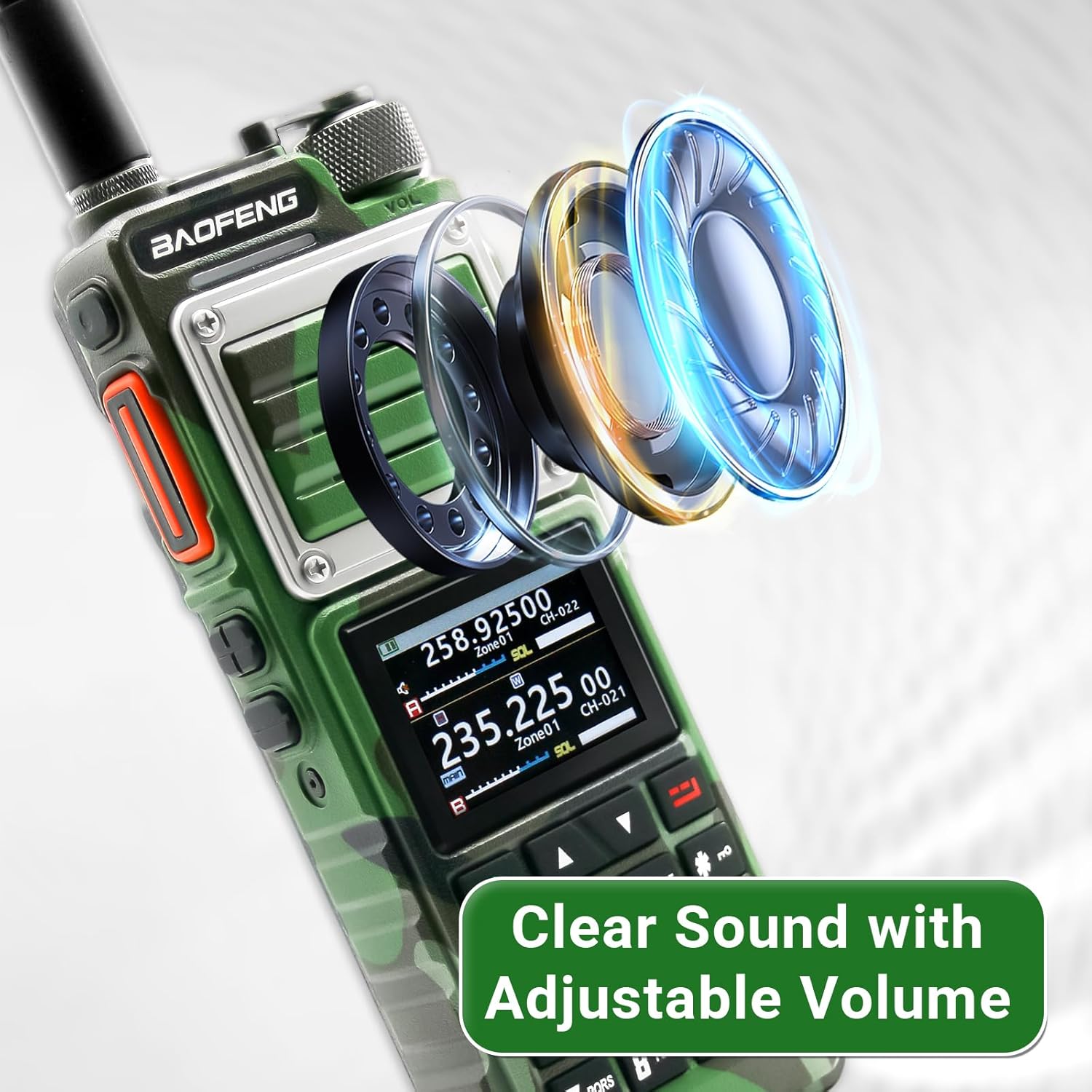
Figure 3: The radio's display and clear sound capabilities.
4.3. Frequency and Channel Management
- Manual Frequency Entry: Use the numeric keypad to directly enter frequencies.
- Channel Storage: The radio can store up to 999 channels. Channels can be stored and deleted directly from the radio's menu.
- One-Key Frequency Matching: This feature allows for quick pairing and copying of channel configuration parameters from another radio.
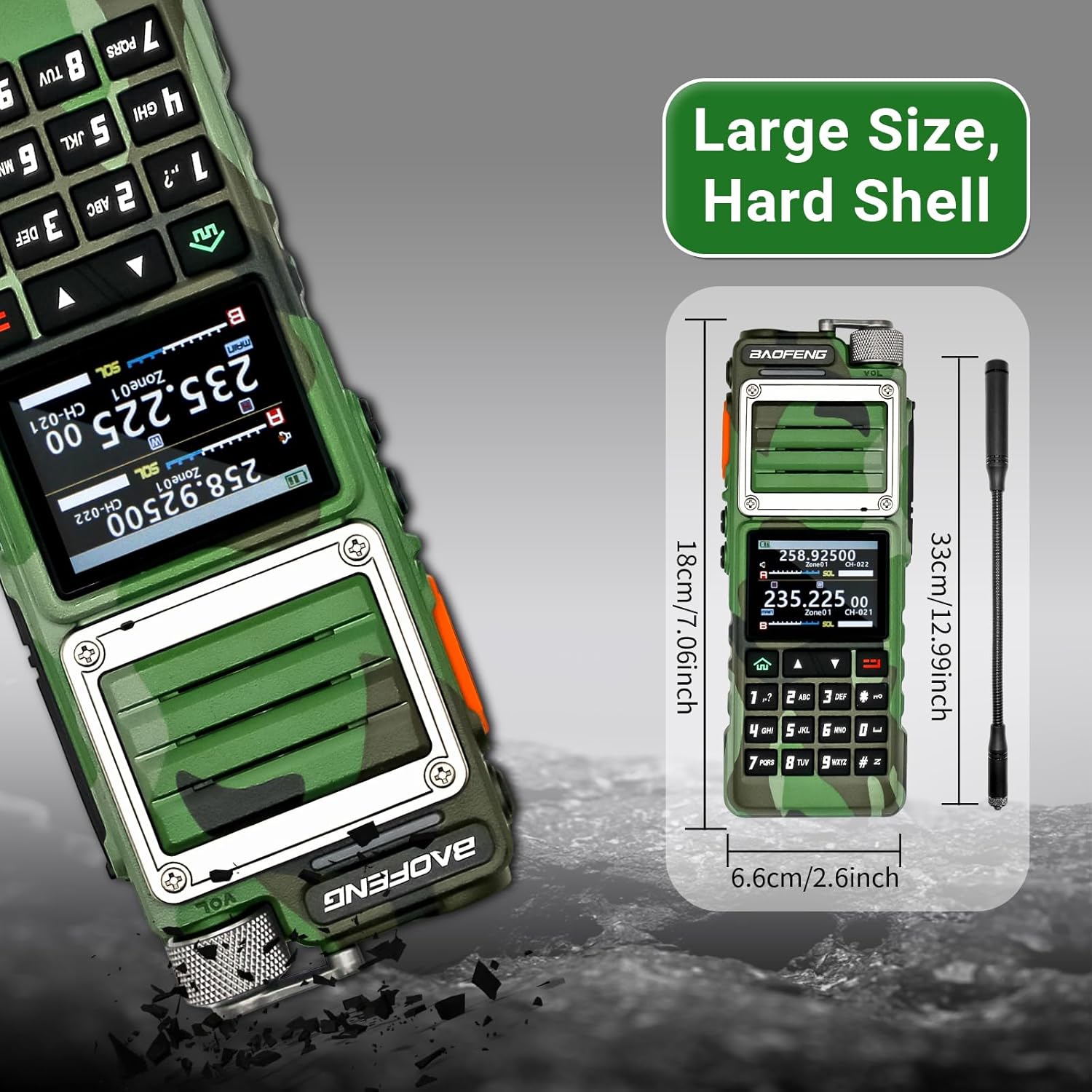
Figure 4: One-key frequency matching for easy pairing.
4.4. Multi-Band Reception and Transmission
The UV-25 PRO supports a wide range of frequencies:
- Reception/Transmission: 136-174MHz, 400-520MHz, 200-260MHz, 350-390MHz.
- Reception Only: 76-108MHz (FM Radio), 108-136MHz (Air Band).

Figure 5: Overview of supported multi-bands for reception and transmission.
4.5. Power Settings
Selectable power levels include 10W (High), 8W (Medium), and 5W (Low) to optimize range and battery life.
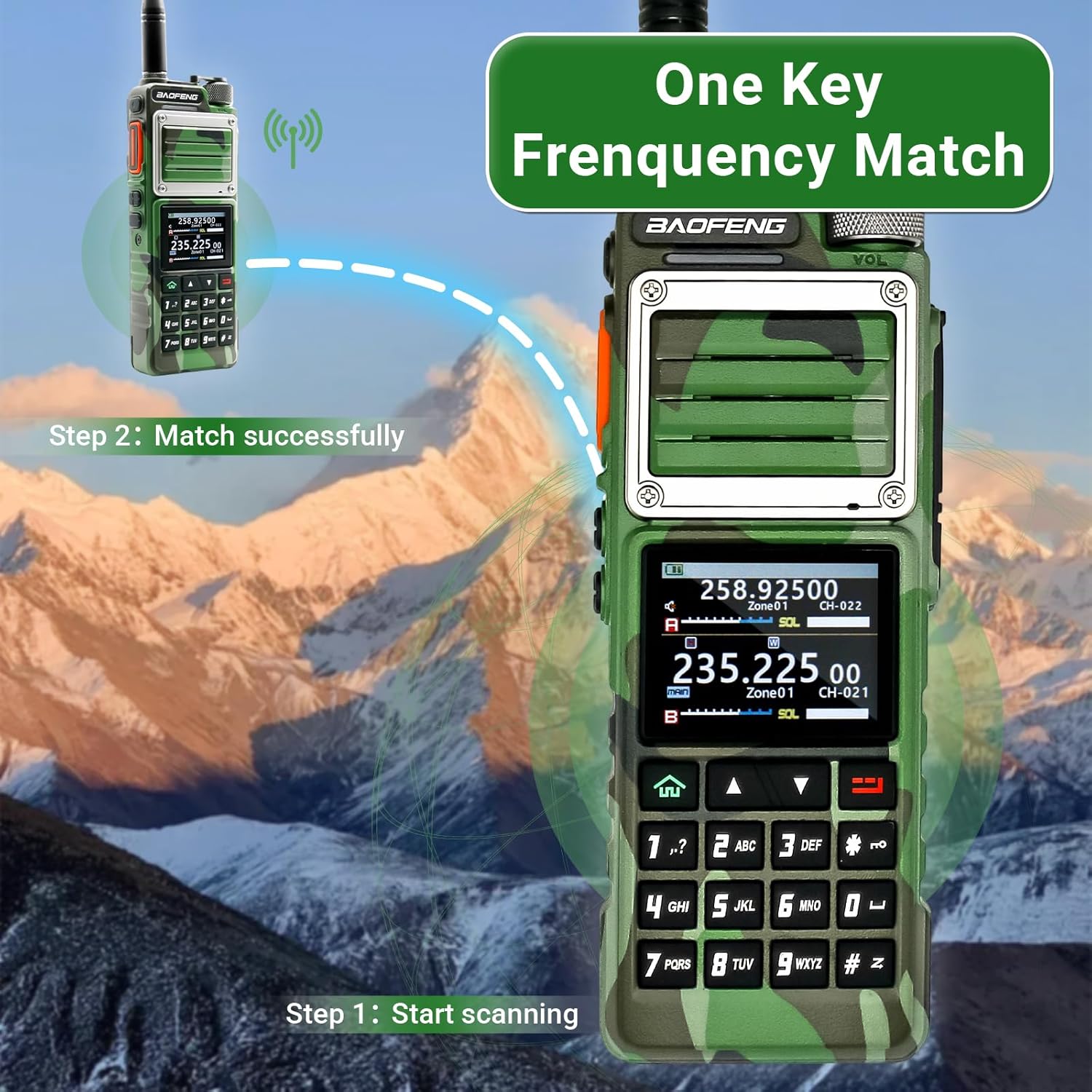
Figure 6: Power output options and estimated communication ranges.
4.6. Special Features
- NOAA Weather Reception: Supports NOAA weather reception in the United States and Canada for emergency weather information.
- FM Radio: Built-in FM radio function (receiving frequency 65~108MHZ).
- DTMF Coding/Decoding: Includes 15 DTMF calls for advanced signaling.
- Frequency Hopping & Scrambling: Features to enhance call privacy.
- Dual Modes: Supports Dual-Guard, Dual-Standby, Dual-Segment Single-Guard, and Single-Segment Single-Guard modes.
- Flashlight & Alarm: Integrated LED flashlight and acousto-optic alarm function with three alarm types.
- Keyboard Lock: Automatic or manual keyboard lock.
- LCD Backlight & Key Backlight: Adjustable backlighting for display and keys.
- Stopwatch Function: Built-in stopwatch.
- Power-on Password: Management function for security.
4.7. APP Programming (CHIRP Compatible)
The BAOFENG UV-25 PRO can be programmed using BAOFENG CPS and CHIRP software. This allows for advanced customization of channels, frequencies, and other settings.
Video 4: Demonstrates APP programming capabilities for BAOFENG radios.
5. Maintenance
- Cleaning: Use a soft, damp cloth to clean the radio's exterior. Do not use harsh chemicals or solvents.
- Battery Care: To prolong battery life, avoid overcharging or completely draining the battery. Store the battery in a cool, dry place when not in use.
- Antenna: Regularly check the antenna for damage. Replace if bent or broken to ensure optimal performance.
6. Troubleshooting
- No Power: Ensure the battery is fully charged and correctly installed. Check the power/volume knob is turned on.
- Cannot Transmit/Receive: Verify the antenna is securely attached. Check frequency settings and ensure you are on an active channel. Confirm power output settings.
- Poor Audio Quality: Check the volume level. Ensure the microphone/earpiece is properly connected if in use.
- Programming Issues: Ensure the correct software version is installed and the programming cable is securely connected. Refer to the software's specific instructions.
7. Specifications
- Model: UV-25 PRO
- Brand: BAOFENG
- Item Weight: 2.68 pounds
- Package Dimensions: 9.37 x 9.06 x 2.72 inches
- Batteries: 1 x 9V batteries required (included)
- Number of Channels: 999
- Special Feature: Long Range
- Frequency Range: 76-174 MHz, 200-260 MHz, 350-390 MHz, 400-520 MHz
- Talking Range Maximum: 5 Kilometer
- Voltage: 9 Volts
- Water Resistance Level: Water Resistant
- Included Components: JIQI (This likely refers to the full accessory kit)
8. Warranty
The BAOFENG UV-25 PRO comes with a 1-Year Warranty. For warranty claims or service, please contact BAOFENG customer support.
9. Support
For further assistance, technical support, or to explore additional products, please visit the official BAOFENG Store:


