
Introduction
This manual provides comprehensive instructions for the Fastrack Optimus 2 Pro Smart Watch. It covers device setup, operational procedures, maintenance guidelines, and troubleshooting tips to ensure optimal performance and user experience. The Fastrack Optimus 2 Pro features a 1.43-inch AMOLED display, Single Sync Bluetooth calling, advanced health monitoring, and a durable metal case with IP68 water and dust resistance.
What's in the Box
Upon unboxing your Fastrack Optimus 2 Pro Smart Watch, verify the presence of the following items:
- Fastrack Optimus 2 Pro Smart Watch
- Charging Cable
- User Manual (this document)
Setup
1. Charging the Device
Before initial use, fully charge your Fastrack Optimus 2 Pro Smart Watch. Connect the provided charging cable to the charging port on the back of the watch and a standard USB power adapter (not included). The watch display will indicate charging status. A full charge typically provides up to 5 days of battery life, depending on usage.

Image: Internal view of the Fastrack Optimus 2 Pro, showing components and potential charging area.
2. Pairing with the Fastrack Smart World App
- Download the App: Search for "Fastrack Smart World" in your smartphone's app store (compatible with Android and iOS devices) and install it.
- Enable Bluetooth: Ensure Bluetooth is enabled on your smartphone.
- Open App and Register: Launch the Fastrack Smart World app and follow the on-screen instructions to create an account or log in.
- Add Device: Within the app, navigate to the "Add Device" or "Pair Device" section. Select "Fastrack Optimus 2 Pro" from the list of available devices.
- Confirm Pairing: A pairing request will appear on your watch and smartphone. Confirm the pairing on both devices.
- Complete Setup: Follow any remaining prompts in the app to complete the initial setup, including profile information and notification preferences.
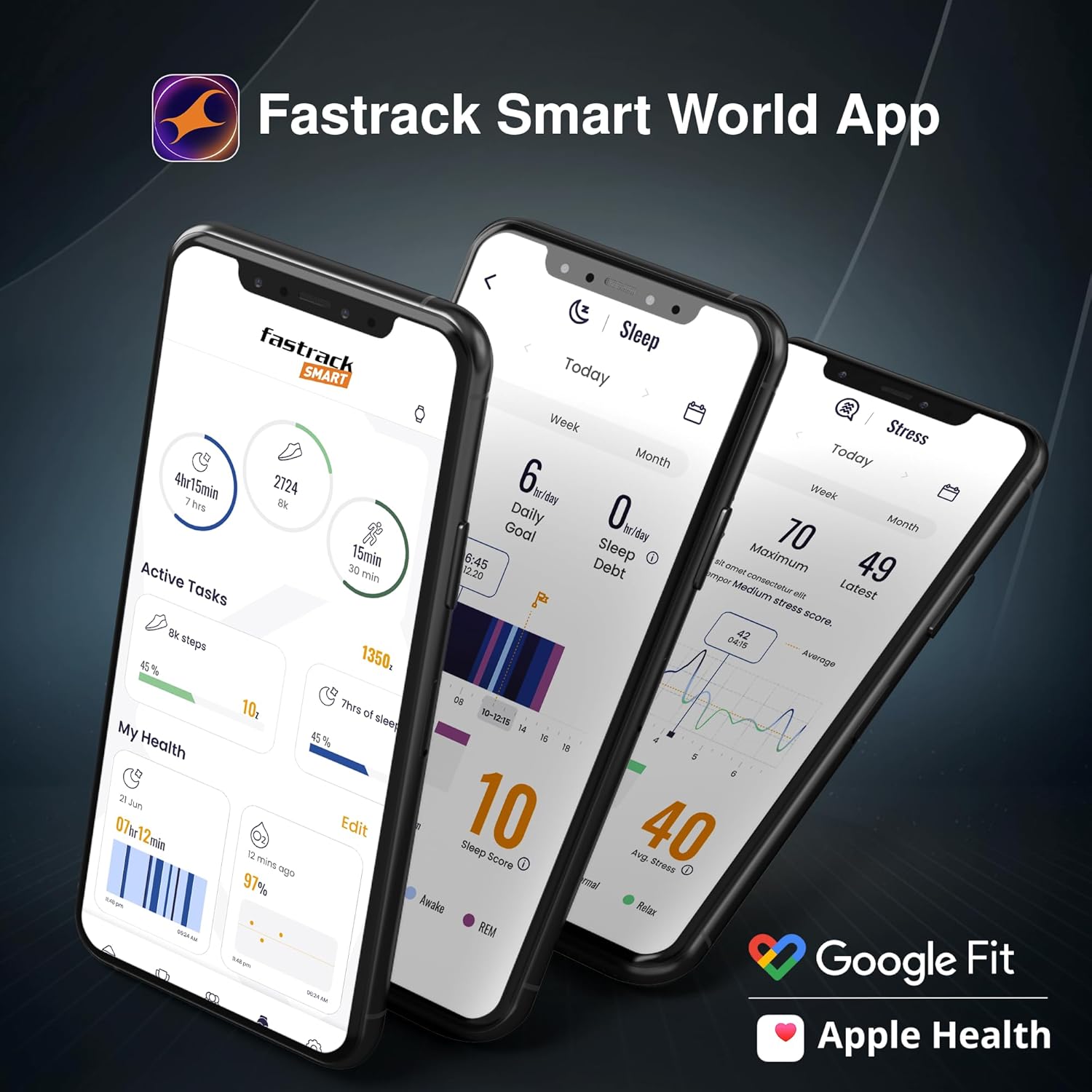
Image: The Fastrack Smart World App displaying various health and activity metrics, compatible with Google Fit and Apple Health.
Operating Instructions
1. Basic Navigation
- Touchscreen: Swipe left, right, up, or down to navigate through menus and notifications. Tap to select items.
- Functional Crown: Rotate the crown to scroll through lists or adjust settings. Press the crown to return to the home screen or confirm selections.
- Side Button: Typically used for quick access to specific functions or as a back button.
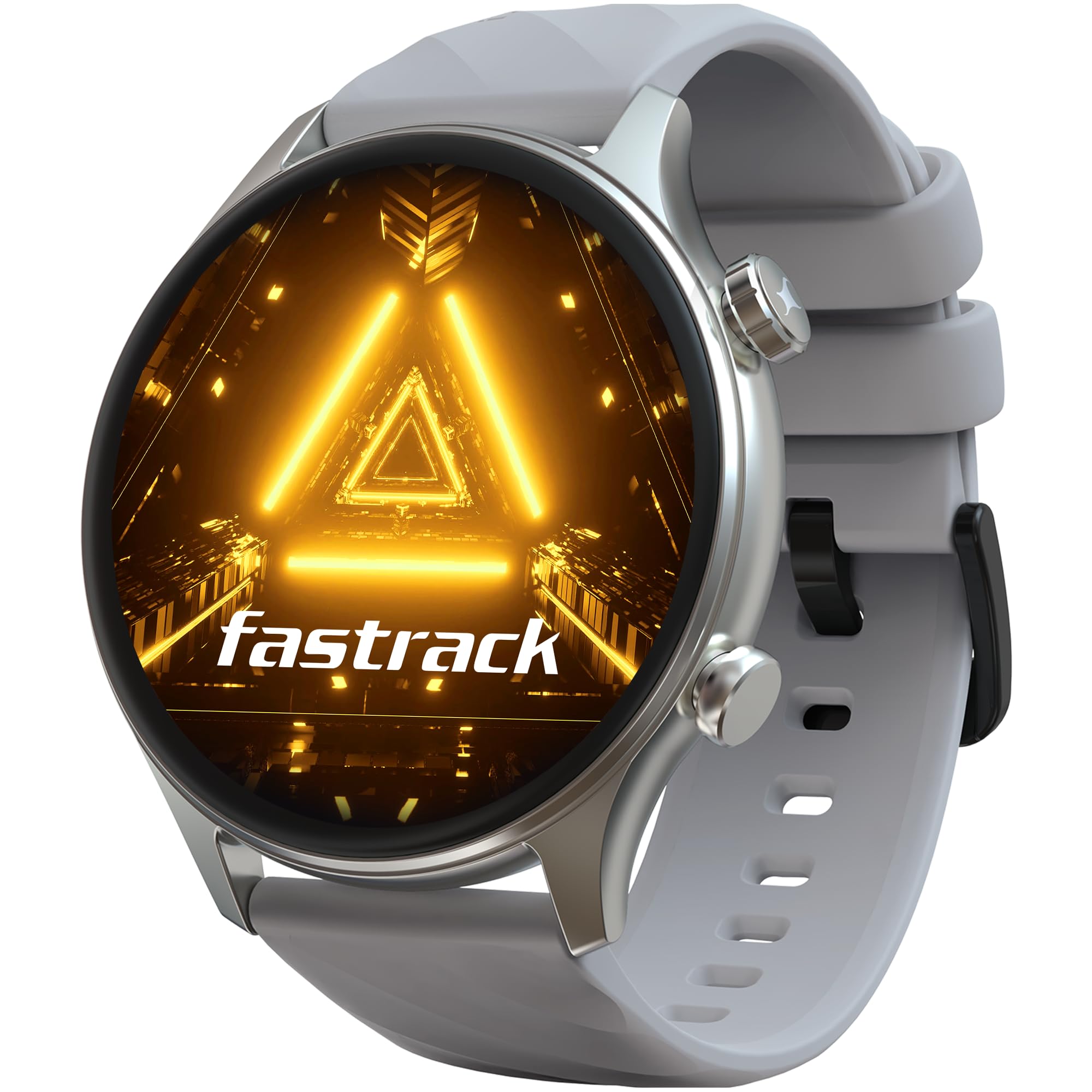
Image: The Fastrack Optimus 2 Pro Smart Watch showcasing its 1.43-inch AMOLED display and adaptive Always-On Display (AOD) feature.
2. Single Sync Bluetooth Calling
The Single Sync Bluetooth Calling feature allows you to make and receive calls directly from your watch. Ensure your watch is paired with your smartphone via Bluetooth. You can access your phone's contacts, dial numbers, and manage calls using the watch interface. The watch also supports AI Voice Assistant for hands-free operation and SOS Calling for emergencies.
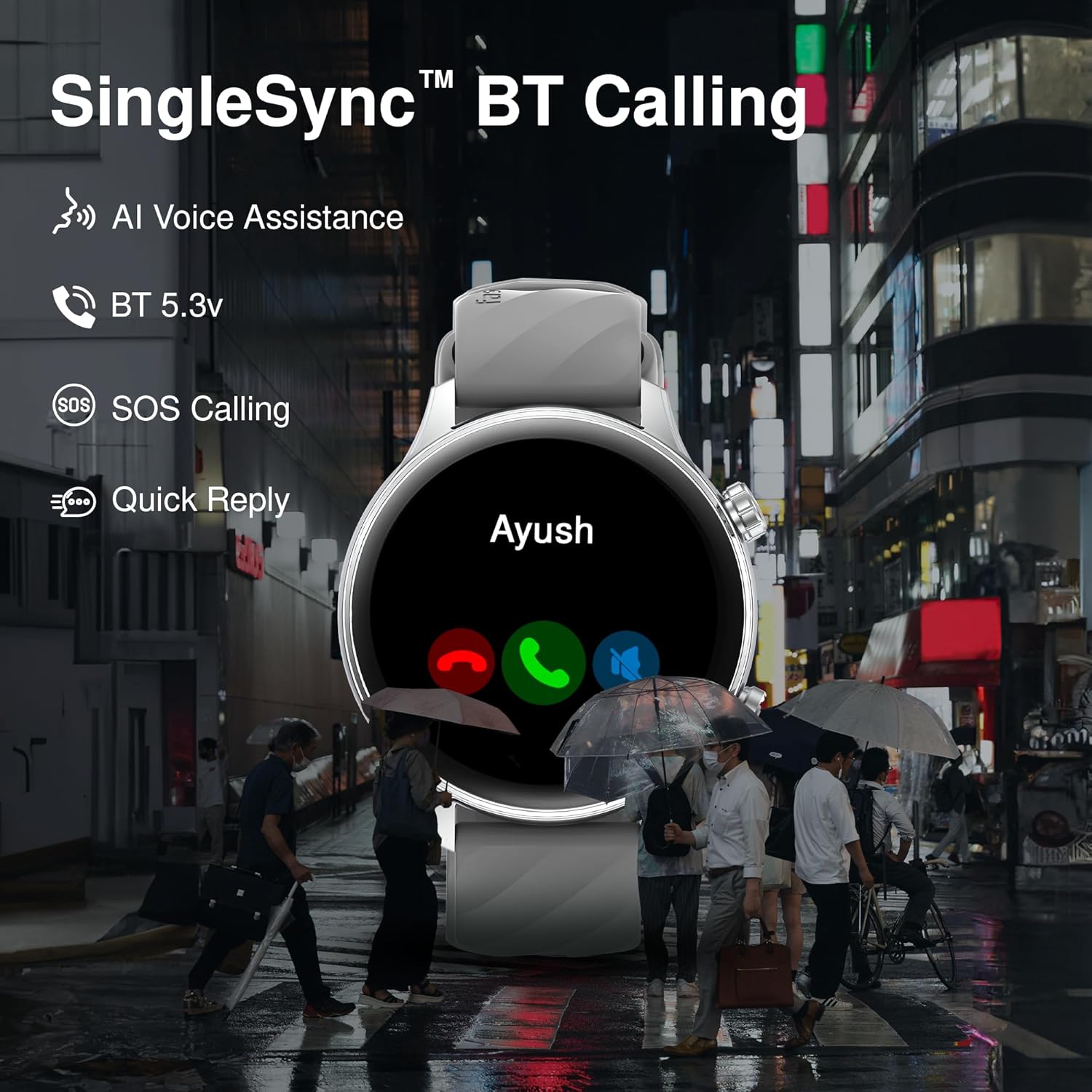
Image: The Fastrack Optimus 2 Pro Smart Watch showing an active call screen, highlighting its SingleSync BT Calling capability.
3. Sports Modes and Activity Tracking
The watch supports over 100 sports modes, including cycling, running, and walking. To start an activity:
- Navigate to the "Sports" or "Workout" menu on your watch.
- Select your desired activity.
- Tap "Start" to begin tracking.
- The watch will record metrics such as distance, duration, and pace.
- Some activities may feature auto-sport recognition.
All recorded data can be viewed in detail within the Fastrack Smart World app.
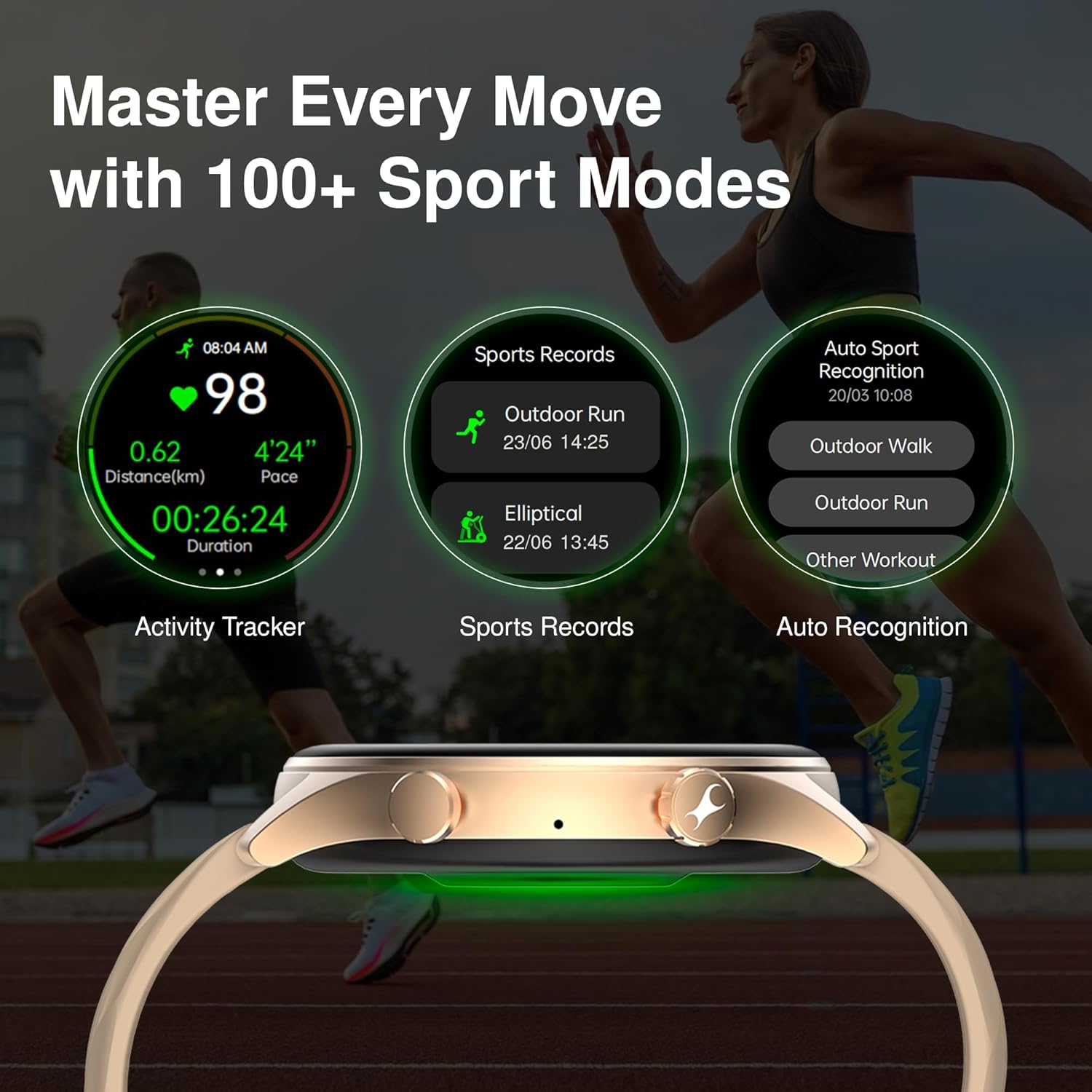
Image: The Fastrack Optimus 2 Pro Smart Watch interface showing various sports modes and activity tracking data.
4. Health Monitoring
The Fastrack Optimus 2 Pro offers comprehensive health monitoring features:
- 24x7 Heart Rate Monitor: Continuously tracks your heart rate.
- SpO2 Monitor: Measures blood oxygen levels.
- Sleep Monitor: Tracks sleep duration and stages, including REM sleep.
- Auto Stress Monitor: Monitors stress levels throughout the day.
- Breathe Exercise: Guided breathing exercises for relaxation.
- Women's Health: Provides tracking for menstrual cycles.
- One-Click Health Measurement: Access multiple health metrics with a single tap.
For accurate readings, ensure the watch is worn snugly on your wrist. Consult a medical professional for any health concerns; the watch is not a medical device.
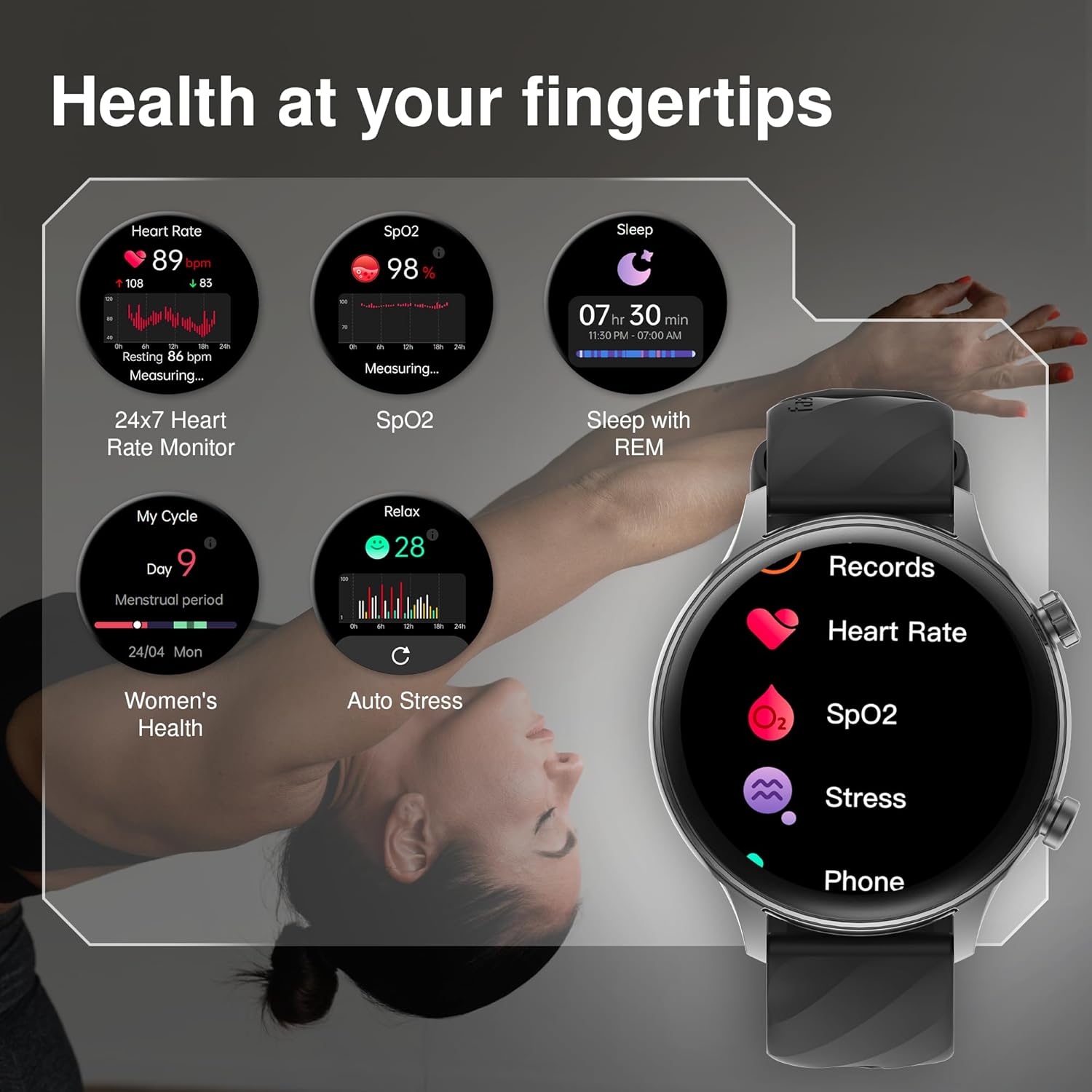
Image: The Fastrack Optimus 2 Pro Smart Watch interface showing detailed health monitoring features.
5. Other Features
- Adaptive Always On Display (AOD): The display remains visible with minimal power consumption, adapting to ambient light.
- AI Voice Assistant: Use voice commands for various functions.
- Notifications: Receive alerts for calls, messages, and app notifications from your paired smartphone.
- Music and Camera Control: Remotely control music playback and your smartphone's camera.
- Calculator: A built-in calculator for quick computations.
- 100+ Watchfaces: Customize your watch's appearance with a wide selection of watch faces available through the app.
- Alarm, Stopwatch, Timer: Standard timekeeping utilities.
- Weather Display: Get real-time weather updates.
- In-Built Games: Engage with pre-installed games.
Maintenance
1. Water and Dust Resistance (IP68)
The Fastrack Optimus 2 Pro is IP68 rated, meaning it is resistant to dust and can withstand immersion in water up to 1.5 meters for 30 minutes. This makes it suitable for daily wear and light water activities. However, it is not recommended for diving, high-pressure water activities, or prolonged submersion. Avoid exposure to hot water, steam, or chemicals, as these can compromise the water resistance.
Image: The Fastrack Optimus 2 Pro Smart Watch demonstrating its IP68 water resistance.
2. Cleaning and Care
- Regularly clean your watch and strap with a soft, damp cloth.
- Avoid using harsh chemicals, abrasive cleaners, or solvents.
- Ensure the charging contacts are clean and dry before charging to prevent corrosion.
- Store the watch in a cool, dry place when not in use.
3. Battery Care
- Avoid fully discharging the battery frequently.
- Do not expose the watch to extreme temperatures, as this can degrade battery life.
- Use only the provided charging cable.
Troubleshooting
If you encounter issues with your Fastrack Optimus 2 Pro, refer to the following common solutions:
1. Watch Not Turning On or Charging
- Ensure the charging cable is securely connected to both the watch and the power source.
- Verify the power adapter is functional.
- Clean the charging contacts on the watch and cable.
- Allow the watch to charge for at least 30 minutes before attempting to turn it on.
2. Bluetooth Connectivity Issues
- Ensure Bluetooth is enabled on your smartphone and the watch.
- Keep the watch within the Bluetooth range of your smartphone.
- Restart both your smartphone and the watch.
- Unpair the watch from your smartphone's Bluetooth settings and re-pair it through the Fastrack Smart World app.
- Ensure the Fastrack Smart World app is running in the background and has necessary permissions.
3. Inaccurate Health Data
- Ensure the watch is worn snugly on your wrist, not too loose or too tight.
- Clean the sensor on the back of the watch.
- Environmental factors and skin conditions can affect sensor accuracy.
4. Display Issues (e.g., white line on screen)
If you observe display anomalies such as a white line on the screen, this may indicate a hardware issue. In such cases, contact Fastrack customer support for assistance. Do not attempt to repair the device yourself, as this may void the warranty.
Specifications
| Model Number | 38153SP01 |
| Display Type | 1.43-inch AMOLED, 466x466 Pixel Resolution |
| Connectivity | Bluetooth 5.3v (Single Sync BT Calling) |
| Water Resistance | IP68 (up to 1.5 meters for 30 minutes) |
| Battery Life | Up to 5 Days (typical usage) |
| Health Monitoring | 24x7 Heart Rate, SpO2, Sleep (with REM), Auto Stress, Women's Health, Breathe Exercise |
| Sports Modes | 100+ (Cycling, Running, Walking, etc.) |
| Case Material | Metal |
| Human Interface Input | Buttons, Touchscreen, Functional Crown |
| Compatible Devices | Android Devices, iOS Devices |
| Weight | 52 Grams |
| Dimensions (D x W x H) | 1.2D x 5.2W x 4.6H Centimeters |
Warranty Information
The Fastrack Optimus 2 Pro Smart Watch comes with a 1-Year Limited Warranty from the date of purchase. This warranty covers manufacturing defects. It does not cover damage caused by misuse, accidents, unauthorized repairs, or normal wear and tear. Please retain your proof of purchase for warranty claims. For detailed terms and conditions, refer to the warranty card included with your product or visit the official Fastrack website.
Support
For further assistance, technical support, or warranty claims, please contact Fastrack customer service:
- Online Support: Visit the official Fastrack website for FAQs and support resources.
- Customer Service: Refer to the contact information provided in your product packaging or on the Fastrack website.
Manufacturer and Importer Contact Information: Imported by Titan Company Limited 3 Sipcot Industries complex, Hosur- 635126.


