Download PDFFree PDF. The Save button below keeps a bookmark and private notes in your account.
OYIB MD058A Wireless Earbuds User Manual
Model: MD058A
Introduction
Thank you for choosing the OYIB MD058A Wireless Earbuds. This manual provides detailed instructions on how to set up, operate, and maintain your earbuds to ensure optimal performance and longevity. Please read this manual carefully before use.
What's in the Box
Verify that all components are present in your package:
MD058A Headphones (Left/Right) x 2
USB-C charging cable x 1
Portable charging case x 1
User manual x 1
Product Overview
Familiarize yourself with the main components of your OYIB MD058A Wireless Earbuds.
Figure 1: Earbud Internal Structure. Features 13mm speaker drivers for audio output and an integrated Bluetooth 5.3 chip for wireless connectivity.
Figure 2: Earbud Microphone Placement. Each earbud is equipped with two microphones for clear call quality and Environmental Noise Cancellation (ENC).
Charging the Earbuds and Case
Before first use, fully charge the earbuds and the charging case.
Place the earbuds into the charging case. Ensure they are correctly seated.
Connect the USB-C charging cable to the charging port on the case and the other end to a USB power adapter (not included).
The LED display on the charging case will indicate the battery level. A full charge for the case takes approximately 1 hour.
The earbuds provide approximately 5 hours of playback on a single charge. The charging case extends total playback time up to 25 hours.
Figure 3: Charging Case with LED Display. The display shows the charging status and battery level of the case and individual earbuds.
Setup: Bluetooth Pairing
Follow these steps to pair your OYIB MD058A Wireless Earbuds with your device:
Initial Pairing:
Open the charging case. The earbuds will automatically power on and enter pairing mode.
On your device (smartphone, tablet, etc.), go to Bluetooth settings and turn Bluetooth on.
Search for available devices and select "MD058A" from the list.
Once connected, you will hear a confirmation sound, and the earbuds will be ready for use.
Automatic Reconnection:
After the first successful pairing, the earbuds will automatically connect to the last paired device when you open the charging case, provided Bluetooth is enabled on your device.
Figure 4: One-step Pairing Process. The earbuds automatically enter pairing mode when the case is opened, allowing for quick connection to your device.
Operating the Earbuds: Touch Controls
The OYIB MD058A earbuds feature intuitive touch controls. The touch sensitive area is located on the outer surface of each earbud.
Action
Function
Single Tap (Left/Right Earbud)
Play/Pause music
Double Tap (Left Earbud)
Previous song
Double Tap (Right Earbud)
Next song
Triple Tap (Left Earbud)
Volume down
Triple Tap (Right Earbud)
Volume up
Single Tap (during call)
Answer/End call
Long Press (2 seconds)
Reject call / Activate Voice Assistant (Siri, Google Assistant)
Single and Dual Earbud Mode: The MD058A earbuds support both single and dual earbud modes. You can use either earbud independently for calls or music, and seamlessly switch between modes by simply placing one earbud back into the case or taking the other one out.
Maintenance
Proper maintenance ensures the longevity and performance of your earbuds.
Cleaning: Regularly clean the earbuds and charging case with a soft, dry, lint-free cloth. Do not use harsh chemicals or abrasive materials.
Water Resistance: The earbuds are IP7 waterproof, meaning they are protected against immersion in water up to 1 meter for up to 30 minutes. This makes them suitable for sports and workouts, protecting against sweat and rain. However, the charging case is not waterproof. Do not submerse the charging case in water.
Storage: When not in use, store the earbuds in their charging case to protect them from dust and damage. Store in a cool, dry place away from extreme temperatures.
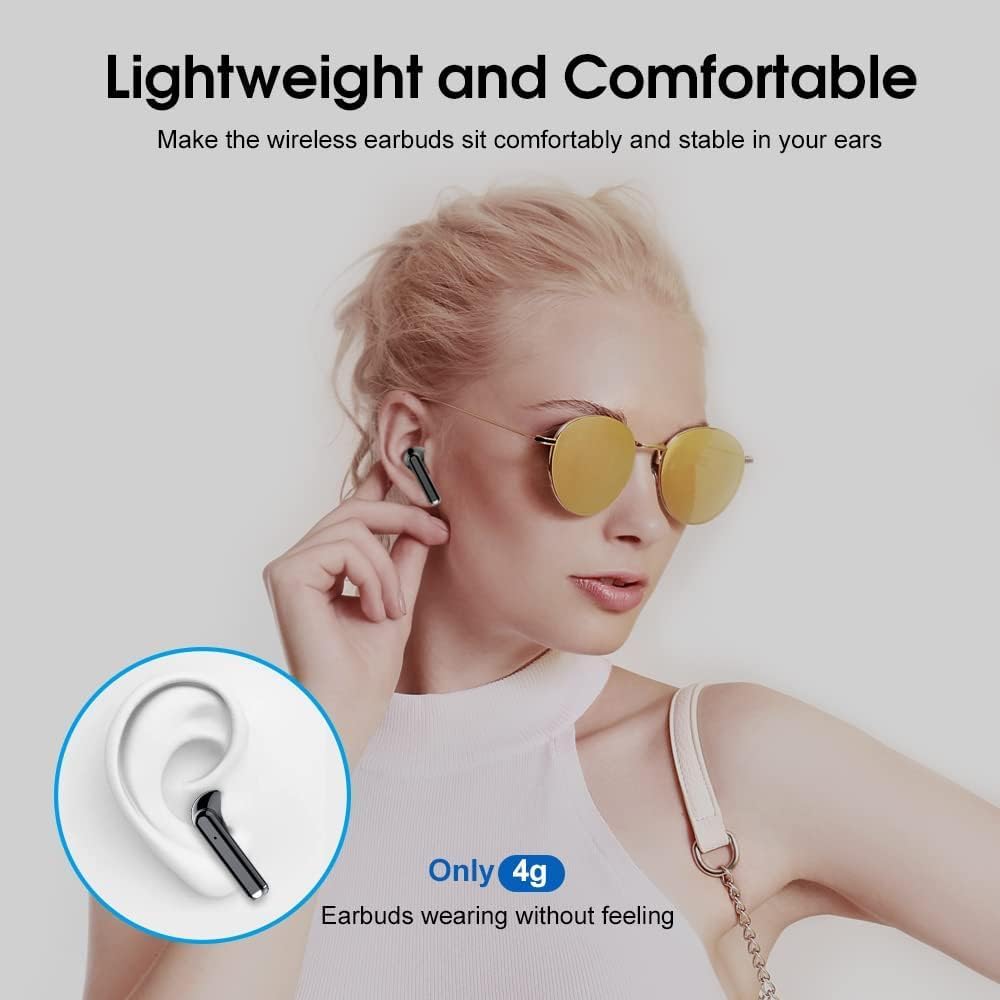
Figure 5: Lightweight and Comfortable Design. Each earbud weighs only 4g, designed for a secure and comfortable fit during extended use.
Troubleshooting
If you encounter issues with your OYIB MD058A Wireless Earbuds, try the following solutions:
Earbuds not pairing:
Ensure both earbuds are charged.
Place both earbuds back into the charging case, close the lid, then open it again to re-initiate pairing mode.
Turn off and on your device's Bluetooth.
Forget "MD058A" from your device's Bluetooth list and attempt to pair again.
No sound from one earbud:
Ensure both earbuds are charged.
Place both earbuds back into the charging case, close the lid, then open it again.
Check your device's audio balance settings.
Earbuds not charging:
Ensure the charging cable is securely connected to both the case and the power source.
Verify the power source is active.
Clean the charging contacts on both the earbuds and inside the case with a dry cotton swab.
Poor call quality:
Ensure the earbuds are fully charged.
Check for obstructions between the earbuds and your device.
Move to an area with less environmental noise, as extreme noise can affect ENC performance.
Specifications
Technical specifications for the OYIB MD058A Wireless Earbuds:
Feature
Detail
Model Name
MD058A
Brand
OYIB
Connectivity Technology
Wireless (Bluetooth 5.3)
Audio Driver Type
Dynamic Driver (13mm)
Noise Control
Environmental Noise Cancellation (ENC) with 4 Microphones
Control Method
Touch
Earbud Battery Life
Up to 5 hours (single charge)
Total Playtime (with case)
Up to 25 hours
Charging Time (Case)
Approximately 1 hour (USB-C)
Water Resistance
IP7 Waterproof (earbuds only)
Earbud Weight
Approximately 4g per earbud
Compatible Devices
Smartphones, Laptops, Tablets, Smart Speakers
Warranty and Support
Warranty: OYIB products typically come with a standard manufacturer's warranty. Please refer to the warranty card included in your package or contact OYIB customer support for specific warranty terms and conditions.
Customer Support: For any questions, technical assistance, or support regarding your OYIB MD058A Wireless Earbuds, please contact OYIB customer service through the retailer where you purchased the product or visit the official OYIB website for contact information.
Ask about setup, troubleshooting, compatibility, parts, safety, or missing instructions. Manuals+ will review the question and use this page’s manual context to help answer it.