
1. Introduction
This manual provides detailed instructions for the proper use and maintenance of your iFLYTEK USB-C to 3.5mm Audio Jack Adapter. This adapter is specifically designed to enhance the audio capabilities of your iFLYTEK Smart Recorder, ensuring high-fidelity sound for recording, playback, and communication.
2. Product Overview
The iFLYTEK USB-C to 3.5mm Audio Jack Adapter serves as a bridge between your iFLYTEK Smart Recorder (or other compatible USB-C devices) and standard 3.5mm audio peripherals such as headphones or external microphones. It features a high-performance Digital-to-Analog Converter (DAC) chip for superior audio quality and is built with durable materials for extended lifespan.
3. Features
- Tailored for iFLYTEK Smart Recorder: Ensures seamless integration and optimized audio performance for professional recording workflows.
- Hi-Fi Sound Quality: Equipped with a high-performance DAC chip, this adapter delivers high-quality audio and effectively minimizes background noise for clear voice recordings.
- Effortless Plug-and-Play: No drivers or setup required; simply plug in for instant zero-latency audio.
- High Durability: Reinforced with a SUS 316 Shell and TPE material, designed to resist daily wear, bends, and tugs, successfully passing 10,000 bend tests.
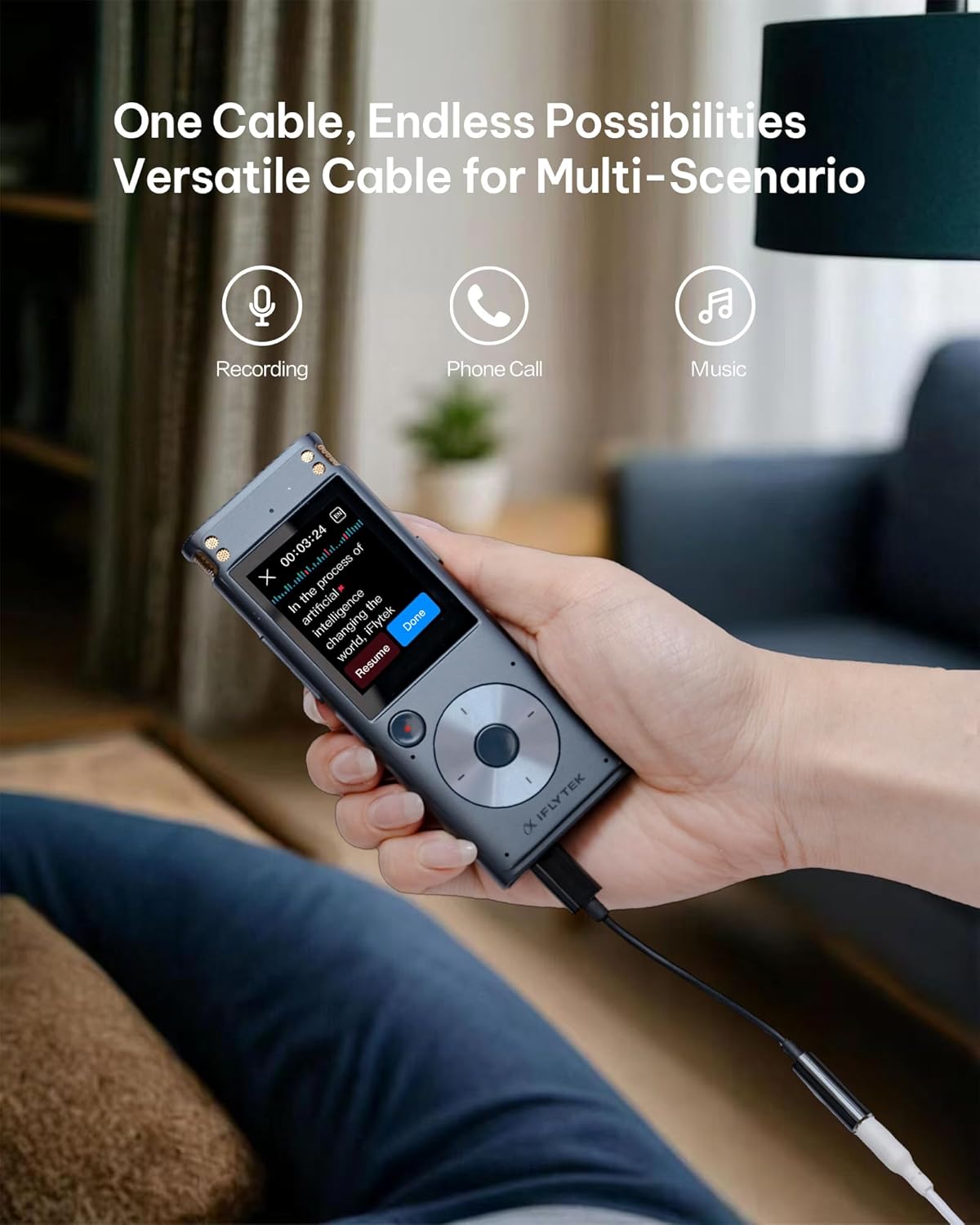
- Multi-Scenario Use: Versatile for recording, phone calls, and music playback.
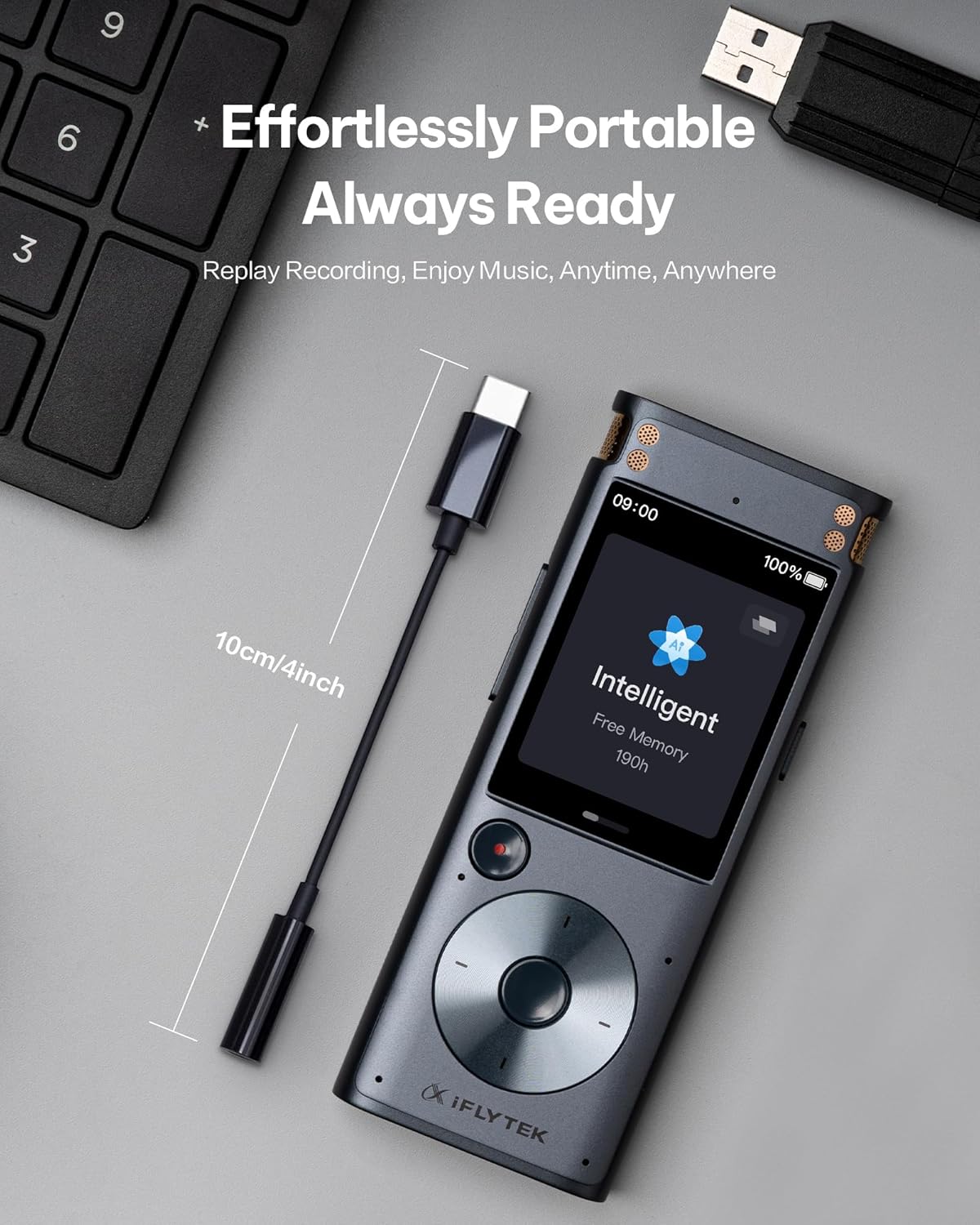
- Portable Design: Compact and lightweight for on-the-go convenience.
4. Setup
Follow these steps to set up your iFLYTEK USB-C to 3.5mm Audio Jack Adapter:
- Connect to Device: Insert the USB-C end of the adapter into the USB-C port of your iFLYTEK Smart Recorder or other compatible USB-C device.
- Connect Audio Peripheral: Plug your 3.5mm headphones, earphones, or external microphone into the 3.5mm audio jack of the adapter.
- Verify Connection: Ensure both connections are secure. The adapter is plug-and-play, so no additional drivers or software installation should be required.

5. Operating Instructions
Once connected, the adapter operates automatically. Audio from your iFLYTEK Smart Recorder will be routed through the 3.5mm port, allowing you to listen via headphones or record via an external microphone. The high-performance DAC chip ensures minimal background noise and clear audio transmission.
6. Maintenance
To ensure the longevity and optimal performance of your adapter, follow these maintenance guidelines:
- Cleaning: Use a soft, dry cloth to gently wipe the adapter. Avoid using harsh chemicals or abrasive materials.
- Storage: Store the adapter in a cool, dry place away from direct sunlight and extreme temperatures.
- Handling: Avoid excessive bending or tugging on the cable. Despite its durable design, proper handling will extend its lifespan.


7. Troubleshooting
If you encounter any issues with your adapter, please refer to the following common solutions:
- No Audio Output:
- Ensure the adapter is fully inserted into both the USB-C device and the 3.5mm audio peripheral.
- Check the volume settings on your iFLYTEK Smart Recorder or connected device.
- Test with different headphones or microphones to rule out peripheral issues.
- Poor Audio Quality:
- Ensure all connections are secure and free from debris.
- Verify the audio source quality.
- Avoid using the adapter in environments with excessive electromagnetic interference.
- Compatibility Issues:
- This adapter is specifically designed for the iFLYTEK Smart Recorder. While it may work with other USB-C devices, full functionality is guaranteed with iFLYTEK products.
8. Specifications
| Specification | Detail |
|---|---|
| Connector Type | USB Type C to 3.5mm Audio Jack |
| Compatible Devices | iFLYTEK Smart Recorder, Headphones |
| Color | Black |
| Material | SUS 316 Shell, TPE |
| Durability | 10,000 bend tests passed |
| Item Weight | 0.317 ounces |
| Package Dimensions | 4.37 x 2.91 x 0.75 inches |
9. Warranty and Support
Your iFLYTEK USB-C to 3.5mm Audio Jack Adapter comes with a 1-year warranty. We also offer a 30-day return/exchange policy for your peace of mind. For any technical assistance or inquiries, our dedicated support team provides 24/7 online support and lifetime technical support.
For more information or to contact support, please visit the official iFLYTEK Official Store.
