
1. Introduction and Overview
The TELESIN 63" Smart Auto-Face Tracking Tripod is an advanced device designed to enhance your video recording and live streaming experience. It features intelligent AI-powered face tracking, 360° rotation, and gesture control, eliminating the need for a dedicated application. This versatile tripod is compatible with smartphones, action cameras, and mirrorless cameras, offering stability and flexibility for various content creation needs. Its extendable design allows for diverse shooting perspectives, from compact selfie stick use to a full-height tripod stand.

Image: The TELESIN Smart Auto-Face Tracking Tripod, showcasing its full extension as a tripod and its compact form as a selfie stick. It is designed to hold smartphones and other compatible cameras.
2. What's in the Box
Upon unboxing your TELESIN Smart Auto-Face Tracking Tripod, please verify that all components listed below are present and in good condition:
- Smart Auto Face Tracking Tripod x 1
- Charging Cable x 1
- Portable Storage Bag x 1
- User Manual x 1
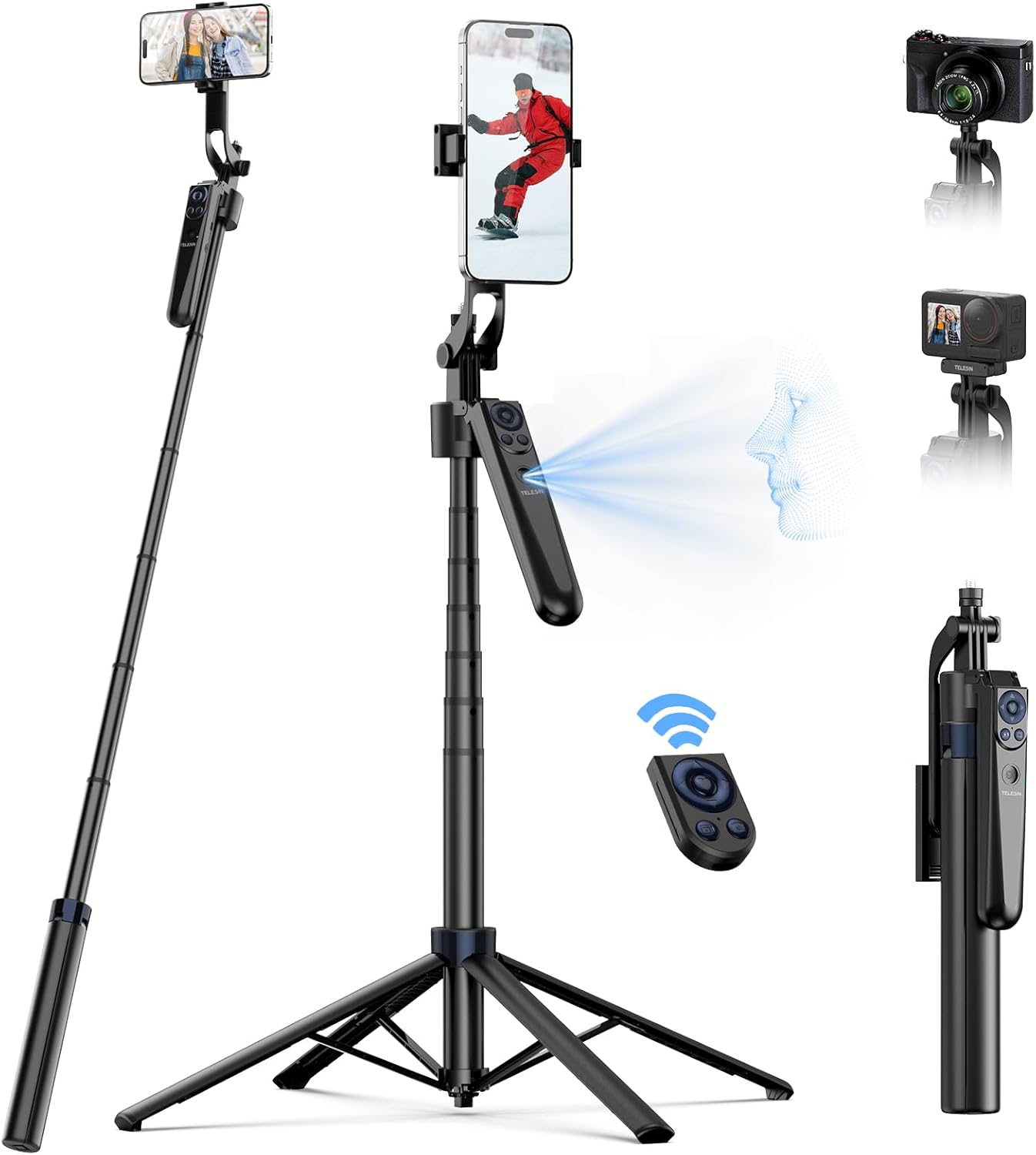
Image: The complete package contents of the TELESIN Smart Auto-Face Tracking Tripod, neatly arranged with its box.
3. Product Features
The TELESIN Smart Auto-Face Tracking Tripod is equipped with several key features designed for optimal performance and user convenience:
- Auto Face Tracking & 360° Rotation: Utilizes 4-axis stabilization and anti-shake technology for ultra-smooth footage. The AI-powered tracking automatically locks onto subjects, keeping them centered in the frame with full 360° horizontal rotation.

Image: Illustration of the tripod's face recognition and auto-tracking capabilities, highlighting gesture controls for starting and stopping recording.
- Universal Compatibility & Quick Setup: Compatible with smartphones (iOS/Android), action cameras (via 2-claw mount), and mirrorless cameras (1/4" screw). Supports devices up to 500g. The tripod expands instantly with a one-press release for hassle-free filming.

Image: Visual representation of the tripod's broad compatibility with different types of cameras and mobile devices.
- Gesture Control: Start or stop recording effortlessly using "OK" or "palm" gestures, eliminating the need for an app.
- 270° Tilt & 360° Rotation Flexibility: Capture dynamic angles with 270° vertical tilt and full 360° horizontal rotation. Easily switch between portrait and landscape modes.
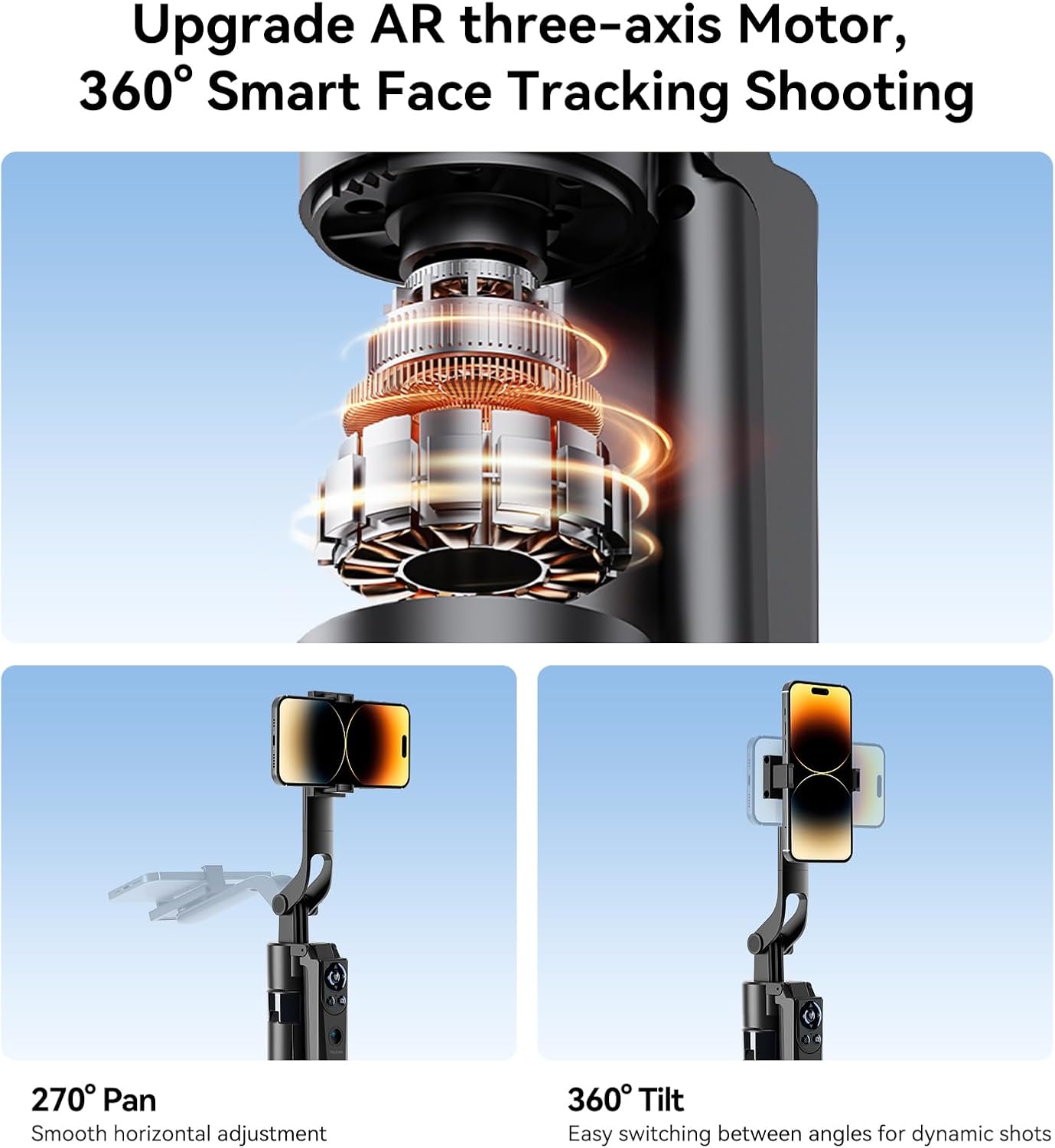
Image: Detailed view of the tripod's motor and its pan and tilt functionalities, enabling versatile shooting angles.
- Extendable Design: Extends from a compact 12.5" to a maximum height of 63" for various creative perspectives.
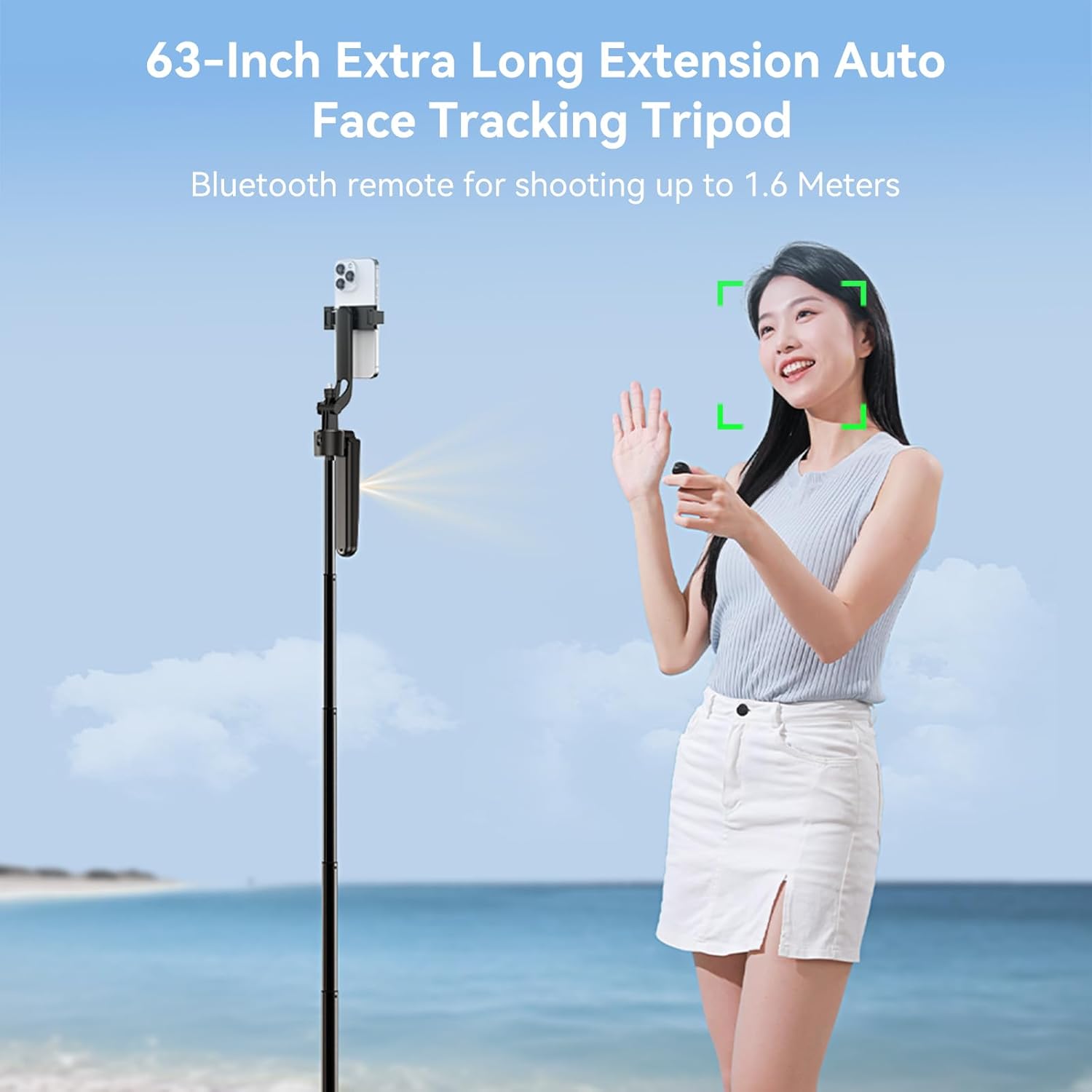
Image: The tripod fully extended to 63 inches, tracking a person on a beach, illustrating its reach for various shooting scenarios.
- 10M Bluetooth Remote & Multi-Function Control: The upgraded remote allows control over shooting, zoom, volume, and video scrolling from up to 10 meters away. It also features power on/off and mode switching.
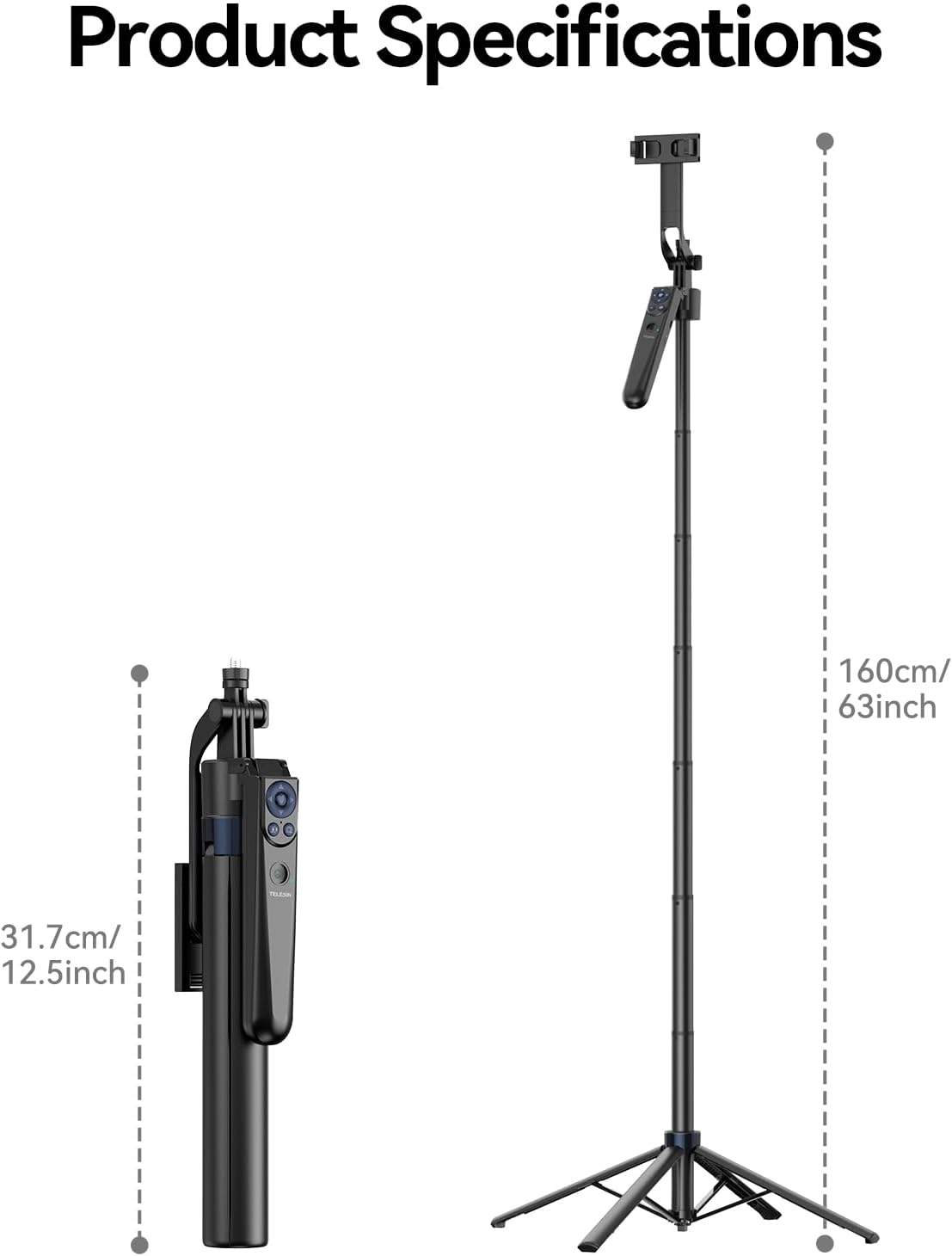
Image: A detailed view of the multi-functional Bluetooth remote control, showing its various buttons and their purposes.
4. Setup Guide
Follow these steps to set up your TELESIN Smart Auto-Face Tracking Tripod for first use:
- Unfold the Tripod: Hold the main body and press the one-press release button to extend the tripod legs. Ensure the legs are fully splayed for maximum stability.
- Extend the Pole: Gently pull the telescopic sections of the tripod pole upwards to extend it to your desired height. The friction-based design allows for quick adjustment.
- Mount Your Device:
- For Smartphones: Open the phone clamp and securely place your smartphone. Ensure it is centered and balanced.
- For Action Cameras: Attach your action camera using the 2-claw mount.
- For Mirrorless Cameras: Use the 1/4" screw connection to mount your mirrorless camera.
Note: Ensure your device weighs no more than 500g. Additional camera accessories may need to be purchased separately.
- Adjust Balance and Rotation:
- Balance Weight Rod (Axis 1): Adjust for optimal balance.
- Balance Handle (Axis 2): Ensure a firm grip.
- Mobile Clip (Axis 3): Position your device steadily.
- Rotating Axis (Axis 4): Unlock for smooth movement.

Image: Breakdown of the tripod's four axes, showing how each contributes to stability and smooth operation.
- Pair Bluetooth Remote:
- Turn on the remote control by holding the power button.
- On your smartphone, go to Bluetooth settings and select "TELESIN Remote" (or similar) to pair.
- Once paired, the remote can control your device's camera functions.
5. Operating Instructions
Operating your TELESIN Smart Auto-Face Tracking Tripod is intuitive:
5.1. Auto-Face Tracking
- Activation: The auto-face tracking feature activates automatically upon power-on. No app is required.
- Tracking: The tripod will detect and follow the subject's face, keeping it centered in the frame as it moves horizontally.
5.2. Gesture Control
- "OK" Gesture: Make an "OK" sign with your hand to initiate recording or start a function.
- "Palm" Gesture: Hold up your open palm to stop recording or pause a function.
5.3. Remote Control Functions
The detachable Bluetooth remote provides comprehensive control:
- Power On/Off: Long press the designated button to power the remote on or off.
- Like Function: Double-tap the power button to trigger a "like" action (e.g., on live streaming platforms).
- Shooting Control: Press the camera/video button to take photos or start/stop video recording.
- Zoom Control: Use the zoom buttons to adjust the camera's zoom level.
- Volume Control: Adjust audio volume directly from the remote.
- Video Scrolling: Navigate through videos or content.
- Mode Switching: Use the mode button to switch between different operating modes (e.g., photo, video).
5.4. Adjusting Angles and Orientation
- Vertical Tilt: Manually adjust the device holder up to 270° for desired vertical angles.
- Horizontal Rotation: The tripod base allows for full 360° horizontal rotation for panoramic shots or following subjects.
- Portrait/Landscape Mode: Rotate your device within the clamp to switch between portrait and landscape orientations instantly.
6. Maintenance
Proper maintenance ensures the longevity and optimal performance of your TELESIN Smart Auto-Face Tracking Tripod:
- Cleaning: Wipe the tripod body and components with a soft, dry cloth. For stubborn dirt, a slightly damp cloth can be used, followed by immediate drying. Avoid abrasive cleaners or solvents.
- Storage: When not in use, fold the tripod to its compact size and store it in the provided portable storage bag. Keep it in a cool, dry place away from direct sunlight and extreme temperatures.
- Battery Care: Charge the tripod and remote control regularly, even if not in frequent use, to maintain battery health. Avoid fully depleting the battery for extended periods.
- Handle with Care: While durable, avoid excessive force when extending or collapsing the tripod sections. Do not overload the device holder beyond the recommended 500g.
7. Troubleshooting
If you encounter any issues with your TELESIN Smart Auto-Face Tracking Tripod, refer to the following common troubleshooting tips:
| Problem | Possible Cause | Solution |
|---|---|---|
| Auto-tracking is not working or loses subject. | Low battery; Subject moving too fast or out of range; Obstruction in front of the sensor; Poor lighting conditions. | Ensure the tripod is fully charged. Try moving slower or staying within the recommended tracking distance. Clear any obstructions. Ensure adequate lighting. |
| Bluetooth remote is not connecting. | Remote battery low; Not in pairing mode; Already paired with another device; Interference. | Charge the remote. Ensure the remote is powered on and in pairing mode. Disconnect from other devices. Move closer to the tripod and away from other Bluetooth devices. |
| Tripod feels unstable or drifts down when extended. | Overloaded device; Legs not fully splayed; Friction mechanism wear. | Ensure the mounted device does not exceed 500g. Fully extend and lock the tripod legs. If the issue persists, contact customer support. |
| Rotation is not smooth or jerks. | Obstruction in rotation mechanism; Not on a level surface. | Check for any debris or obstructions around the rotating axis. Ensure the tripod is placed on a flat, level surface. |
8. Specifications
Detailed technical specifications for the TELESIN Smart Auto-Face Tracking Tripod:
| Brand | TELESIN |
| Model Number | Smart Auto Face Tracking Tripod |
| ASIN | B0F43JVPBT |
| Package Dimensions | 13.13 x 3.63 x 1.94 inches |
| Item Weight | 1.1 pounds (500 Grams) |
| Folded Size | 12.5 inches (31.7 cm) |
| Extended Length | 63 inches (160 cm) |
| Connectivity | Bluetooth |
| Rotation | 360° Horizontal Rotation |
| Tilt | 270° Vertical Tilt |
| Special Features | Auto Face Tracking, Gesture Control, Stable Four-Legged Design, 360° Rotating Balance Handle, Multi-Angle Capability, Remote Control, Portable, Foldable, Telescopic, Selfie Stick Functionality |
| Compatible Devices | Smartphones (iOS & Android), Action Cameras (2-claw mount), Mirrorless Cameras (1/4" screw) |
| Manufacturer | TELESIN° |
| Date First Available | April 8, 2025 |

Image: Visual representation of the tripod's folded and extended dimensions.
9. Warranty and Support
For warranty information and customer support, please refer to the documentation included with your purchase or contact the seller directly. The product is sold by "TELESIN Shop" and fulfilled by Amazon. Protection plans are available for purchase separately.
For further assistance, you may visit the official TELESIN store on Amazon: TELESIN Store.