
1. Introduction
This manual provides detailed instructions for the installation, operation, and maintenance of your CAME AGT V/LHS V/01 Single-Family Video Intercom Kit. This comprehensive kit is designed to enhance the security and convenience of your home.
The kit includes:
- AGT V Handset Video Intercom: An ergonomic indoor unit with a 5-inch high-resolution LCD display.
- LHS V/01 Monolithic Outdoor Station: A robust and elegant outdoor unit with a Wide Eye camera.
- VAS/101 Supplementary Power Supply: An 18 V DC – 1000 mA power supply unit.
Please read this manual thoroughly before beginning installation or operation to ensure proper use and to maximize the lifespan of your product.
2. Kit Components Overview
Below is an overview of the main components included in your CAME video intercom kit.

3. Setup and Installation
The CAME video intercom system is designed for simple installation, often without the need for extensive masonry work. It is compatible with standard 503 and round Ø 60 mm boxes.
3.1. Outdoor Station (LHS V/01) Installation
The LHS V/01 outdoor station features an elegant and robust design, made from zama with IK09 impact resistance and IP54 protection against water and dust. It includes a Wide Eye camera with a 98° horizontal and 72° vertical viewing angle.

- Mounting: Secure the mounting bracket for the outdoor station to the desired wall location using appropriate screws and anchors. Ensure the location allows for optimal camera view and easy access for visitors.
- Wiring: Connect the necessary wiring from the power supply and indoor monitor to the outdoor station. Refer to the detailed wiring diagram provided in the separate technical manual for precise connections.
- Attach Unit: Carefully attach the LHS V/01 outdoor station to its mounting bracket, ensuring all connections are secure and the unit is firmly in place.
3.2. Indoor Monitor (AGT V) Installation
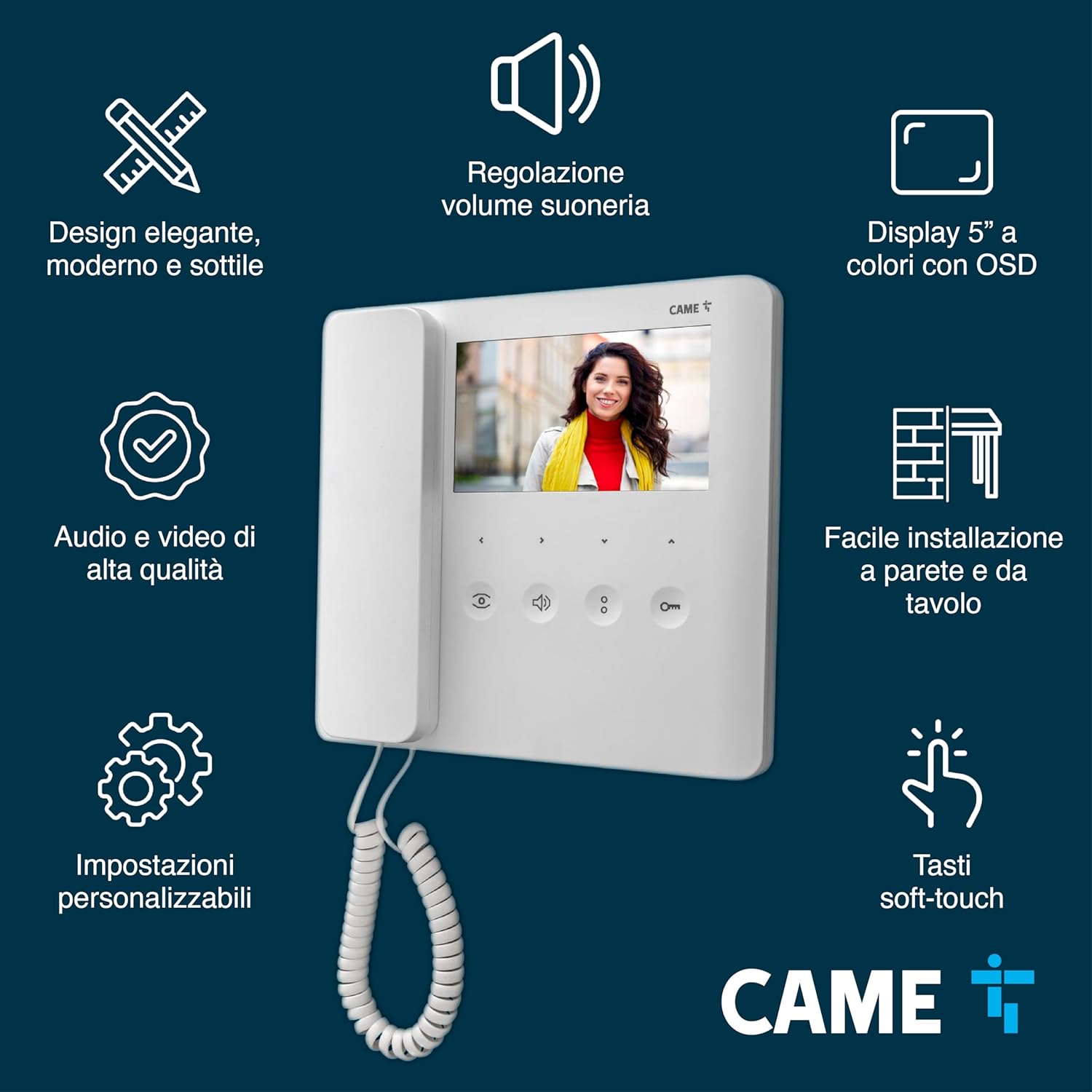
The AGT V indoor monitor features a 5-inch high-resolution LCD display with soft-touch keys for intuitive control. It allows for adjustment of color, brightness, and contrast.
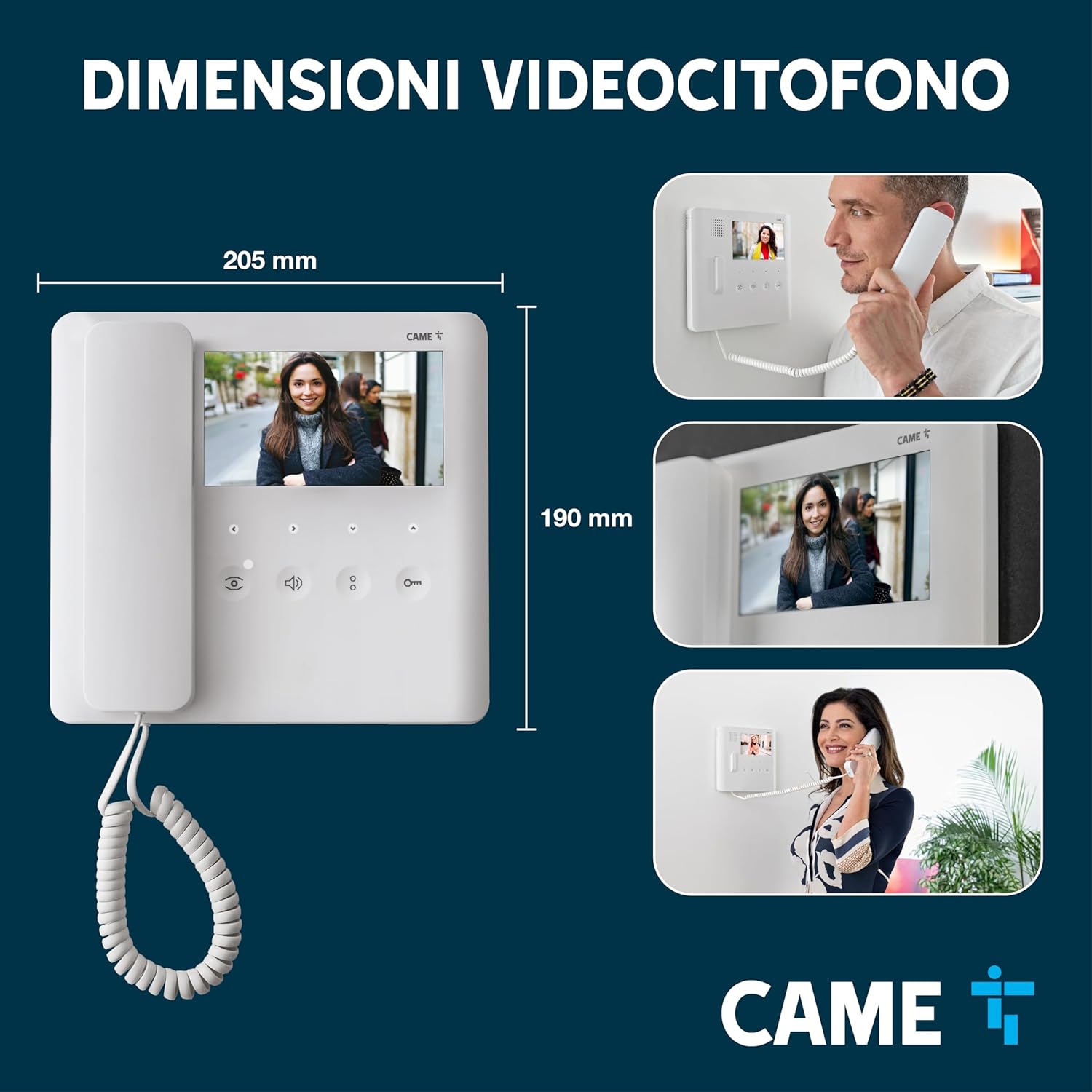
- Mounting: Install the monitor's mounting bracket on an indoor wall at a convenient height. The monitor is designed for quick mounting and can replace older models easily.
- Wiring: Connect the system wiring to the back of the AGT V monitor. Ensure all connections are firm and correctly aligned according to the wiring diagram.
- Attach Monitor: Carefully place the AGT V monitor onto its bracket, securing it in place.
3.3. Power Supply (VAS/101) Connection
Connect the VAS/101 power supply to a suitable power outlet and then to the main system wiring as indicated in the technical documentation. Ensure the power supply is easily accessible but discreetly located.
4. Operating Instructions
Your CAME video intercom system is designed for user-friendly operation.
4.1. Answering a Call
When a visitor presses the call button on the outdoor station, the indoor monitor will ring and display the visitor's image. To answer, press the Answer button on the monitor.
4.2. Opening the Door/Gate
The AGT V monitor includes an automatic door opener function (Latch function). To open the door or gate, press the designated Open button on the monitor during a call or while monitoring the outdoor station.
4.3. Adjusting Settings
Use the soft-touch keys on the AGT V monitor to adjust various settings:
- Volume: Adjust the ringtone and conversation volume.
- Display: Modify the color, brightness, and contrast of the 5-inch LCD display for optimal viewing.
- Customizable Settings: Access additional settings for personalized preferences.
4.4. Intercom Function
The system supports intercommunicating indoor units. If you have multiple indoor monitors, you can use the intercom function to communicate between them. Refer to the specific technical manual for configuration and usage details of this feature.
4.5. Product Video Demonstration
Watch this official video from CAME Italia for a visual overview of CAME video intercom systems.
5. Maintenance
Regular maintenance ensures the longevity and optimal performance of your video intercom system.
- Cleaning: Use a soft, damp cloth to clean the surfaces of both the indoor monitor and outdoor station. Avoid abrasive cleaners or solvents that could damage the finish or electronic components.
- Outdoor Station Protection: The LHS V/01 outdoor station is designed with IK09 impact resistance and IP54 protection against dust and water splashes. While robust, avoid directing high-pressure water jets directly at the unit.
- Connection Check: Periodically check all visible wiring connections to ensure they are secure and free from corrosion or damage.
6. Troubleshooting
If you encounter issues with your CAME video intercom system, refer to the following common problems and solutions:
| Problem | Possible Cause | Solution |
|---|---|---|
| No image on indoor monitor | Loose wiring connection; power supply issue; camera malfunction. | Check all wiring connections. Ensure power supply is active. If problem persists, contact support. |
| No audio during call | Volume too low; loose audio wiring; microphone/speaker malfunction. | Adjust volume on indoor monitor. Check audio wiring. Contact support if issue continues. |
| Door/gate not opening | Incorrect wiring to lock mechanism; lock malfunction; insufficient power. | Verify lock wiring. Check power supply to the lock. Test the lock mechanism independently. |
| Outdoor station buttons not responding | Wiring issue; button malfunction. | Check wiring to the outdoor station. Contact support for further diagnosis. |
For issues not listed here or if troubleshooting steps do not resolve the problem, please contact CAME customer support.
7. Specifications
Key technical specifications for the CAME AGT V/LHS V/01 Video Intercom Kit:
- Indoor Monitor (AGT V):
- Display: 5-inch high-resolution LCD
- Controls: Soft-touch keys
- Adjustments: Color, brightness, contrast, volume
- Functions: Latch, automatic door opener
- Dimensions: Approximately 205 mm (width) x 190 mm (height)
- Outdoor Station (LHS V/01):
- Material: Zama
- Impact Resistance: IK09
- Environmental Protection: IP54 (dust and water splash resistant)
- Camera: Wide Eye (98° horizontal, 72° vertical)
- Buttons: 4 backlit buttons, expandable up to 4 calls
- Power Supply (VAS/101): 18 V DC – 1000 mA
- System Compatibility: X1 and XIP systems
- Product Dimensions (Overall Kit): 49.8 x 30.3 x 8.6 cm
- Item Weight: 2.65 Kilograms
- Origin: Made in Italy
8. Warranty
The CAME AGT V/LHS V/01 Video Intercom Kit typically comes with a 3-year warranty. Please refer to your purchase documentation or contact CAME customer service for specific warranty terms and conditions applicable to your region.
9. Support
For technical assistance, troubleshooting beyond this manual, or warranty claims, please contact CAME customer support. You can find contact information on the official CAME website or through your product retailer.
CAME Italia: Visit the CAME Store on Amazon


