
THINKYA JA-318
THINKYA Vintage Bluetooth Stereo System
Model: JA-318
Introduction
Thank you for choosing the THINKYA Vintage Bluetooth Stereo System. This manual provides essential information for setting up, operating, and maintaining your new audio system. Please read this manual thoroughly before using the product to ensure proper operation and to maximize your listening experience. Keep this manual for future reference.
Package Contents
Please check the package contents carefully. If any items are missing or damaged, contact your retailer.
- THINKYA Vintage Bluetooth Stereo System Unit
- Remote Control
- Power Adapter
- FM Antenna (if applicable)
- User Manual (this document)
Product Overview
Familiarize yourself with the components and features of your stereo system.

Figure 1: Front view of the stereo system with the included remote control. The system features a top-loading CD player and integrated speakers.

Figure 2: The system supports Bluetooth 5.1 for wireless audio streaming, along with Aux and USB playback options. A smartphone is shown connected via Bluetooth.

Figure 3: The system features a premium 30W RMS sound system with dual 3-inch full-range units, designed for clear and powerful audio output.
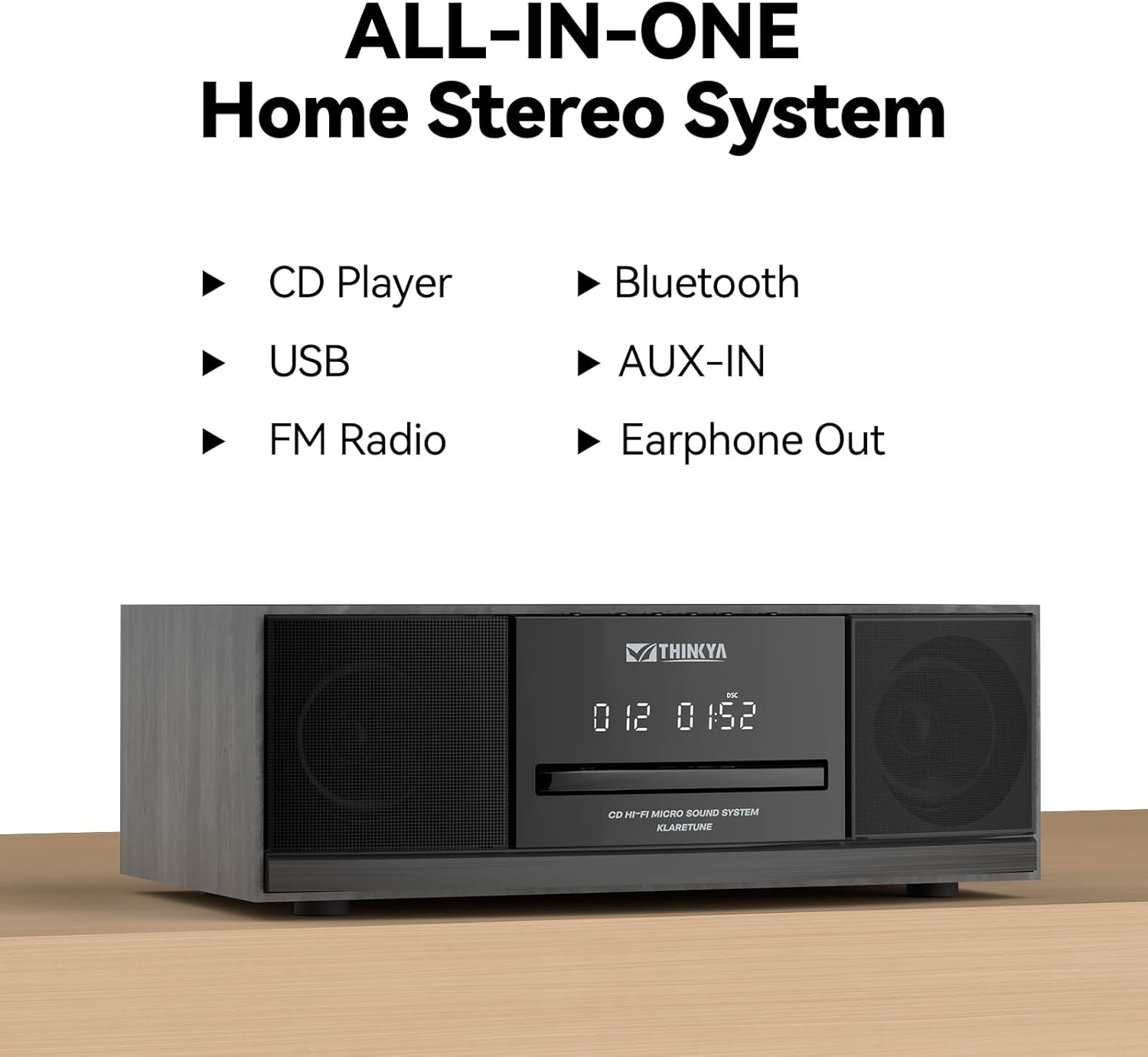
Figure 4: This all-in-one home stereo system integrates multiple audio sources including CD Player, USB, FM Radio, Bluetooth, AUX-IN, and Earphone Out.

Figure 5: The top-loading CD player supports various disc formats including CD, CD-R, CD-RW, and MP3 CDs. It also offers 5 EQ modes: Flat, Pop, Rock, Jazz, and Classic.

Figure 6: Rear panel connections include AUX Input (RCA and 3.5mm), USB Input, and Earphone Output for versatile connectivity.
Setup
1. Placement
Place the stereo system on a stable, flat surface away from direct sunlight, heat sources, and excessive dust or moisture. Ensure adequate ventilation around the unit.
2. Power Connection
- Connect the power adapter to the DC IN port on the rear of the unit.
- Plug the power adapter into a standard wall outlet.
3. FM Antenna Connection
For optimal FM radio reception, connect the included FM antenna to the FM ANT port on the rear of the unit. Extend the antenna fully and adjust its position for the best signal.
Operating Instructions
Power On/Off
Press the POWER button on the unit or the remote control to turn the system on or off.
Mode Selection
Press the MODE button on the unit or remote control repeatedly to cycle through available modes: CD, Bluetooth, FM Radio, USB, and AUX-in.
CD Player Operation
- Select CD mode.
- Gently insert a CD into the top-loading CD slot with the label side facing up. The disc will be automatically detected and playback will begin.
- Use the PLAY/PAUSE, SKIP FORWARD, and SKIP BACKWARD buttons to control playback.
- Press the STOP button to stop playback.
- Repeat Modes: Press the REPEAT button to cycle through repeat one, repeat all, or random playback.
- EQ Modes: Press the EQ button to select desired sound equalization: Flat, Classic, Rock, Pop, or Jazz.
Bluetooth Pairing
- Select Bluetooth mode. The display will show "BT" and flash, indicating it's in pairing mode.
- On your Bluetooth-enabled device (smartphone, tablet, etc.), enable Bluetooth and search for available devices.
- Select "THINKYA JA-318" (or similar name) from the list.
- Once paired, the "BT" indicator will stop flashing and remain solid. You can now stream audio from your device to the stereo system.
- Note: This system is designed for receiving Bluetooth audio from devices and does not support connection to wireless headphones.
FM Radio Operation
- Select FM Radio mode.
- Auto Scan: Press and hold the PLAY/PAUSE button to automatically scan and save available FM stations.
- Manual Tuning: Use the SKIP FORWARD or SKIP BACKWARD buttons to manually tune to desired frequencies.
- Preset Stations: Use the number buttons on the remote control to directly select saved preset stations.
USB Playback
- Select USB mode.
- Insert a USB flash drive containing MP3 or WMA audio files into the USB port on the rear of the unit.
- Playback will begin automatically. Use the playback controls (PLAY/PAUSE, SKIP FORWARD/BACKWARD) to navigate your music.
AUX-in Usage
- Select AUX-in mode.
- Connect an external audio device (e.g., smartphone, MP3 player) to the AUX-in port (3.5mm or RCA) on the rear of the unit using an appropriate audio cable (not included).
- Control playback directly from your connected external device.
Remote Control Functions

Figure 7: The included remote control allows convenient operation of all system functions from a distance.
The remote control provides full functionality for the stereo system. Ensure batteries are correctly inserted. Refer to the button labels on the remote for specific functions such as Power, Mode, Volume, Playback controls, EQ, and Number buttons for FM presets.
Maintenance
Cleaning
Wipe the unit with a soft, dry cloth. Do not use abrasive cleaners, waxes, or solvents as they may damage the finish. For the CD lens, use a specialized CD lens cleaner if necessary.
Storage
If the unit will not be used for an extended period, unplug it from the power outlet and store it in a cool, dry place.
CD Care
Handle CDs by their edges. Keep them clean and free of scratches. Store CDs in their cases when not in use.
Troubleshooting
If you encounter any issues, please refer to the following table before contacting customer support.
| Problem | Possible Cause | Solution |
|---|---|---|
| No power | Power cord not connected; Power outlet not active. | Ensure power cord is securely plugged in. Try a different power outlet. |
| No sound | Volume too low; Incorrect mode selected; Mute function active. | Increase volume. Select the correct input mode (CD, BT, FM, USB, AUX). Press the MUTE button on the remote. |
| CD skipping or not playing | CD is dirty or scratched; CD inserted incorrectly. | Clean the CD with a soft, lint-free cloth. Ensure the CD is inserted label side up. Try a different CD. |
| Bluetooth not connecting | System not in pairing mode; Device Bluetooth off; Device too far. | Ensure system is in Bluetooth mode and "BT" is flashing. Enable Bluetooth on your device. Move device closer to the system (within 30 feet). |
| Poor FM reception | Antenna not connected or positioned poorly. | Connect the FM antenna and adjust its position for better signal. |
| Remote control not working | Batteries are dead or inserted incorrectly; Obstruction between remote and unit. | Replace batteries. Ensure correct polarity. Remove any obstructions. Point remote directly at the unit's sensor. |
Specifications
| Feature | Detail |
|---|---|
| Model Number | JA-318 |
| Brand | THINKYA |
| Product Dimensions (L x W x H) | 16 x 11 x 9 inches |
| Item Weight | 8.73 pounds |
| Connectivity Technology | Bluetooth |
| Speaker Type | Stereo |
| Color | Black |
| RMS Power Output | 30W (15W RMS per speaker) |
| CD Compatibility | CD, CD-R/RW, MP3 CD |
| EQ Modes | Flat, Classic, Rock, Pop, Jazz |
| FM Presets | 20 stations |
| Inputs | USB Port, Aux-in (3.5mm, RCA) |
| Outputs | Earphone Port |
Warranty and Support
For warranty information and technical support, please refer to the contact details provided with your purchase or visit the official THINKYA website. Keep your proof of purchase for any warranty claims.
For further assistance, please contact:
- Manufacturer: THINKYA
- Website: Search THINKYA on Amazon (or official website if available)
Ask a question about this manual
Ask about setup, troubleshooting, compatibility, parts, safety, or missing instructions. Manuals+ will review the question and use this page’s manual context to help answer it.