1. Introduction
This manual provides essential information for the safe and effective installation, operation, and maintenance of the YIHETOP Fan Blade, part number 30/925942. This fan blade is designed as a replacement component for various JCB heavy equipment models. Please read this manual thoroughly before attempting any installation or maintenance procedures to ensure proper function and safety.
2. Safety Information
WARNING: Failure to follow these safety instructions may result in serious injury, equipment damage, or death.
- Always ensure the equipment is turned off, de-energized, and properly locked out/tagged out before beginning any work on the fan assembly.
- Wear appropriate personal protective equipment (PPE), including safety glasses, gloves, and sturdy footwear.
- Installation should only be performed by qualified and experienced personnel familiar with heavy machinery maintenance.
- Be aware of sharp edges on the fan blade and rotating parts.
- Ensure all fasteners are tightened to the manufacturer's specified torque values (refer to your JCB equipment service manual).
- Never operate equipment with a damaged or improperly installed fan blade.
3. What's in the Box
Upon unpacking, verify that the following item is present:
- 1 x YIHETOP Fan Blade (Part Number: 30/925942, 30-925942)
4. Installation
This section outlines the general steps for installing the fan blade. Always refer to the specific service manual for your JCB equipment for detailed, model-specific instructions and torque specifications.
4.1 Pre-Installation Checks
- Confirm that the replacement fan blade (30/925942) is the correct part for your JCB equipment model.
- Inspect the new fan blade for any signs of shipping damage, such as cracks, bends, or deformities. Do not install a damaged blade.
- Gather all necessary tools, including wrenches, sockets, and a torque wrench.
4.2 Removal of Old Fan Blade (if applicable)
- Ensure the equipment is completely shut down, cooled, and the battery is disconnected to prevent accidental startup.
- Access the fan assembly. This may require removing guards or other components.
- Carefully loosen and remove the fasteners securing the old fan blade to the fan hub or motor shaft.
- Remove the old fan blade, taking care to note its orientation for reference during new blade installation.
- Inspect the fan hub and surrounding components for any damage or wear. Replace any worn parts as necessary.
4.3 New Fan Blade Installation
- Position the new YIHETOP fan blade onto the fan hub or motor shaft, ensuring correct orientation and alignment. The blade should sit flush against the mounting surface.
- Install the fasteners (bolts, nuts, washers) that secure the fan blade. Hand-tighten them initially.
- Using a torque wrench, tighten the fasteners in a star pattern (if applicable) to the torque specifications provided in your JCB equipment's service manual. Proper torque is critical for preventing vibration and ensuring secure attachment.
- Verify that the fan blade rotates freely without any obstruction or rubbing against shrouds or other components. Check for adequate clearance around the entire circumference.
4.4 Post-Installation Checks
- Reinstall any guards or components that were removed to access the fan.
- Reconnect the battery.
- Before starting the engine, manually rotate the fan blade to confirm free movement and clearance.
- Start the equipment and observe the fan blade during initial operation. Listen for unusual noises or excessive vibration. Immediately shut down the equipment if any abnormalities are detected.
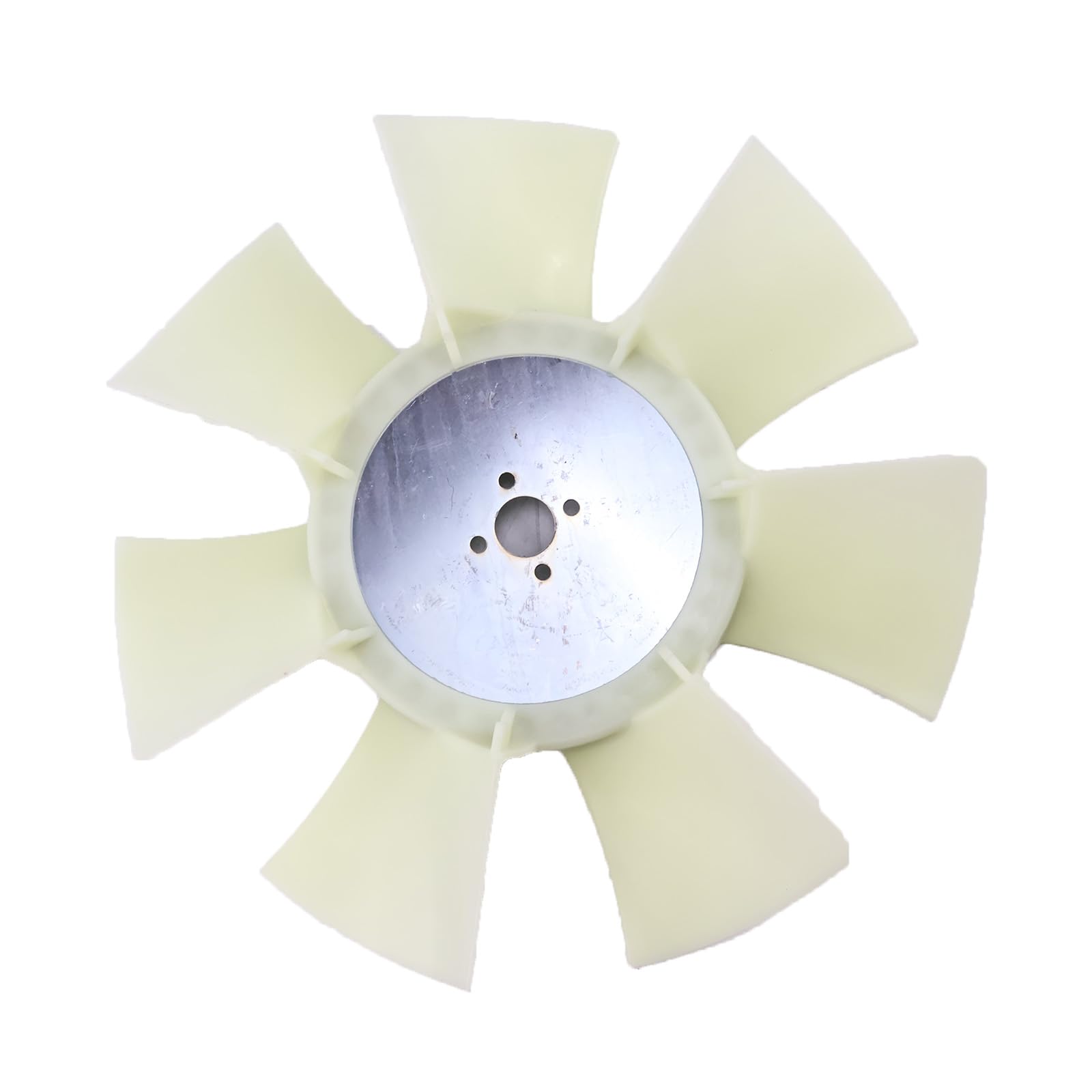
Figure 1: YIHETOP Fan Blade 30/925942. This image shows the multi-bladed fan component, designed for efficient air movement in heavy machinery cooling systems.
5. Operation
Once properly installed, the fan blade operates automatically as part of the equipment's cooling system. No direct user operation is required for the fan blade itself. Ensure that the equipment's cooling system is functioning correctly and that the fan is drawing or pushing air as designed.
- Monitor engine temperature gauges during operation to ensure the cooling system is performing effectively.
- Listen for any unusual sounds emanating from the fan area, which could indicate a problem.
6. Maintenance
Regular inspection and maintenance of the fan blade are crucial for prolonging its lifespan and ensuring the efficient operation of your equipment's cooling system.
- Visual Inspection: Periodically inspect the fan blade for any signs of damage, such as cracks, chips, bends, or missing pieces. Check for excessive dirt or debris accumulation on the blades.
- Cleaning: If debris or dirt accumulates on the blades, carefully clean them using a soft brush or compressed air. Ensure the equipment is off and cooled before cleaning.
- Fastener Check: During routine maintenance, verify that all mounting fasteners for the fan blade are secure and properly torqued. Loose fasteners can lead to vibration and premature failure.
- Balance Check: If excessive vibration is noted, the fan blade may be out of balance. This typically requires specialized equipment and should be addressed by a qualified technician.
7. Troubleshooting
This section addresses common issues that may arise with the fan blade. For complex problems, consult a qualified technician or your JCB equipment service manual.
| Problem | Possible Cause | Solution |
|---|---|---|
| Excessive Vibration | Loose mounting fasteners, damaged blade, unbalanced blade, debris on blades. | Check and tighten fasteners. Inspect blade for damage; replace if necessary. Clean blades. Consult technician for balancing. |
| Reduced Airflow | Debris blockage, incorrect blade rotation (rare), engine cooling system issue. | Clean fan and radiator/cooler fins. Verify correct installation direction. Check other cooling system components. |
| Unusual Noise (e.g., grinding, squealing) | Blade striking shroud/components, worn bearings (fan clutch/motor), loose parts. | Inspect for clearance issues. Check fan clutch/motor. Secure all components. |
| Visible Blade Damage (cracks, bends) | Impact from foreign objects, material fatigue. | Immediately replace the fan blade. Do not operate with a damaged blade. |
8. Specifications
- Part Number: 30/925942, 30-925942, 30925942
- Brand: YIHETOP
- Cooling Method: Air
- Quantity: 1 (per package)
- Compatible For JCB Backhoe Loader Models:
- 1CX
- 1CX HF
- 208S
- 208S HF
- Compatible For JCB Telehandler Models:
- 515-40
- 515-40M
- 520-40
- Compatible For JCB Skid Steer Loader Models:
- ROBOT 160, ROBOT 160HF
- ROBOT 170, ROBOT 170HF
- ROBOT 180, ROBOT 180HF
- ROBOT 180T, ROBOT 180T HF, ROBOT 180THF
- ROBOT-160, ROBOT-160HF
- ROBOT-170, ROBOT-170HF
- ROBOT-180, ROBOT-180HF
- ROBOT-180T, ROBOT-180T HF, ROBOT-180THF
9. Warranty Information
Warranty terms and conditions for the YIHETOP Fan Blade 30/925942 are provided by the seller or manufacturer at the time of purchase. Please retain your proof of purchase and contact the seller directly for any warranty-related inquiries.
10. Customer Support
For technical assistance, installation guidance, or questions regarding the YIHETOP Fan Blade 30/925942, please contact your original point of purchase or the YIHETOP customer support channels as provided by the seller.


