1. Introduction
The REACHER KL242 Pomodoro Timer Cube is a versatile and intuitive device designed to enhance productivity and time management. It offers various timing modes, including quick-start presets, custom countdowns, and dedicated Pomodoro cycles, making it suitable for a wide range of activities from studying and cooking to work sessions and managing ADHD routines. Its visual display, adjustable alerts, and magnetic design provide a seamless user experience.
2. Setup
2.1 Powering On/Off
To power on the device, ensure it is charged. The timer will automatically activate when a timed face is placed facing upwards. To power off, place the timer with the display facing upwards in a neutral position, or it may enter a low-power sleep mode after a period of inactivity to conserve battery.
2.2 Charging
The REACHER KL242 timer is rechargeable. Connect the provided USB-C charging cable to the charging port located on the device. A full charge provides approximately 19 hours of continuous use.

Image: The timer cube connected to a USB-C charging cable, illustrating the charging port location.
3. Operating Instructions
3.1 Quick-Start Preset Timers
The timer cube features pre-set countdowns for common intervals. To activate a preset timer:
- Identify the desired time (3, 10, 15, or 30 minutes) marked on one of the cube's faces.
- Flip the timer so that the desired time face is positioned upwards.
- The countdown will begin automatically after a brief moment.

Image: Three timer cubes displaying 15, 10, and 30 minutes, illustrating the 'flip to choose' functionality for preset timers.
3.2 Custom Timer Setting
For precise timing beyond the presets, use the rotary dial:
- Ensure the timer is in a neutral position (display facing upwards, not actively counting down).
- Rotate the side dial to set any countdown duration from 1 to 99 minutes.
- Once the desired time is displayed, place the timer with the display facing upwards to start the countdown.

Image: A hand rotating the side dial of the timer cube to set a custom time, with the display showing '30:00'.
3.3 Pomodoro Cycles
The timer supports continuous Pomodoro sessions:
- Locate the dedicated Pomodoro button (often marked with a tomato icon or similar) on the device.
- Press the button once to initiate a 25-minute focus session followed by a 5-minute break.
- The timer will automatically cycle through these intervals without requiring manual restarts.

Image: Two timer cubes, one showing '25:00' for focus and another '05:00' for rest, illustrating the Pomodoro cycle.
3.4 Pause and Resume
To pause an active timer, simply tilt the device so its display faces directly upwards. To resume, return the timer to its active counting position (e.g., a preset face upwards or the display facing forward for a custom timer).
3.5 Alert Modes
The timer offers multiple alert options to suit different environments:
- Silent Mode: No sound or vibration.
- Vibration Mode: The device vibrates when the timer ends.
- Low Beep: A soft audible alert.
- High Beep: A louder audible alert.
To change the alert mode, locate the alert mode button (often marked with a speaker icon) and press it to cycle through the available options.

Image: A visual representation of the timer cube's four alert modes: Silent, Low Beep, Vibration Mode, and High Beep, suitable for various environments.
4. Features
- Full-Screen Visual Display: A clear digital display with a visual progress bar along the edge for easy time awareness from any angle.
- Adjustable Sound Alert: Choose between silent, vibration, low beep, or high beep modes.
- Magnetic Base: Securely attaches to metal surfaces for hands-free placement.
- Compact Design: Small and portable for use anywhere.

Image: A hand holding the compact timer cube, highlighting its portable size and clear digital display with a colorful progress bar.
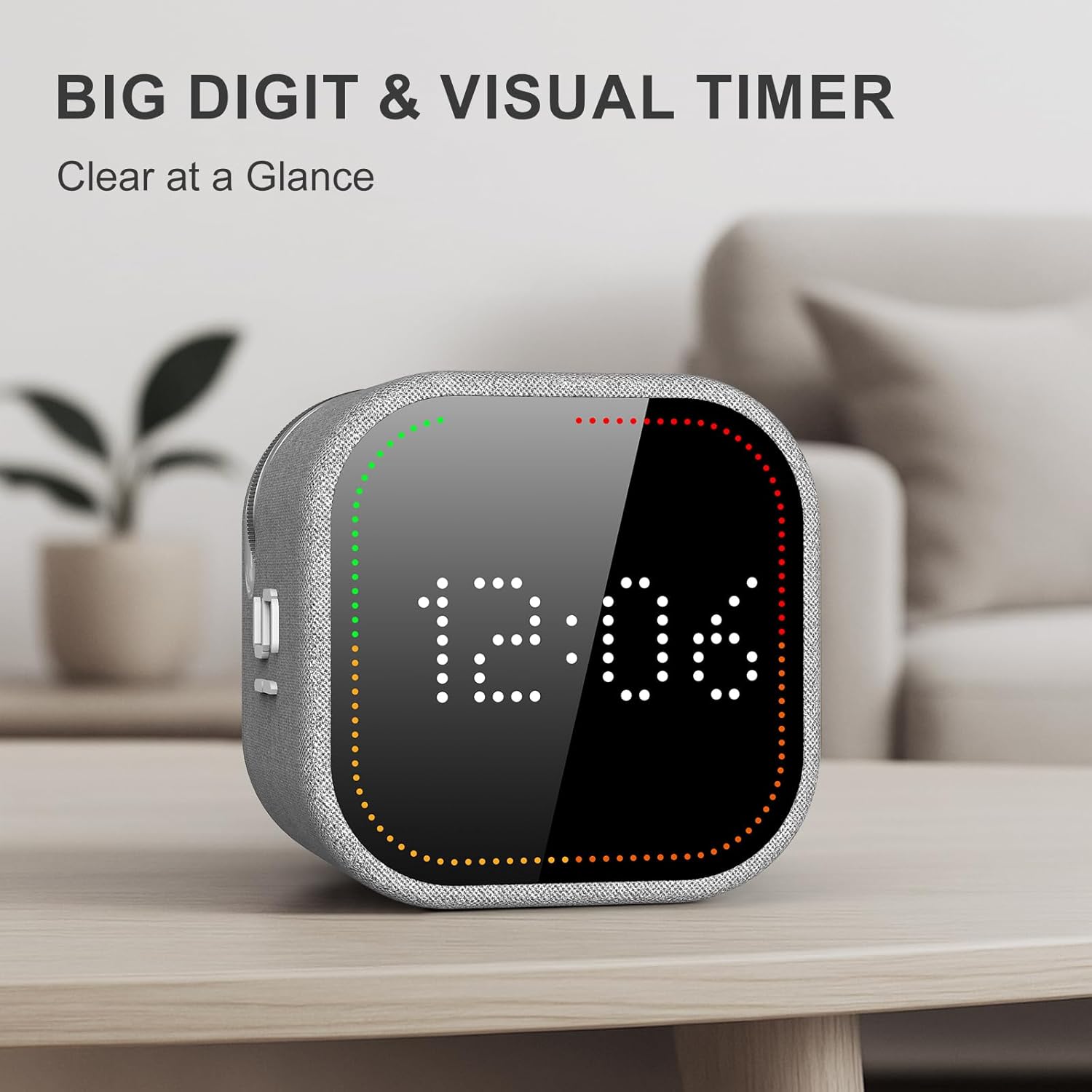
Image: The timer cube is shown magnetically attached to a refrigerator, illustrating its hands-free placement capability.
5. Maintenance
To ensure the longevity and optimal performance of your REACHER KL242 Pomodoro Timer Cube, follow these maintenance guidelines:
- Cleaning: Wipe the device with a soft, dry cloth. Avoid using abrasive cleaners or solvents that may damage the surface or display.
- Storage: Store the timer in a cool, dry place away from direct sunlight and extreme temperatures.
- Battery Care: Recharge the timer when the battery indicator shows low power. Avoid fully depleting the battery frequently to prolong its lifespan.
6. Troubleshooting
If you encounter any issues with your timer, refer to the following common troubleshooting steps:
- Timer Not Responding: Ensure the device is charged. If the battery is low, connect it to a power source using the USB-C cable.
- Display Issues: If the display is dim or not visible, check the battery level. If fully charged and issues persist, try resetting the device (if a reset option is available, otherwise contact support).
- Alarm Not Sounding/Vibrating: Verify that the correct alert mode (sound or vibration) is selected and not in silent mode. Adjust the volume if necessary.
- Inaccurate Timing: Ensure the timer is placed on a stable, flat surface when a preset face is selected. For custom timers, ensure the dial is set correctly.
7. Specifications
| Brand | REACHER |
| Model Number | KL242 |
| Material | Acrylonitrile Butadiene Styrene, Fabric |
| Product Dimensions | 2.36"D x 2.36"W x 2.17"H |
| Item Weight | 6.7 ounces |
| Screen Size | 3.3 Inches |
| Number of Settings | 6 (Preset times + Custom + Pomodoro) |
8. Warranty and Support
For warranty information and customer support, please refer to the official REACHER website or contact their customer service directly. Keep your purchase receipt for any warranty claims.


