
Introduction
Thank you for choosing the Conyat X7 Open Ear Headphones. These headphones are designed to provide a comfortable listening experience while maintaining situational awareness. Please read this manual carefully before using the product to ensure proper operation and to maximize your enjoyment.
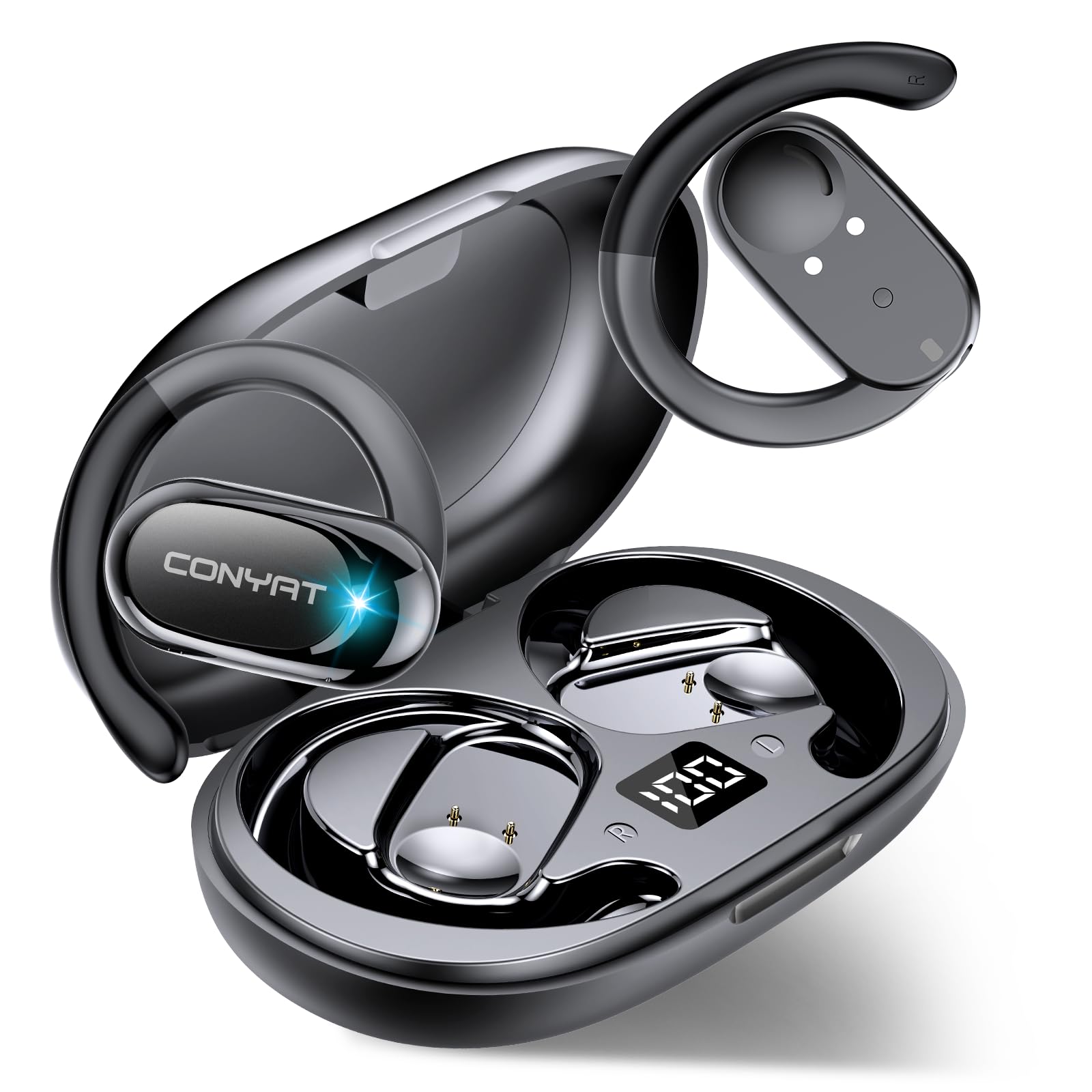
Image: Conyat X7 Open Ear Headphones and their charging case, showcasing the sleek design.
What's in the Box
Please check the package contents upon unboxing:
- 2 x Conyat X7 Wireless Earbuds (Left and Right)
- 1 x Fast Charging Case
- 1 x USB-C Charging Cable
- 1 x Instruction Manual (this document)
Product Overview
The Conyat X7 headphones feature an open-ear design for comfort and awareness, equipped with advanced audio technology.
- Open Ear Design: Allows you to hear your surroundings while enjoying audio, enhancing safety during outdoor activities.
- High-Quality Audio: Features 14.2mm diaphragm drivers for crystal-clear and balanced sound.
- Clear Communication: Integrated with 4 HD microphones and Environmental Noise Cancellation (ENC) technology for clear calls.
- Secure & Comfortable Fit: Ergonomic design with soft silicone ear hooks ensures stability during intense workouts and protects ear canal hygiene.
- Water Resistance: IP7 rated, making them resistant to water, splashes, and sweat.
- Bluetooth 5.4: Provides improved signal strength, stability, and seamless connectivity with automatic re-pairing.
- Extended Battery Life: Up to 6-8 hours of playback on a single charge, with the charging case providing an additional 50 hours for a total of 58 hours.
- LED Digital Display: The charging case features an LED display to monitor charge status in real-time.
Setup
1. Initial Charging
Before first use, fully charge the earbuds and the charging case.
- Place both earbuds into the charging case.
- Connect the USB-C charging cable to the charging port on the case and the other end to a USB power adapter (not included).
- The LED digital display on the case will show the charging status. A full charge typically takes approximately 2 hours.
2. Pairing with Your Device
The earbuds will automatically enter pairing mode when removed from the charging case.
- Ensure the earbuds are charged. Open the charging case and remove both earbuds. They will automatically power on and enter pairing mode (indicated by a flashing LED on the earbuds).
- On your device (smartphone, tablet, laptop), enable Bluetooth.
- Search for available Bluetooth devices and select "Conyat X7" from the list.
- Once connected, the earbuds' LED indicators will turn off or flash slowly, and you will hear a confirmation tone.
- The earbuds will automatically reconnect to the last paired device when removed from the case, if Bluetooth is enabled on the device.
Operating Instructions
Wearing the Earbuds
Gently place the earbud over your ear, ensuring the soft silicone ear hook sits comfortably and securely around your ear. Adjust the speaker direction for optimal sound delivery.
Touch Controls
The Conyat X7 earbuds feature touch controls for easy management of music and calls. The control area is typically located on the outer surface of each earbud.
| Action | Function |
|---|---|
| Single Tap (Left/Right) | Play/Pause Music, Answer/End Call |
| Double Tap (Right Earbud) | Next Track |
| Double Tap (Left Earbud) | Previous Track |
| Triple Tap (Right Earbud) | Volume Up |
| Triple Tap (Left Earbud) | Volume Down |
| Long Press (2 seconds) | Reject Call, Activate Voice Assistant |
Power On/Off
- Power On: Remove earbuds from the charging case. They will power on automatically.
- Power Off: Place earbuds back into the charging case. They will power off automatically and begin charging.
Maintenance
- Cleaning: Regularly clean the earbuds and charging case with a soft, dry, lint-free cloth. Do not use harsh chemicals or abrasive materials.
- Water Exposure: While IP7 water-resistant, avoid submerging the earbuds in water for extended periods. Dry them thoroughly if they get wet. Ensure the charging port is dry before charging.
- Storage: When not in use, store the earbuds in their charging case to protect them and keep them charged. Store in a cool, dry place away from extreme temperatures.
- Battery Care: To prolong battery life, avoid fully discharging the earbuds and charging case frequently. Charge them regularly, even if not used for a long time.
Troubleshooting
| Problem | Possible Solution |
|---|---|
| Earbuds not pairing/connecting |
|
| No sound or low volume |
|
| Charging case not charging |
|
| One earbud not working |
|
Specifications
| Feature | Detail |
|---|---|
| Model Name | X7 |
| Brand | Conyat |
| Connectivity Technology | Wireless, Bluetooth |
| Bluetooth Version | 5.4 |
| Bluetooth Range | 15 Meters |
| Ear Placement | Open Ear |
| Form Factor | Over Ear |
| Audio Driver Type | Dynamic Driver (14.2mm) |
| Microphones | 4 HD Microphones with ENC |
| Noise Control | Passive Noise Cancellation |
| Control Type | Touch Control |
| Water Resistance Level | IP7 (Water Resistant) |
| Earbud Battery Life | 6-8 Hours (single charge) |
| Total Playback Time | Up to 58 Hours (with charging case) |
| Charging Time | Approx. 2 Hours |
| Charging Port | USB-C |
| Compatible Devices | Cellphones, Tablets, Laptops (iOS & Android) |
| Material | Silicone |
| Product Dimensions | 1.97 x 1.57 x 2.36 inches |
| Item Weight | 3.53 ounces (100 Grams) |
| Included Components | Earbuds, Charging Case, USB-C Cable, Manual |
Warranty and Support
Conyat is committed to providing high-quality products and customer satisfaction.
- 12-Month Quality Guarantee: Your Conyat X7 headphones are covered by a 12-month quality guarantee from the date of purchase. This warranty covers manufacturing defects.
- 30-Day Worry-Free Trial: Enjoy a 30-day trial period to ensure complete satisfaction with your purchase.
- 24-Hour Customer Service: For any questions, concerns, or technical support, please contact our customer service team. Refer to the contact information provided on the product packaging or our official website.

Image: Conyat customer service details, including 24-hour support, 30-day trial, and 12-month quality guarantee.
Safety Information
- Do not disassemble, repair, or modify the product.
- Keep the product away from extreme temperatures, direct sunlight, and open flames.
- Avoid dropping or subjecting the product to strong impacts.
- Keep out of reach of children and pets.
- Dispose of the product and its battery responsibly according to local regulations.
- Do not use the earbuds at excessively high volumes for prolonged periods to prevent hearing damage.
- Be aware of your surroundings when using open-ear headphones, especially in traffic or dangerous environments.

