
1. Introduction
This manual provides detailed instructions for the setup, operation, and maintenance of your MAMBASNAKE M5 Ultra Carbon Fiber 8000Hz Wireless Gaming Mouse. Please read this manual thoroughly before using the product to ensure optimal performance and longevity.
2. Package Contents
Verify that all items are present in the package:
- MAMBASNAKE M5 Ultra Wireless Gaming Mouse
- 2.4G Wireless Receiver
- USB-C to USB-A Coiled Cable (1.6m)
- User Manual
- Grip Tape (optional application)
- PTFE Feet (pre-installed)
3. Product Overview
Familiarize yourself with the components of your M5 Ultra mouse.
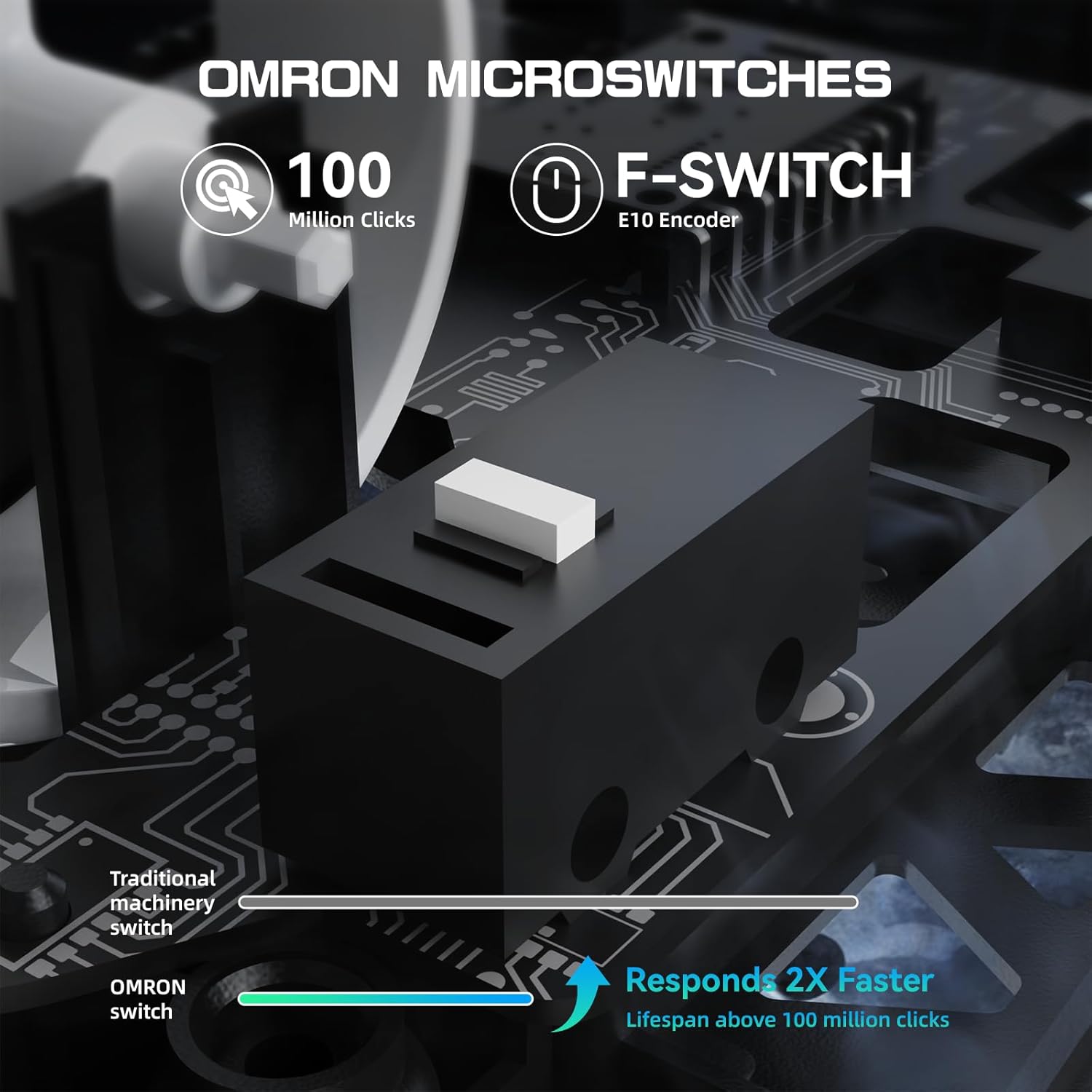
Image: Overview of the MAMBASNAKE M5 Ultra mouse, highlighting the Left Button, Middle Button (scroll wheel), Right Button, DPI Adjustment Button, 2.4G/Wired/BT Switch, and PTFE Feet.
- Left Button: Standard left-click function.
- Middle Button (Scroll Wheel): Scroll up/down, middle-click.
- Right Button: Standard right-click function.
- DPI Adjustment Button: Cycles through preset DPI levels.
- 2.4G/Wired/BT Switch: Selects the connectivity mode.
- PTFE Feet: Provides smooth gliding on surfaces.
4. Setup
4.1 Charging the Mouse
Before initial use, fully charge the mouse using the provided USB-C coiled cable. Connect the USB-C end to the mouse and the USB-A end to an available USB port on your computer or a USB wall adapter. The LED indicator will show charging status.

Image: The M5 Ultra mouse connected via its USB-C cable, illustrating the charging process.
4.2 Connectivity Modes
The M5 Ultra supports three connectivity modes: 2.4G Wireless, Bluetooth, and USB-C Wired.

Image: The M5 Ultra mouse and its 2.4GHz wireless dongle, illustrating the three connection modes: 2.4GHz Wireless, USB-C Wired, and Bluetooth.
- 2.4G Wireless Mode:
- Insert the 2.4G wireless receiver into an available USB port on your computer.
- Switch the mode selector on the bottom of the mouse to "2.4G".
- The mouse should connect automatically.
- Bluetooth Mode:
- Switch the mode selector on the bottom of the mouse to "BT".
- On your computer, go to Bluetooth settings and search for new devices.
- Select "MAMBASNAKE M5 Ultra" from the list to pair.
- USB-C Wired Mode:
- Connect the USB-C coiled cable to the mouse and the USB-A end to your computer.
- Switch the mode selector on the bottom of the mouse to "Wired".
- The mouse will function as a wired device and charge simultaneously.
5. Operating Instructions
5.1 DPI Adjustment
The M5 Ultra features a PAW3950MAX sensor with up to 42,000 DPI. Use the DPI adjustment button on the bottom of the mouse to cycle through preset DPI levels. The default levels can be customized via the driver software.

Image: An exploded view of the M5 Ultra mouse, highlighting the PAW3950MAX sensor, Nordic52840 Master Chip, F-Switch Flagship Encoder, OMRON Microswitches, and Long-Life Lithium Battery.
5.2 Polling Rate
The mouse supports an 8000Hz wireless polling rate, reducing response time significantly. This setting can be configured through the driver software.
Video: This video demonstrates the features of the M5 Ultra Carbon Fiber 8000Hz Wireless Gaming Mouse, including its lightweight design, PAW3950MAX sensor, Nordic 52840 chip, and customizable settings.
5.3 Button Functions
The M5 Ultra is equipped with durable switches rated for over 100 million clicks, ensuring reliable performance. All buttons are programmable via the driver software.

Image: Close-up view of the Omron microswitches within the M5 Ultra mouse, emphasizing their 100 million click lifespan and faster response compared to traditional switches.
6. Customization
The M5 Ultra mouse can be fully customized using the dedicated driver software. This software allows you to:
- Program buttons for specific functions or macros.
- Adjust DPI settings and create custom profiles.
- Modify the polling rate.
- Set lift-off distance.
- Manage other performance settings.

Image: Screenshot of the M5 Ultra's driver software interface, showing options for button programming, DPI settings, polling rate, and lift-off distance adjustments.
The driver software can typically be downloaded from the official MAMBASNAKE website. Some models may feature a web-based driver for direct configuration without installation.

Image: A visual representation of the web-based driver software for the M5 Ultra, demonstrating the ability to configure buttons, DPI, and polling rate settings.
7. Maintenance
Proper maintenance ensures the longevity and performance of your M5 Ultra mouse.
- Cleaning: Use a soft, dry cloth to wipe the mouse surface. For the carbon fiber shell, a slightly damp cloth can be used, ensuring no moisture enters the internal components.
- Sensor: Keep the optical sensor on the bottom of the mouse clean and free from dust or debris to maintain tracking accuracy.
- Storage: Store the mouse in a cool, dry place away from direct sunlight and extreme temperatures.
- Cable Care: Avoid sharp bends or excessive pulling on the USB-C coiled cable to prevent damage.
8. Troubleshooting
If you encounter issues with your M5 Ultra mouse, refer to the following common solutions:
| Problem | Solution |
|---|---|
| Mouse not responding (Wireless) |
|
| Lagging or erratic cursor movement |
|
| Buttons not functioning |
|
| Mouse not charging |
|
9. Specifications
Key technical specifications for the MAMBASNAKE M5 Ultra Gaming Mouse:
- Model: M5 Ultra
- Brand: MAMBASNAKE
- Weight: Approximately 39g (±3g)
- Sensor: PixArt PAW3950MAX
- DPI: Up to 42,000 DPI
- Polling Rate: 8000Hz (Wireless)
- Tracking Speed: 750 IPS
- Acceleration: 50G
- Connectivity: 2.4G Wireless, Bluetooth, USB-C Wired
- Switches: Omron Microswitches (100 Million Clicks)
- Chip: Nordic 52840
- Cable: 1.6m TPU Coiled Cable
- Dimensions: 61*119.5*36.3mm (2.40*4.70*1.43 inches)
- Compatible Devices: PC, Gaming Console, Tablet
- Operating System: Windows, macOS, Linux

Image: The M5 Ultra mouse and its 8000Hz wireless polling rate, illustrating the low latency performance with a measured average key delay of 0.3993ms.
10. Warranty and Support
The MAMBASNAKE M5 Ultra Gaming Mouse comes with a 1-year limited warranty from the date of purchase. This warranty covers manufacturing defects and workmanship under normal use.
For technical support, warranty claims, or additional information, please visit the official MAMBASNAKE website or contact customer service through the retailer where the product was purchased.
Manufacturer: MAMBASNAKE