
1. Introduction
Thank you for choosing the Dhiedas U9 Smart Fingerprint Bike Lock. This heavy-duty U-lock provides advanced security features including fingerprint, app, Apple Watch, and traditional key unlocking methods. Designed for durability and convenience, it is suitable for various bicycles and outdoor equipment. Please read this manual carefully to ensure proper setup and operation.
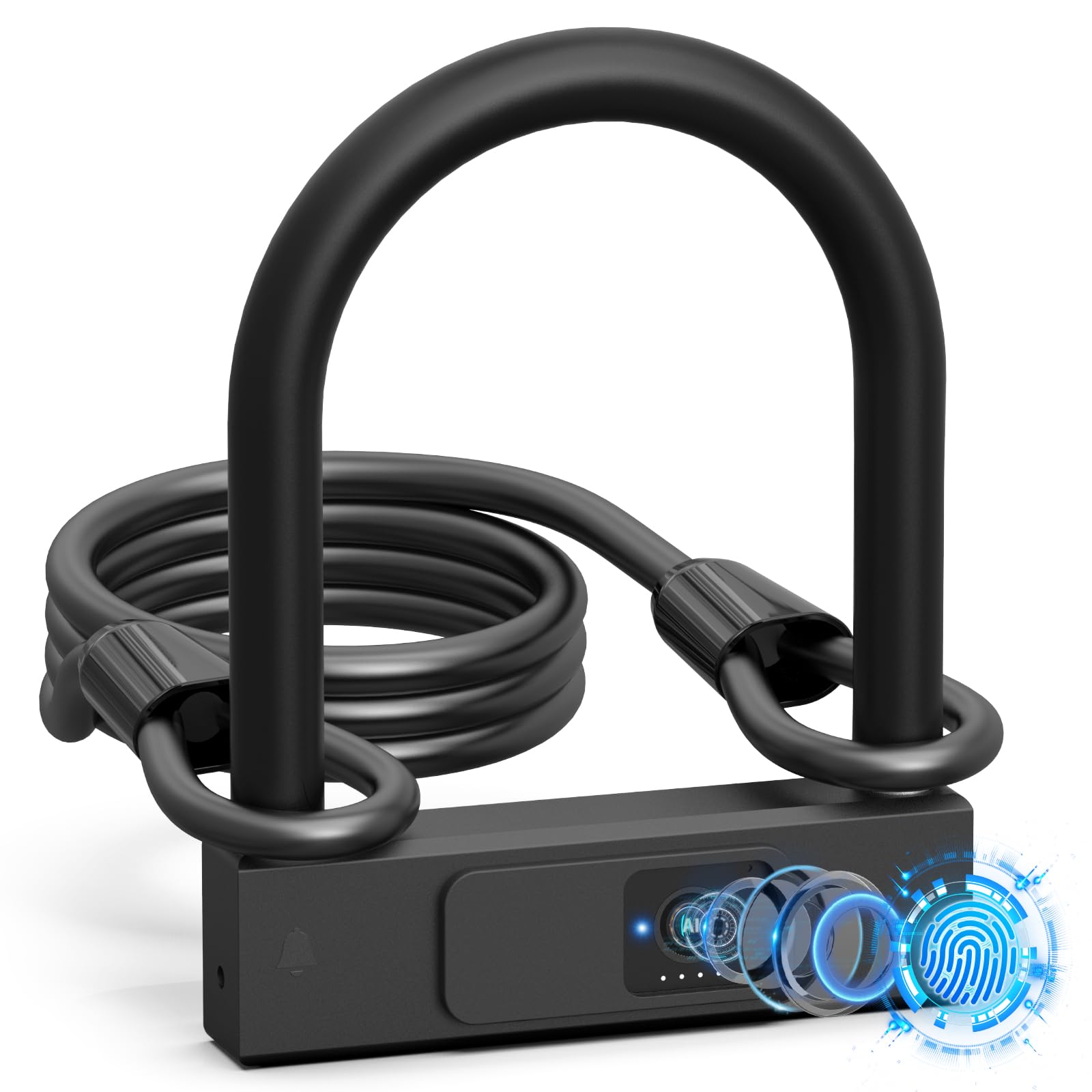
Image 1.1: Dhiedas U9 Smart Fingerprint Bike Lock with its accompanying steel cable.
2. Package Contents
Verify that all items are present in your package:
- 1x Dhiedas U9 Smart Fingerprint Bike U Lock
- 1x 5ft (1.5m) Security Steel Cable (Φ10 mm)
- 2x Mechanical Keys
- 1x USB-C Charging Cable
- 1x Super Strong Velcro Strap
- 1x English Manual (this document)

Image 2.1: All components included in the Dhiedas U9 Smart Fingerprint Bike Lock package, including the U-lock, steel cable, keys, charging cable, and strap.
3. Product Overview and Features
3.1 Key Features
- 4-in-1 Unlocking Methods: Fingerprint, App (Bluetooth), Apple Watch, and Mechanical Key.
- High Security: Constructed from Φ18.4 mm stainless steel, resistant to hand tools, bolt cutters, and lever attacks.
- Extended Cable: Includes a 4.9 feet (1.5m) long, Φ10 mm security steel cable for additional securing options.
- Long Battery Life: Built-in 320mAh lithium battery provides up to 12 months standby time or approximately 4000 unlocks.
- Low Battery Alert: Real-time battery status display and alerts.
- USB-C Rechargeable: Convenient charging via USB-C port.
- Weatherproof: IP65 waterproof rating, suitable for indoor and outdoor use.
- Easy Installation: Comes with a multi-functional portable Velcro strap for flexible attachment to a bicycle frame.
3.2 Product Dimensions

Image 3.1: Detailed dimensions of the Dhiedas U9 Smart Fingerprint Bike U Lock, showing a shackle diameter of 0.72 inches (18.4mm) and internal locking mechanism dimensions of 4.79 x 5.88 inches.
3.3 Unlocking Methods Overview
Image 3.2: Visual representation of the four convenient unlocking methods: fingerprint recognition, smartphone app control, Apple Watch integration, and traditional mechanical key access.
3.4 Battery and Charging

Image 3.3: The lock features a 320mAh battery for long standby, a USB-C charging port, a low battery reminder, and includes backup keys for emergency access.
3.5 Steel Cable

Image 3.4: The included 5ft (1.5m) security cable is made of braided stainless steel, providing additional security for wheels or other items.
3.6 Durability and Waterproofing

Image 3.5: The lock is designed to be cut-resistant, shock-resistant, and drill-proof, offering robust protection against theft attempts.

Image 3.6: The lock is IP65 waterproof, making it suitable for use in diverse weather conditions and for securing various items like motorcycles, bicycles, scooters, and lawnmowers.
4. Setup Guide
4.1 Initial Charging
- Before first use, fully charge the lock using the provided USB-C cable.
- Connect the USB-C cable to the charging port located under the sliding cover on the lock body.
- A red indicator light will show during charging and turn off when fully charged.
4.2 App Installation and Pairing
- Download the 'eSmartLock' app from your smartphone's app store (iOS or Android).
- Open the app and create an account or log in.
- Ensure your phone's Bluetooth is enabled.
- In the app, select 'Add Device' and follow the on-screen instructions to pair your U9 lock. You may need to touch the fingerprint sensor on the lock to wake it up for pairing.
4.3 Fingerprint Registration
The lock supports up to 20 unique fingerprints.
- After pairing with the app, navigate to the 'Fingerprint Management' section.
- Select 'Add Fingerprint' and follow the prompts to register your fingerprint. You will typically need to place your finger on the sensor multiple times from different angles.
- Repeat for all desired fingerprints.
4.4 Apple Watch Setup (Optional)
If you wish to unlock using an Apple Watch, ensure the eSmartLock app is installed and configured on your watch, and that it is paired with your phone.
5. Operating Instructions
5.1 Locking the Device
- Insert the shackle fully into the lock body.
- The lock will automatically engage and emit an audible click, indicating it is locked.
5.2 Unlocking with Fingerprint
- Place a registered fingerprint on the sensor.
- The lock will unlock within 0.2 seconds if the fingerprint is recognized.
5.3 Unlocking with App/Apple Watch
- Open the eSmartLock app on your smartphone or Apple Watch.
- Ensure Bluetooth is active and the lock is within range.
- Tap the 'Unlock' button within the app. The lock will disengage.
5.4 Unlocking with Mechanical Key
- Slide open the protective cover over the keyhole.
- Insert one of the provided mechanical keys into the keyhole.
- Turn the key to unlock the device. This method is useful if the battery is depleted.
5.5 Using the Security Cable
- Loop the steel cable through your bicycle wheels, helmet, or other accessories.
- Pass one end of the cable through the loop on the other end.
- Secure the free end of the cable by inserting it into the U-lock shackle before locking the U-lock to a fixed object.
Video 5.1: This video demonstrates the practical application of the Dhiedas U9 Smart Fingerprint Bike Lock, showing how to secure a bicycle using both the U-lock and the additional steel cable. It highlights the ease of locking and unlocking the device.
6. Maintenance
- Battery Care: Recharge the lock when the low battery alert is activated. Avoid completely draining the battery for extended periods.
- Cleaning: Wipe the lock body and fingerprint sensor with a soft, dry cloth. Do not use abrasive cleaners or solvents.
- Keyhole Protection: Keep the keyhole cover closed when not in use to prevent dust and moisture ingress.
- Storage: Store the lock in a cool, dry place when not in use for prolonged periods.
7. Troubleshooting
| Problem | Possible Cause | Solution |
|---|---|---|
| Lock does not respond to fingerprint. | Fingerprint not registered; dirty sensor; low battery. | Register fingerprint via app; clean sensor; charge battery; use mechanical key. |
| App cannot connect to the lock. | Bluetooth off; lock out of range; lock in sleep mode; app not updated. | Ensure Bluetooth is on and phone is close; touch sensor to wake lock; update app. |
| Low battery warning. | Battery level is critical. | Recharge the lock immediately using the USB-C cable. |
| Shackle is stuck. | Debris in mechanism; extreme temperature. | Inspect for and remove debris; allow lock to return to moderate temperature. |
8. Specifications
- Brand: Dhiedas
- Model Number: U9
- Lock Type: Biometric, Smart
- Material: Stainless Steel
- Shackle Diameter: 18.4mm
- Internal Shackle Dimensions: 4.79 x 5.88 inches
- Cable Length: 5ft (1.5m)
- Cable Diameter: 10mm
- Battery: 320mAh Lithium (Rechargeable via USB-C)
- Standby Time: Up to 12 months
- Unlocks per Charge: Approximately 4000 times
- Waterproof Rating: IP65
- Connectivity: Bluetooth
- Control Method: App, Touch (Fingerprint)
- Item Dimensions (L x W x H): 6.5 x 1.16 x 8.5 inches
- Item Weight: 1.97 Kilograms
9. Warranty and Support
The Dhiedas U9 Smart Fingerprint Bike Lock comes with a 12-month warranty and lifetime technical support.
For any questions, technical assistance, or warranty claims, please contact Dhiedas customer support:
- Email: Edward612b@outlook.com
- Alternatively, you can message us directly from your Amazon account under "Your Orders" by selecting "Ask a Product Question or Support."