
HONOR 5109BUUP
Contents
Honor 400 Dual-SIM 5G Smartphone
User Manual
1. Introduction
Welcome to the user manual for your new Honor 400 Dual-SIM 5G Smartphone. This guide provides essential information to help you get started, understand its features, and maintain your device. The Honor 400 is a powerful smartphone featuring a 2.63 GHz Octa-core processor, 8GB of RAM, 256GB of internal storage, and runs on Android 15. It is equipped with a 5300mAh non-removable battery and supports 5G connectivity.

Figure 1: Honor 400 Smartphone - Front and Back View
2. Setup
2.1. SIM Card Installation
The Honor 400 supports Dual-SIM functionality, allowing for either two Nano-SIM cards or one Nano-SIM and one eSIM. Ensure your device is powered off before inserting or removing SIM cards.
- Locate the SIM card tray on the side of your device.
- Insert the SIM ejector tool into the small hole next to the tray to open it.
- Place your Nano-SIM card(s) into the designated slots on the tray. If using eSIM, follow your carrier's instructions for activation.
- Carefully push the tray back into the device until it is flush.
2.2. Initial Charging
Before first use, it is recommended to fully charge your Honor 400. Use the provided USB cable to connect your device to a power adapter or a computer's USB port.
- A charging indicator will appear on the screen.
- Charging time may vary.
2.3. Powering On/Off
- To Power On: Press and hold the Power button until the Honor logo appears.
- To Power Off: Press and hold the Power button, then select 'Power off' from the options on the screen.
3. Operating
3.1. Display
The Honor 400 features a 6.55-inch AMOLED display with 1B colors and a resolution of 1264 x 2736 pixels. It boasts a 5000 nits Ultra Bright Display and a 120 Hz Free Refresh Rate for a smooth visual experience.
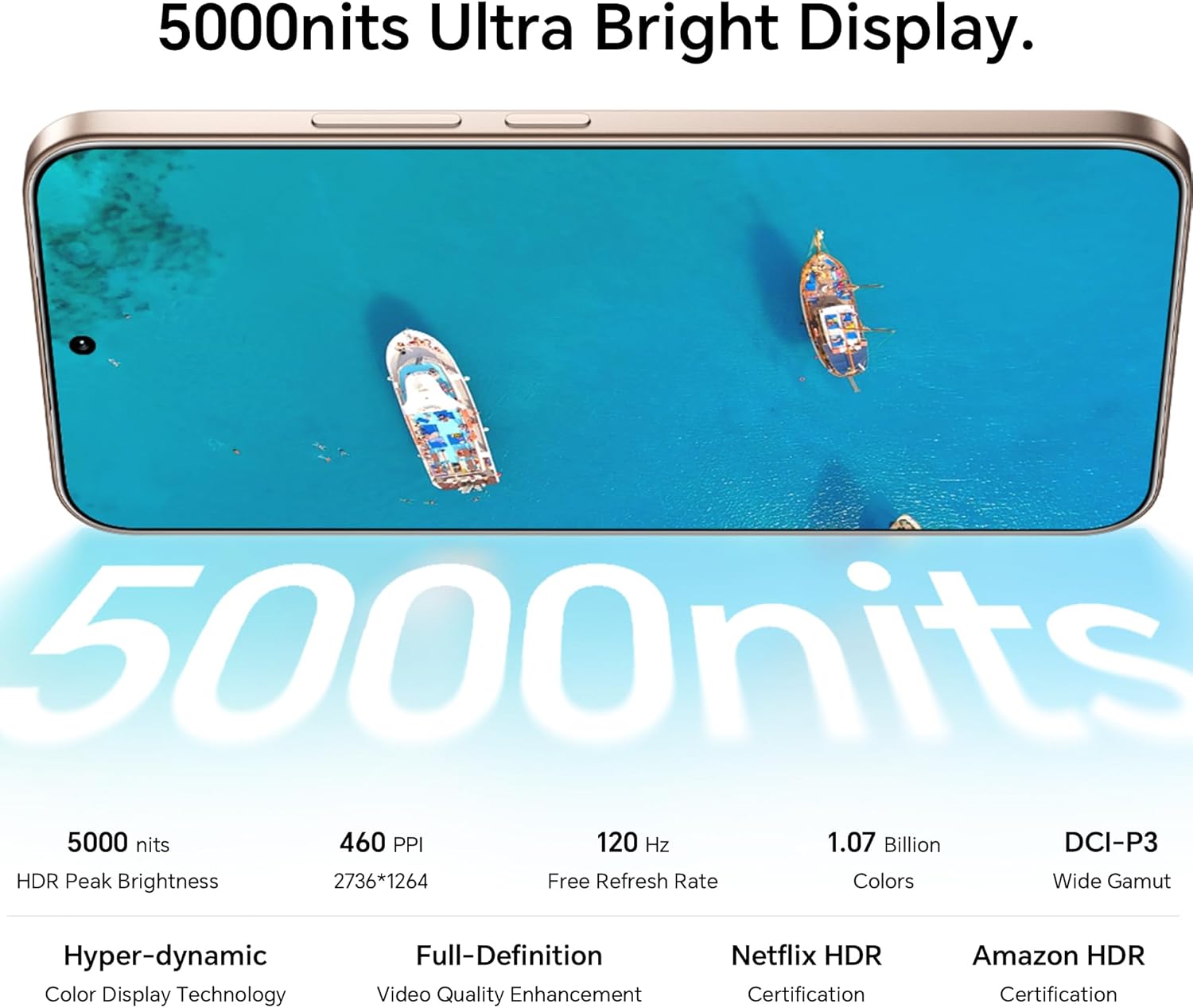
Figure 2: Honor 400 Ultra Bright Display Features
3.2. Camera System
The Honor 400 is equipped with an advanced camera system:
- Rear Camera: 200 MP (wide, f/1.9, OIS), 12 MP (ultrawide, 112°), with PDAF and OIS for stable, clear shots.
- Front Camera: 50 MP (wide, f/2.0) for high-quality selfies.
The device also supports AI-enhanced photography features, allowing for easy editing and creative effects.

Figure 3: Honor 400 Camera System Overview

Figure 4: AI-Powered Photo Editing Features
3.3. Battery Management
The Honor 400 is powered by a 5300mAh Silicon-carbon Battery, designed for extended use. It supports 1200 charge and discharge cycles, ensuring durable battery performance over approximately 4 years.
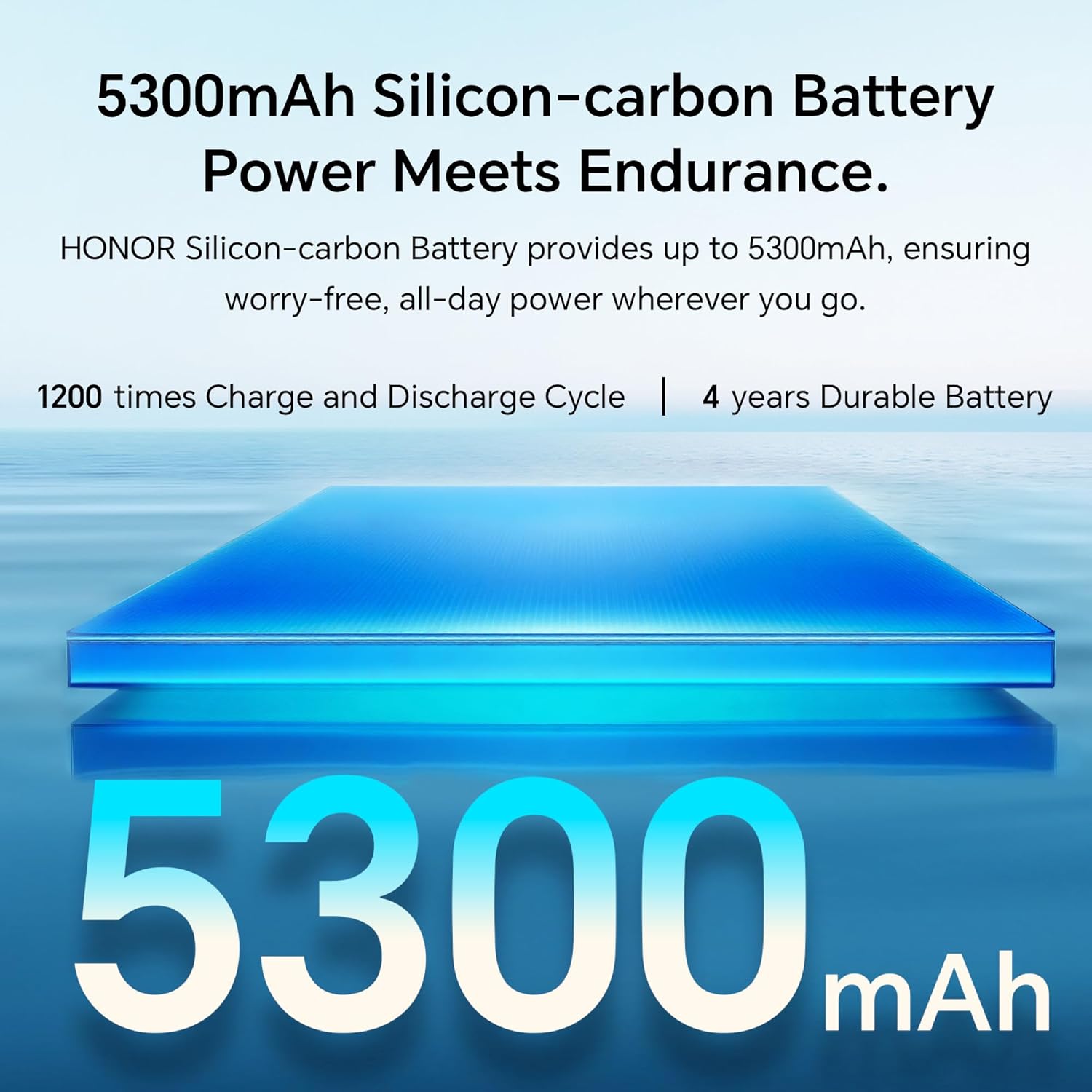
Figure 5: Honor 400 Battery Technology
3.4. Connectivity
The device supports 5G cellular technology and Wi-Fi connectivity. For network compatibility, please verify with your network provider before purchase, especially regarding 2G, 3G, 4G LTE, and 5G frequencies.
4. Maintenance
4.1. Cleaning Your Device
To clean your Honor 400, gently wipe the screen and body with a soft, lint-free cloth. Avoid using harsh chemicals or abrasive materials that could damage the finish.
4.2. Water and Dust Resistance
The Honor 400 supports IP65 water and dust resistance. While it is built to withstand splashes and dust, it is not fully waterproof. Avoid submerging the device in water or exposing it to high-pressure water jets.

Figure 6: Honor 400 Durability and IP65 Rating
4.3. Battery Care
To prolong battery life, avoid extreme temperatures and do not let the battery completely drain frequently. Use only approved charging accessories.
5. Troubleshooting
5.1. Common Issues
- Device not responding: Press and hold the Power button for about 10 seconds to force a restart.
- Network connectivity issues: Ensure your SIM card is properly inserted. Check your network settings and contact your service provider if issues persist.
- Battery draining quickly: Close unused apps, reduce screen brightness, and disable unnecessary features like Wi-Fi or Bluetooth when not in use.
5.2. Network Compatibility
It is crucial to check with your network provider for compatibility before purchasing the device, especially concerning 2G, 3G, 4G LTE, and 5G frequencies. This ensures optimal network performance.
6. Specifications
| Feature | Specification |
|---|---|
| Model Name | Honor 400 |
| Item Model Number | 5109BUUP |
| Product Dimensions | 6.16 x 2.94 x 1.97 inches |
| Item Weight | 6.5 ounces (184 Grams) |
| Display Size | 6.55 Inches AMOLED |
| RAM Memory Installed Size | 8 GB |
| Memory Storage Capacity | 256 GB |
| Operating System | Android 15.0 |
| CPU Model | Snapdragon |
| CPU Speed | 2.63 GHz |
| Battery Power Rating | 5300 Milliamp Hours |
| Connectivity Technologies | Wi-Fi, 5G |
| Special Features | Dual SIM |
| Color | Midnight Black |
| What's in the box | USB Cable |
7. Warranty and Support
For information regarding the product warranty, please refer to the warranty card included in the product packaging or visit the official HONOR website. For technical support or service inquiries, please contact HONOR customer service or the authorized seller from whom you purchased the device.
Documents and downloads
Ask a question about this manual
Ask about setup, troubleshooting, compatibility, parts, safety, or missing instructions. Manuals+ will review the question and use this page’s manual context to help answer it.