1. Introduction
Thank you for choosing the KAMABOKO Vanity Desk Model YK009-WH. This manual provides essential information for the safe assembly, operation, and maintenance of your new vanity desk. Please read these instructions carefully before use and retain them for future reference.
2. Safety Information
Please observe the following safety guidelines to ensure safe operation and prevent damage:
- Assembly may require tools and careful handling of electrical components. Always follow the included manual for safe assembly and usage.
- Keep electrical components away from water to prevent electrical shock.
- Never overload the AC outlets or USB ports. Ensure connected devices do not exceed the specified voltage and current limits.
- Do not attempt to repair or modify electrical components yourself. Contact qualified personnel for any repairs.
- Always unplug the vanity from the power source when not in use or before cleaning.
- Ensure the vanity is placed on a stable, level surface to prevent tipping.
3. Package Contents
Verify that all components are present before beginning assembly:
- Vanity Desk Frame
- Mirror with Adjustable LED Light Strip
- 2 Large Drawers
- 2 Three-Tier Side Shelves
- Matching Stool with Cushion
- Built-in Power Outlet (2 USB ports, 2 AC outlets)
- Dedicated Hairdryer Holder
- Assembly Hardware and Tools
- Instruction Manual
4. Setup and Assembly
The KAMABOKO Vanity Desk is designed for straightforward assembly. Each component is clearly numbered, and the included manual provides step-by-step instructions. It is recommended to assemble the unit in the desired location to avoid moving it after completion.
4.1 Assembly Overview

Figure 1: Exploded view of the vanity desk components, illustrating how each part connects during assembly.
4.2 Dimensions
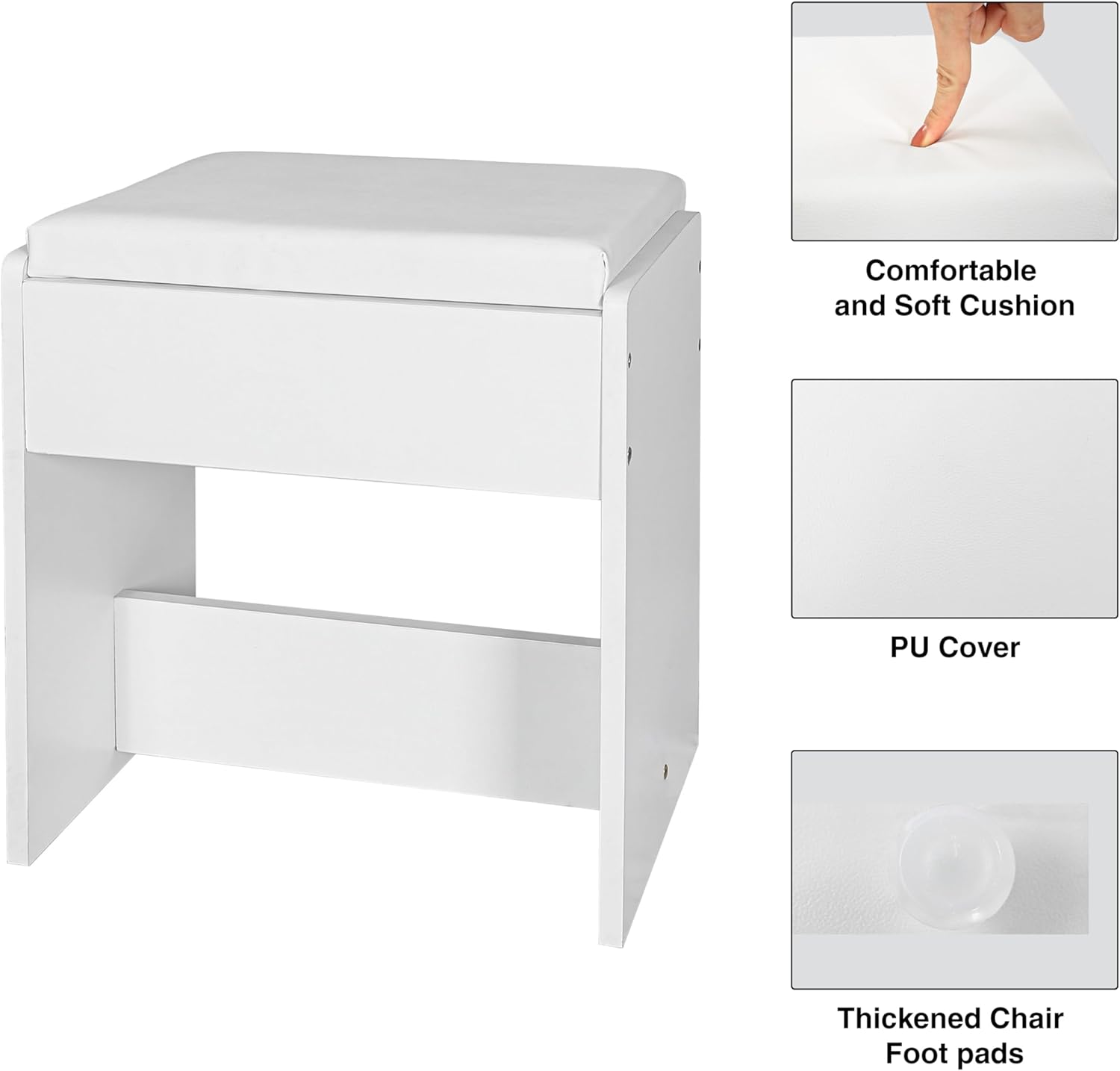
Figure 2: Detailed dimensions of the vanity desk and stool, showing height, width, and depth measurements.
4.3 Assembly Video Guide
Video 1: A visual guide demonstrating the assembly process for a similar KAMABOKO vanity desk model. Follow the steps provided in your printed manual for specific instructions.
5. Operating Instructions
5.1 LED Mirror Lights
The vanity mirror features an adjustable LED light strip with three lighting modes to suit various needs:
- Warm Light: Ideal for evening makeup or a soft ambiance.
- Natural Light: Mimics daylight, suitable for everyday makeup application.
- Cool Light: Provides bright, clear illumination for detailed tasks.
To switch between modes, press the designated button on the light control. Long press the button to adjust the brightness level within each mode.

Figure 3: Visual representation of the three distinct lighting modes and brightness adjustment feature.
5.2 Integrated Power Outlets and USB Ports
The vanity desk is equipped with 2 USB ports (5V/2.1A) and 2 AC outlets (125V/12A) for convenient charging and powering of electronic devices. A 5.9-foot power cord is included.

Figure 4: Detail of the built-in power strip, showing the AC outlets and USB charging ports.
5.3 Storage Features
The vanity desk offers ample storage solutions:
- Two Large Drawers: Located beneath the main tabletop, these drawers provide concealed storage for makeup, accessories, and personal items.
- Two Three-Tier Shelves: Positioned on either side of the mirror, these open shelves are perfect for displaying perfumes, skincare products, or decorative items.
- Dedicated Hairdryer Holder: A convenient holder is located on the right side of the desk, allowing for easy access and storage of your hairdryer.

Figure 5: The vanity desk with its drawers open, showcasing the storage capacity for various items.
5.4 Stool Usage
The included matching stool is designed for comfort and convenience. It can be easily tucked under the desk when not in use, saving space.
Figure 6: The stool features a comfortable, soft cushion and is designed to fit neatly under the desk.
6. Maintenance
To maintain the appearance and functionality of your vanity desk:
- Cleaning: Wipe surfaces with a soft, damp cloth. Avoid harsh chemicals or abrasive cleaners that may damage the finish.
- Mirror Care: Clean the mirror with a glass cleaner and a lint-free cloth. Do not spray cleaner directly onto the LED light strip.
- Electrical Components: Ensure all electrical connections are secure. If any part of the electrical system appears damaged, discontinue use and seek professional assistance.
- Drawer Slides: Periodically check drawer slides for smooth operation. If necessary, clean and apply a silicone-based lubricant.
7. Troubleshooting
If you encounter any issues with your vanity desk, refer to the following common solutions:
- LED Lights Not Working:
- Ensure the power cord is securely plugged into a working outlet.
- Check if the light control button is pressed correctly.
- Verify that the power outlet itself is functional by testing with another device.
- Drawers Sticking/Not Sliding Smoothly:
- Check for any obstructions in the drawer slides.
- Ensure the drawer is properly aligned on its tracks.
- Apply a small amount of silicone lubricant to the drawer slides.
- Power Outlets/USB Ports Not Functioning:
- Confirm the main power cord is connected and the wall outlet is active.
- Avoid overloading the ports; disconnect other devices and test with a single item.
If issues persist after attempting these solutions, please contact customer support.
8. Specifications
| Feature | Detail |
|---|---|
| Brand | KAMABOKO |
| Model Number | YK009-WH |
| Product Dimensions | 15.7"D x 42.5"W x 55.9"H |
| Item Weight | 77.8 pounds |
| Color | 009 White |
| Frame Material | Wood |
| Assembly Required | Yes |
| Power Outlets | 2 AC Outlets (125V/12A) |
| USB Ports | 2 USB Ports (5V/2.1A) |
| LED Light Modes | 3 (Warm, Natural, Cool) with adjustable brightness |
9. Warranty and Support
For any questions, concerns, or issues regarding your KAMABOKO Vanity Desk, please contact the seller directly through the platform where you made your purchase. They will be able to provide assistance with troubleshooting, replacement parts, or warranty claims as per their policy.
Please retain your proof of purchase for any warranty-related inquiries.


