
Introduction
Thank you for choosing the HONOR X7 Lite Wireless Earbuds. This manual provides essential information for setting up, operating, and maintaining your new earbuds. Please read it carefully before use to ensure optimal performance and longevity of your device.
Package Contents
Verify that all items are present in your package:
- HONOR X7 Lite Wireless Earbuds (Left and Right)
- Charging Case
- USB Charging Cable
- User Manual (this document)
- Ear Tips (various sizes, if included)
Product Overview
Familiarize yourself with the components of your HONOR X7 Lite Wireless Earbuds.
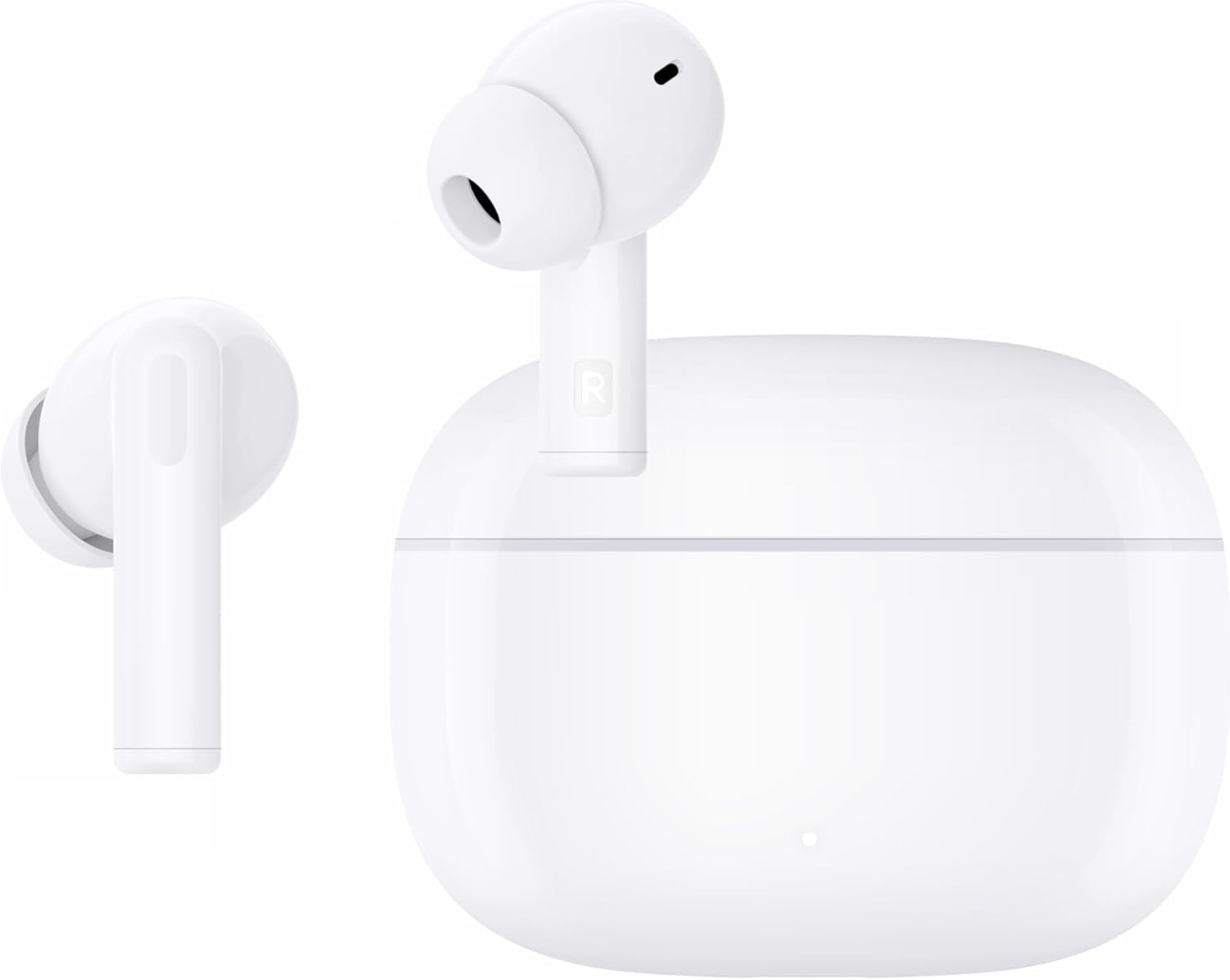
Figure 1: HONOR X7 Lite Wireless Earbuds and Charging Case. The image shows both earbuds placed inside their open charging case.

Figure 2: IPX5 Water Resistance. This image highlights the earbuds' resistance to water splashes, making them suitable for workouts or light rain.

Figure 3: 10mm Dynamic Driver. A detailed view of the earbud's internal audio driver, responsible for delivering rich sound quality.
Setup
1. Charging the Earbuds and Case
Before first use, fully charge the earbuds and charging case. The charging case has a 500 mAh battery capacity, providing up to 38 hours of additional battery life for the earbuds, totaling approximately 40 hours of playback.
- Place the earbuds into the charging case.
- Connect the USB charging cable to the charging port on the case and to a power source.
- The indicator light on the case will show the charging status. It will typically turn off or change color when fully charged.
2. Bluetooth Pairing
To connect your earbuds to a device:
- Ensure the earbuds are in the charging case and the case lid is open.
- On your device (smartphone, tablet, etc.), enable Bluetooth.
- Search for available Bluetooth devices and select "HONOR X7 Lite" from the list.
- Once connected, the earbuds will automatically pair with this device in the future when taken out of the case.
The earbuds support Bluetooth 5.4 for a fast and stable connection, with a range of up to 10 meters.
Operating Instructions
Touch Controls
The HONOR X7 Lite earbuds feature intuitive touch controls on each earbud. Specific gestures may vary, but common functions include:
- Play/Pause: Single tap on either earbud.
- Next Track: Double tap on the right earbud.
- Previous Track: Double tap on the left earbud.
- Answer/End Call: Single tap on either earbud.
- Reject Call: Press and hold on either earbud.
- Activate Voice Assistant: Triple tap on either earbud.
- Toggle Active Noise Cancellation (ANC) / Awareness Mode: Press and hold on either earbud (duration may vary, refer to specific model instructions or app settings).
For detailed customization of touch controls, refer to the HONOR AI Life app (if applicable).
Active Noise Cancellation (ANC)
The earbuds feature Active Noise Cancellation to reduce ambient noise, allowing for a more immersive listening experience. They also include Call Noise Cancellation for clear voice transmission during calls.

Figure 4: Active Noise Cancellation in use. A user enjoying music with reduced ambient noise, demonstrating the effectiveness of ANC.
Sound Effects (EQ)
The earbuds offer four equalizer sound effects. These can typically be switched via the companion app or specific touch gestures to tailor your audio experience to different music genres or preferences.
Maintenance
- Cleaning: Regularly clean the earbuds and charging case with a soft, dry, lint-free cloth. Do not use harsh chemicals or abrasive materials.
- Storage: When not in use, store the earbuds in their charging case to protect them and keep them charged.
- Water Exposure: While IPX5 water-resistant, avoid submerging the earbuds in water or exposing them to high-pressure water jets. Dry them thoroughly if they get wet.
- Battery Care: To prolong battery life, avoid fully discharging the earbuds and case frequently. Charge them regularly.
Troubleshooting
| Problem | Possible Cause | Solution |
|---|---|---|
| Earbuds not pairing | Bluetooth is off on device; earbuds not in pairing mode; out of range. | Ensure Bluetooth is on. Place earbuds in case, open lid, and try pairing again. Move closer to the device. |
| No sound from earbuds | Low battery; volume too low; not connected. | Charge earbuds. Increase device volume. Reconnect earbuds. |
| Charging case not charging | Faulty cable or power adapter; dirty charging port. | Try a different USB cable and power adapter. Clean the charging port gently. |
| "Find My Earbuds" feature | Earbuds misplaced but still connected via Bluetooth. | If supported by the companion app, use the "Find My Earbuds" function to emit a sound from the earbuds. |
Specifications
| Feature | Detail |
|---|---|
| Brand | HONOR |
| Model Name | X7 Lite ANC |
| Model Number | 5504ABRT |
| Color | White |
| Ear Placement | In Ear |
| Form Factor | In-Ear |
| Impedance | 140 Ohm |
| Noise Control | Active Noise Cancellation (ANC) |
| Connectivity Technology | Wireless (Bluetooth) |
| Bluetooth Version | 5.4 |
| Bluetooth Range | 10 meters |
| Control Type | Touch Control |
| Battery Life (Earbuds + Case) | Up to 40 hours |
| Carry Case Battery Capacity | 500 mAh |
| Audio Driver Type | Dynamic Driver |
| Audio Driver Size | 10 mm |
| Frequency Range | 20 Hz - 20,000 Hz |
| Materials | Plastic |
| Water Resistance Level | IPX5 (Water Resistant) |
| Item Weight (Earbuds) | 35 grams |
| Carry Case Dimensions (L x W x H) | 2 cm x 5.5 cm x 5 cm |
| Carry Case Weight | 50 grams |
Official Product Video
Video: An official product video showcasing the HONOR X7 Lite Wireless Earbuds in various usage scenarios, highlighting features like comfort, sound quality, and active noise cancellation.
Warranty and Support
For warranty information, technical support, or customer service, please refer to the warranty card included in your package or visit the official HONOR website. You may also contact your local retailer for assistance.
Online Support: www.hihonor.com/global/support/


