Introduction
The ESR Geo Wallet is a slim, bifold card holder designed for modern convenience and security. It integrates Apple-certified Find My functionality, allowing users to track its location, play a sound, and receive left-behind notifications via the Apple Find My app (iOS 14.5 and above). This wallet also features RFID blocking technology to protect your personal and financial information from unauthorized scans. With smart storage for cards and bills, and a rechargeable battery, the ESR Geo Wallet offers a comprehensive solution for your everyday carry needs.
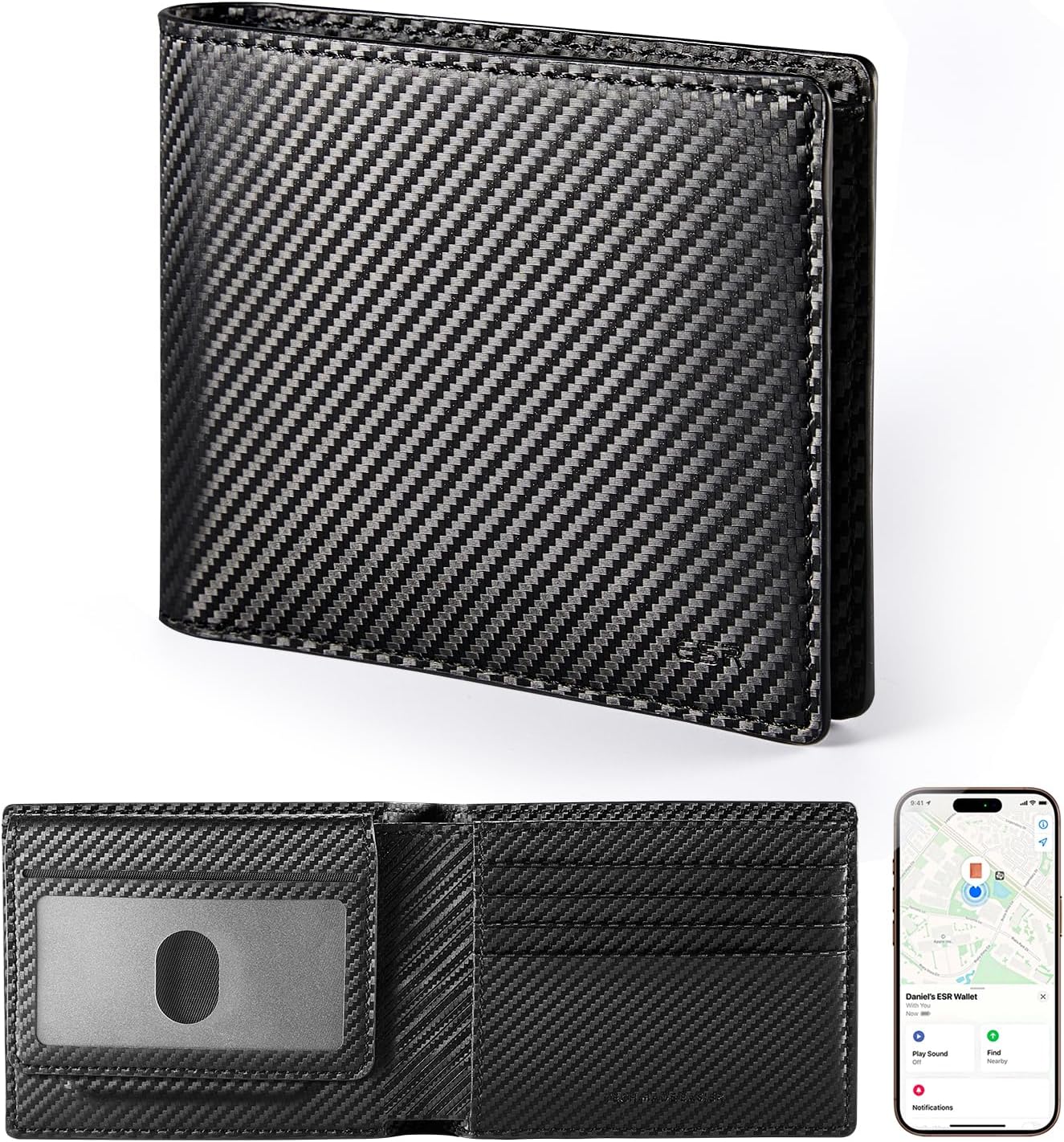
Image: The ESR Geo Wallet in its closed and open states, highlighting its design and the integrated Find My feature on a smartphone screen.
Setup
Follow these steps to set up your ESR Geo Wallet and connect it to the Apple Find My network:
- Charge Your Geo Wallet: Connect the wallet to a power source using the provided charging cable. The green light will illuminate when charging is complete. A full charge takes approximately 1.5 hours and provides up to 6 months of use.
- Enable Bluetooth and Location Services: On your iOS device (iPhone, iPad, Mac, or Apple Watch), ensure that Bluetooth is turned on and Location Services are enabled.
- Activate Pairing Mode: Press the power button on your Geo Wallet until you hear a distinct beep sound. This indicates the wallet is ready for pairing.
- Connect via Find My App: Open the Apple Find My app on your iOS device. Navigate to the "Items" tab, then select "Add New Item," followed by "Other Supported Item," and finally "Connect." Follow the on-screen prompts to complete the pairing process.

Image: Visual guide illustrating the four easy steps to pair your ESR Geo Wallet with the Apple Find My application.
Operating Instructions
Using Apple Find My
The ESR Geo Wallet leverages Apple's Find My network for precise location tracking and alerts.
- Real-time Location Tracking: View the current location of your wallet on a map within the Find My app. This is particularly useful if you misplace your wallet in a known area.
- Play a Sound: If your wallet is nearby but out of sight, use the "Play Sound" feature in the Find My app to emit an audible alert from the wallet, helping you locate it quickly.
- Left-Behind Notifications: Configure the Find My app to send you an alert if you leave your wallet behind at a specific location or when you move away from it.
Video: Demonstrates how to use the Apple Find My feature to locate your ESR Geo Wallet by playing a sound and tracking its location on a map.
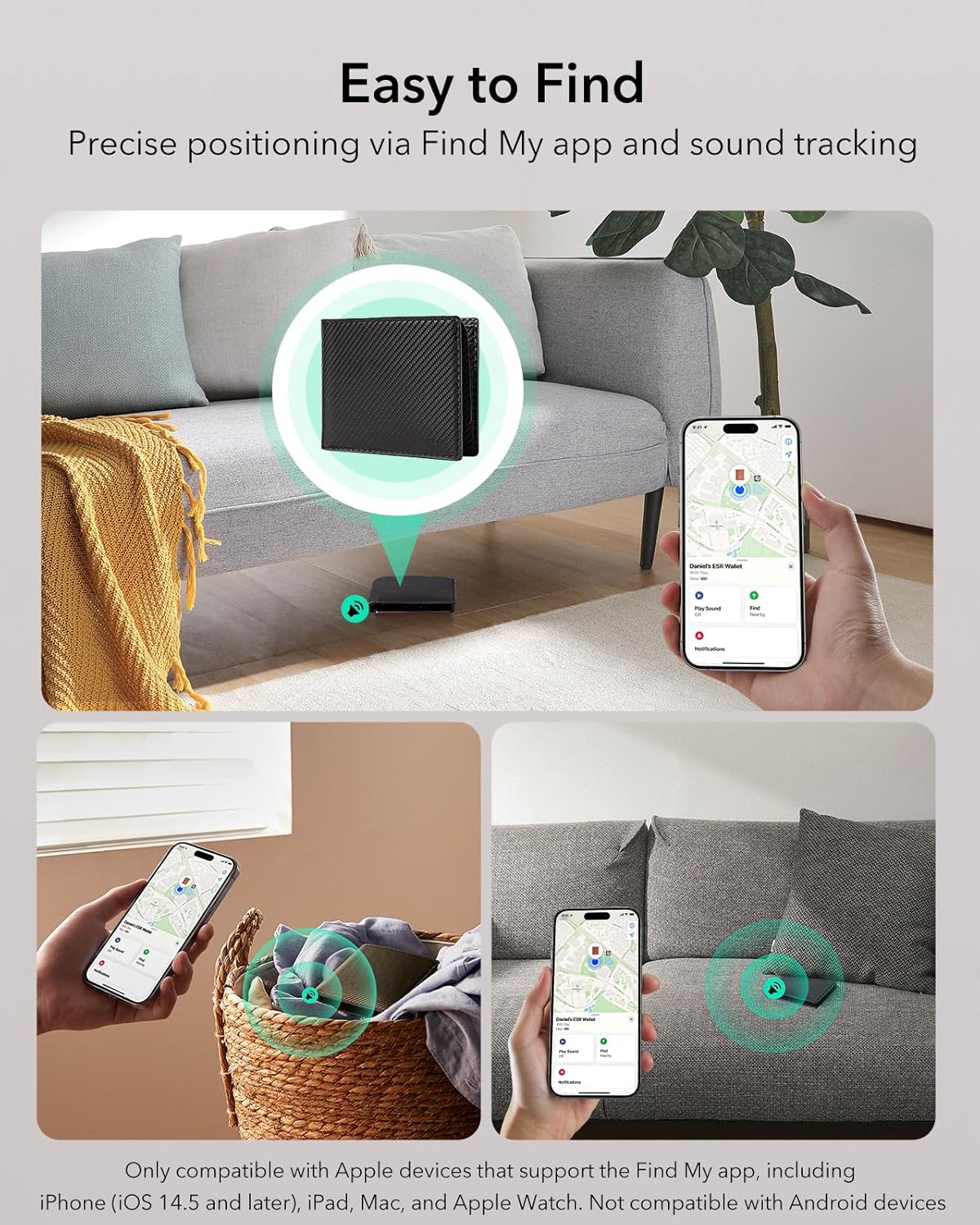
Image: Visual representation of the "Easy to Find" feature, showing the wallet's location on a map and a user retrieving it from a laundry basket after playing a sound.
RFID Blocking
The ESR Geo Wallet is equipped with RFID blocking technology to safeguard your sensitive card information.
- Protection Against Scans: The integrated material prevents unauthorized scanning of your credit cards, debit cards, and other RFID-enabled cards, protecting you from electronic pickpocketing.
- Secure Storage: Store your cards securely within the designated slots to ensure the RFID blocking feature is effective.

Image: Illustration of the RFID blocking capability, showing the wallet protecting against electronic scanning attempts.
Storage Capacity
The ESR Geo Wallet is designed for efficient and smart storage:
- ID Windows: Features 2 clear ID windows for easy access to your driver's license or identification cards.
- Card Slots: Includes 7 secure card slots for your credit, debit, and other essential cards.
- Bill Compartment: A spacious compartment designed to hold up to 15 bills.
- Coin Pocket: A convenient pocket for storing up to 10 coins.
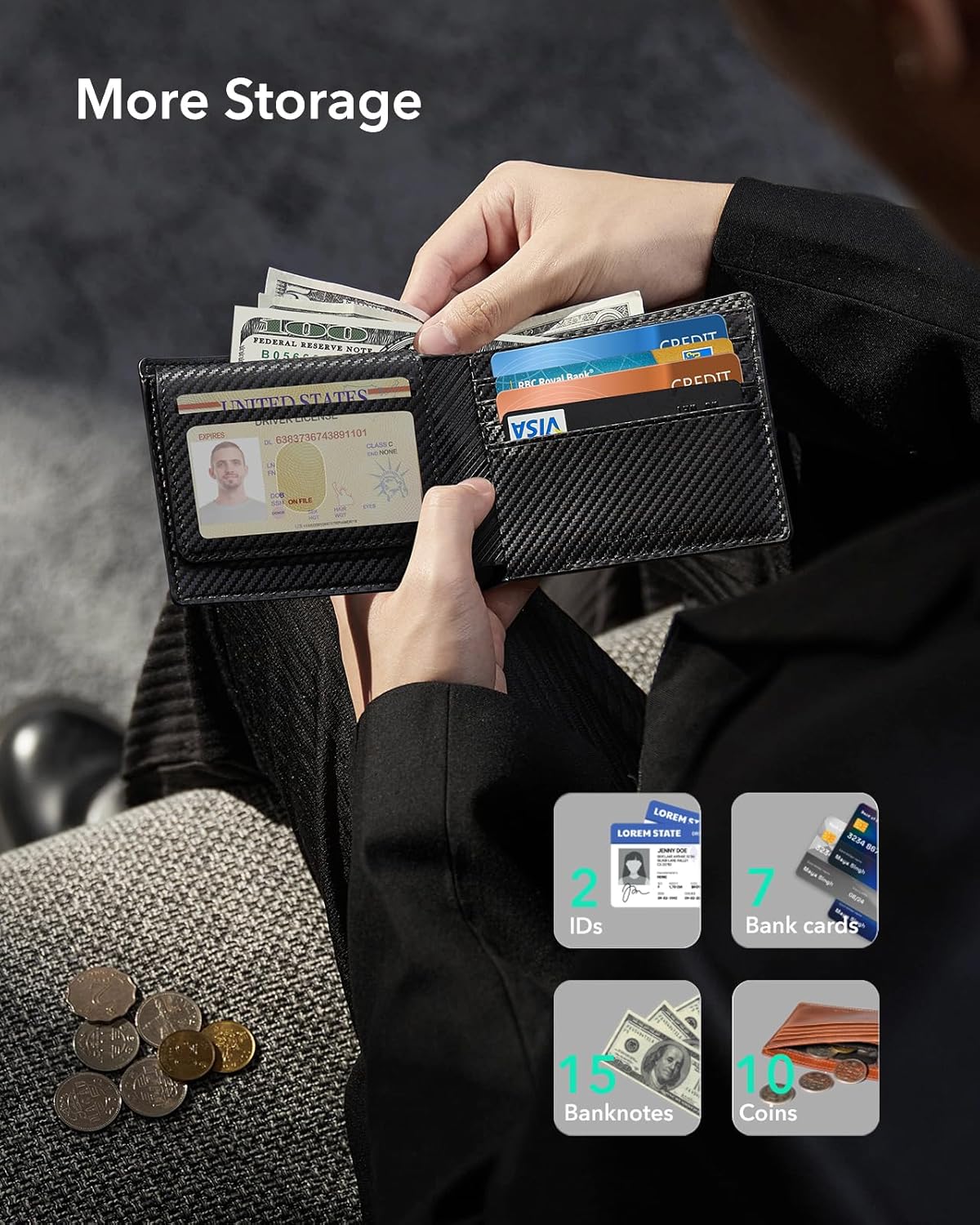
Image: Detailed view of the wallet's interior, demonstrating its capacity for IDs, cards, banknotes, and coins.
Maintenance
Charging the Battery
The ESR Geo Wallet features an eco-friendly 110mAh rechargeable Lithium Polymer battery.
- Charging Time: The wallet fully charges in approximately 1.5 hours.
- Battery Life: A single full charge provides up to 6 months of continuous use.
- Charging Cycles: The battery supports up to 500 charging cycles, ensuring long-term reliability.
- Charging Indicator: The green light on the wallet indicates charging status.

Image: Visual details on the rechargeable battery, including charging time, usage duration, and charging cycles.
Cleaning and Care
- Exterior: Wipe the wallet's exterior with a soft, damp cloth. Avoid harsh chemicals or abrasive cleaners.
- Interior: Gently remove any dust or debris from card slots and compartments.
- Storage: Store the wallet in a cool, dry place away from direct sunlight and extreme temperatures.
Troubleshooting
| Problem | Possible Cause | Solution |
|---|---|---|
| Wallet not appearing in Find My app. |
|
|
| "Play Sound" feature not working. |
|
|
| RFID blocking seems ineffective. |
|
|
Specifications
| Feature | Detail |
|---|---|
| Model Number | 2K615 |
| Dimensions (L x W x H) | 4.53 x 3.54 x 0.59 inches |
| Item Weight | 7.9 ounces |
| Color | Black Carbon Fiber |
| Material | Leather |
| Battery Type | 1 Lithium Polymer (included) |
| Charging Time | Approx. 1.5 hours |
| Battery Life | Up to 6 months per charge |
| Compatibility | Apple Find My (iOS 14.5 and above) |
| Security Features | RFID Blocking |
Warranty and Support
ESR provides a limited warranty for the ESR Geo Wallet. Please refer to the official ESR website or your purchase documentation for detailed warranty terms and conditions.
For technical support, troubleshooting assistance, or warranty claims, please contact ESR customer service through their official channels:
- ESR Official Website: www.esrgear.com
- Amazon Store: Visit the ESR Store on Amazon
Please have your product model number (2K615) and proof of purchase ready when contacting support.


