
1. Introduction
Thank you for choosing Lumary Smart Retaining Wall Lights. This manual provides essential information for the safe and efficient installation, operation, and maintenance of your new smart lighting system. Please read this manual thoroughly before installation and keep it for future reference.

Image: Lumary Smart Low Voltage Step Lights 8-Pack, showcasing the product in an outdoor setting.
2. Safety Information
Always follow basic safety precautions when installing and operating electrical products to reduce the risk of fire, electric shock, and personal injury.
- Low Voltage System: These lights require connection to an AC/DC 12V-24V low voltage system. A transformer is NOT included and must be purchased separately.
- Professional Installation: If you are unsure about any part of the installation process, consult a qualified electrician.
- Waterproof Connections: Ensure all outdoor wiring connections are properly sealed and waterproofed to prevent electrical hazards.
- Power Disconnection: Always disconnect power to the installation area before performing any work on the lights.
- Avoid Overloading: Do not overload your low-voltage transformer. Ensure its wattage capacity exceeds the total wattage of all connected lights.
- Operating Temperature: Do not operate the lights outside their specified temperature range.
3. What's in the Box
Verify that all components are present before beginning installation:
- Hardscape Light x 8
- Lumary Hub x 1
- Remote Control x 1
- Instruction Manual x 1
- Mounting Screws for Surface Mounting x 16
- Expansion Screws x 16
- Expansion Plugs x 16
- Waterproof Wiring Caps x 16
Video: Lumary hardscape lights unboxing. This video demonstrates the contents of the product packaging, showing each item included in the box.

Image: A visual representation of all components included in the Lumary 8-Pack 7-Inch Smart Retaining Wall Light kit.
4. Specifications
| Feature | Detail |
|---|---|
| Model Number | L-RWL7A1 |
| Power Source | Corded Electric |
| Voltage | AC/DC 12V-24V (Low Voltage) |
| Wattage | 3 Watts per light |
| Brightness | 170 Lumens per light |
| Light Color | RGBCW (16 Million Colors, 2200K-6500K Tunable White) |
| Material | Aluminum |
| Water Resistance Level | IP65 Waterproof |
| Connectivity | Bluetooth (Lights), 2.4GHz Wi-Fi (Hub) |
| Control Methods | Lumary App, Remote Control, Voice Control (Alexa/Google Assistant with Hub) |
| Dimensions (L x W x H) | 1.08" x 1.25" x 7" (per light) |
| Weight | 0.8 lbs (per light) |
| Rotation | 270° Adjustable |

Image: Close-up of the die-cast aluminum construction and IP65 waterproof rating, highlighting durability.
Video: The glue filling process makes it extremely waterproof. This video demonstrates the manufacturing process that ensures the lights' IP65 waterproof rating.
5. Setup & Installation
5.1 Pre-Installation Notes
- The outdoor step lights require connection to an AC/DC 12V-24V low voltage system. A transformer is NOT included.
- It is recommended to connect the lights to the Lumary APP and hub BEFORE physical installation to ensure proper operation and configuration.
- Ensure your Wi-Fi network is 2.4GHz for hub connection. 5GHz networks are not supported.
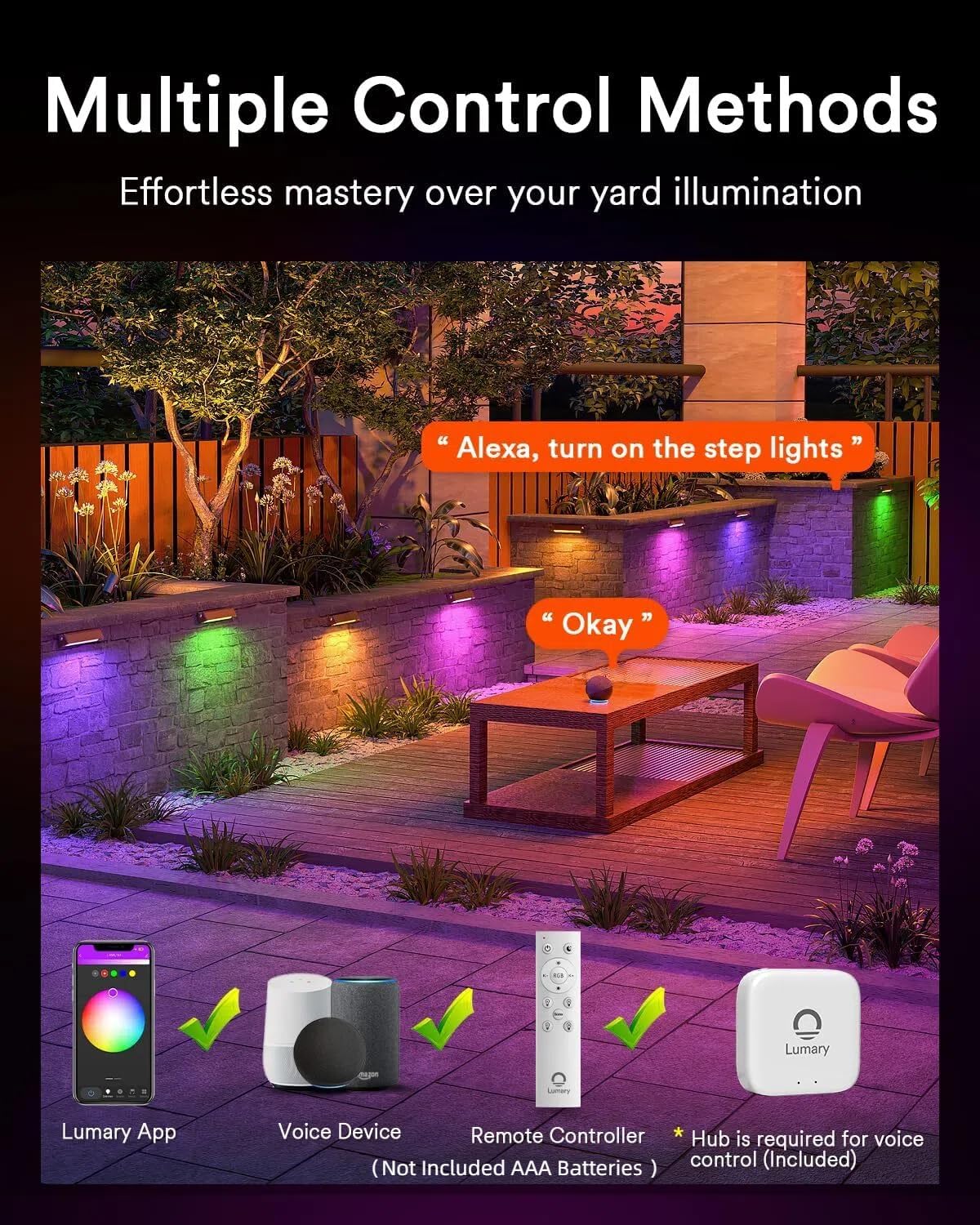
Image: Detailed product dimensions and a wiring diagram illustrating connection to a low voltage transformer (not included).
5.2 Physical Installation
- Prepare the Location: Choose a suitable location on your retaining wall, steps, or deck. Ensure the surface is clean and stable.
- Mounting:
- Standard Installation: Use the provided screws and nuts to install the lights like standard retaining wall lights.
- Direct Screw Mounting: For a flush mount, remove the baffle from the light fixture and use the screws to mount directly to the surface.
- Adjust Angle: The lights feature a 270° rotation design, allowing you to aim the light where needed after mounting.
- Wiring: Connect the light wires to your low voltage system. Ensure positive wires are connected to positive and negative to negative. Use the provided waterproof wiring caps for secure connections.

Image: Example of hardscape step lights mounted on a stone retaining wall, demonstrating a typical installation scenario.

Image: Visual guide on how to connect outdoor step lights, showing wiring connections.
Video: How to Install Your Lumary Smart Hardscape Light. This video provides a step-by-step guide for the physical installation of the lights.
5.3 Connecting to the Lumary App and Hub
- Download App: Download the Lumary App from your smartphone's app store. Register and log in.
- Add Hub: Connect the Lumary Hub to power. Press the "Reset" button on the hub for 5 seconds until the indicator light flashes red. In the Lumary App, select "Add Device" and follow the on-screen instructions to add the hub. Ensure your phone is connected to a 2.4GHz Wi-Fi network.
- Add Lights: Once the hub is connected, the app will search for nearby devices. Ensure your lights are in pairing mode (breathing blink). Select the discovered lights to add them to your app.

Image: Step-by-step guide on how to add the Lumary hub to the mobile application.
Video: How to Connect APP and Hub. This video demonstrates the process of connecting the Lumary app and hub to control the lights.
6. Operating Instructions
6.1 Control Methods
Your Lumary Smart Retaining Wall Lights offer multiple control options:
- Lumary App: Full control over colors, brightness, scenes, and schedules.
- Remote Controller: Convenient for basic adjustments (AAA Batteries not included).
- Voice Control: Compatible with Alexa and Google Assistant (Hub required).
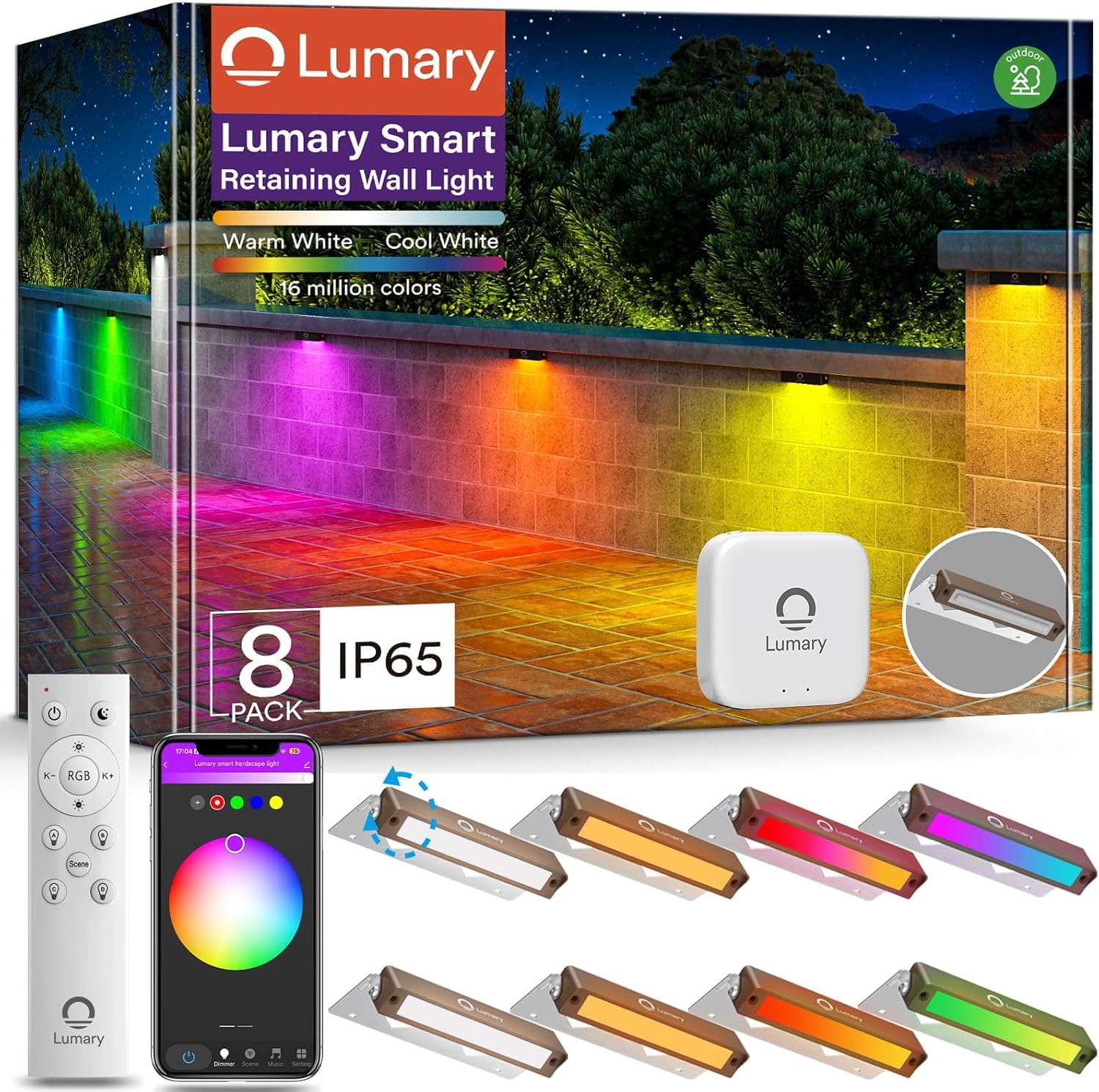
Image: Illustration of the various control methods: Lumary App, Voice Device (Alexa/Google Assistant), and Remote Controller.

Image: Demonstrates controlling the lights via the app, remote, and voice commands with Alexa.
6.2 Brightness & CCT Adjustment
Adjust the brightness from 1% to 100% and color temperature from 2200K (warm amber) to 6500K (cool white) using the Lumary App or remote control.

Image: Illustrates the adjustable color temperature range from 2200K to 6500K.
6.3 RGB Color Control
Access 16 million RGB colors through the Lumary App to customize your outdoor ambiance for any occasion.
Video: Lumary RGBCW hardscape lights. This video demonstrates the color-changing capabilities of the lights.
6.4 Preset & DIY Scenes
Utilize 8 preset scenes or create your own custom scenes with 16 million colors for daily use, holidays, or special events.

Image: Shows the app interface for group control and selecting scene modes for the 8-pack step lights.
6.5 Music Rhythm
Activate the music rhythm function in the Lumary App to synchronize light effects with your music's beat.

Image: Depicts landscape lights changing colors in sync with music, controlled via the app.
6.6 Group Function
Create groups within the Lumary App to control multiple lights simultaneously, simplifying management of your outdoor lighting.

Image: Shows the app interface for group control and selecting scene modes for the 8-pack step lights.
6.7 Timing and Remote Control
Set schedules for automatic on/off times. Remotely manage your lights from anywhere using the app (Hub connectivity required).

Image: The Lumary app displaying a timer schedule for the paver lights.
7. Maintenance
The Lumary Smart Retaining Wall Lights are designed for durability and outdoor use with an IP65 waterproof rating and sturdy aluminum construction. Minimal maintenance is required.
- Cleaning: Periodically wipe the lights with a soft, damp cloth to remove dirt and debris. Do not use harsh chemicals or abrasive cleaners.
- Inspection: Regularly inspect wiring and connections for any signs of wear or damage. Ensure all waterproof caps are securely in place.
- Environmental Factors: While IP65 rated, extreme weather conditions may still impact performance over time. Ensure proper drainage around the lights.
8. Troubleshooting
| Problem | Solution |
|---|---|
| Can't connect to the app? |
|
| Why is the light flickering? |
|
| Why did the remote control fail to pair? |
|

Image: Visual troubleshooting tips for connecting Lumary step lights to the hub, including distance recommendations.
9. Warranty & Support
Lumary provides a 2-year warranty for this product. If you encounter any issues or have questions, please contact Lumary customer support. We are committed to providing professional and timely assistance, responding to inquiries within 24 hours until your problem is resolved.
For support, please refer to the contact information provided in your product packaging or visit the official Lumary website.