
1. Introduction
Thank you for purchasing the Panasonic NA-FA8K5-W 8kg Fully Automatic Washing Machine. This manual provides essential information for the safe and efficient use of your appliance. Please read it thoroughly before operation and keep it for future reference.
2. Safety Information
Always follow basic safety precautions when using electrical appliances to reduce the risk of fire, electric shock, or injury.
- Ensure the washing machine is properly grounded.
- Do not operate the machine with a damaged power cord or plug.
- Keep children and pets away from the appliance during operation.
- Do not wash items that are soiled with flammable substances.
- Unplug the machine before cleaning or performing any maintenance.
3. Product Overview
The Panasonic NA-FA8K5-W is an 8kg fully automatic washing machine designed for efficient and convenient laundry care. Key features include automatic liquid detergent and softener injection, Sugo-Ochi Bubble Wash, and a next-generation sterilization course.
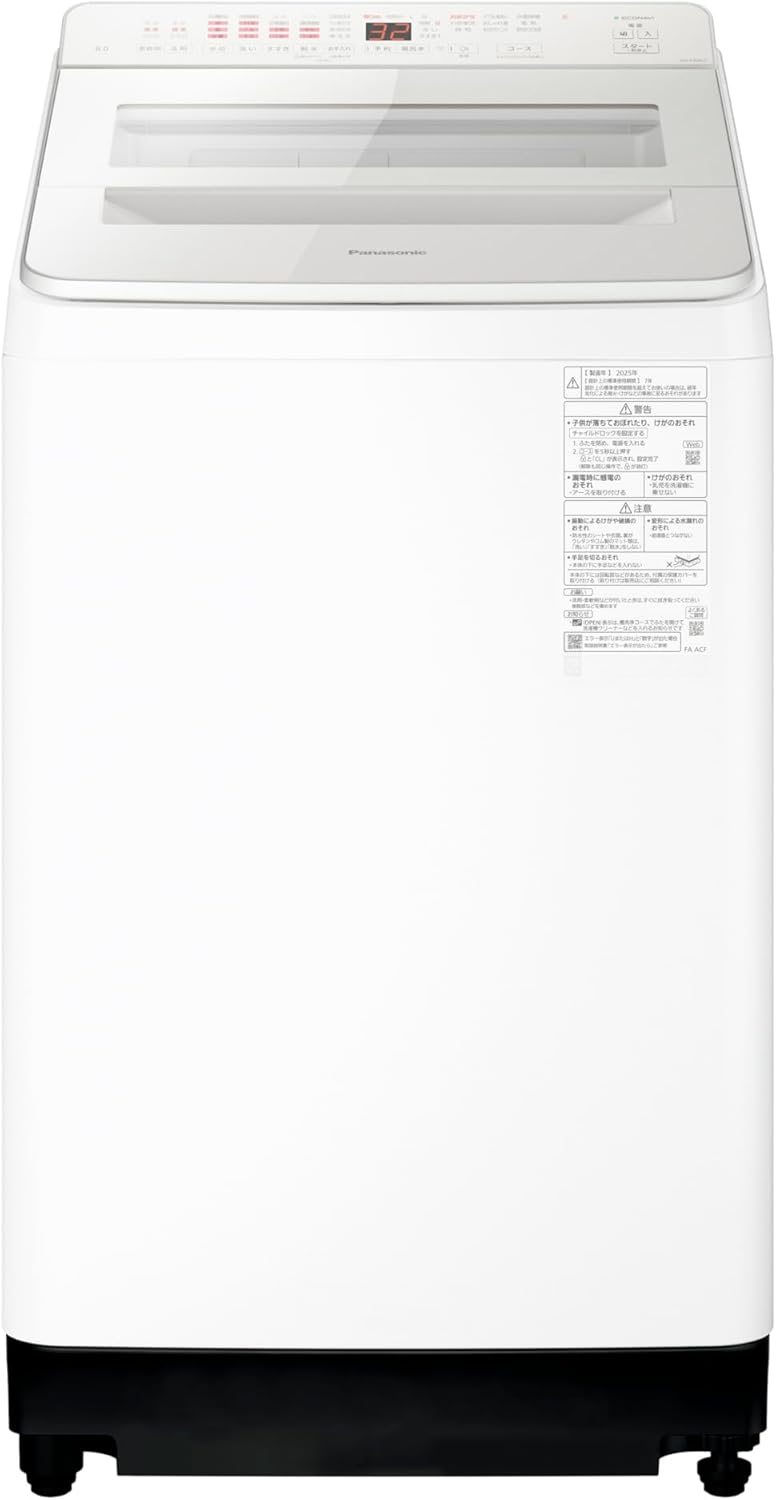
Figure 3.1: Front view of the Panasonic NA-FA8K5-W washing machine.

Figure 3.2: Side view of the Panasonic NA-FA8K5-W washing machine.
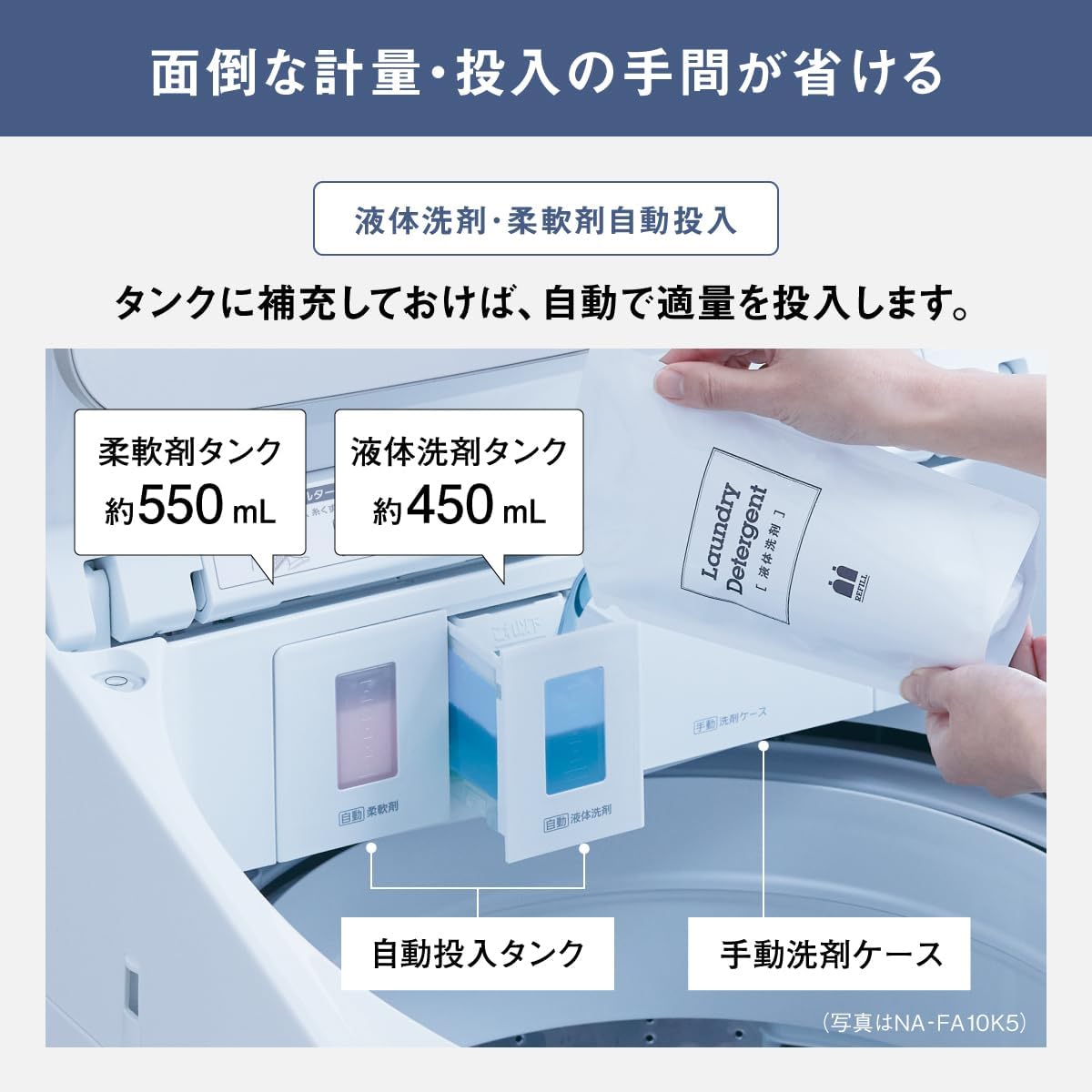
Figure 3.3: Key features of the NA-FA8K5-W, including 8kg capacity, Sugo-Ochi Bubble Wash, and automatic detergent/softener injection.
4. Setup
4.1 Unpacking and Inspection
Carefully remove the washing machine from its packaging. Inspect for any damage during transit. Retain packaging materials for potential future transport.
4.2 Installation Location
Choose a stable, level surface. Ensure there is adequate space around the machine for ventilation and operation. The product requires a minimum of 10cm clearance on all sides for proper installation and operation.

Figure 4.1: Installation space requirements. Ensure at least 10cm clearance around the product and sufficient space for transport through doorways and stairs.
4.3 Dimensions
Refer to the diagram below for detailed product dimensions.

Figure 4.2: Detailed dimensions of the NA-FA8K5-W model. Overall dimensions: 599mm (width) x 635mm (depth) x 1071mm (height).
4.4 Water and Drain Connections
Connect the water supply hoses to the hot and cold water faucets. Ensure all connections are secure to prevent leaks. Connect the drain hose to a suitable drain outlet, ensuring it is properly secured and positioned to allow for efficient water drainage.
4.5 Power Connection
Plug the power cord into a grounded electrical outlet. Do not use extension cords or adapters.
5. Operating Instructions
5.1 Loading Laundry
Open the lid and place laundry loosely into the drum. Do not overload the machine. The wide opening and clear window facilitate easy loading and unloading.

Figure 5.1: Top view with lid open, illustrating the spacious drum for easy laundry loading.

Figure 5.2: User-friendly design with a clear window and wide opening for convenient use.
5.2 Automatic Detergent and Softener Injection
The machine features dedicated compartments for liquid detergent and softener. Fill these compartments, and the machine will automatically dispense the appropriate amount for each wash cycle.

Figure 5.3: Automatic liquid detergent (approx. 450ml) and softener (approx. 550ml) dispenser tanks.
5.3 Selecting a Wash Course
Use the control panel to select your desired wash course. Available courses include:
- Omakase Course: An optimized course that automatically adjusts settings for various laundry types, now with reduced operating time and energy consumption.
- Short Course: Ideal for daily laundry for two people, completing a wash in approximately 23 minutes.
- Sterilization Course: Utilizes a special tablet (sold separately, N-Z1) to thoroughly sterilize odor-causing bacteria in clothes and the washing tub.
- Sugo-Ochi Bubble Wash: This feature uses powerful foam and 3D water flow to effectively remove stubborn dirt.

Figure 5.4: Sugo-Ochi Bubble Wash effectively removes stubborn mud and food stains.
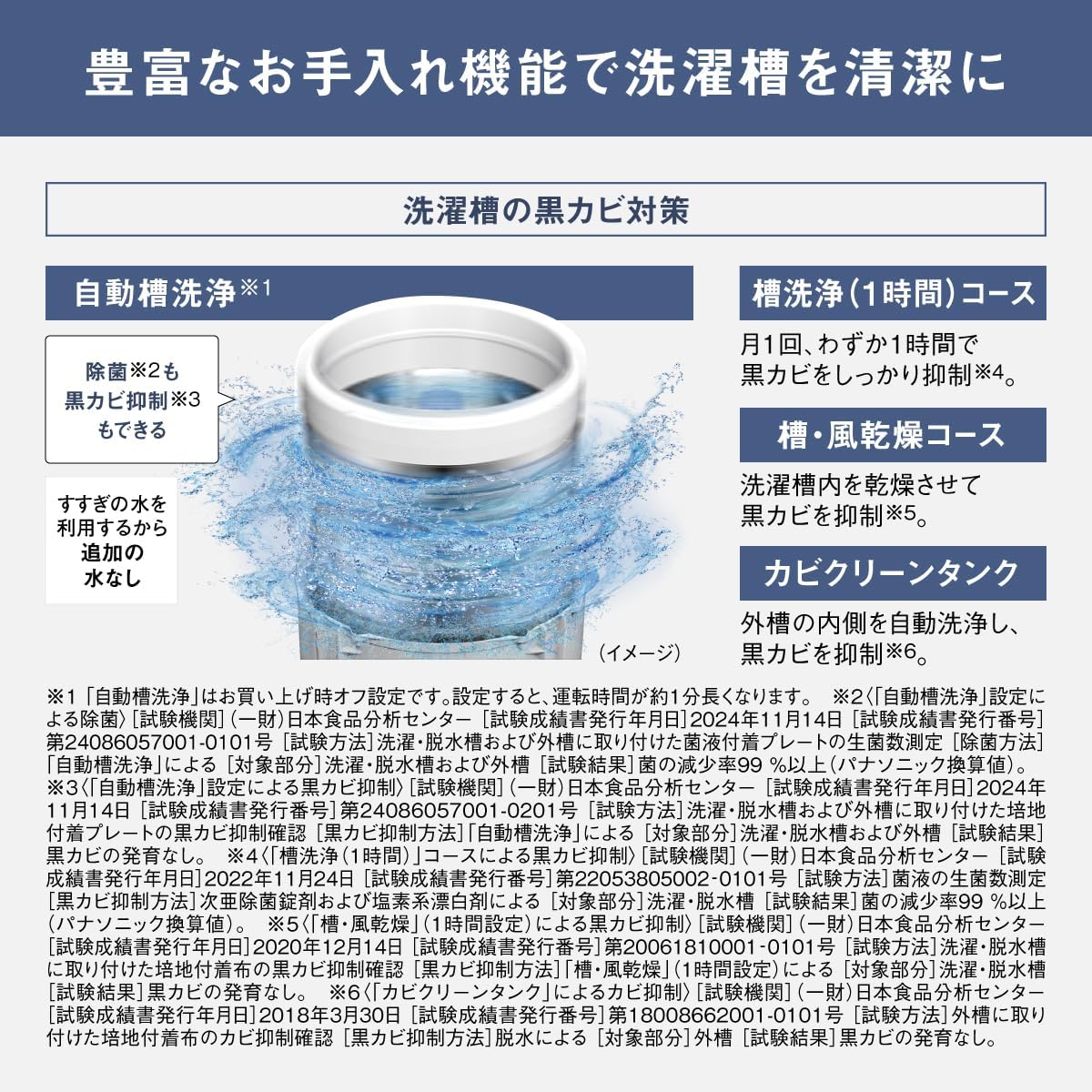
Figure 5.5: The Sterilization Course uses a dedicated tablet for thorough disinfection of laundry and the tub.
5.4 Smart Control (App Support)
The washing machine can be controlled and monitored via a smartphone app. This allows you to start washes remotely, check status, and select recommended courses based on laundry type.
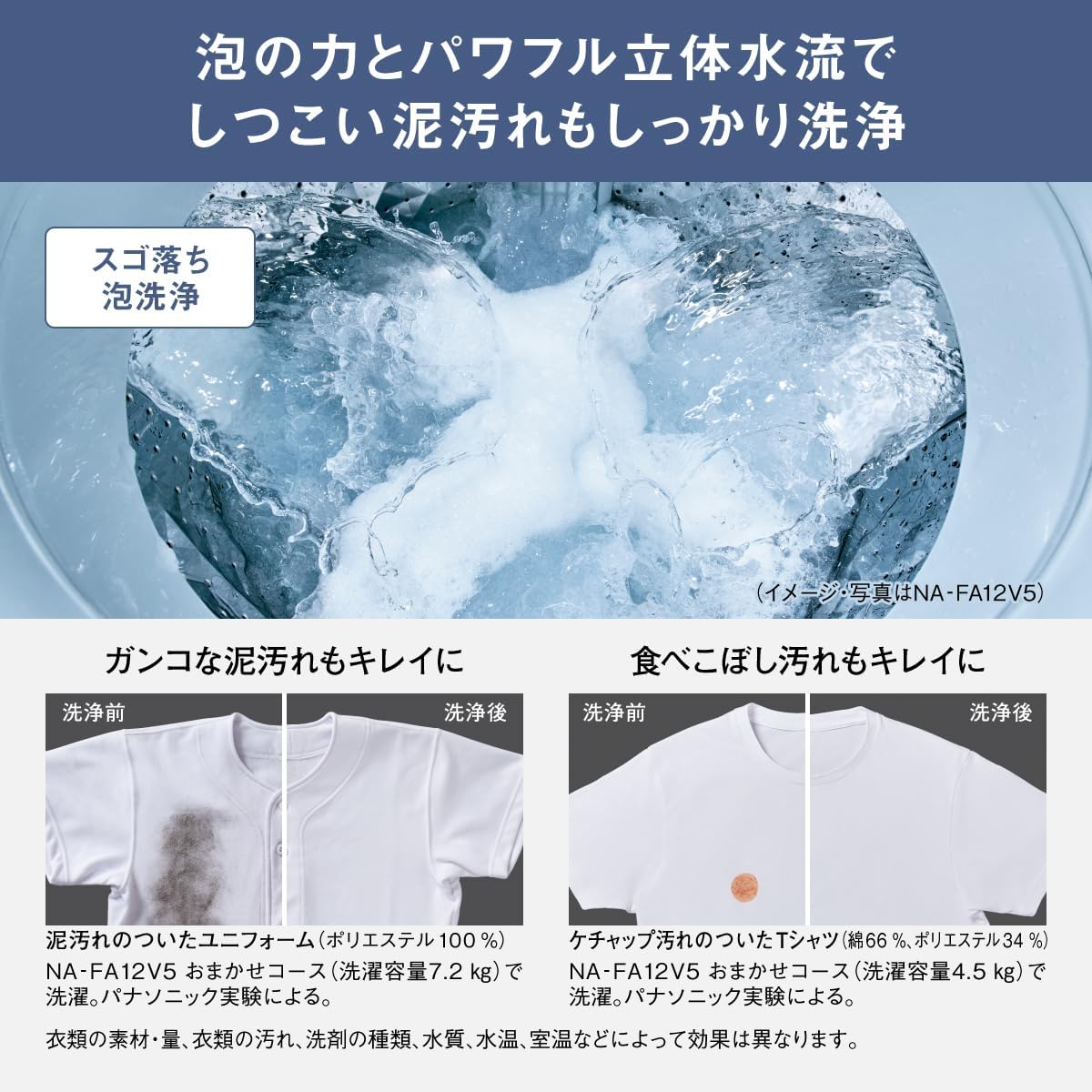
Figure 5.6: Smartphone app interface for remote control and monitoring of the washing machine.
6. Maintenance
Regular maintenance ensures optimal performance and longevity of your washing machine.
6.1 Tub Cleaning
The machine offers various functions to keep the washing tub clean and prevent mold growth:
- Automatic Tub Wash: Cleans the tub automatically during the wash cycle.
- Tub Clean Course (1 hour): A dedicated course for thorough tub cleaning.
- Tub Drying Course: Helps dry the tub to prevent mold and odors.

Figure 6.1: Tub cleaning features for maintaining hygiene and preventing mold.
6.2 Lint Filter Cleaning
Clean the lint filter regularly to maintain washing performance. The 'Rakupoi Filter' is designed for easy removal and disposal of collected lint without getting your hands dirty.

Figure 6.2: Easy maintenance features, including the Rakupoi Filter and flat glass top.
6.3 Exterior Cleaning
Wipe the exterior of the machine with a soft, damp cloth. Do not use abrasive cleaners or solvents.
7. Troubleshooting
If you encounter issues with your washing machine, refer to the following common troubleshooting steps. For problems not listed here, or if the issue persists, please contact customer support.
| Problem | Possible Cause | Solution |
|---|---|---|
| Machine does not start | Power cord unplugged; Lid not closed properly; Water supply off. | Check power connection; Ensure lid is fully closed; Turn on water supply. |
| No water filling | Water tap closed; Water inlet hose kinked; Water filter clogged. | Open water tap; Straighten hose; Clean water inlet filter. |
| Excessive vibration/noise | Machine not level; Shipping bolts not removed; Uneven load. | Adjust leveling feet; Remove all shipping bolts; Redistribute laundry evenly. |
| Water not draining | Drain hose kinked or clogged; Drain pump filter clogged. | Check and clear drain hose; Clean drain pump filter. |
8. Specifications
| Feature | Detail |
|---|---|
| Brand | Panasonic |
| Model Number | NA-FA8K5-W |
| Product Dimensions (D x W x H) | 63.5 cm x 59.9 cm x 107.1 cm |
| Capacity | 8 kg |
| Color | White |
| Special Features | Automatic Detergent/Softener Injection, Sugo-Ochi Bubble Wash & Powerful 3D Water Flow |
| Access Location | Top |
| Drum Material | Stainless Steel |
| Control Type | Push Button |
| Operation Mode | Fully Automatic |
| Washing Dispenser Option | Detergent/Softener Automatic Injection |
9. Warranty and Support
9.1 Manufacturer's Warranty
This Panasonic NA-FA8K5-W washing machine comes with a 1-year manufacturer's warranty from the date of purchase. Please retain your proof of purchase for warranty claims. The warranty covers defects in materials and workmanship under normal use.
9.2 Customer Support
For technical assistance, service requests, or questions regarding your product, please contact Panasonic customer support. Refer to the contact information provided in your warranty card or on the official Panasonic website for your region.
Before contacting support, please have your model number (NA-FA8K5-W) and serial number ready.