Introduction
This manual provides essential information for the proper use and maintenance of your PZL Replacement Remote Control. Designed for seamless compatibility with various mini projectors, this remote offers a straightforward, out-of-the-box experience without the need for complex programming or pairing. Its ergonomic design and advanced infrared technology ensure reliable and responsive control over your compatible devices.

Image: Front view of the PZL Replacement Remote Control, showcasing its sleek design and button layout.
Compatible Models
This PZL Replacement Remote Control is specifically designed to be compatible with the following mini projector models:
- VOPLLS Mini Projector R1
- WiMiUS Mini Projector P61
- MEER Movie Projector YG390
- MEER Movie Projector YG391

Image: A user holding the remote control, demonstrating its use with a mini projector displaying an image on a screen.
Setup
Setting up your PZL Replacement Remote Control is quick and easy. No programming or complex pairing procedures are required.
- Open the Battery Compartment: Locate the battery compartment on the back of the remote control. Gently slide the cover downwards to open it.
- Insert Batteries: Insert two (2) AAA batteries (not included) into the compartment, ensuring the positive (+) and negative (-) terminals align correctly with the indicators inside the compartment.
- Close the Battery Compartment: Slide the battery compartment cover back into place until it clicks securely.
- Ready for Use: The remote control is now ready to operate your compatible projector.

Image: A diagram illustrating the dimensions of the remote control and the location of its battery compartment, indicating the use of 2 AAA batteries.

Image: The remote control displayed with a clear message emphasizing that no setup or pairing is required, highlighting its ease of use.
Operating Instructions
The PZL Replacement Remote Control features an intuitive layout for easy navigation and control of your projector. Its infrared 3.0 technology ensures a strong and fast signal response.
Button Functions:
| Button Icon/Description | Function |
|---|---|
| Power (⏻) | Turns the projector On or Off. |
| Mute (🔇) | Mutes or unmutes the projector's audio. |
| Navigation Arrows (⏶ ⏷ ⏴ ⏵) | Navigates through menus and options. |
| OK | Confirms selections or enters menus. |
| Back/Return (↶) | Returns to the previous screen or menu. |
| Menu (☰) | Opens the projector's main menu. |
| Home (⌂) | Returns to the projector's home screen. |
| Volume Up (+) | Increases the audio volume. |
| Volume Down (-) | Decreases the audio volume. |
| Source/Input (⎈) | Switches between input sources (e.g., HDMI, USB). |
| Fast Forward/Rewind (⏭ ⏮) | Controls media playback (if supported by projector). |
Usage Tips:
- Ensure a clear line of sight between the remote control and the projector's IR receiver.
- The remote offers a control distance of over 26 feet and an angle of more than 120 degrees for flexible use.
- The keys are designed to be responsive and comfortable to touch, providing a smooth user experience.

Image: A hand holding the remote control, highlighting the responsiveness and comfortable feel of its buttons.
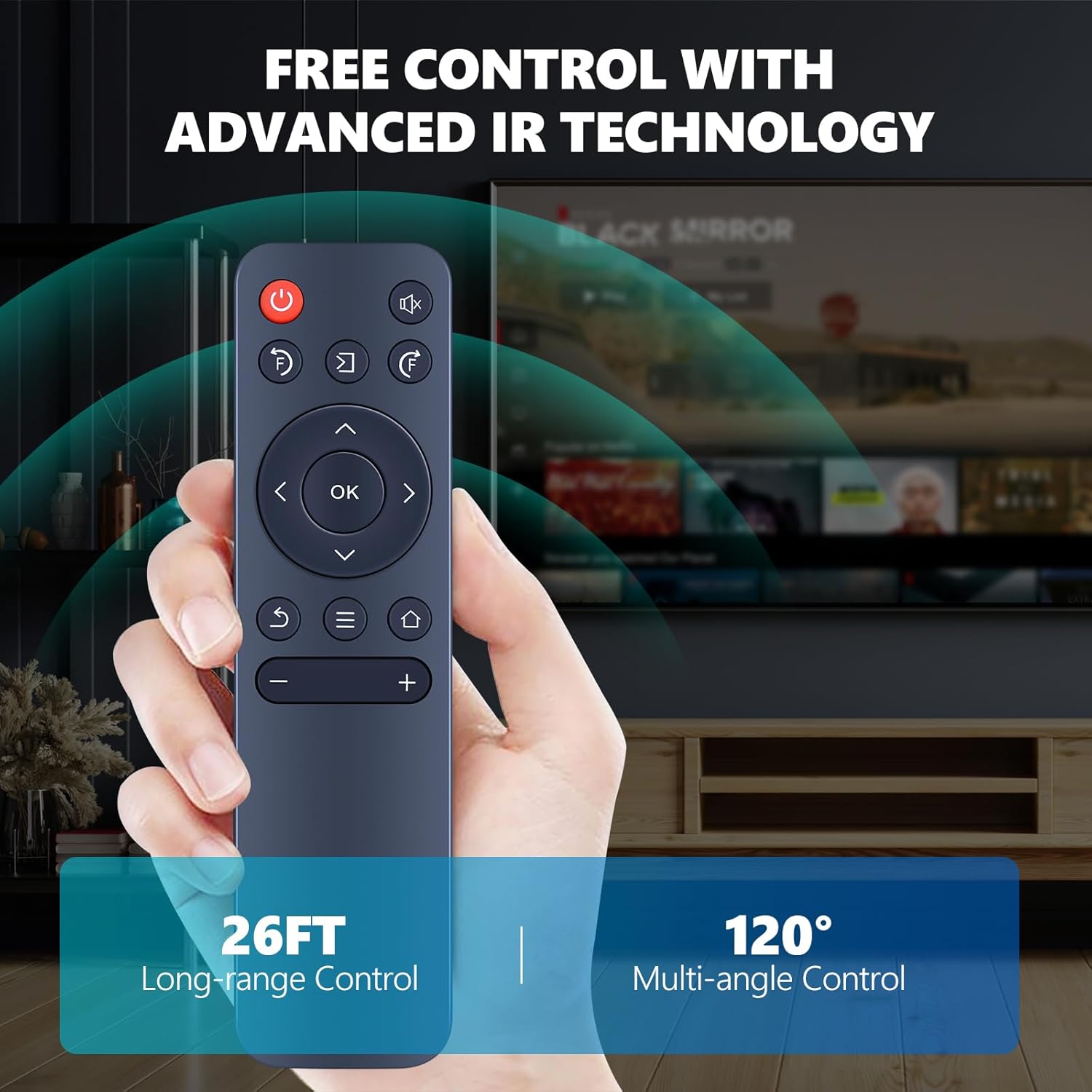
Image: An illustration depicting the remote control emitting infrared signals, with indicators for its 26-foot long-range control and 120-degree multi-angle control capabilities.
Maintenance
Proper care will extend the life of your remote control.
- Cleaning: Use a soft, dry cloth to clean the surface of the remote. Do not use liquid cleaners or abrasive materials.
- Storage: Store the remote in a cool, dry place away from direct sunlight and extreme temperatures.
- Battery Replacement: Replace batteries promptly when the remote's performance degrades. If the remote will not be used for an extended period, remove the batteries to prevent leakage.
- Avoid Drops: Protect the remote from drops and impacts, which can damage internal components.
Troubleshooting
If you encounter issues with your remote control, refer to the following common problems and solutions:
| Problem | Possible Cause | Solution |
|---|---|---|
| Remote not responding. | Dead or incorrectly inserted batteries. Obstruction between remote and projector. Remote too far from projector. | Replace batteries with new AAA batteries, ensuring correct polarity. Remove any objects blocking the signal path. Move closer to the projector (within 26 feet). |
| Buttons are unresponsive or sticky. | Dirt or debris under the buttons. Physical damage. | Clean the remote surface with a soft, dry cloth. If damage is suspected, contact customer support. |
| Limited range or intermittent control. | Low battery power. Interference from other electronic devices. | Replace batteries. Ensure no strong light sources (like direct sunlight) are interfering with the IR signal. Minimize other electronic device interference. |
Specifications
| Feature | Detail |
|---|---|
| Brand | PZL |
| Model Number | c982fe3f-ff6f-42d5-b309-e180ac19ab1e |
| Compatible Devices | Projectors (VOPLLS R1, WiMiUS P61, MEER YG390/YG391) |
| Max Supported Devices | 1 |
| Color | Black |
| Special Feature | Ergonomic Design |
| Technology | Infrared 3.0 |
| Control Distance | Over 26 feet |
| Control Angle | Over 120 degrees |
| Power Source | 2 x 1.5V AAA Batteries (Not Included) |
| Item Weight | 1.92 ounces |
| Package Dimensions | 1.5 x 1 x 0.6 inches |
After-Sales Service and Support
PZL is committed to providing excellent customer service. If you have any questions regarding your order, product model, or require assistance, please do not hesitate to contact us. We aim to provide timely service within 24 hours.
For more information or to explore other PZL products, please visit the official PZL Store:


