1. Product Overview
The Hodozzy 9-inch Android Car Stereo is designed for Ford Fiesta models manufactured between 2009 and 2014. This high-performance unit features the latest Android 15 system, 4GB RAM, and 64GB ROM, ensuring smooth operation for music, video, and navigation. The 1280*720 high-definition screen offers a clear visual experience and supports customizable themes and homepage apps for a personalized in-car environment.
Key features include wireless CarPlay and Android Auto for seamless smartphone integration, built-in GPS for navigation, WiFi connectivity for online services, Bluetooth 5.0 for hands-free communication and audio streaming, a 32-band DSP equalizer for enhanced sound quality, and FM/RDS radio functionality.
2. What's in the Box
Upon opening the package, verify that all components are present:
- Hodozzy 9-inch Android Car Stereo Unit with Frame
- Power Cable / Canbus
- Original USB Cable
- USB Cable
- Radio Antenna
- RCA Cable
- GPS Antenna
- Microphone (MIC)
- Rear Camera Input Cable
- Rear Camera
- Installation Tool
- User Manual (this document)
Video: This video demonstrates the unboxing process and shows all the components included in the package for the Hodozzy Android Car Stereo.

Image: A visual representation of all items included in the Hodozzy Android Car Stereo package, including the main unit, various cables, GPS antenna, microphone, rear camera, and installation tools.
3. Installation
Before beginning installation, ensure your vehicle is turned off and the battery is disconnected to prevent electrical damage. Compare the dash size and shape of your car with the provided unit to confirm compatibility. Professional installation is recommended.
3.1 Component Assembly
The main unit comes pre-assembled with the custom frame for the Ford Fiesta. Carefully remove the unit from its packaging.
Video: This video demonstrates the initial handling of the car stereo unit and its frame, showing how it fits together before vehicle installation.
3.2 Wiring Connections
Connect the provided wiring harnesses to the corresponding ports on the car stereo and your vehicle's existing wiring. Refer to the wiring diagram in the included user manual for specific connections.
- Power Cable/Canbus: Connect the main power harness and Canbus decoder to the vehicle's power and data lines.
- Radio Antenna: Connect the radio antenna adapter to ensure FM/RDS reception.
- USB Cables: Connect the original USB cable and additional USB cable for external devices.
- RCA Cable: Use for external audio/video input/output, including subwoofer connections.
- GPS Antenna: Mount the GPS antenna in a location with a clear view of the sky for optimal signal reception.
- Microphone (MIC): Connect the external microphone for improved call quality.
- Rear Camera: Connect the rear camera input cable and the rear camera for parking assistance.
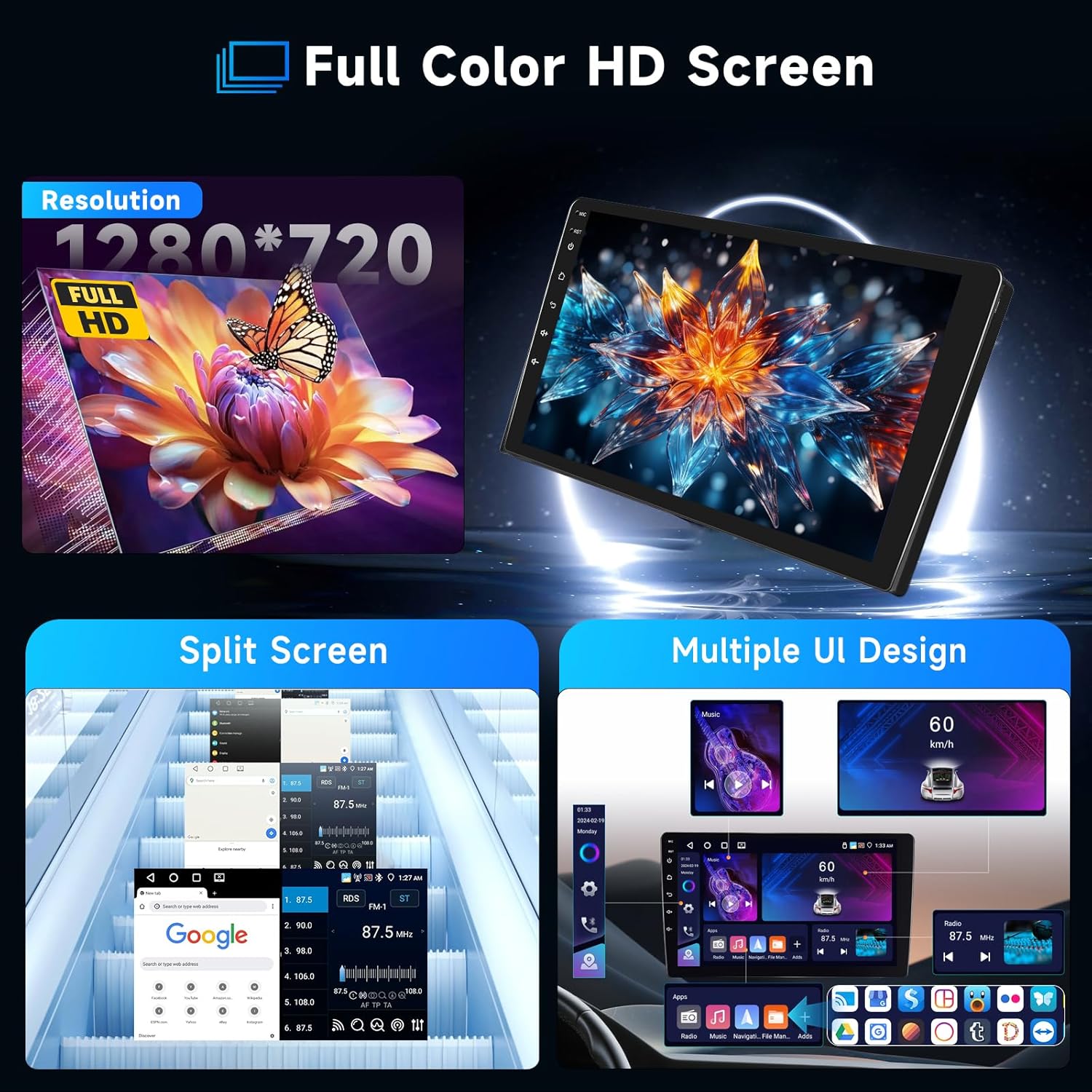
Image: Detailed wiring diagram showing connections for power, RCA, USB, GPS, and camera inputs for the Hodozzy Android Car Stereo.
3.3 Steering Wheel Control (SWC)
The Canbus decoder typically handles steering wheel control integration automatically. If manual configuration is required, access the SWC settings in the system menu.
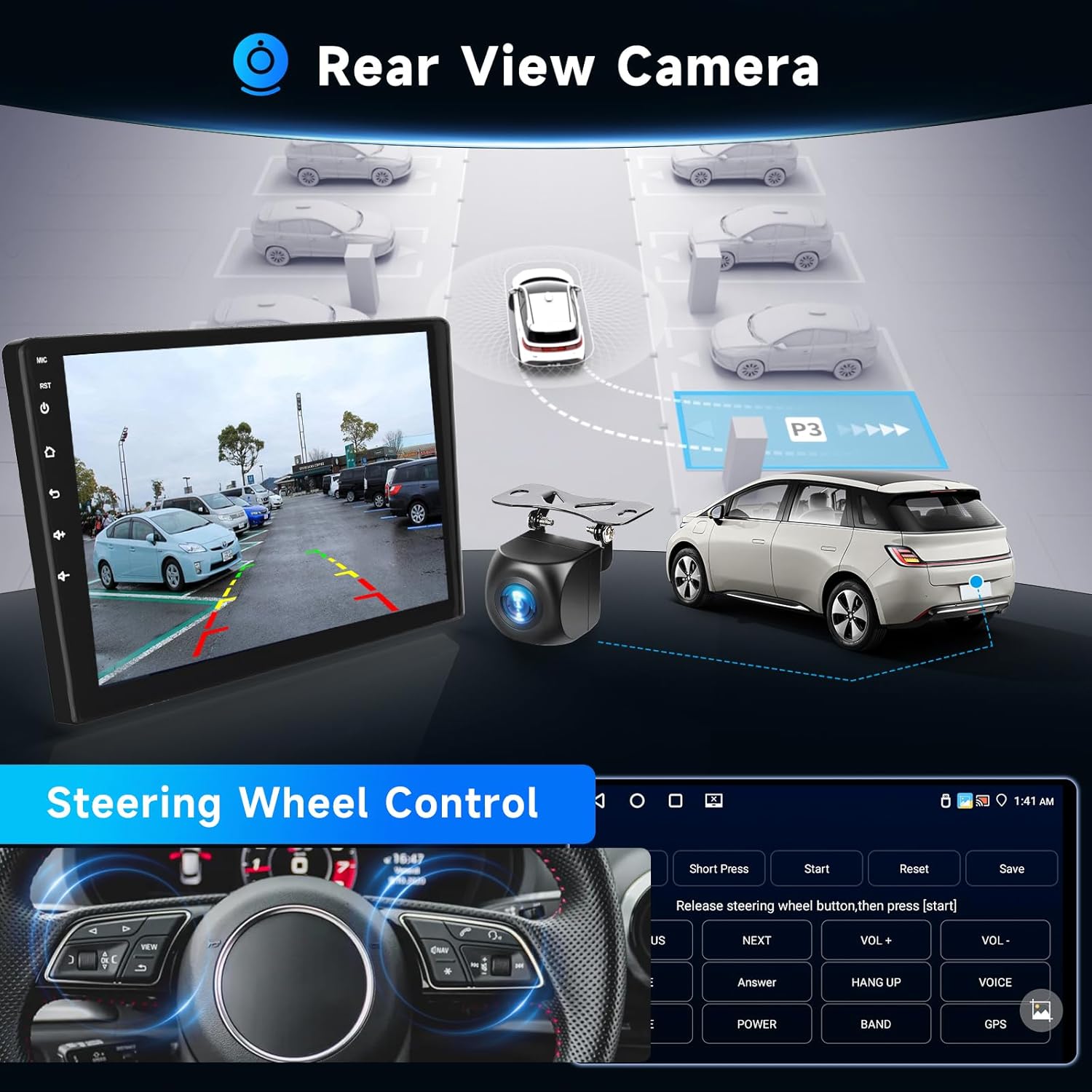
Image: Illustrates the rear view camera functionality and the on-screen interface for configuring steering wheel controls.
4. Initial Setup
After installation, reconnect the vehicle battery and power on the unit. Follow the on-screen prompts for initial setup.
- Language Selection: Choose your preferred system language.
- Time and Date: Set the correct time zone, date, and time.
- WiFi Connection: Connect to a local WiFi hotspot (e.g., from your smartphone) to enable online features and download apps.
- GPS Calibration: Ensure the GPS antenna is properly installed and the system acquires a satellite signal for accurate navigation.
5. Operating Instructions
5.1 Wireless CarPlay & Android Auto
This unit supports wireless CarPlay for iOS devices and wireless Android Auto for Android devices. Connect your smartphone via Bluetooth to access messaging, contacts, navigation, and music through the car stereo interface. Voice assistants (Siri/Google Assistant) are integrated for hands-free control.
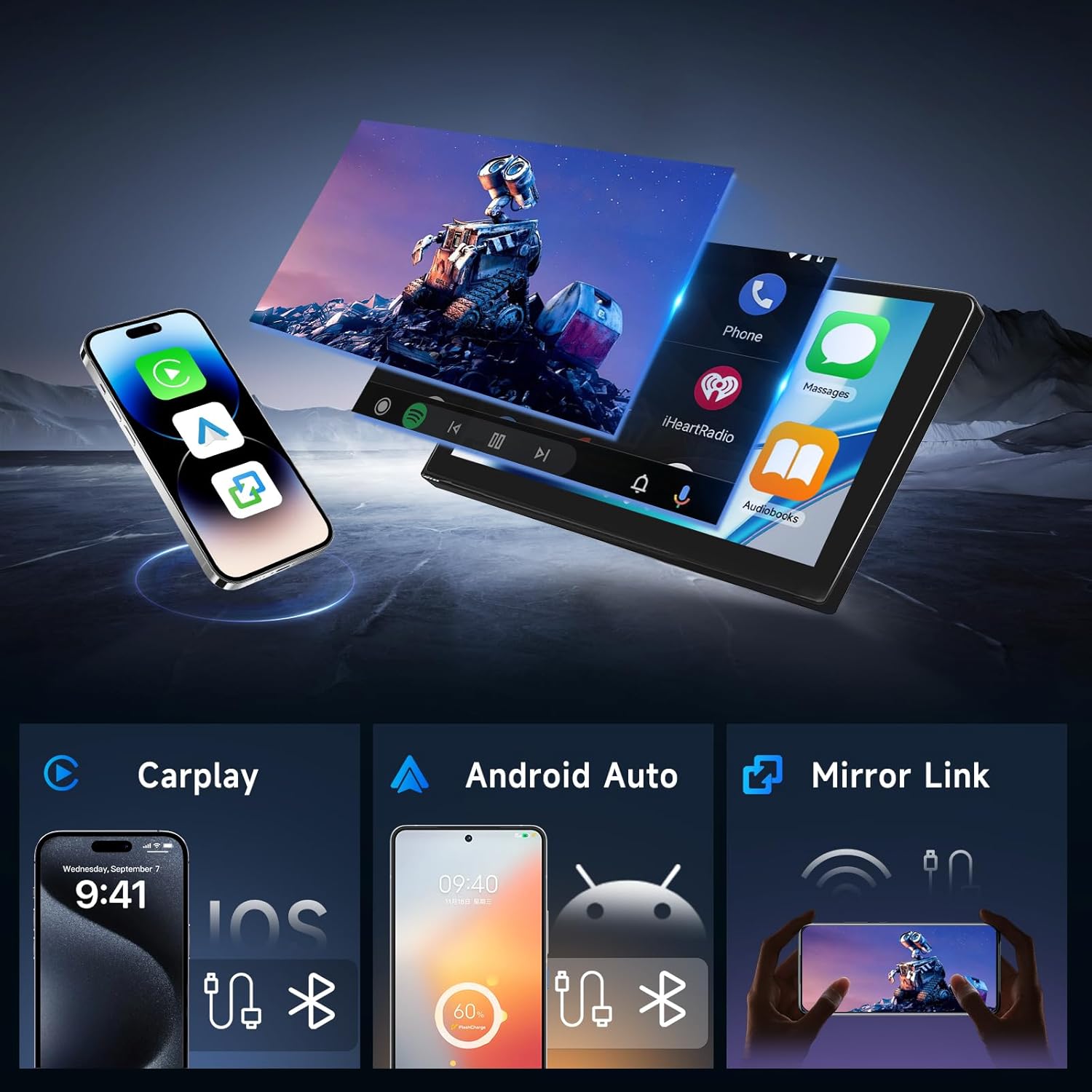
Image: Demonstrates the user interface for Wireless CarPlay, Android Auto, and Mirror Link, showing how smartphone content is displayed on the car stereo screen.
5.2 GPS Navigation
The built-in GPS antenna supports online navigation using pre-installed map applications. You can also download offline maps for navigation without an internet connection.

Image: Shows the GPS navigation interface with route display and highlights the WiFi connection capability for online services.
5.3 Bluetooth 5.0
Pair your smartphone via Bluetooth for hands-free calling and music streaming. The system supports auto-connect functionality for convenience. An external microphone is included for high-quality call audio.
5.4 FM/RDS Radio
Access FM radio stations with RDS (Radio Data System) support. The unit provides 18 preset radio stations (FM 87.50-108.0 MHz).

Image: Displays the graphical interface for the 32-band DSP equalizer, Bluetooth phone functions, and the FM/RDS radio tuner.
5.5 Digital Sound Processor (DSP)
Utilize the integrated 32-band equalizer and various preset sound styles (e.g., rock, jazz, classical) to customize and enhance your audio experience.
5.6 Split Screen Functionality
The split-screen feature allows you to run two applications simultaneously on the 9-inch display, such as navigation and music playback.
Image: Highlights the 1280*720 Full HD resolution screen, demonstrates the split-screen capability, and shows examples of different user interface designs.
6. Specifications
| Feature | Specification |
|---|---|
| Operating System | Android 15 |
| RAM | 4GB |
| ROM | 64GB |
| Display Size | 9 Inches |
| Resolution | 1280 x 720 |
| Connectivity | Bluetooth 5.0, WiFi, USB |
| Special Features | Wireless CarPlay, Android Auto, Mirror Link, GPS, DSP, FM/RDS Radio, Steering Wheel Control, Rear-view Camera Input, RCA Output, Split Screen |
| Mounting Type | Dashboard Mount |
| Item Weight | 4.33 pounds |
| Package Dimensions | 14.37 x 12.17 x 7.09 inches |
7. Maintenance
To ensure the longevity and optimal performance of your Hodozzy car stereo, follow these maintenance guidelines:
- Cleaning: Use a soft, dry cloth to clean the screen and exterior. Avoid abrasive cleaners or solvents.
- Software Updates: Periodically check for and install system software updates to improve performance and add new features.
- Temperature: Avoid exposing the unit to extreme temperatures, both hot and cold, for extended periods.
- Power: Ensure stable power supply to prevent damage. If installing accessories, consult a professional.
8. Troubleshooting
If you encounter issues with your car stereo, refer to the following common problems and solutions:
- No Power: Check all power cable connections. Ensure the vehicle's battery is charged and properly connected. Verify fuses.
- No Sound: Check speaker connections. Ensure volume is not muted or set too low. Verify audio output settings.
- GPS Signal Loss: Ensure the GPS antenna is mounted in a clear location. Check antenna connection.
- Bluetooth Connection Issues: Ensure Bluetooth is enabled on both the stereo and your phone. Delete previous pairings and try reconnecting.
- CarPlay/Android Auto Not Connecting: Ensure your phone's Bluetooth and WiFi are on. Check for software updates on both the stereo and your phone.
- Touchscreen Unresponsive: Restart the unit. If the issue persists, a factory reset might be necessary (note: this will erase all user data).
For persistent issues not covered here, please contact customer support.
9. Warranty and Support
Your Hodozzy Android Car Stereo comes with a standard warranty. For specific warranty details, please refer to the documentation included with your purchase or contact customer support.
9.1 Protection Plans
Extended protection plans are available for purchase separately:
- 2-Year Protection Plan
- 3-Year Protection Plan
9.2 Customer Support
For technical assistance, troubleshooting, or warranty inquiries, please contact Hodozzy customer support:
Email: hodozzyofficial@163.com
We aim to reply within 18 hours.


