Introduction
Thank you for choosing the IBALL·BOX D-ONE 30W PC Gaming Computer Speakers. These speakers are designed to deliver a balanced full-range sound experience with clear highs, defined mids, and punchy lows, suitable for gaming, music, and multimedia. Featuring versatile connectivity options including Bluetooth, USB, and 3.5mm AUX, along with immersive RGB lighting, the D-ONE speakers are engineered to enhance your audio setup.
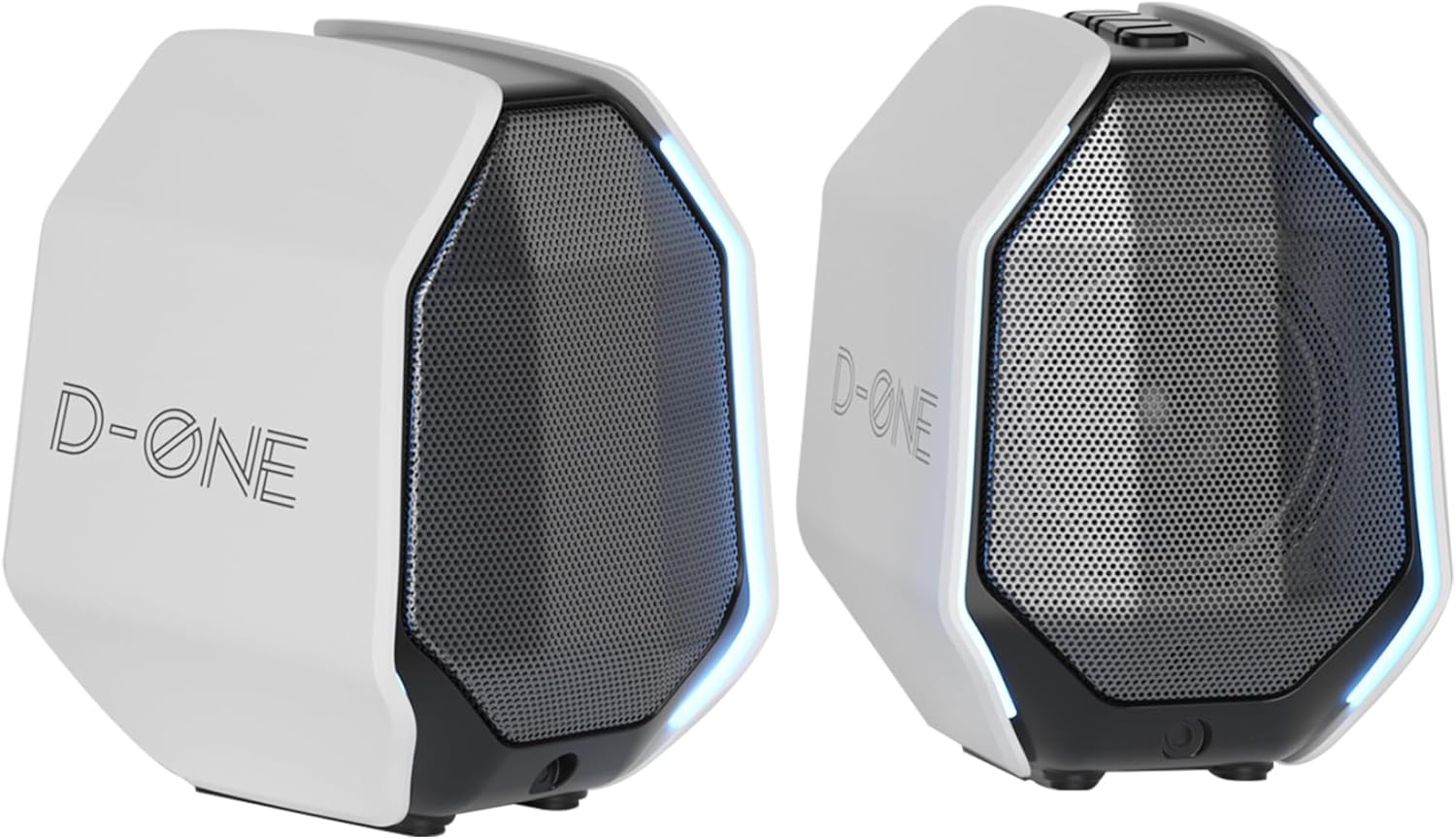
Figure 1: D-ONE PC Gaming Computer Speakers
What's in the Box
Please verify that all components are present in the package:
- One Active Bookshelf Speaker
- One Passive Bookshelf Speaker
- Power Cable (15V/2A adapter)
- TYPE-C Cable
- 3.5mm Audio Cable
- Instruction Manual

Figure 2: Package Contents and Dimensions
Setup Instructions
Follow these steps to set up your D-ONE speakers:
- Positioning: Place the active speaker (with controls and input ports) and the passive speaker on either side of your monitor or laptop for optimal stereo separation. Ensure they are on a stable, flat surface.
- Connect Speakers: Connect the passive speaker to the active speaker using the provided speaker interconnect cable (often labeled as PS2 line in some diagrams). This cable typically connects to a dedicated port on the back of each speaker.
- Power Connection: Connect the included 15V/2A power adapter to the active speaker's DC input port, then plug the adapter into a wall outlet.
- Audio Source Connection: Choose one of the following methods to connect your audio source:
- USB-C: For lossless digital audio, connect the provided TYPE-C cable from the active speaker's USB-C port to a compatible USB port on your PC, Mac, or laptop.
- 3.5mm AUX: For analog audio, connect the provided 3.5mm audio cable from the active speaker's AUX input to the headphone jack or audio output of your device (PC, laptop, TV, CD player, mobile device).
- Bluetooth: For wireless audio, ensure the speakers are powered on. On your device, enable Bluetooth and search for "D-ONE" in the list of available devices. Select it to pair.
- Power On: Turn on the speakers using the power button or control knob, usually located on the active speaker. The RGB lights will illuminate.

Figure 3: Rear Panel Connections
Operating Instructions
Connectivity Modes
The D-ONE speakers offer multiple ways to connect to your devices:
- USB-C: Provides lossless digital audio transmission, ideal for PC and Mac setups. This connection also powers the speakers.
- Bluetooth 5.3: Offers low-latency wireless connectivity for smartphones, tablets, and other Bluetooth-enabled devices.
- 3.5mm AUX: A universal analog input for broad compatibility with various audio sources, including gaming consoles (PS4, Xbox, Switch), TVs, and older devices.

Figure 4: Detailed Connectivity Options
Dual EQ Modes
The D-ONE speakers feature two distinct EQ modes to optimize your audio experience:
- Gaming Mode: Enhances sound positioning and game sound effects, crucial for immersive gaming, especially in first-person shooter games.
- Music Mode: Optimizes sound for music playback, delivering rich and balanced audio with clear vocals and instruments.
Switch between modes using the dedicated button or control on the active speaker.
Immersive RGB Lighting
The speakers are equipped with breathing RGB lights that add dynamic ambient lighting to your desktop. This feature creates an eye-catching centerpiece without causing glare, perfect for any gaming or work setup. The lighting effects can be controlled via the speaker's interface.
Video 1: Demonstration of D-ONE Speakers' RGB Lighting and Sound
This video showcases the dynamic RGB lighting effects and provides a sound test of the D-ONE speakers, highlighting their audio performance and visual appeal.
Sound Features
The D-ONE speakers are engineered for powerful and clear audio:
- 3-inch Full-Range Driver: Each speaker features a 3-inch full-range driver that delivers clear highs and defined mids.
- Rear Bass Radiator: Paired with an independent passive bass radiator, the speakers produce punchy low-end and deep bass, enhancing explosions in games and the richness of music.
- TI Amplifier & Pro-Grade DSP: Equipped with a high-performance amplifier and precision DSP technology from Texas Instruments, ensuring cinematic clarity and deep immersion.

Figure 5: Internal Components for Enhanced Sound
Maintenance
To ensure the longevity and optimal performance of your D-ONE speakers, follow these maintenance guidelines:
- Cleaning: Use a soft, dry cloth to wipe down the exterior of the speakers. Avoid using abrasive cleaners, solvents, or strong chemicals, as they may damage the finish.
- Dust Removal: Gently brush away dust from the speaker grilles using a soft brush or a can of compressed air.
- Placement: Place the speakers in a well-ventilated area, away from direct sunlight, heat sources, and excessive moisture.
- Cable Management: Ensure all cables are neatly organized and not kinked or pinched to prevent damage.
- Storage: If storing the speakers for an extended period, disconnect them from power and store them in a cool, dry place.
Troubleshooting
If you encounter issues with your D-ONE speakers, refer to the following common troubleshooting steps:
| Problem | Possible Cause | Solution |
|---|---|---|
| No Sound |
|
|
| Distorted Sound |
|
|
| RGB Lights Not Working |
|
|
| Bluetooth Disconnection |
|
|
Specifications
| Feature | Detail |
|---|---|
| Model Name | Esports Gaming Speakers D-ONE |
| Speaker Type | Bookshelf |
| Special Feature | Esports Ready, USB Sound Card, RGB Lighting, Compact Design, Bluetooth Connectivity |
| Compatible Devices | MP3 Player, Laptop, Gaming Console, Desktop, Smartphone |
| Surround Sound Channel Configuration | 2.0 |
| Product Dimensions | 4.5"D x 4.5"W x 6"H |
| Number of Items | 1 (pair of speakers) |
| Wireless Communication Technology | Bluetooth |
| Speaker Size | 3 Inches |
| Signal-to-Noise Ratio | 80 dB |
| Bluetooth Range | 10 Meters |
| Style | Modern |
| Manufacturer | Shenzhen Lihua Industrial Co., Ltd. |
| Item Weight | 4.2 pounds |
| Item model number | D-ONE |
| Speaker Maximum Output Power | 45 Watts (peak) |
| Connectivity Technology | Bluetooth, Auxiliary, USB |
| Audio Output Mode | Stereo |
| Mounting Type | Tabletop Mount |
Warranty and Support
The D-ONE speakers come with an Extended Warranty. For specific warranty terms and conditions, please refer to the documentation provided with your purchase or contact the manufacturer directly.
Manufacturer: Shenzhen Lihua Industrial Co., Ltd. (Brand: IBALL·BOX)
For technical support, troubleshooting assistance beyond this manual, or warranty claims, please contact IBALL·BOX customer service through their official website or the retailer where the product was purchased.


