
1. Product Overview
The LEVN Open Ear Headphones (Model: LE-HS017-V1) are designed to provide audio while allowing you to remain aware of your surroundings. Featuring an ultra-lightweight design and advanced noise-cancelling microphone, these headphones are suitable for various activities including work, exercise, and calls.

Figure 1: LEVN Open Ear Headphones LE-HS017-V1
The open-ear design ensures comfort during extended wear and compatibility with glasses, hats, or helmets. The flexible and non-slip construction keeps the headphones securely in place.

Figure 2: Open-ear design for situational awareness and comfort.
2. Package Contents
Verify that all items are present in the package:
- LEVN Open Ear Headphones (Model: LE-HS017-V1)
- Magnetic Charging Cable
- User Manual

Figure 3: Included accessories with the headphones.
3. Setup
3.1 Charging the Headphones
Before first use, fully charge the headphones. Connect the magnetic charging cable to the charging port on the headphones. Connect the other end of the cable to a USB power source. The LED indicator on the headphones will show the charging status.
3.2 Powering On/Off
- To Power On: Press and hold the Multi-Function Button (MFB) for approximately 3 seconds until the LED indicator flashes.
- To Power Off: Press and hold the Multi-Function Button (MFB) for approximately 5 seconds until the LED indicator turns off.
3.3 Bluetooth Pairing
- Ensure the headphones are powered off.
- Press and hold the MFB for 5-7 seconds until the LED indicator flashes red and blue alternately, indicating pairing mode.
- On your device (smartphone, tablet, computer), enable Bluetooth and search for available devices.
- Select "LEVN LE-HS017-V1" from the list of devices.
- Once connected, the LED indicator will flash blue slowly.
3.4 Multipoint Connection
The headphones support connecting to two Bluetooth devices simultaneously (Bluetooth 5.3). To use this feature:
- Pair the headphones with the first device as described in Section 3.3.
- Disable Bluetooth on the first device. The headphones will re-enter pairing mode.
- Pair the headphones with the second device.
- Enable Bluetooth on the first device. The headphones will automatically connect to both devices.

Figure 4: Headphones supporting multipoint connection to two devices.
3.5 Wearing the Headphones
Place the headphones over your ears with the ear hooks resting comfortably behind your ears. The lightweight (29g) and ergonomic design ensures a secure and comfortable fit without slipping, even during intense activities.
4. Operating Instructions
4.1 Controls Overview
The headphones feature intuitive controls for easy management of audio and calls:
- Multi-Function Button (MFB): Located on the right earbud.
- Volume Buttons (+/-): Located on the right earbud.
- Mute Button: Located on the microphone boom.
- Microphone: 270° rotatable for optimal positioning.

Figure 5: Key control buttons and microphone.
4.2 Call Management
- Answer/End Call: Press the MFB once.
- Reject Call: Press and hold the MFB for 2 seconds.
- Mute/Unmute Microphone: Press the dedicated Mute Button on the microphone boom. The 270° rotatable microphone allows for precise positioning to ensure clear voice transmission, enhanced by AI noise cancellation.
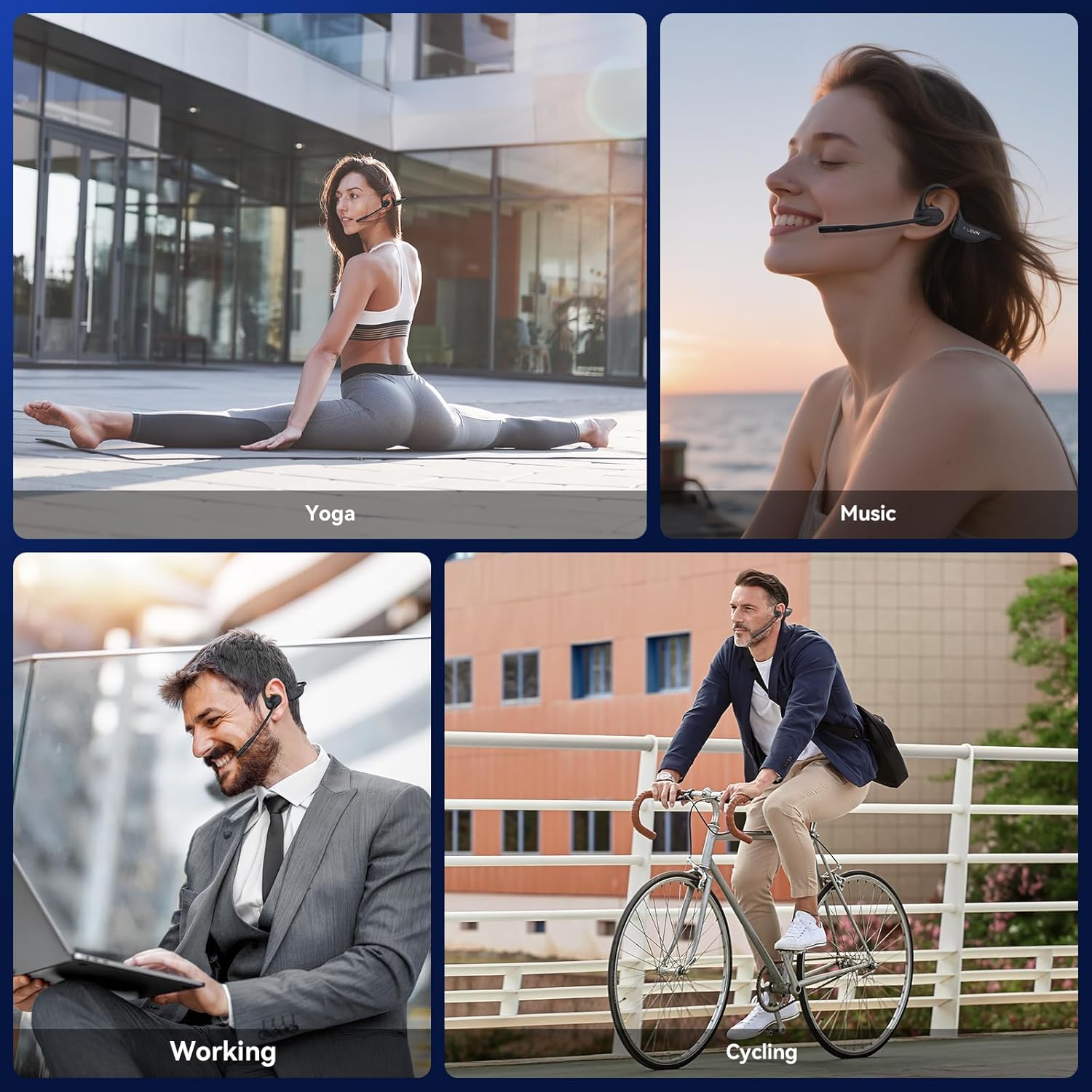
Figure 6: Using the headphones for clear communication.
4.3 Music Playback
- Play/Pause: Press the MFB once.
- Next Track: Double-press the MFB.
- Previous Track: Triple-press the MFB.
- Volume Up: Press the '+' button.
- Volume Down: Press the '-' button.
5. Maintenance
5.1 Cleaning
Wipe the headphones with a soft, dry, lint-free cloth. Avoid using abrasive cleaners, solvents, or harsh chemicals, as these may damage the device.
5.2 Storage
Store the headphones in a cool, dry place away from direct sunlight and extreme temperatures. Avoid placing heavy objects on top of the headphones.
5.3 Water Resistance
The LEVN Open Ear Headphones have an IP65 water resistance rating, meaning they are protected against dust ingress and low-pressure water jets from any direction. This makes them suitable for workouts and light rain. Do not submerge the headphones in water or expose them to high-pressure water.

Figure 7: IP65 water resistance for durability.
6. Troubleshooting
If you encounter issues with your headphones, refer to the following common solutions:
| Problem | Possible Solution |
|---|---|
| Headphones do not power on | Ensure the headphones are fully charged. Connect to the magnetic charging cable and check the LED indicator. |
| Cannot pair with a device | Ensure headphones are in pairing mode (LED flashes red/blue). Disable and re-enable Bluetooth on your device. Forget previous pairings on your device and try again. Ensure headphones are within Bluetooth range (up to 49 feet). |
| No sound or low sound | Adjust the volume on both the headphones and your connected device. Ensure the headphones are properly connected. |
| Microphone not working or unclear | Ensure the microphone is not muted. Rotate the microphone boom to position it closer to your mouth. Check microphone settings on your connected device. |
| Intermittent connection | Ensure you are within the optimal Bluetooth range. Avoid obstacles between the headphones and your device. Reduce interference from other wireless devices. |
7. Specifications
| Feature | Detail |
|---|---|
| Brand | LEVN |
| Model Number | LE-HS017-V1 |
| Color | Black |
| Bluetooth Version | 5.3 |
| Weight | 29 grams |
| Water Resistance | IP65 |
| Headphones Jack | No Jack |
| Control Method | Push Button |
| Audio Driver Type | Dynamic Driver |
| Frequency Range | 20Hz - 20,000Hz |
8. Warranty and Support
For any issues with your order or to inquire about warranty information, please contact LEVN customer support directly via email:
Email: levn001@outlook.com
Additional support and product information may be available on the official LEVN brand store: LEVN Brand Store
