
Product Overview
The BFOUR Wireless Meat Thermometer BF-30 PRO is designed to provide accurate and convenient temperature monitoring for various cooking applications. Its advanced features ensure precise results and ease of use for both home cooks and professional chefs.

Image: BFOUR Meat Thermometer with its booster unit and a smartphone displaying the app interface, alongside a cooked steak on a grill.
What's in the Box?
- 1 x Wireless Thermometer Booster Unit
- 1 x Stainless Steel Probe
- 1 x Type-C Charging Cable
- 1 x User's Manual
- 1 x Quick Start Guide

Image: The contents of the BFOUR Meat Thermometer package, including the booster unit, probe, charging cable, and manuals.
Setup Guide
1. Charging the Device
Before first use, ensure both the booster unit and the probe are fully charged. The booster unit charges via the included Type-C cable. The probe charges by being inserted into the booster unit.
- Booster Charging: Fully charge the booster in approximately 3 hours for over 90 hours of continuous use.
- Probe Charging: Insert the probe into the booster unit. The probe charges quickly in 2 minutes for over 40 hours of continuous use.
Caution: Boosters cannot be charged with fast chargers.
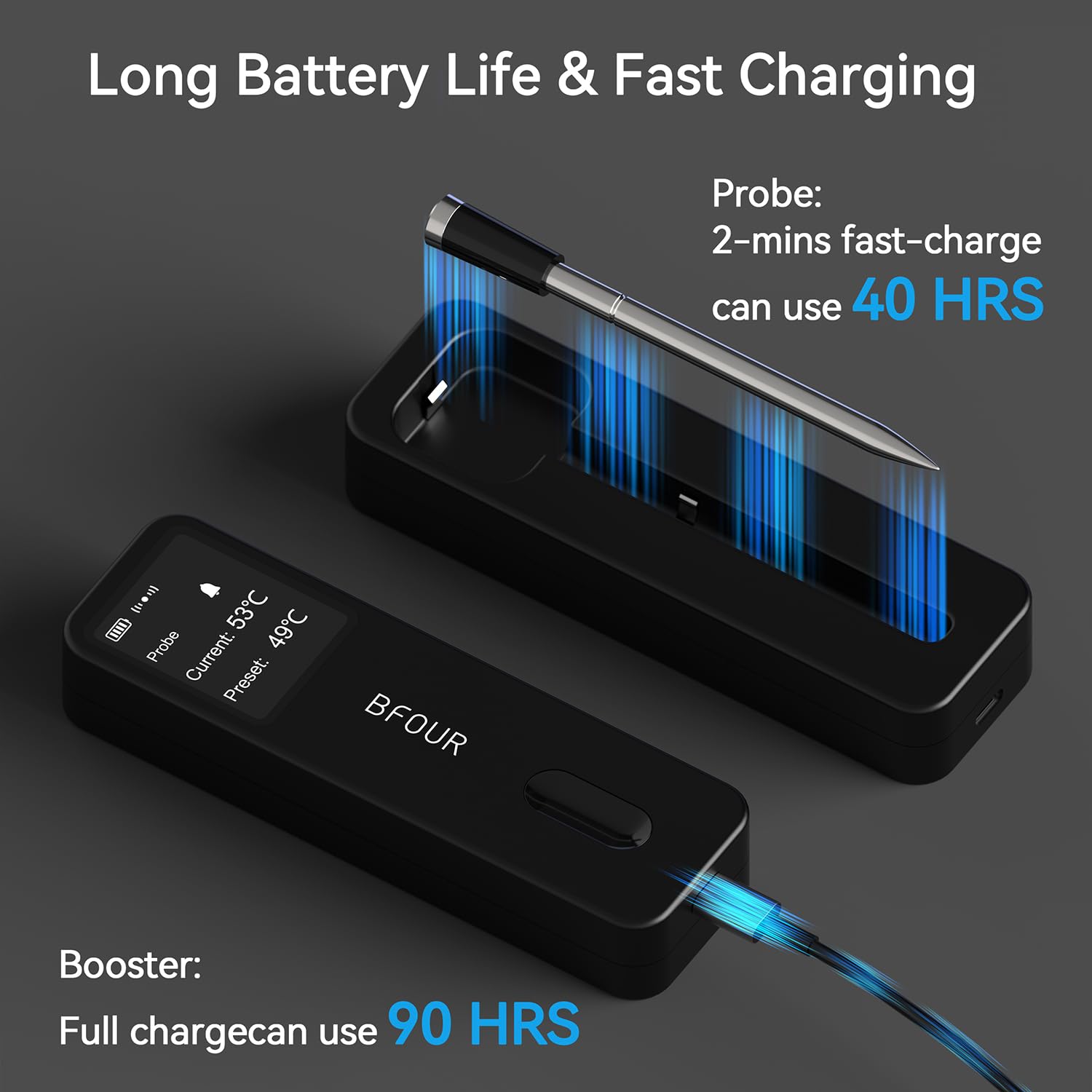
Image: The BFOUR booster unit connected to a Type-C charging cable, and the probe inserted into the booster for charging.
2. App Download and Connection
Download the BFOUR companion app to your smartphone for enhanced control and monitoring. The app is available on both Google Play Store and Apple App Store.
- Scan the QR code on the product packaging or visit the respective app store to download the 'BF-Home' app.
- Enable Bluetooth on your smartphone.
- Open the BF-Home app and follow the on-screen instructions to pair with your BFOUR Meat Thermometer.
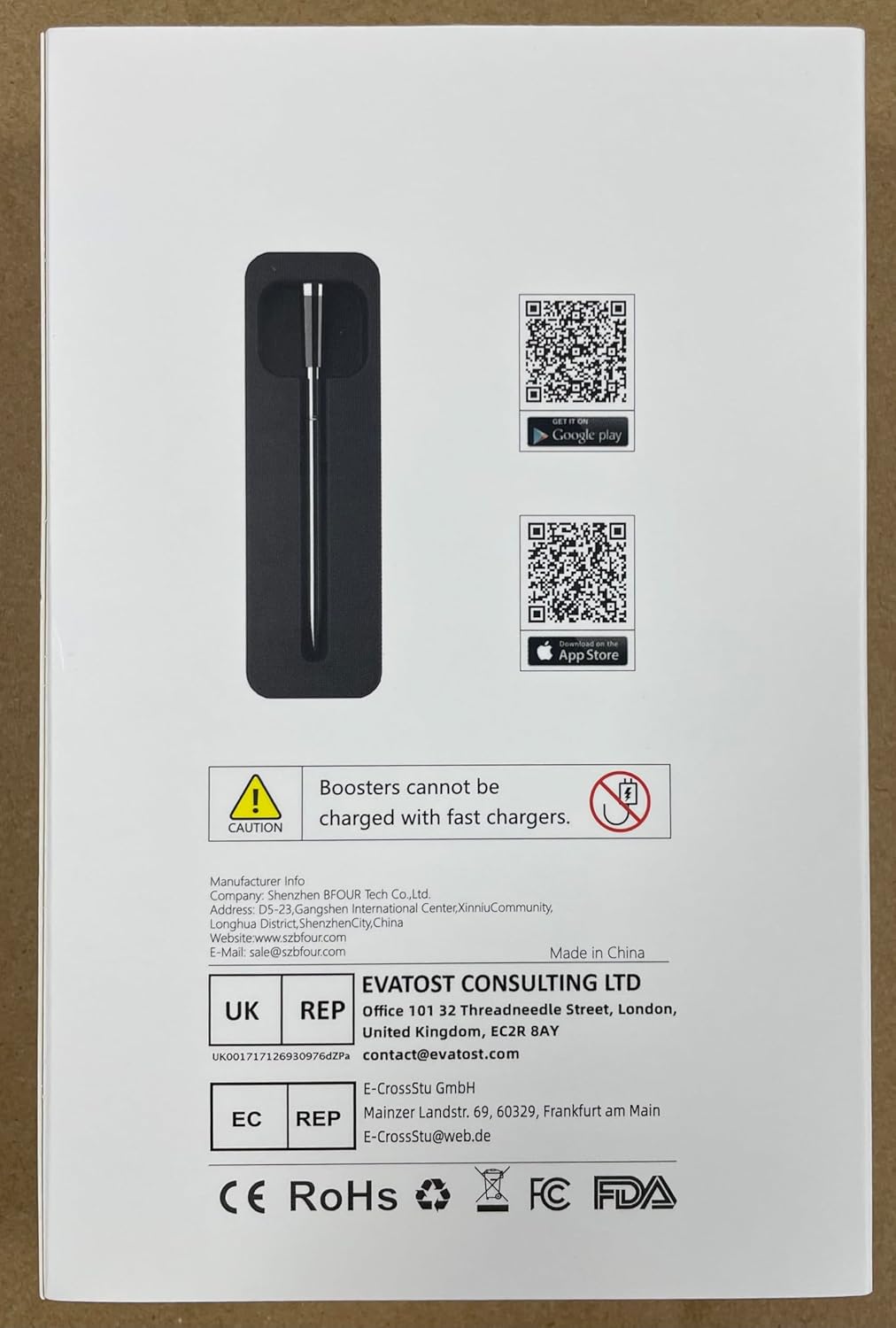
Image: The back of the BFOUR Meat Thermometer packaging, showing QR codes for downloading the companion app from Google Play and the App Store.
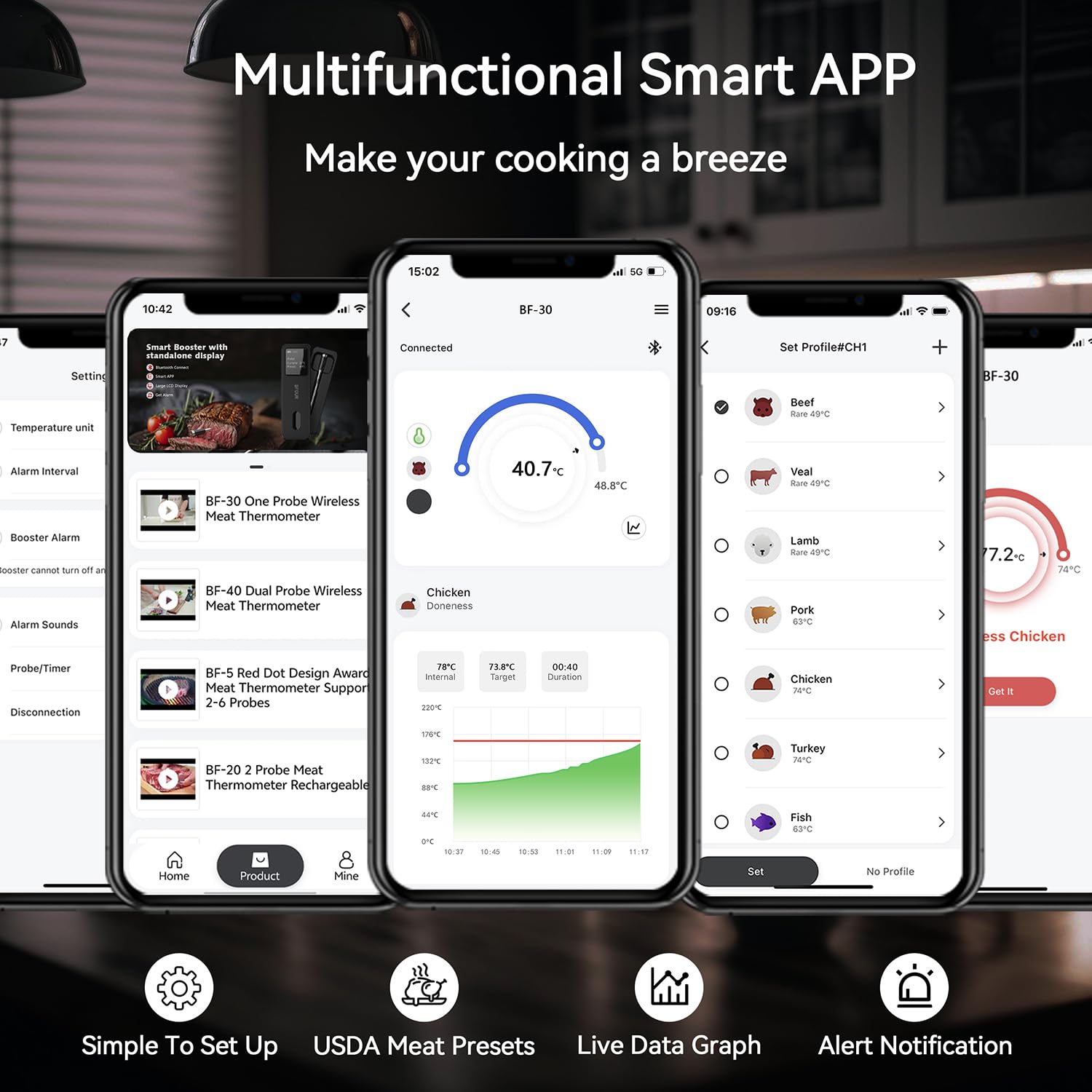
Image: Multiple screenshots of the BFOUR Smart App interface, demonstrating real-time temperature tracking, USDA presets, and alert settings.
Operating Instructions
1. Inserting the Probe
Proper probe insertion is crucial for accurate temperature readings.
- Always insert the probe into the thickest part of the meat.
- Ensure the notch on the probe is fully covered by the meat.
- The tip of the probe must be inside the meat.

Image: An illustration demonstrating the correct and incorrect ways to insert the meat probe, highlighting the importance of covering the notch.
2. Monitoring Temperature
Monitor your cooking progress conveniently via the booster's large HD screen or the smartphone app.
- The booster's screen provides real-time data including set temperature, current temperature, battery life, and Bluetooth status.
- The app offers a user-friendly interface to track real-time temperatures, set desired food temperatures, customize alarms and timers, and view graphs.
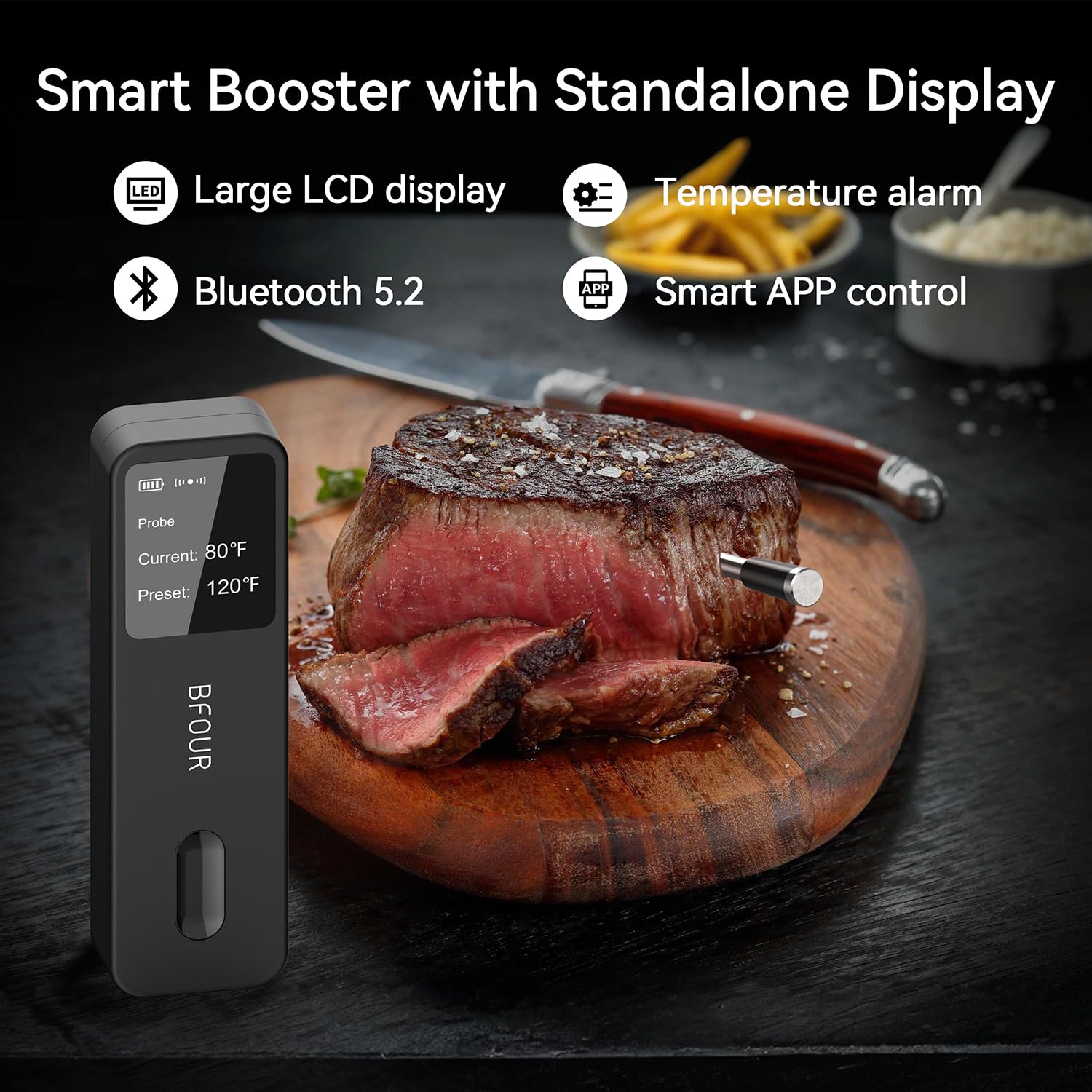
Image: The BFOUR booster unit displaying temperature readings on its large LCD screen, with icons indicating temperature alarm and Bluetooth 5.2 connectivity.
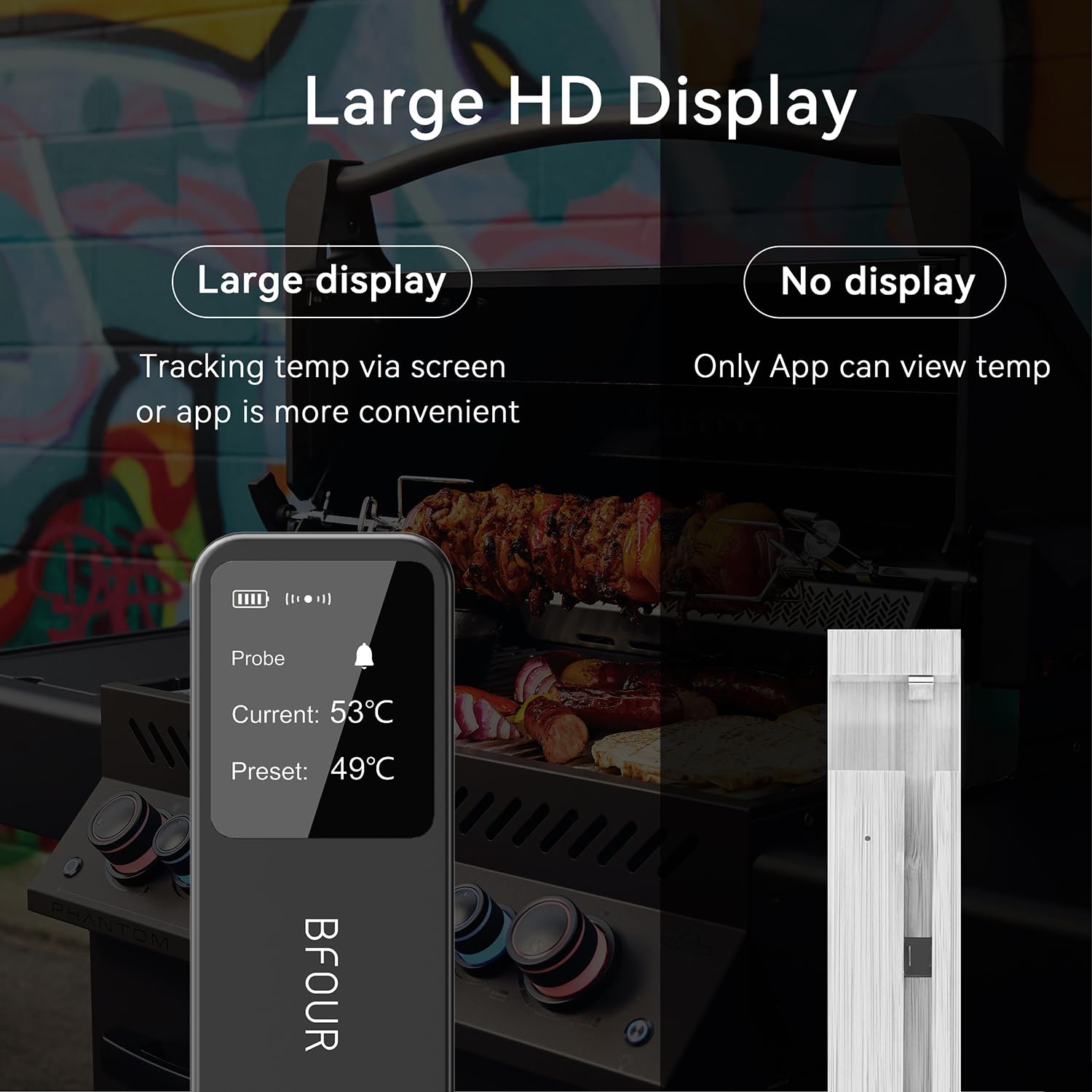
Image: A comparison showing the BFOUR booster unit with its large HD display for convenient temperature tracking versus a unit without a display, relying solely on the app.
3. Smart Alerts and Remote Connection
The smart dual alarm system provides peace of mind, ensuring you never miss a critical moment in your cooking.
- When the set temperature is reached or exceeded, or if the probe is disconnected, both the booster and the smartphone app will send an instant alert.
- The wireless thermometer offers a total connectivity range of up to 524 feet. The booster to phone range is 328 feet (unobstructed), and the booster to probe range is 196 feet (open environments).
- Advanced Bluetooth 5.2 technology ensures stable indoor and outdoor connections.
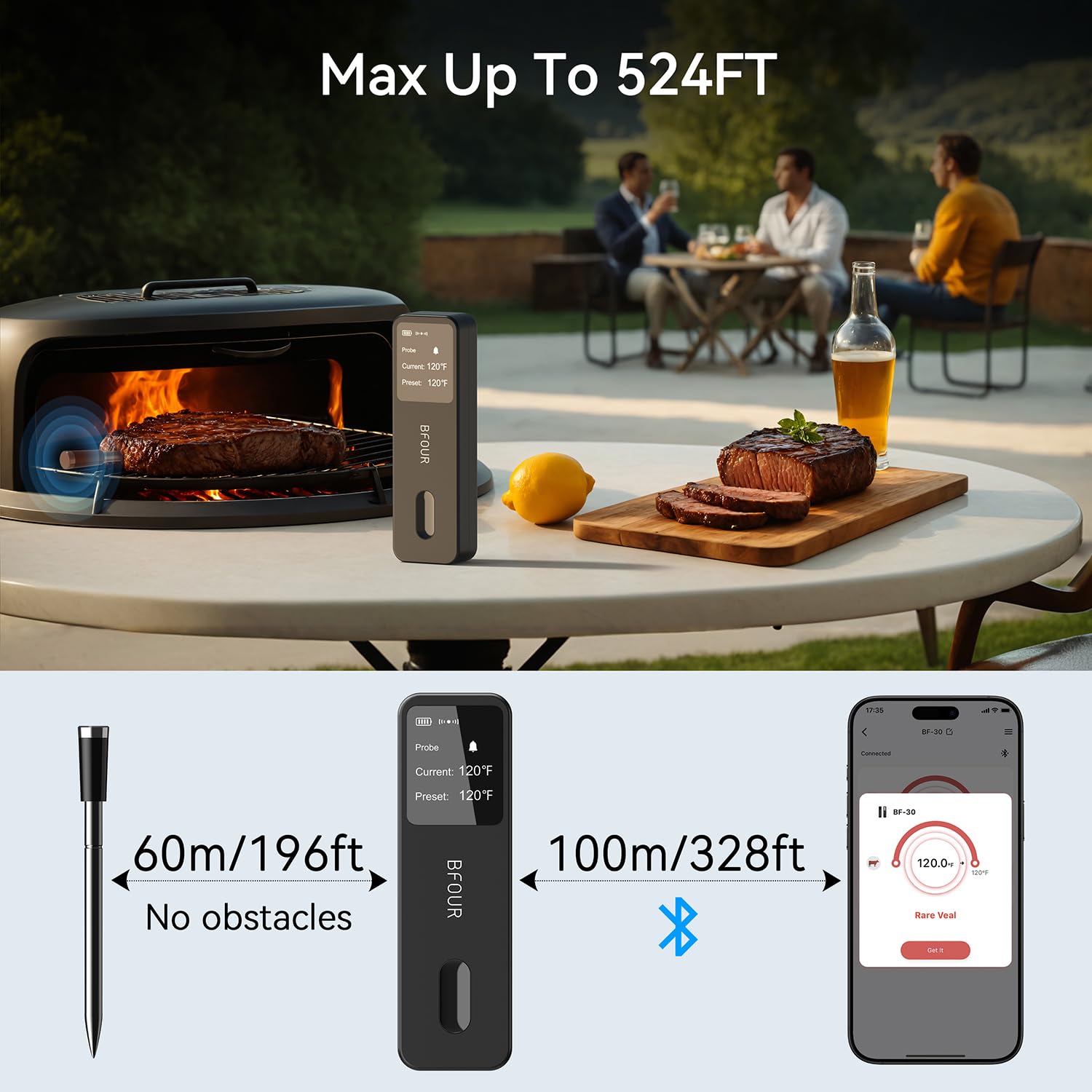
Image: A visual representation of the BFOUR Meat Thermometer's remote range, showing the booster and probe connection up to 196 feet and the booster to phone connection up to 328 feet.

Image: Two panels illustrating the dual alarm alerts. One shows the booster unit with a 'BEEP!' alert next to a cooking meat, and the other shows a smartphone displaying an alert notification.
Maintenance
1. Cleaning the Probe
After each use, clean the probe thoroughly to ensure hygiene and longevity.
- The probe is 100% waterproof, allowing for easy cleaning.
- Wipe the probe with a damp cloth and mild detergent.
- Do not submerge the booster unit in water.
- Ensure the probe is completely dry before storing it in the booster unit.
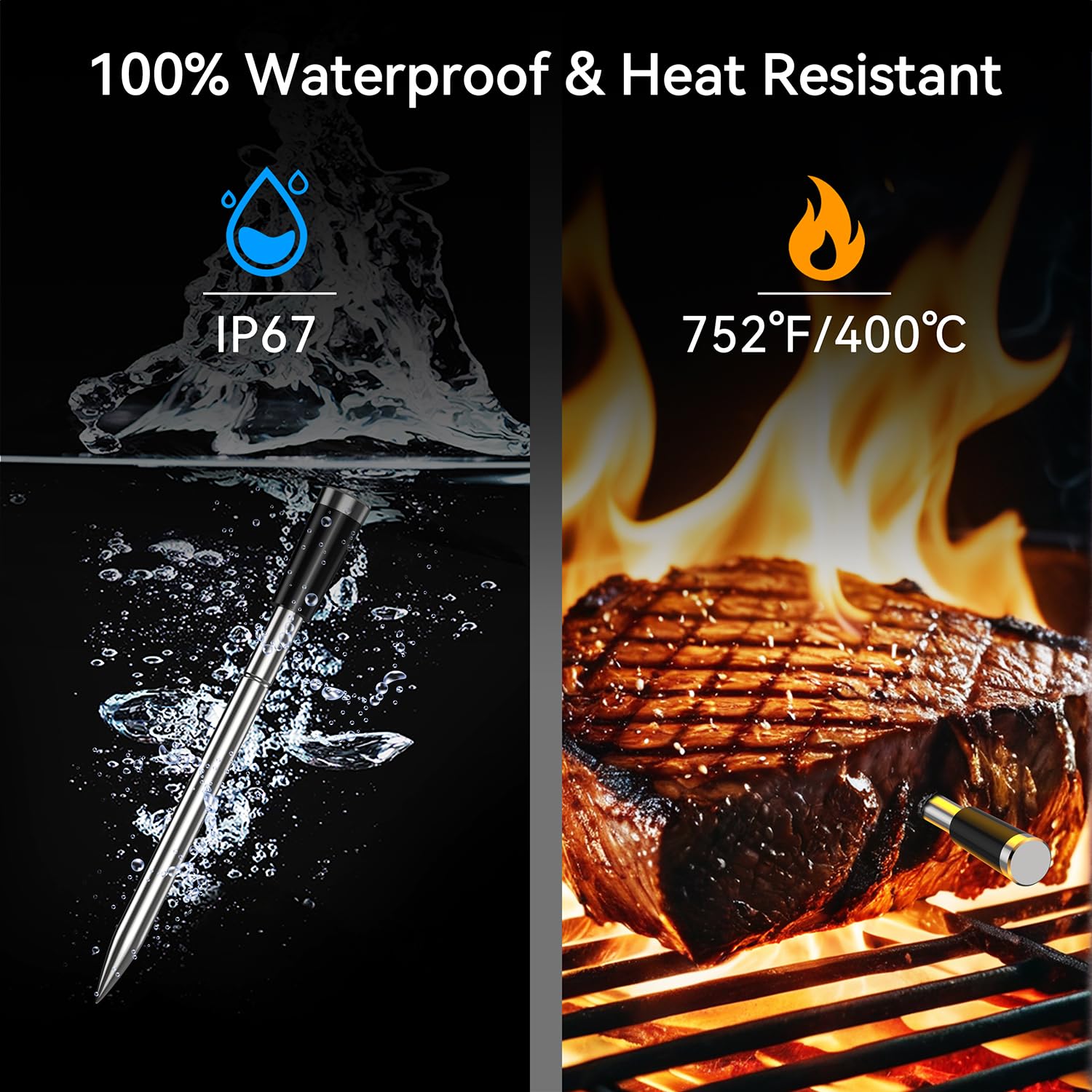
Image: A split image showing the BFOUR probe submerged in water on one side, indicating its IP67 waterproof rating, and the probe inserted into meat on a grill with flames, indicating its 752°F (400°C) heat resistance.
2. Storage
Store the thermometer properly to protect it from damage.
- The booster unit has a strong magnetic back for easy storage on metal surfaces like refrigerators or grills.
- Its compact design makes it easy to carry and store in small spaces.

Image: A split image showing the BFOUR booster unit magnetically attached to a refrigerator for easy storage, and another image illustrating its compact dimensions for portability.
Troubleshooting
If you encounter any issues with your BFOUR Meat Thermometer, please refer to the following common solutions:
- Inaccurate Readings: Ensure the probe is inserted correctly into the thickest part of the meat, avoiding bones. Verify that the probe's notch is fully covered.
- Connection Issues: Ensure Bluetooth is enabled on your phone and the app is open. Check the distance between the booster, probe, and phone. The recommended distance between the booster and probe is ideally no more than 196 feet (60m) in open environments, and the booster to phone is 328 feet (100m) unobstructed. Metal or obstacles can reduce signal range.
- Battery Life: Ensure both the booster and probe are fully charged before use. Refer to the charging instructions in the Setup section.
- No Display/Device Not Turning On: Check battery levels and ensure the device is charged.
- Probe Damage: The MAX internal temperature of the probe should not exceed 212°F (100°C) or the probe will be damaged. The probe handle can withstand temperatures up to 752°F (400°C).
- Ambient Temperature: Note that the meat probes cannot measure ambient temperature.
For further assistance, please contact BFOUR customer service.
Specifications
| Feature | Detail |
|---|---|
| Product Dimensions | 5.1 x 1.6 x 0.87 inches; 6.7 ounces |
| Item Model Number | BF-30 PRO |
| Batteries | 1 CR5 batteries required (included) |
| Manufacturer | BFOUR |
| Special Feature | Alarm, App Companion, High Accuracy, Rechargeable, Ultra Clear Screen |
| Color | Black |
| Outer Material | Plastic |
| Specification Met | FCC |
| Display Type | Digital |
| Connectivity Technology | Bluetooth 5.2 |
| Product Care Instructions | Oven Safe |
| Probe Temperature Range | Up to 212°F (100°C) internal meat temperature |
| Probe Handle Heat Resistance | Up to 752°F (400°C) |
| Accuracy | +/-0.9°F |
Warranty and Support
The BFOUR Meat Thermometer BF-30 PRO comes with a one-year warranty from the date of purchase. For any questions, technical support, or warranty claims, please contact BFOUR customer service. Contact information can be found on the product packaging or the official BFOUR website.
Manufacturer Info:
Company: Shenzhen BFOUR Tech Co., Ltd.
Address: D5-23, Gangshen International Center, XinniuCommunity, Longhua District, Shenzhen City, China
Website: www.szbfour.com
E-Mail: sale@szbfour.com
UK Representative:
EVATOST CONSULTING LTD
Office 101 32 Threadneedle Street, London, United Kingdom, EC2R 8AY
Contact: contact@evatost.com
EC Representative:
E-CrossStu GmbH
Mainzer Landstr. 69, 60329, Frankfurt am Main
E-CrossStu@web.de


