
Introduction
Thank you for choosing the Dubstep Move 210 Bluetooth Soundbar. This manual provides essential information for setting up, operating, and maintaining your device. Please read it carefully before use to ensure optimal performance and longevity.
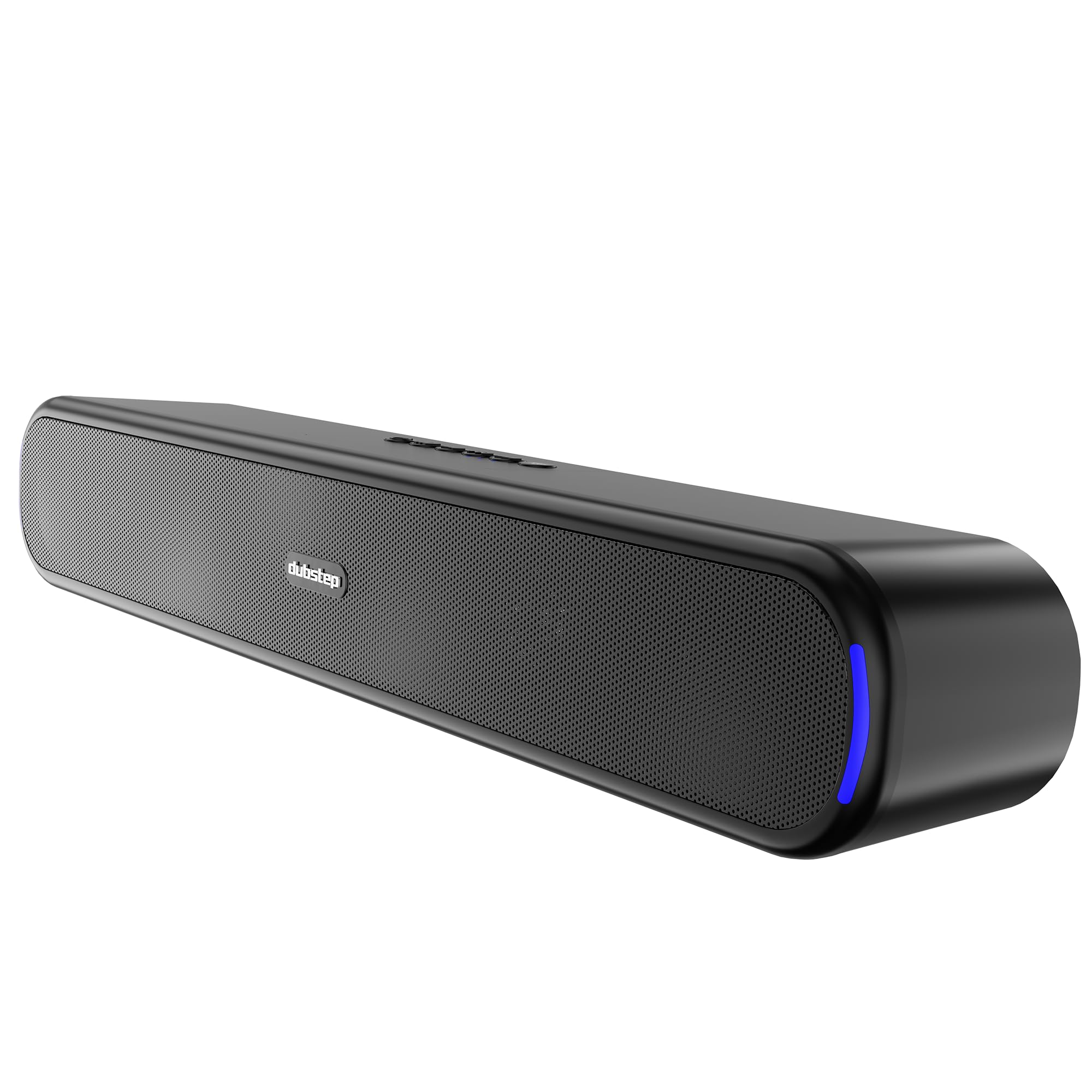
Image: Front view of the Dubstep Move 210 Bluetooth Soundbar, showcasing its sleek design and illuminated ends.
Box Contents
Please check the package for the following items:
- Dubstep Move 210 Soundbar
- Type-C Charging Cable

Image: The Dubstep Move 210 Soundbar displayed with its retail packaging, indicating included items.
Controls and Ports
Familiarize yourself with the control buttons and connection ports on your soundbar.

Image: Detailed view of the soundbar's top-mounted control buttons and rear-mounted input ports (AUX, USB, TF Card, Type-C).
- Power Button: On/Off.
- Mode Button: Switches between Bluetooth, AUX, USB, and TF Card modes.
- Play/Pause Button: Plays or pauses audio.
- Previous Track Button: Short press for previous track, long press for volume down.
- Next Track Button: Short press for next track, long press for volume up.
- Connectivity Button: For Bluetooth connection/disconnection.
- AUX Port: For wired audio input.
- USB Port: For USB drive playback.
- TF Card Slot: For TF card playback.
- Type-C Charging Port: For charging the soundbar.
Setup
1. Charging the Soundbar
Before first use, fully charge the soundbar. Connect the provided Type-C charging cable to the soundbar's Type-C port and the other end to a USB power adapter (not included).
- The LED indicator will show charging status.
- A full charge provides approximately 12 hours of playtime.
2. Powering On/Off
Press and hold the Power Button to turn the soundbar on or off.
3. Bluetooth Pairing
- Turn on the soundbar. It will automatically enter Bluetooth pairing mode, indicated by a flashing LED.
- Enable Bluetooth on your device (smartphone, tablet, etc.).
- Search for "Dubstep Move 210" in the list of available devices and select it to connect.
- Once connected, the LED indicator will stop flashing and remain solid.
4. True Wireless Stereo (TWS) Pairing
To experience enhanced stereo sound, you can pair two Dubstep Move 210 soundbars together.

Image: Two Dubstep Move 210 soundbars shown wirelessly connected, illustrating the TWS pairing feature.
- Ensure both soundbars are powered on and in Bluetooth mode, but not connected to any device.
- On one of the soundbars (this will be the primary unit), press and hold the Connectivity Button until you hear a pairing tone.
- The two soundbars will automatically connect to each other. A confirmation tone will sound once TWS pairing is successful.
- Now, connect your device to the primary soundbar via Bluetooth as described in step 3. Audio will play through both soundbars in stereo.
5. Other Connectivity Options
- AUX Mode: Connect an audio device using a 3.5mm AUX cable (not included) to the AUX port. Press the Mode Button to switch to AUX mode.
- USB Mode: Insert a USB drive with audio files into the USB port. The soundbar will automatically switch to USB mode and begin playback.
- TF Card Mode: Insert a TF (microSD) card with audio files into the TF card slot. The soundbar will automatically switch to TF card mode and begin playback.
Operating Instructions
- Volume Control: Long press the Next Track Button to increase volume. Long press the Previous Track Button to decrease volume.
- Track Navigation: Short press the Next Track Button for the next song. Short press the Previous Track Button for the previous song.
- Play/Pause: Press the Play/Pause Button to play or pause audio.
- Mode Switching: Press the Mode Button to cycle through Bluetooth, AUX, USB, and TF Card input modes.

Image: A collage highlighting key features such as 12 hours playtime, 52mm dynamic drivers, 20W output, TWS pairing, 360-degree surround sound, and X-BASS technology.
Maintenance
- Keep the soundbar away from water and excessive moisture. It is not waterproof.
- Clean the surface with a soft, dry cloth. Do not use abrasive cleaners or solvents.
- Avoid exposing the soundbar to extreme temperatures or direct sunlight.
- Store in a cool, dry place when not in use for extended periods.
Troubleshooting
| Problem | Solution |
|---|---|
| Soundbar does not turn on. | Ensure the soundbar is charged. Connect it to a power source using the Type-C cable. |
| Cannot pair via Bluetooth. |
|
| No sound from AUX/USB/TF card. |
|
| TWS pairing fails. |
|
Specifications
| Model Name | Move 210 |
| Brand | Dubstep |
| Speaker Output Power | 20 Watts |
| Audio Driver Size | 52 Millimetres |
| Connectivity Technology | Bluetooth v5.3, Auxiliary, TF Card, Type-C, USB |
| Audio Output Mode | Stereo, 360 Degrees Surround |
| Playtime | Up to 12 Hours |
| Bluetooth Range | 10 Metres |
| Power Source | Battery Powered (1 x 9V battery included) |
| Material | Metal, Titanium |
| Item Dimensions (D x W x H) | 7.1D x 38.2W x 5.8H Centimeters |
| Item Weight | 610 Grams |
| Water Resistance Level | Not Water Resistant |
| Country of Origin | India |
Warranty and Support
The Dubstep Move 210 Soundbar comes with a 6-month manufacturer warranty from the date of purchase.
For warranty claims, technical support, or any product-related inquiries, please contact:
Manufacturer: Nuworld Retail Private Limited
Address: Plot No.17-18, Pole No.9, PO Dhoolsiras, Dwarka, Sector-28, New Delhi - 110077
Please retain your purchase receipt as proof of purchase for warranty services.
