Introduction
The Maycall MC-558 is a portable FRS two-way radio designed for reliable communication across various environments. Featuring 16 preset channels and a robust 1200 mAh rechargeable battery, it offers extended operating time and clear sound quality. This manual provides detailed instructions for setting up, operating, and maintaining your MC-558 walkie-talkies to ensure optimal performance.

Figure 1: Maycall MC-558 Walkie Talkie: Portable and User-Friendly Design.
Video 1: Maycall 558 Walkie Talkie Product Overview. This video provides a general overview of the walkie-talkie's features and design.
What's in the Box
Your Maycall MC-558 package includes the following items:
- 2 x MC-558 Walkie Talkies
- 2 x Battery (1200 mAh Lithium-ion)
- 2 x Adapter
- 2 x Charging base
- 2 x Belt Clip
- 2 x String (Lanyard)
- 1 x User manual
- 2 x Walkie Talkie Earpiece

Figure 2: Contents of the Maycall MC-558 package, including two walkie-talkies, batteries, chargers, and earpieces.

Figure 3: A closer look at the accessories provided with your Maycall MC-558 walkie-talkies.
Product Features
The Maycall MC-558 walkie-talkies are equipped with features designed for reliable and convenient communication:
Portable FRS Two-Way Radio
The MC-558 operates on 16 preset FRS channels, selectable via a rotating knob. It is compliant with FCC Part 95 regulations (FCC ID: 2BLWIMC-558), ensuring legal and safe operation within the frequency range.
Long Distance Communication
Experience communication ranges of up to 3 miles in open areas (e.g., suburban or seaside) and 0.6-1.3 miles in urban environments. Actual distance may vary based on obstacles and terrain.
Long-lasting Battery & Type-C Charging
Each radio is powered by a 1200 mAh high-capacity lithium-ion battery, providing up to 24 hours of operating time and 3-4 days of standby time. A full charge typically takes 3-4 hours using the convenient Type-C USB charging port.
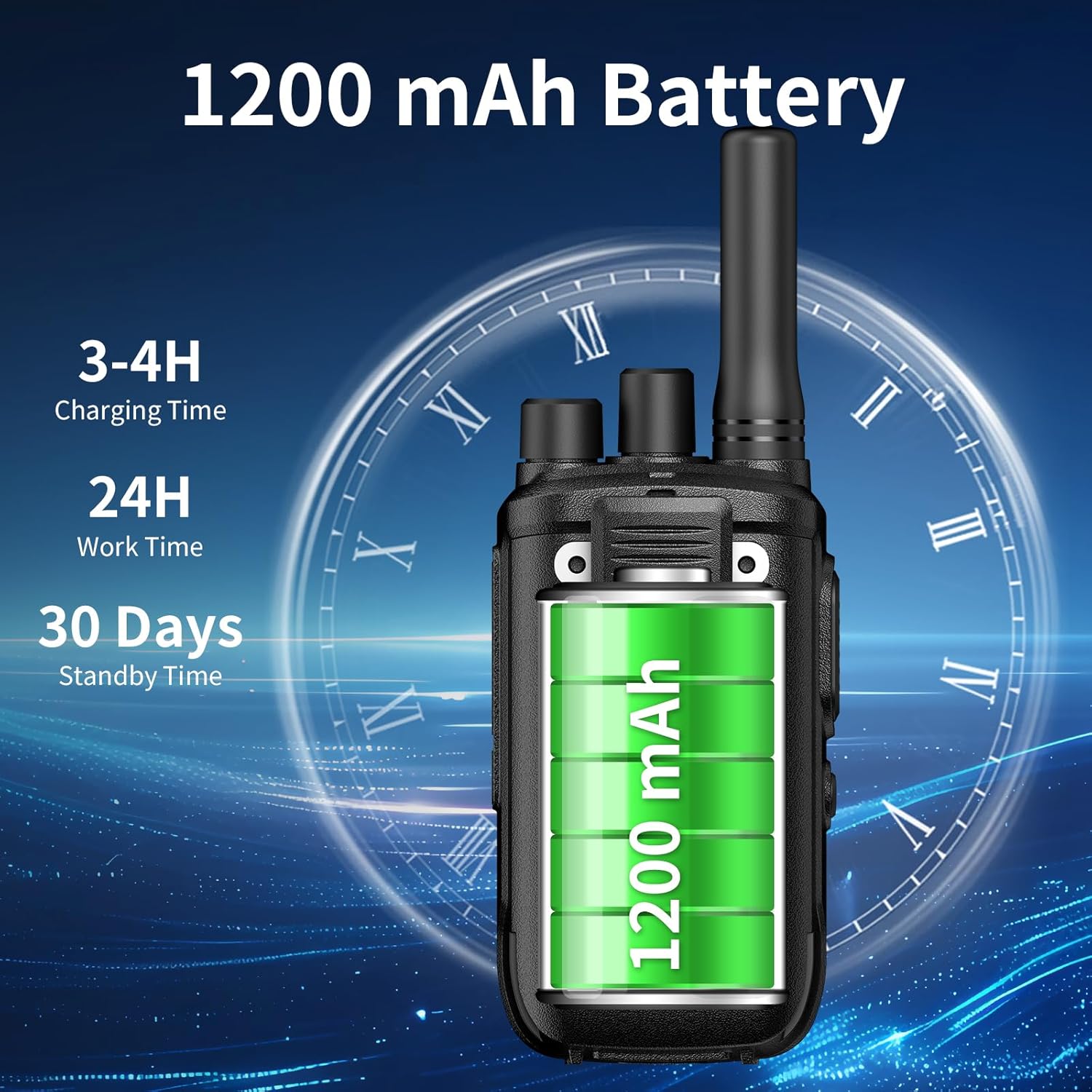
Figure 4: Details on the 1200 mAh battery capacity, charging time, and operational duration.

Figure 5: The versatile Type-C charging port allows charging from various sources like computers, car chargers, and power banks.

Figure 6: Visual representation of the integrated 1200mAh Li-ion battery and its benefits.
Loud and Clear Sound Quality
Equipped with a titanium-coated diaphragm transparent speaker, the MC-558 delivers high-density, lightweight, and excellent resolution sound, accurately restoring audio details for clear communication.

Figure 7: Diagram showing the speaker technology for clear sound output.
Durable and Water-Resistant Design
The MC-558 features a hard and durable shell with industrial protection grade construction, making it shock and drop resistant. This robust design ensures reliability in various outdoor and demanding environments.

Figure 8: The MC-558 is built to withstand drops and impacts, ensuring longevity.
Versatile Scenarios
The compact and lightweight design, along with the included earpiece, makes the MC-558 suitable for a wide range of applications, including hotel management, restaurant kitchens, excursions, outdoor sports, construction sites, factory warehouses, car driving, cruise ships, schools, churches, retail shops, supermarkets, and security personnel.

Figure 9: Examples of diverse environments where the Maycall MC-558 can be effectively used.

Figure 10: Further illustrations of suitable usage scenarios for the MC-558.
Setup Guide
Follow these steps to set up your Maycall MC-558 walkie-talkies:
1. Battery Installation
- Ensure the walkie-talkie is powered off.
- Locate the battery compartment cover on the back of the unit.
- Gently slide or unlatch the cover to open the compartment.
- Insert the 1200 mAh Lithium-ion battery, ensuring the contacts align correctly.
- Close the battery compartment cover securely.
2. Charging the Battery
- Connect the Type-C USB cable to the charging port on the walkie-talkie.
- Connect the other end of the cable to the provided adapter, a computer USB port, a car charger, or a power bank.
- The charging indicator light will illuminate. A full charge typically takes 3-4 hours.
- Disconnect the charger once the battery is fully charged.
3. Attaching the Belt Clip
- Align the belt clip with the designated screw holes on the back of the walkie-talkie.
- Use the provided small screws and a screwdriver to securely attach the belt clip.
4. Connecting the Earpiece
- Locate the speaker/mic jack on the side of the walkie-talkie.
- Insert the earpiece plug firmly into the jack.

Figure 11: Detailed view of the ear-hanging type earpiece and its components.
Video 2: 360-Degree View of Maycall MC-558 Walkie Talkie. This short video demonstrates the physical design and various angles of the product, useful for identifying components during setup.
Operating Instructions
Learn how to effectively use your Maycall MC-558 walkie-talkies:
1. Power On/Off and Volume Control
- To power on the radio, rotate the top knob clockwise until you hear a click and the radio announces the current channel.
- Continue rotating the knob clockwise to increase the volume, and counter-clockwise to decrease it.
- To power off, rotate the knob counter-clockwise until you hear a click.
2. Channel Selection
- Rotate the channel selector knob (usually the second knob from the top) to choose one of the 16 available FRS channels.
- Ensure all radios in your group are set to the same channel for communication.
3. Transmitting (Push-to-Talk - PTT)
- Press and hold the large Push-to-Talk (PTT) button located on the side of the radio.
- Speak clearly into the microphone (located at the bottom of the radio or on the earpiece mic).
- Release the PTT button when you finish speaking to allow others to respond.
4. Receiving
When the PTT button is not pressed, the radio is in receive mode. You will hear incoming transmissions through the speaker or connected earpiece.
5. VOX (Voice Operated Exchange) Function
The VOX function allows for hands-free operation, transmitting your voice automatically when you speak, without needing to press the PTT button. Refer to the detailed user manual (included in the box) for instructions on how to activate and adjust VOX sensitivity.

Figure 12: Illustration of the VOX hands-free feature in use.
Maintenance
Proper maintenance ensures the longevity and optimal performance of your Maycall MC-558 walkie-talkies:
- Cleaning: Wipe the radio's surface with a soft, damp cloth. Do not use harsh chemicals or abrasive cleaners.
- Battery Care: To prolong battery life, avoid fully discharging the battery frequently. Charge the battery regularly, even if the radio is not in use for extended periods. Store the radio and battery in a cool, dry place.
- Storage: When storing the radio for a long time, remove the battery to prevent leakage.
- Avoid Extreme Conditions: Do not expose the radio to extreme temperatures, direct sunlight for prolonged periods, or excessive moisture. While durable, it is not designed for submersion.
Troubleshooting
If you encounter issues with your Maycall MC-558, refer to the following common problems and solutions:
| Problem | Possible Cause | Solution |
|---|---|---|
| Radio does not power on | Battery is low or not installed correctly. | Charge the battery or re-install it, ensuring proper contact. |
| No sound or low volume | Volume is too low; earpiece not connected properly; radio on wrong channel. | Increase volume; re-insert earpiece; ensure radios are on the same channel. |
| Short communication range | Obstacles (buildings, hills); low battery; interference. | Move to an open area; charge battery; try a different channel. |
| Cannot transmit | PTT button not pressed; radio on wrong channel; battery low. | Press and hold PTT; ensure same channel; charge battery. |
If the issue persists after trying these solutions, please contact Maycall customer support for assistance.
Specifications
| Feature | Detail |
|---|---|
| Model Number | MC-558(2 Pack) |
| Brand | Maycall |
| Item Weight | 6.2 ounces |
| Product Dimensions | 1.35 x 2.26 x 6.1 inches |
| Country of Origin | China |
| Battery Type | 1200 mAh Lithium-ion (included) |
| Number of Channels | 16 |
| Frequency Range | FRS |
| Special Feature | License free |
| Voltage | 3.7 Volts |
| Water Resistance Level | Water-resistant (Durable Industrial Protection Grade Construction) |
Warranty and Support
Maycall provides comprehensive after-sales support for your MC-558 walkie-talkies:
- Warranty: Enjoy a 3-year warranty for the radio body and a 1.5-year warranty for accessories.
- Returns: Benefit from a 45-day no-reason return policy.
- Maintenance: Beyond the warranty period, maintenance services are still offered, with buyers responsible for corresponding costs.
- Contact Support: For any inquiries or support needs, please contact Maycall through Amazon. Responses are typically provided within 12 hours.


