
Qecnato Q77
Qecnato Q77 Open Ear Headphones User Manual
Model: Q77
Introduction
This manual provides comprehensive instructions for the safe and efficient use of your Qecnato Q77 Open Ear Headphones. Please read this manual thoroughly before operating the device and retain it for future reference.

Image: Qecnato Q77 Open Ear Headphones shown inside their charging case. The earbuds feature an ergonomic earhook design and a sleek black finish with metallic accents. The charging case is also black, indicating a charging status light.
Package Contents
Verify that all items are present in the package:
- Open Ear Earbuds x 1 pair
- User Manual x 1
- USB-C Charging Cable x 1
- LED Charging Case x 1

Image: A flat lay of the Qecnato Q77 Open Ear Headphones package contents, including the earbuds in their charging case, a USB-C charging cable, and the user manual.
Setup
1. Charging the Headphones
Before first use, fully charge the headphones and the charging case. Connect the provided USB-C cable to the charging case and a power source. The LED indicator on the case will show charging status. A full charge provides approximately 8 hours of playback for the earbuds and up to 50 hours total with the charging case.

Image: Illustration showing the Qecnato Q77 earbuds and charging case, highlighting the 8 hours of single charge battery life and 50 hours total playtime with the charging case. An LED indicator is visible on the case.
2. Wearing the Headphones
The Qecnato Q77 headphones feature an open-ear design for comfort and situational awareness. Follow these steps for proper fit:
- Take out the earbuds from the charging case.
- Position the ear hooks over your ears, ensuring the sound openings align with your ear canals.
- Gently rotate the earbud backward along the auricle to achieve a secure and comfortable fit.

Image: A three-step visual guide demonstrating how to properly wear the Qecnato Q77 Open Ear Headphones. Step 1 shows taking out the earbud, Step 2 shows positioning the ear hook, and Step 3 shows rotating for a secure fit.
The open-ear design allows you to enjoy audio while remaining aware of your surroundings, making them suitable for various activities.
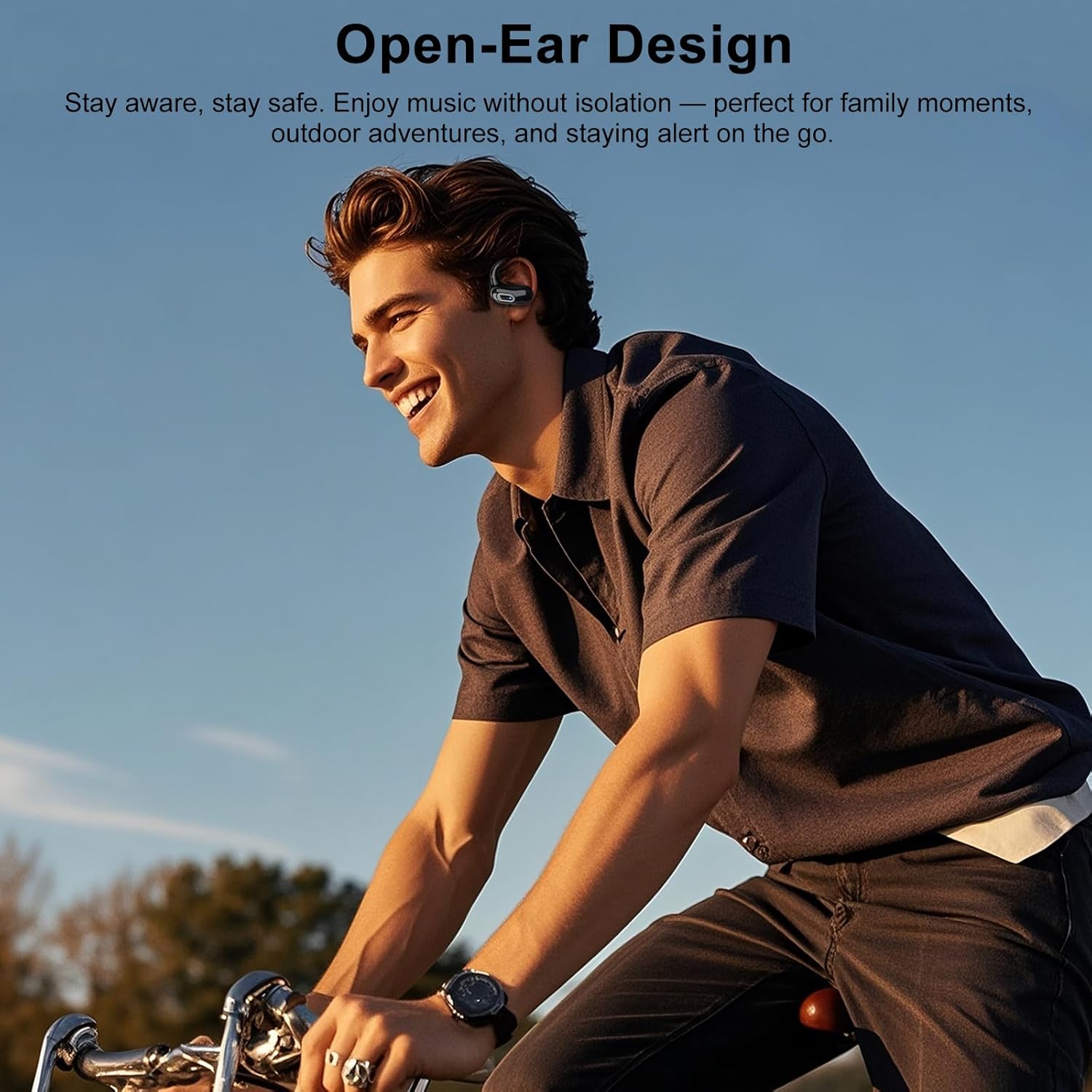
Image: A person wearing Qecnato Q77 Open Ear Headphones while cycling outdoors, illustrating the open-ear design's benefit for situational awareness.
3. Bluetooth Pairing
The Q77 headphones utilize Bluetooth 5.4 for fast and stable connections.
- Ensure the earbuds are charged and removed from the charging case. They will automatically enter pairing mode.
- On your device (smartphone, tablet, etc.), navigate to the Bluetooth settings.
- Search for available devices and select "Q77" from the list.
- Once connected, you will hear an audio prompt, and the LED indicator on the earbuds may change.

Image: A smartphone screen displaying Bluetooth settings, with "Q77" listed as a discoverable device, next to the Qecnato Q77 earbuds and charging case, illustrating the pairing process.
Operating Instructions
Touch Controls
The Q77 headphones feature touch-sensitive controls on each earbud for managing audio playback and calls.
- Touch Twice (L/R): Answer/End Call, Play/Pause Music.
- Touch Three Times (L): Previous Track.
- Touch Three Times (R): Next Track.
- Touch and Hold for 2 Seconds (L/R): Reject a Call.

Image: A visual diagram illustrating the touch control functions for the Qecnato Q77 earbuds, showing actions for answering/ending calls, playing/pausing music, skipping tracks, and rejecting calls.
Maintenance
Cleaning
Regularly clean your headphones to ensure optimal performance and hygiene. Use a soft, dry, lint-free cloth to wipe the earbuds and charging case. Avoid using abrasive materials or harsh chemicals.
Storage
When not in use, store the headphones in their charging case to protect them from dust and damage. Store in a cool, dry place away from extreme temperatures.
Water Resistance (IPX7)
The Q77 headphones are rated IPX7 water-resistant, meaning they can withstand immersion in water up to 1 meter for 30 minutes. This makes them suitable for workouts and light rain. However, they are not designed for swimming or prolonged submersion. Ensure the earbuds are dry before placing them back in the charging case to prevent damage.

Image: Qecnato Q77 Open Ear Headphones shown with water splashing around them, illustrating their IPX7 waterproof and sweat-resistant capabilities.
Troubleshooting
If you encounter issues with your Qecnato Q77 headphones, refer to the following common solutions:
| Problem | Solution |
|---|---|
| Headphones do not power on. | Ensure the earbuds and charging case are fully charged. Place earbuds in the case and close it, then open to activate. |
| Cannot pair with device. |
|
| No sound or low volume. |
|
| Intermittent connection. |
|
Specifications
| Feature | Detail |
|---|---|
| Model Name | Q77 |
| Brand | Qecnato |
| Connectivity Technology | Wireless (Bluetooth) |
| Bluetooth Version | 5.4 |
| Wireless Range | Up to 10m / 33ft |
| Earpiece Shape | Over Ear |
| Ear Placement | Open Ear |
| Control Method | Touch |
| Noise Control | Passive Noise Cancellation (Dual-Mic for calls) |
| Audio Driver Type | Dynamic Driver (14.2mm) |
| Frequency Range | 20 Hz - 20,000 Hz |
| Impedance | 5 Ohm |
| Battery Life (Earbuds) | Up to 8 Hours |
| Total Playtime (with Case) | Up to 50 Hours |
| Water Resistance Rating | IPX7 |
| Item Weight | 0.13 Kilograms (4.6 ounces) |
| Included Components | User Manual, USB-C Charging Cable |
Warranty and Support
For warranty information and customer support, please refer to the contact details provided on the product packaging or visit the official Qecnato website. Keep your purchase receipt as proof of purchase for warranty claims.
If you experience any issues not covered in this manual, please contact Qecnato customer service for assistance.
Related documentsQ77

Ask a question about this manual
Ask about setup, troubleshooting, compatibility, parts, safety, or missing instructions. Manuals+ will review the question and use this page’s manual context to help answer it.