
Introduction
Welcome to your INFIYA Z1 2K Wireless Outdoor Security Camera System. This manual provides detailed instructions for installation, operation, and maintenance to ensure optimal performance and security for your home. Please read this manual thoroughly before using the product.
Package Contents
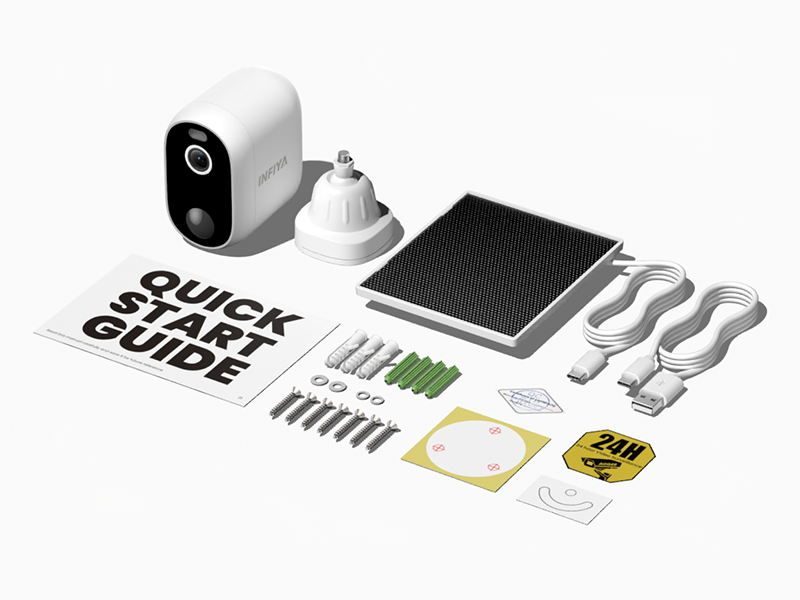
Verify that all items listed below are included in your package:
- Solar Camera x 4
- Bracket x 4
- Installation Guide
- Mounting Screws
- Mounting Template Stickers
- Type-C Power Cord x 4
- Solar Panel x 4
Product Features
The INFIYA Z1 camera system offers a range of features designed for comprehensive home security:
- Extended Standby Time: Built-in 5200 mAh battery and included solar panel provide continuous power without wiring.
- Dual Defense System: Features light and siren alarms to deter intruders, activated by motion detection.
- Clear 2K FHD Vision: Delivers crystal-clear 2K (1296p) live feed for detailed surveillance.
- Color Night Vision: Provides full-color vision at night with an attached white light, or traditional infrared black and white mode.
- AI Human Detection: Reduces false alerts by focusing on human shapes, conserving power and storage.
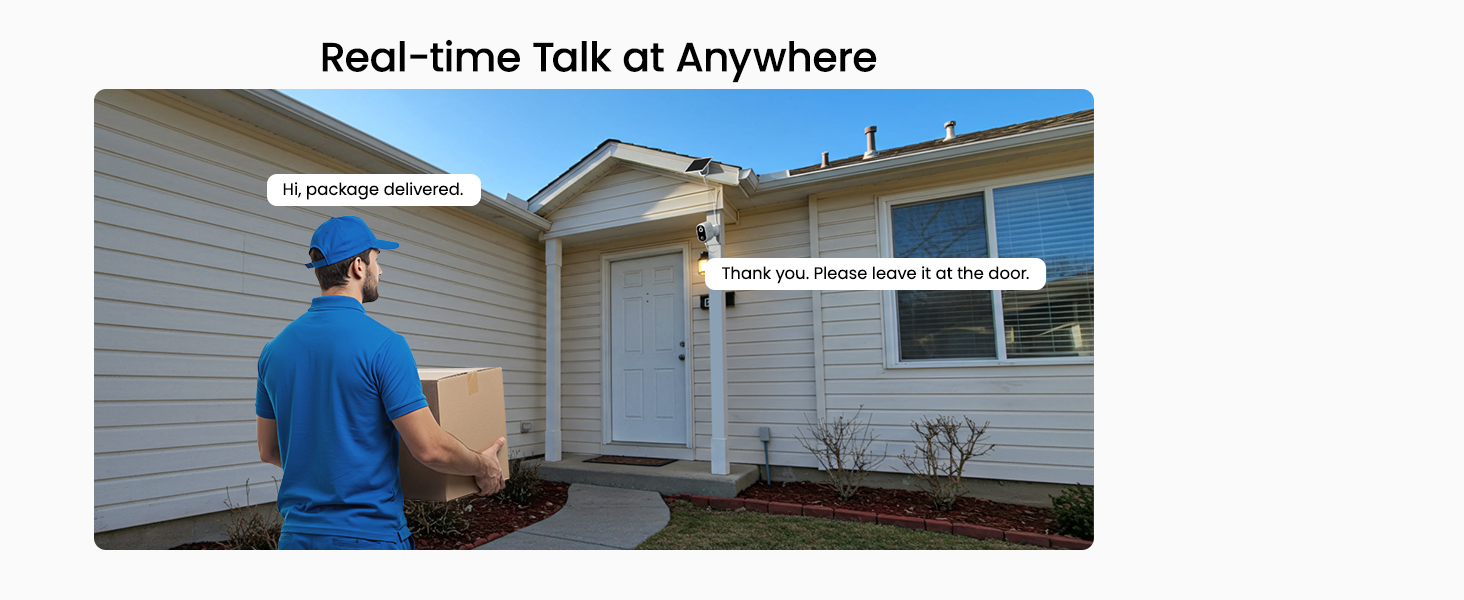
- Two-Way Talk: Enables real-time communication through the camera.
- IP65 Weather Resistance: Ensures reliable operation in various weather conditions.
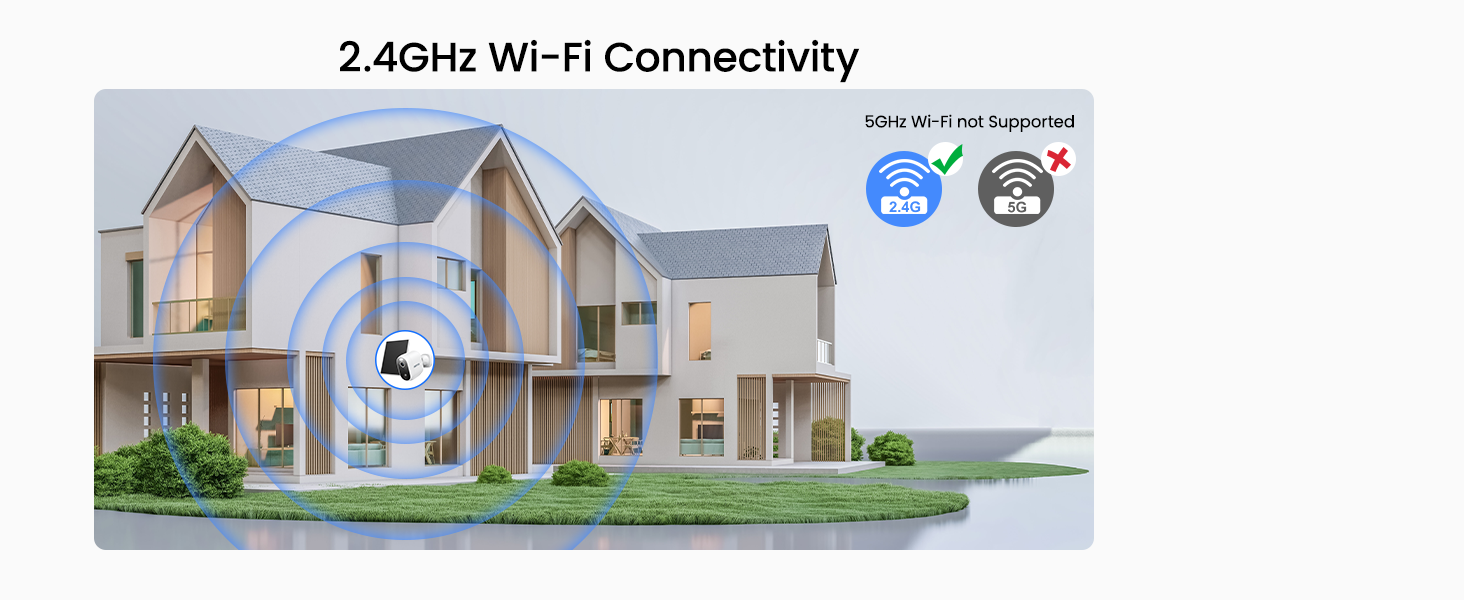
- 2.4GHz Wi-Fi Connectivity: Simple wireless setup without Ethernet cabling.
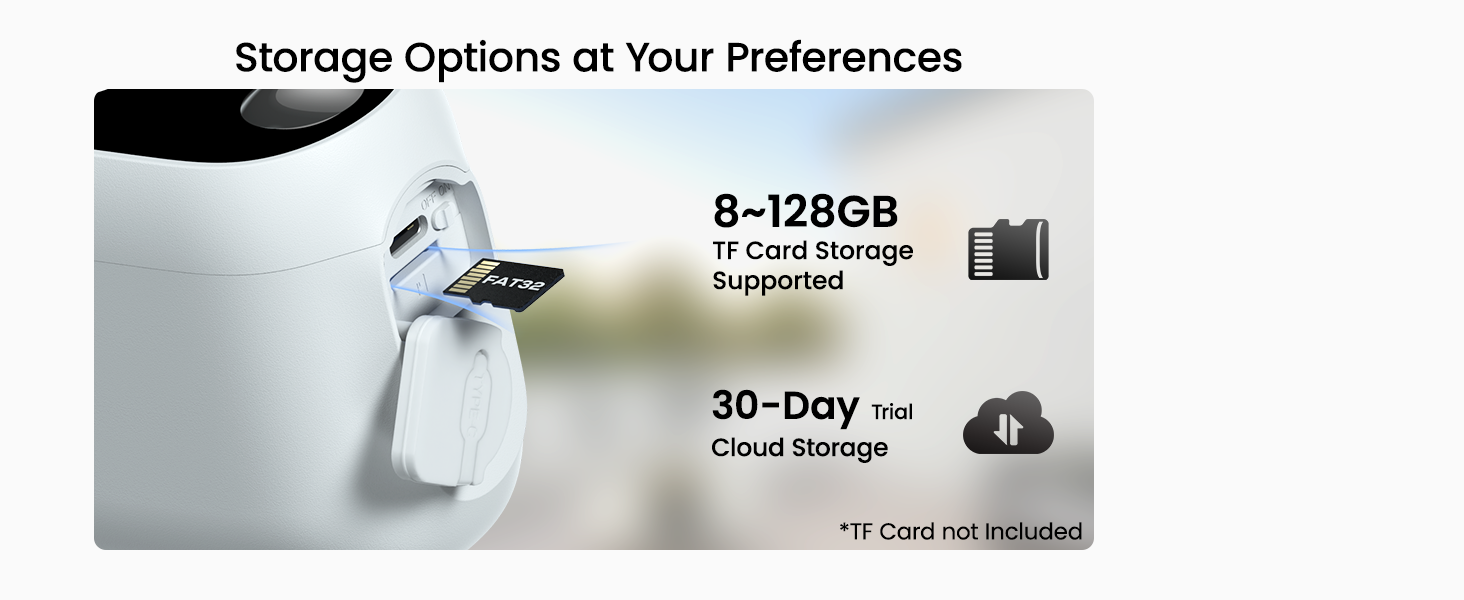
- Flexible Storage: Supports TF card storage (8GB~128GB, FAT32) and optional cloud service.
- Alexa Compatibility: Integrate with Alexa for voice commands and live view access.

Installation Guide
1. Mounting the Camera and Solar Panel
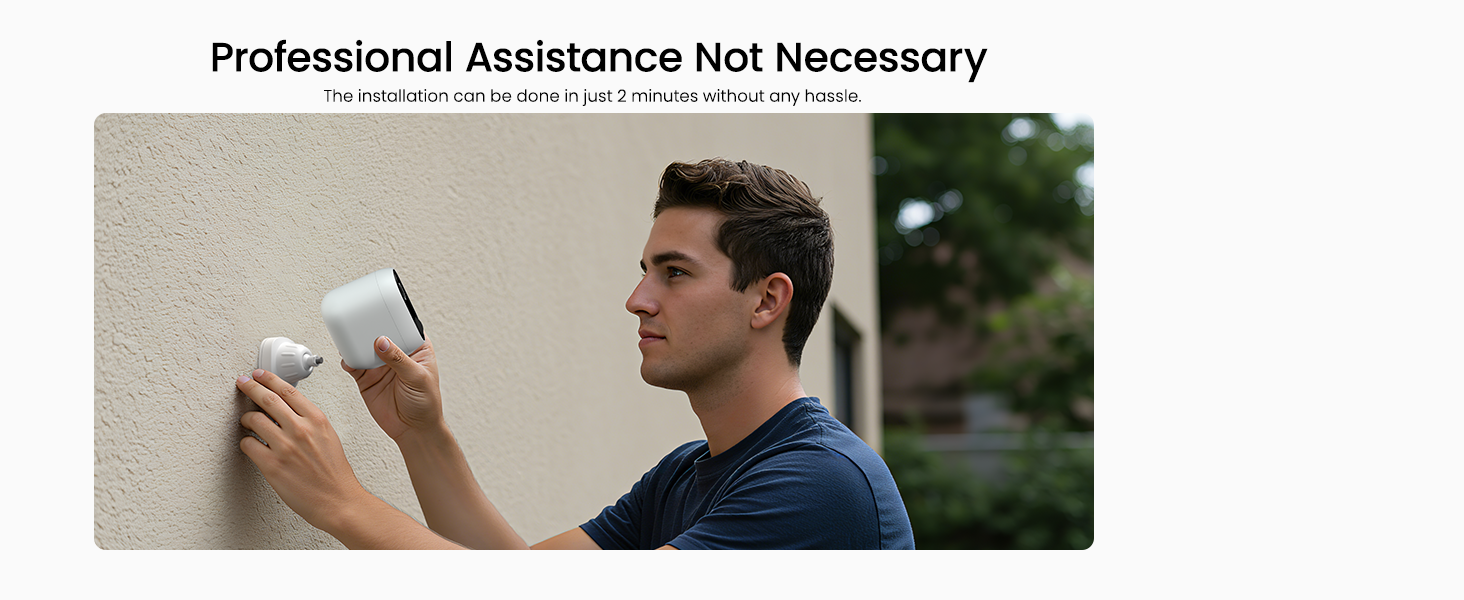
The INFIYA Z1 cameras are designed for easy installation on walls or ceilings. Choose a location that provides the desired field of view and receives adequate sunlight for the solar panel.
- Use the provided mounting template stickers to mark the drill holes for the camera bracket and solar panel.
- Drill holes and insert the wall anchors if necessary.
- Securely attach the camera bracket and solar panel bracket using the mounting screws.
- Attach the camera to its bracket and adjust the angle for optimal coverage.
- Connect the solar panel cable to the camera's charging port.
2. Powering the Camera
The camera is powered by a built-in 5200 mAh battery and continuously charged by the included solar panel. Ensure the solar panel is positioned to receive direct sunlight for maximum charging efficiency.

3. App Setup and Wi-Fi Connection
Download the dedicated mobile application (refer to the Quick Start Guide for app name and QR code) to set up and manage your cameras. The camera supports 2.4GHz Wi-Fi networks only.
- Ensure your smartphone is connected to a 2.4GHz Wi-Fi network.
- Open the app and follow the on-screen instructions to add your camera.
- Scan the QR code on the camera or manually enter its ID.
- Follow prompts to connect the camera to your home Wi-Fi network.
Operating Instructions
Live View and Two-Way Talk
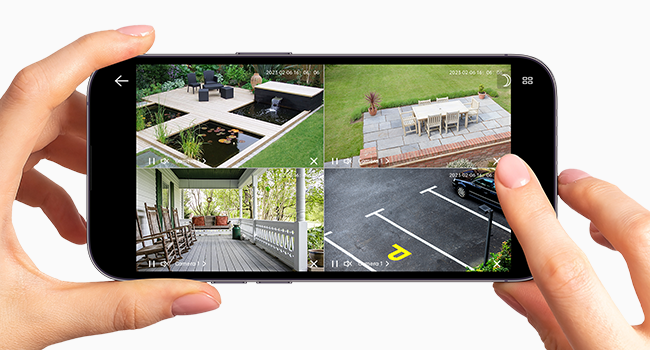
Access the live video feed from your cameras through the mobile app. The two-way talk feature allows you to communicate with individuals near the camera.
- Open the app and select the desired camera to view its live feed.
- Tap the microphone icon to initiate two-way audio communication.
Motion Detection and Alerts
The camera utilizes AI-enhanced PIR human detection to minimize false alarms. When motion is detected, you will receive instant push notifications and recorded video clips.
- Adjust motion detection sensitivity within the app settings.
- Enable push notifications to receive alerts on your mobile device.
- Review recorded alert videos in the app's playback section.

Night Vision Modes
The camera offers both color night vision and traditional infrared (IR) night vision for clear visibility in low-light conditions.
- Color Night Vision: Activates the built-in white light to provide full-color images at night.
- Infrared Night Vision: Uses infrared LEDs for black and white images in complete darkness.
- Switch between modes or set automatic activation based on ambient light in the app settings.

Siren and Light Alarm
Utilize the integrated siren and intelligent white light to deter potential intruders.
- Configure alarm trigger conditions in the app, such as motion detection at specific times.
- The camera can automatically activate the siren and light to scare away unwanted visitors.

Storage Options
The INFIYA Z1 camera offers local and cloud storage solutions for your recorded footage.
- TF Card Storage: Insert a TF card (8GB~128GB, FAT32 format) into the camera's designated slot for local storage of video clips.
- Cloud Service: An optional cloud service provides encrypted storage for your recordings. A 30-day trial may be available.
Alexa Integration
Connect your INFIYA Z1 cameras with Amazon Alexa for convenient voice control and monitoring.
- Enable the INFIYA skill in your Alexa app.
- Discover your cameras through the Alexa app.
- Use voice commands like "Alexa, show me the garden" to view live feeds on compatible Alexa devices.

Maintenance
Regular maintenance ensures the longevity and optimal performance of your security camera system.
- Clean Solar Panels: Periodically wipe the solar panels with a soft, damp cloth to remove dust, dirt, or debris that may obstruct sunlight and reduce charging efficiency.
- Check Battery Status: Monitor the battery level through the mobile app to ensure consistent power.
- Clear Field of View: Ensure no obstructions (e.g., overgrown branches, spiderwebs) are blocking the camera's lens or motion sensor.
- Lens Cleaning: Gently clean the camera lens with a microfiber cloth to maintain clear image quality.

Troubleshooting
Refer to the following table for common issues and their solutions.
| Problem | Solution |
|---|---|
| Camera not powering on or charging. | Ensure the solar panel is connected and receiving direct sunlight. Check the Type-C power cord connection. The battery may be fully depleted; allow several hours of direct sunlight for initial charge. |
| Unable to connect to Wi-Fi. | Confirm your router is broadcasting a 2.4GHz Wi-Fi signal. The camera does not support 5GHz Wi-Fi. Ensure the camera is within range of your Wi-Fi router. Restart your router and camera. |
| Frequent false alerts. | Adjust the motion detection sensitivity in the app. Ensure the camera's field of view is clear of moving objects like tree branches or flags. The AI human detection helps reduce non-human triggers. |
| Poor night vision quality. | Ensure the camera lens is clean. Check if the night vision mode (color or IR) is set appropriately for the environment. Ensure no strong light sources are directly facing the camera at night. |
| Two-way talk not working. | Check your phone's microphone and speaker permissions for the app. Ensure a stable internet connection for both your phone and the camera. |
Technical Specifications
| Feature | Detail |
|---|---|
| Model Name | Z1 |
| Indoor/Outdoor Usage | Indoor, Outdoor |
| Compatible Devices | Alexa Assistant |
| Power Source | Battery Powered, Solar Powered |
| Connectivity Protocol | Wi-Fi (2.4GHz only) |
| Controller Type | Android, iOS |
| Mounting Type | Wall Mount, Ceiling Mount |
| Video Capture Resolution | 1296p (2K) |
| Color | White |
| Number of Items | 4 |
| Viewing Angle | 98.9 Degrees |
| Night Vision Range | 26 Feet |
| Voltage | 5 Volts |
| Wattage | 5 Watt-hours |
| Battery Power | 5200 Milliamp Hours (Lithium Ion) |
| Low light technology | Night Color |
| Zoom Type | Digital Zoom |
| Alert Type | Motion Only (AI Human Detection) |
| Light Source Type | LED |
| Video Capture Format | MP4 |
| Photo Sensor Technology | CMOS |
| Effective Still Resolution | 3 MP |
| International Protection Rating | IP65 |
| Item Weight | 3.89 pounds (for the package) |
| Manufacturer | INFIYA |
Warranty Information and Customer Support
INFIYA is committed to providing reliable products and support. For specific warranty details, please refer to the documentation included with your product or contact customer service.
Should you encounter any issues or have questions regarding your INFIYA Z1 security camera system, our team of professional technicians is available to provide effective and quick assistance.
For support, please visit the INFIYA brand store or contact us through the channels provided in your product packaging.


