
1. Introduction
Thank you for choosing the JYX S55 Portable Karaoke Machine. This device combines a powerful Bluetooth speaker with two wireless microphones, offering a comprehensive solution for entertainment, vocal practice, and public address needs. With its robust sound, versatile connectivity, and dynamic lighting, the JYX S55 is designed to deliver an immersive audio experience for various indoor and outdoor settings. Please read this manual carefully to ensure proper operation and to maximize your enjoyment of the product.

Image 1.1: The JYX S55 Karaoke Machine, showcasing the main unit, two wireless microphones, remote control, and various cables.
2. What's in the Box
Please check the contents of your package to ensure all items are present and in good condition:
- Karaoke Machine x 1
- Wireless Microphones x 2
- Charging Cable x 1
- Auxiliary Cable x 1
- Remote Control x 1
- Shoulder Strap x 1
- User Manual x 1

Image 2.1: A visual representation of all items included in the JYX S55 Karaoke Machine package.
3. Key Features
- Powerful Stereo Sound: Equipped with a 5.25" woofer and 2" tweeter, delivering immersive 360° stereo sound with clear highs and punchy bass.
- Adjustable Bass & Treble: Customize your audio output with dedicated controls for bass and treble, ensuring optimal sound for any music style.
- True Wireless Stereo (TWS) Function: Connect two JYX S55 speakers wirelessly for an expanded stereo soundstage and double the volume, ideal for larger spaces or outdoor events.
- Seamless Connectivity: Supports Bluetooth 5.3 for stable wireless streaming, along with USB, TF card, and AUX inputs for versatile audio source options.
- Voice-Only USB/TF Recording: Record your singing sessions directly to a USB drive or TF card. Note that only microphone audio is recorded, not background music.
- Portable & Rechargeable: Features a massive 6000mAh battery providing up to 24 hours of playtime. Designed with a compact handle and optional shoulder strap for easy transport.
- Vibrant Disco Light Show: Enhance your party atmosphere with dynamic LED lights that flash and pulse to the beat, offering 8 distinct lighting modes.

Image 3.1: Illustration of the speaker's internal structure, emphasizing the 5.25-inch woofer and 2-inch tweeter for high-quality audio output.

Image 3.2: Visual representation of the adjustable bass and treble controls, indicating precision audio customization.

Image 3.3: The JYX S55 Karaoke Machine being carried with its portable shoulder strap, demonstrating its ease of transport.
4. Setup Guide
4.1. Charging the Karaoke Machine
Before first use, fully charge the karaoke machine. Connect the provided Type-C charging cable to the charging port on the unit and the other end to a standard USB power adapter (not included). The charging indicator will show the charging status. A full charge typically takes 4-5 hours and provides up to 24 hours of playing time.
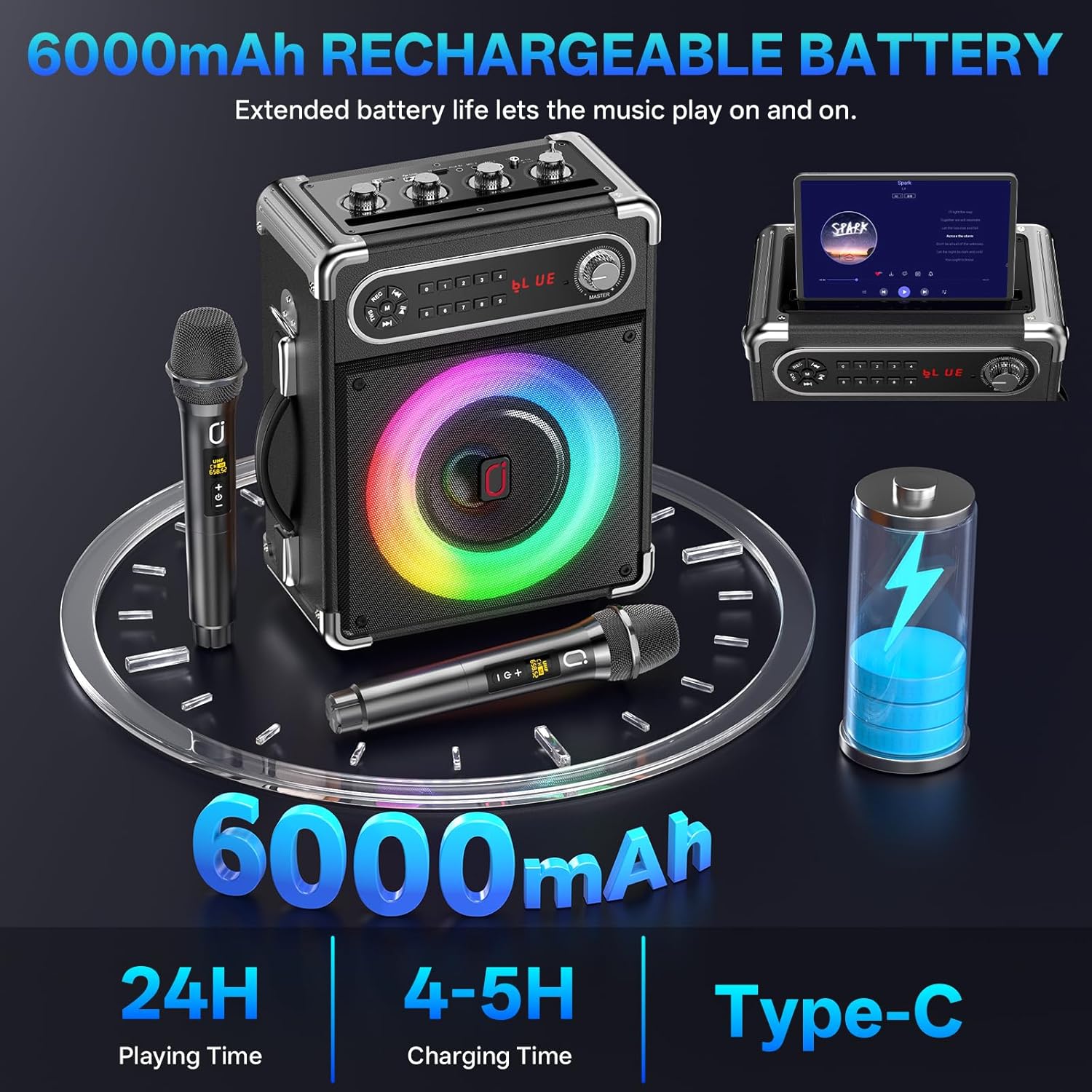
Image 4.1: Information graphic detailing the 6000mAh battery capacity, 24 hours of playing time, 4-5 hours charging time, and Type-C charging port.
4.2. Microphone Setup
The JYX S55 comes with two wireless microphones. Each microphone requires two AA batteries (not included). Insert the batteries into the microphone compartment, ensuring correct polarity. The microphones are pre-paired with the main unit. Simply power on the microphones and the karaoke machine, and they should connect automatically. The wireless range for the microphones is up to 30 meters.
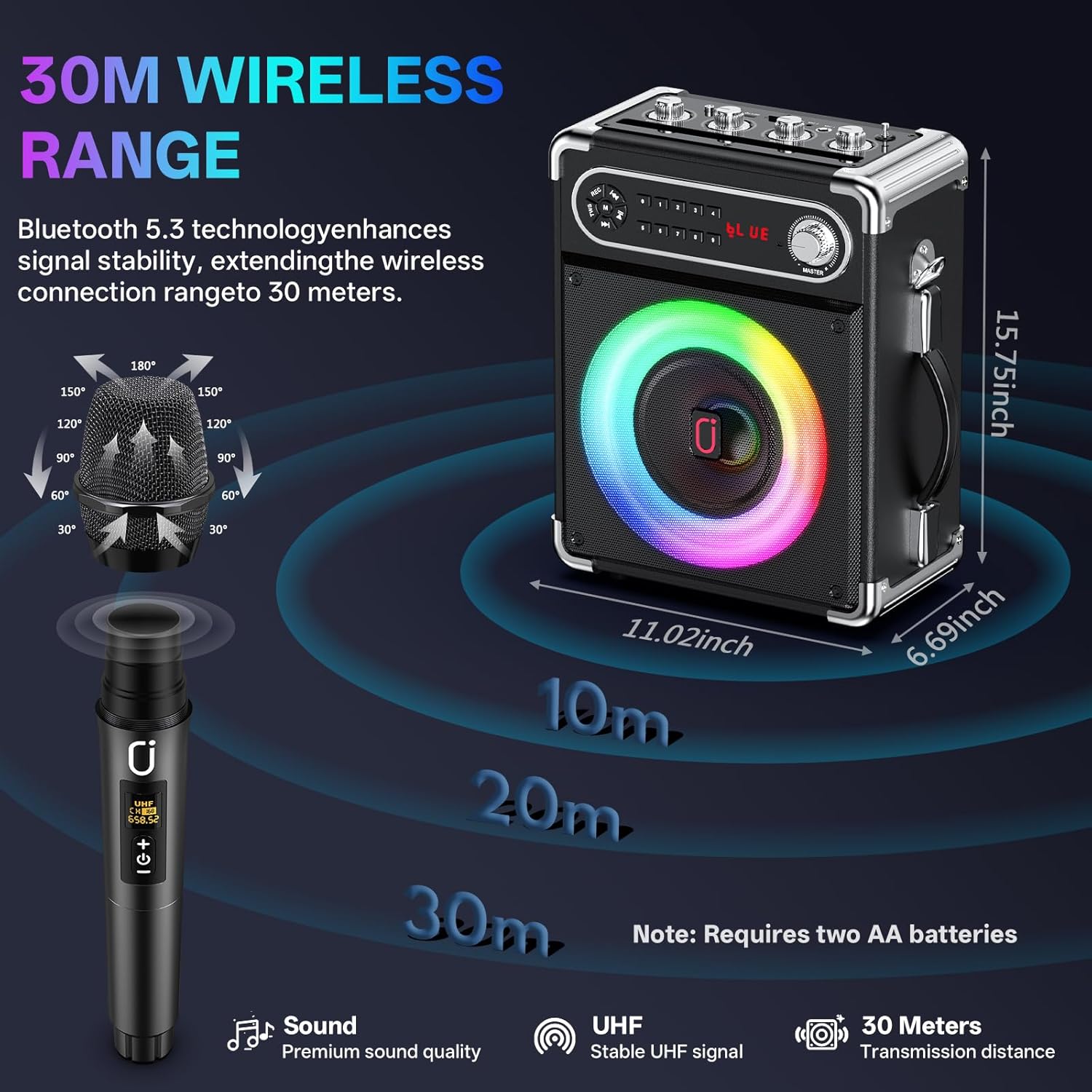
Image 4.2: Illustration demonstrating the 30-meter wireless transmission range of the microphones and a note about AA battery requirement.
4.3. Connecting Audio Sources
The JYX S55 offers multiple ways to connect your audio devices:
- Bluetooth: Turn on the karaoke machine and activate Bluetooth on your smartphone, tablet, or other Bluetooth-enabled device. Search for 'JYX-S55' (or similar name) in your device's Bluetooth settings and pair. A confirmation sound will indicate successful connection.
- USB Drive: Insert a USB flash drive containing MP3 audio files into the USB port. The machine will automatically detect and play the music.
- TF Card: Insert a TF (MicroSD) card containing MP3 audio files into the TF card slot. The machine will automatically detect and play the music.
- AUX Input: Use the provided auxiliary cable to connect external audio devices (e.g., TV, computer, MP3 player) to the AUX IN port on the karaoke machine.

Image 4.3: Visual guide to the multi-device compatibility of the JYX S55, including Bluetooth, TF Card, USB, AUX, Microphone Input, and Recording functions.

Image 4.4: Overview of the multiple connecting methods available on the JYX S55, including Bluetooth 5.3, TF Card, USB, and AUX In.
5. Operating Instructions
5.1. Control Panel Overview
The top panel of the JYX S55 features various controls for audio adjustment and playback:
- MIC. VOL: Adjusts the volume of the microphones.
- ECHO: Controls the echo effect for the microphones.
- BASS: Adjusts the low-frequency output of the speaker.
- TREBLE: Adjusts the high-frequency output of the speaker.
- MASTER: Main volume control for all audio output.
- REC: Button to initiate recording.
- M: Mode button to switch between Bluetooth, FM, AUX, USB, and TF card modes.
- Playback Controls: Play/Pause, Previous Track, Next Track.
- Number Buttons (0-9): For direct track selection on USB/TF card or FM radio station tuning.

Image 5.1: Detailed view of the multifunctional voice effect tuning controls on the top panel of the karaoke machine.
5.2. True Wireless Stereo (TWS) Pairing
To achieve a true stereo sound experience with two JYX S55 units:
- Ensure both JYX S55 machines are powered on and in Bluetooth mode.
- On one of the machines (this will be the primary unit), press and hold the 'TWS' button (if available, or refer to specific pairing instructions in the quick start guide). The unit will enter TWS pairing mode.
- The two units will automatically connect to each other. A confirmation tone will sound once paired.
- Connect your Bluetooth device (smartphone, tablet) to the primary JYX S55 unit. Audio will now play in stereo across both speakers.

Image 5.2: Depiction of two JYX S55 units configured for True Wireless Stereo, providing an expanded sound experience.
5.3. Recording Function
To record your microphone audio:
- Insert a USB drive or TF card into the respective slot on the karaoke machine.
- Press the 'REC' button to start recording.
- Sing into the microphone. The recording will capture only your voice.
- Press the 'REC' button again to stop and save the recording.
5.4. LED Light Show
The JYX S55 features a dynamic LED light show that syncs with the music. There are 8 dynamic lighting modes. To cycle through the modes or turn the lights on/off, refer to the specific button on the control panel (often labeled 'LED' or integrated with a mode button).

Image 5.3: The JYX S55 showcasing its vibrant disco light feature with multiple color options.
6. Maintenance
To ensure the longevity and optimal performance of your JYX S55 Karaoke Machine, follow these maintenance guidelines:
- Cleaning: Use a soft, dry cloth to wipe the exterior of the unit. Do not use abrasive cleaners, waxes, or solvents as they may damage the finish.
- Storage: When not in use for extended periods, store the machine in a cool, dry place away from direct sunlight and extreme temperatures.
- Battery Care: To preserve battery life, avoid fully discharging the battery frequently. Recharge the unit regularly, even if not in use, to maintain battery health.
- Microphones: Remove batteries from the microphones if they will not be used for a long time to prevent leakage.
- Avoid Water: Keep the unit away from water and excessive moisture. This product is not waterproof.
7. Troubleshooting
If you encounter any issues with your JYX S55 Karaoke Machine, please refer to the following common troubleshooting steps:
| Problem | Possible Cause | Solution |
|---|---|---|
| No power | Battery is low or depleted; Power cable not connected properly. | Charge the unit fully. Ensure the charging cable is securely connected to both the unit and the power source. |
| No sound from speaker | Volume is too low; Incorrect input mode selected; Audio cable not connected properly; Bluetooth not paired. | Increase the MASTER volume. Press the 'M' button to cycle through input modes. Check AUX cable connection. Re-pair Bluetooth device. |
| Microphones not working | Microphone batteries are low or inserted incorrectly; Microphones not powered on; Microphone volume is too low; Microphones not paired. | Replace AA batteries in microphones, ensuring correct polarity. Turn on microphones. Increase MIC. VOL. Ensure microphones are within range and have automatically connected. |
| Bluetooth connection unstable or failing | Device is too far from the speaker; Interference from other devices; Bluetooth cache issue on source device. | Move the device closer to the speaker. Turn off other Bluetooth devices. Forget the speaker from your device's Bluetooth list and re-pair. |
| Recording not working | USB drive/TF card full or not formatted correctly; Recording button not pressed correctly. | Ensure USB drive/TF card has sufficient space and is formatted to FAT32. Press the 'REC' button firmly to start/stop recording. |
If the problem persists after trying these steps, please contact customer support.
8. Specifications
| Feature | Detail |
|---|---|
| Brand | JYX |
| Model | S55 (B0F3JBDXFZ) |
| Power Source | Battery Powered |
| Battery Capacity | 6000mAh |
| Playing Time | Up to 24 hours |
| Charging Time | 4-5 hours (Type-C) |
| Woofer Size | 5.25 inches |
| Tweeter Size | 2 inches |
| Connectivity Technology | Bluetooth 5.3, USB, TF Card, AUX |
| Microphone Type | Wireless (requires 2x AA batteries per mic) |
| Microphone Wireless Range | Up to 30 meters |
| Product Dimensions (L x W x H) | 9.7 x 5 x 12.5 inches |
| Item Weight | 8.78 pounds |
| Frequency Response | 100Hz–12kHz |
| Signal-to-Noise Ratio | ≥85dB |
9. Warranty and Support
JYX is committed to providing high-quality products and excellent customer service. Your JYX S55 Karaoke Machine comes with:
- 360 Days Warranty Service: Covering manufacturing defects and malfunctions under normal use.
- US Local After-sales Center: For convenient and efficient service.
- Lifetime Technical Support: Professional assistance for any technical queries or issues you may encounter.
If you have any questions or require assistance, please do not hesitate to contact our customer support team:
Email: service@jyxspeaker.com

Image 9.1: Overview of JYX customer support services and contact information.