1. Introduction
Welcome to the user manual for your SIXTOP Motorcycle CarPlay Screen. This manual provides essential information on the installation, operation, maintenance, and troubleshooting of your new device. Please read this manual thoroughly before using the product to ensure safe and optimal performance. This device is designed to enhance your riding experience with smart connectivity and robust features.
2. Product Overview
The SIXTOP Motorcycle CarPlay Screen is a 5-inch waterproof touchscreen car stereo designed for motorcycles, ATVs, golf carts, and UTVs. It offers seamless wireless Apple CarPlay and Android Auto integration, dual Bluetooth connectivity, and a durable IP68 waterproof rating, ensuring reliable performance in various conditions.
Key Features:
- Wireless CarPlay & Android Auto: Access navigation, calls, messages, and music wirelessly via Siri/Google Assistant.
- Dual Bluetooth Modes: Connect to your phone for music and calls, and stream audio to your helmet headset simultaneously.
- IP68 Waterproof: Designed to withstand rain, mud, and splashes, ensuring durability in all weather conditions.
- 5-inch HD Touchscreen: Features 854*480 resolution with adjustable brightness and multiple UI themes.
- Easy Installation: Plug-and-play design with a secure bracket system for stable mounting.
3. Specifications
| Feature | Detail |
|---|---|
| Screen Resolution | 854*480 |
| Voltage | 12V |
| Interconnection | IOS CarPlay / Android Auto |
| Cooling Method | Passive cooling |
| Waterproof Level | IP68 |
| TF Card Support | For upgrade |
| Wallpaper Options | 3 sets optional |
| Display Settings | Brightness/Contrast/Colour/Saturation/Reset |
| Screen Off Timer | Off/10/30 seconds, 1/5/10/30 minutes |
| Touch Calibration | Supported |
| Product Dimensions | 6.6D x 14.7W x 8.6H cm |
| Weight | 400 g |
| Language Support | Chinese, English, French, German, Italian, Japanese, Portuguese, Russian, Spanish, Turkish, Korean, Vietnamese, Malaysian, etc. |
4. Package Contents
Upon opening your product package, please verify that all the following items are included:
- 1 x 5 Inches CarPlay Screen
- 1 x 156cm Power cable
- 1 x Brackets set
- 1 x Zip Ties pack
- 1 x Accessories pack
- 1 x User Manual (this document)

Figure 4.1: Contents of the product package.
5. Setup and Installation
The SIXTOP Motorcycle CarPlay Screen is designed for straightforward installation. Follow these steps for proper mounting and connection:
- Choose Mounting Location: Select a suitable location on your motorcycle's handlebars or dashboard that provides clear visibility and does not obstruct your view or controls.
- Attach Brackets: Securely attach the provided brackets to your chosen mounting point. Ensure the brackets are tightened firmly to prevent vibration during riding.
- Mount the Device: Attach the CarPlay screen to the brackets. The specialized bracket kit and screw system are designed for safe and stable mounting, preventing falls and excessive vibration.
- Connect Power Cable: Connect the 156cm power cable to the device and to your motorcycle's 12V power source. Ensure connections are secure and protected from the elements.
- Cable Management: Use the included zip ties to neatly manage and secure the power cable, preventing it from interfering with motorcycle operation.

Figure 5.1: The CarPlay screen mounted on a motorcycle.
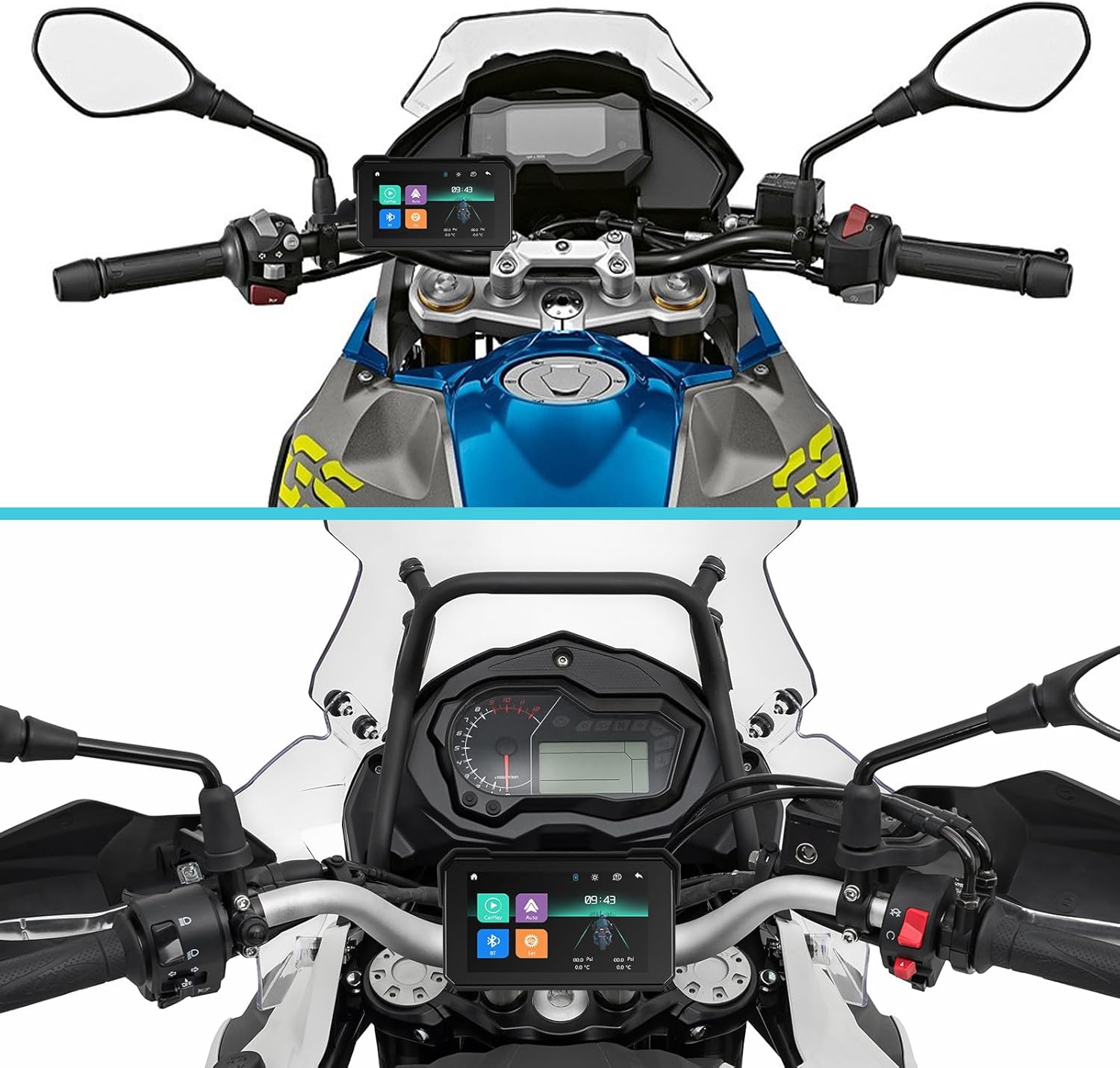
Figure 5.2: Examples of the CarPlay screen installed on various motorcycles.
6. Operating Instructions
6.1 Wireless Apple CarPlay & Android Auto
The device supports wireless Apple CarPlay and Android Auto, allowing seamless integration with your smartphone for navigation, communication, and entertainment.
- Ensure your smartphone's Bluetooth and Wi-Fi are enabled.
- On the CarPlay screen, select the CarPlay or Android Auto icon.
- Follow the on-screen prompts to pair your phone. Once connected, your phone's compatible apps will appear on the screen.
- Use Siri or Google Assistant for voice control by activating the voice command feature on the screen or your phone.

Figure 6.1: Wireless Apple CarPlay and Android Auto in operation.
6.2 Dual Bluetooth Connectivity
This device features dual Bluetooth modes, allowing you to connect your phone and a Bluetooth headset simultaneously.
- Phone Connection: Pair your smartphone to the CarPlay screen via Bluetooth for hands-free calling and music playback.
- Headset Connection: Once your phone is connected, you can then connect your Bluetooth helmet headset to the CarPlay screen to stream audio directly to your helmet.
- This setup allows you to keep your phone safely in your pocket while enjoying navigation audio, music, and calls through your helmet.

Figure 6.2: Dual Bluetooth setup for phone and helmet headset.

Figure 6.3: Bluetooth call and music functions.
6.3 Brightness Adjustment
The screen brightness can be manually adjusted to suit various lighting conditions, ensuring optimal visibility during day or night riding.
- Access the display settings from the main menu.
- Adjust the brightness slider to your preferred level.
- The device also supports auto-brightness adjustment for convenience.

Figure 6.4: Brightness adjustment feature.
6.4 Waterproofing (IP68 Rating)
The SIXTOP Motorcycle CarPlay Screen boasts an IP68 waterproof rating, meaning it is fully protected against dust ingress and can withstand immersion in water up to 1.5 meters for 30 minutes. This ensures the device remains functional even when exposed to heavy rain, mud, or splashes during your rides.
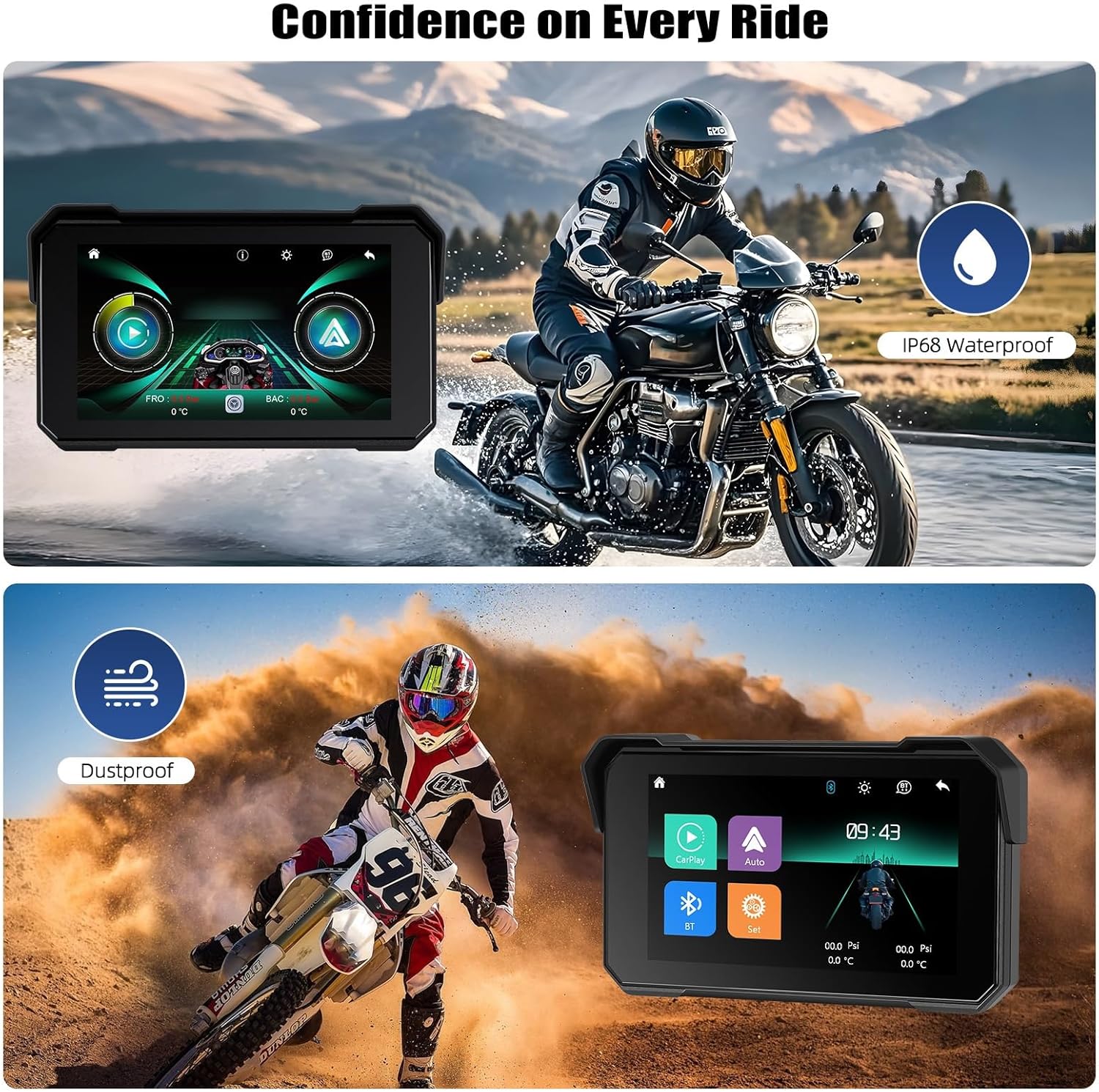
Figure 6.5: IP68 Waterproof and Dustproof design.
7. Troubleshooting
If you encounter any issues with your SIXTOP Motorcycle CarPlay Screen, please refer to the following common troubleshooting steps:
- No Power: Ensure the power cable is securely connected to both the device and the motorcycle's power source. Check your motorcycle's fuse box for any blown fuses.
- Connectivity Issues (CarPlay/Android Auto): Verify that your phone's Bluetooth and Wi-Fi are active. Try restarting both your phone and the CarPlay screen. Ensure your phone's operating system is up to date.
- Bluetooth Audio Problems: Confirm that both your phone and helmet headset are successfully paired. Check the volume levels on all connected devices.
- Screen Not Responding: Attempt a soft reset by holding the power button for 10 seconds. If the issue persists, disconnect power for a few minutes and reconnect.
- Poor GPS Signal: Ensure the device has a clear line of sight to the sky. Avoid mounting locations that might block satellite signals.
If these steps do not resolve the issue, please contact customer support for further assistance.
8. Maintenance
To ensure the longevity and optimal performance of your SIXTOP Motorcycle CarPlay Screen, follow these maintenance guidelines:
- Cleaning: Use a soft, damp cloth to clean the screen and exterior. Avoid abrasive cleaners or solvents that could damage the surface.
- Storage: When not in use for extended periods, store the device in a cool, dry place away from direct sunlight and extreme temperatures.
- Cable Inspection: Periodically check the power cable and connections for any signs of wear or damage. Replace if necessary.
- Software Updates: Check the manufacturer's website periodically for any available software updates to ensure your device has the latest features and bug fixes.
9. Warranty and Support
SIXTOP is committed to providing high-quality products and excellent customer service.
Warranty Information:
- 2 Years Warranty: Your device is covered by a 2-year warranty from the date of purchase against manufacturing defects.
- 30 Day Replacement: In case of any issues within 30 days of purchase, a replacement will be provided.
Customer Support:
For technical assistance, warranty claims, or any other inquiries, please contact our support team:
- Online Response: We aim to provide an 18-hour online response time for your queries.
- Technical Support: Lifetime technical support is available for your product.
- Email: SIXTOP123@163.com

Figure 9.1: Contact information for online support.
