
1. Product Overview
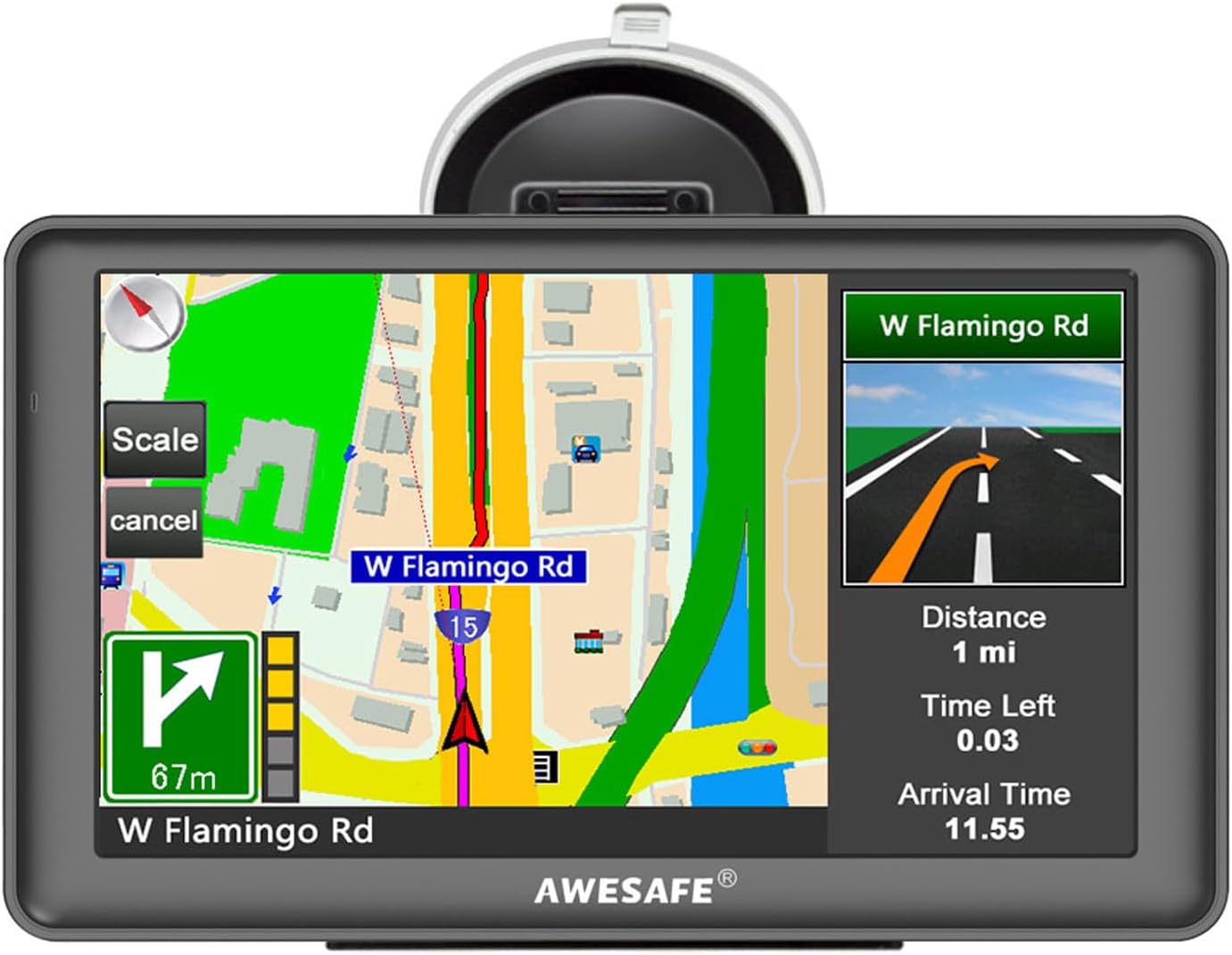
The AWESAFE 7-inch Touch Screen GPS Navigator is designed to provide reliable navigation for various vehicle types, including cars, trucks, pedestrians, bicycles, emergency vehicles, buses, and taxis. It features a clear 7-inch TFT LCD touch screen with 800 x 480 resolution, offering high visibility even in sunlight. The device includes preloaded North American maps (USA, Canada, Mexico) with free lifetime updates, intelligent voice navigation, speed camera alerts, and customizable route planning based on vehicle dimensions.
2. Setup
2.1. Package Contents
Verify that all items are present in the package:
- AWESAFE 7-inch GPS Navigator Unit
- User Manual (Instructions)
- Clip Holder
- Suction Cup Bracket
- Cigarette Lighter Charger (114cm / 44.1 inch)
- USB Charger Cable (52cm / 20.4 inch)

2.2. Device Installation
Follow these steps to securely install your GPS Navigator in your vehicle:
- Secure the navigator device through the back clip.
- Clamp the 3 small grooves through the back clip.
- Insert the bracket into the groove of the back clip and push upward to lock the back clip and the bracket.
- The assembled unit can be attached to the car windshield or a smooth, flat dashboard using the suction cup.

2.3. Power Connection
Connect the GPS Navigator to your vehicle's power source using the provided cigarette lighter charger. The device requires continuous power during operation as its internal battery does not store electricity for extended periods. This design extends battery life by preventing deep discharge cycles.

3. Operating Instructions
3.1. Basic Navigation Features
The GPS Navigator offers a range of features to assist with your journey:
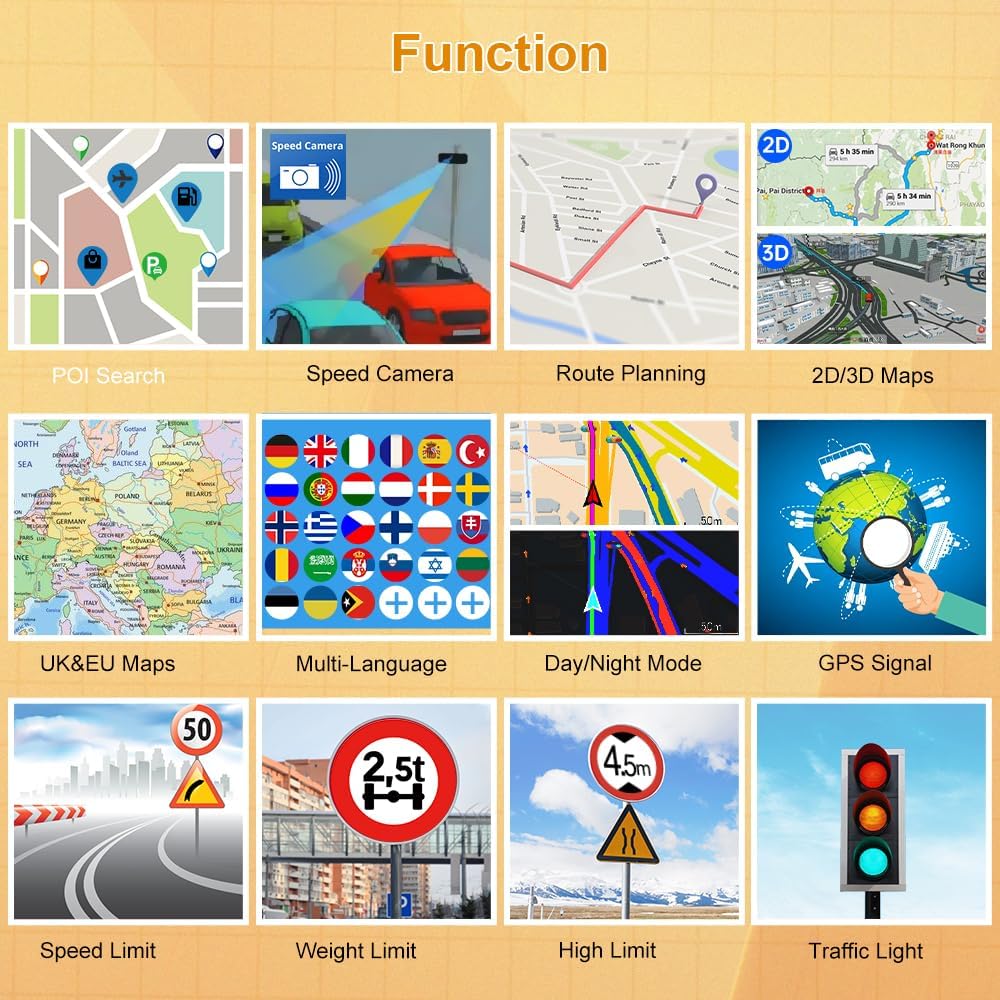
- Route Planning: Customize routes based on 7 vehicle modes (Car, Truck, Pedestrian, Bicycle, Emergency, Bus, Taxi). For larger vehicles like trucks or motorhomes, you can input specific parameters such as weight, length, height, and width to avoid restricted roads.
- Voice Prompts: Receive clear voice guidance for turn-by-turn directions, road names, and lane assistance.
- Speed Limit & Warning: The device provides intelligent alerts for current speed cameras and warns you if you exceed the speed limit.
- Map Display: View navigation in both 2D and 3D modes for enhanced clarity.
- Estimated Time of Arrival (ETA): Displays remaining distance and estimated arrival time to your destination.
3.2. Map Updates
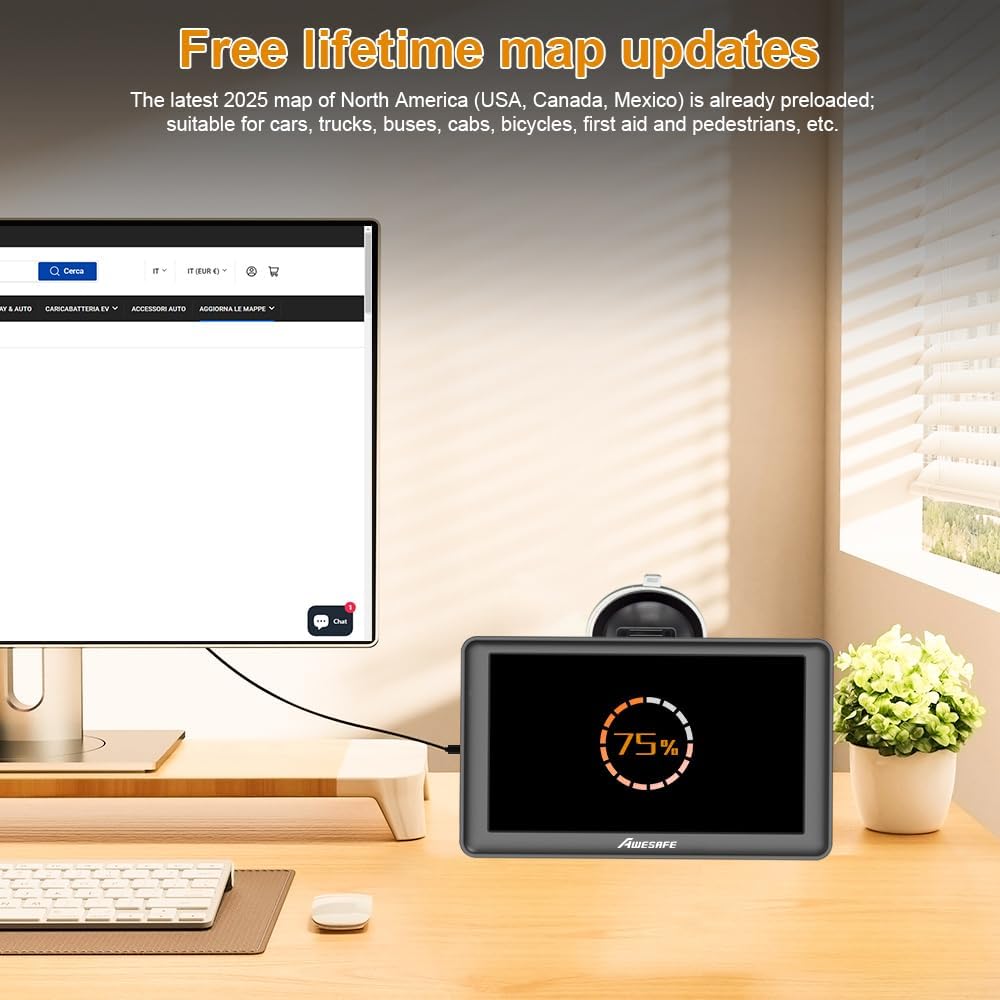
The device comes with the latest 2025 map of North America (USA, Canada, Mexico) preloaded. Free lifetime map updates are available to ensure your navigation data is current. Refer to the manufacturer's website or included instructions for the specific process to download and install map updates.
3.3. FM Transmission
To output navigation audio through your car's speakers, utilize the FM transmission feature. Access the FM settings on the GPS device, enable "Use FM," and set the frequency. Then, tune your car's FM radio to the same frequency. This will broadcast the GPS audio through your vehicle's sound system.

4. Maintenance
4.1. Screen Care
To maintain optimal screen clarity, regularly clean the 7-inch touch screen with a soft, lint-free cloth. Avoid using abrasive cleaners or harsh chemicals that could damage the screen surface.
4.2. Software and Map Updates
Periodically check for and install available map and software updates to ensure the device operates with the latest features and navigation data. Connect the device to a computer and follow the instructions provided by AWESAFE for update procedures.
5. Troubleshooting
5.1. No Sound from Navigation
If you are not hearing sound from the navigation unit, consider the following solutions:
- Option 1: Turn off the "Use FM" function in the device settings. Sound should then be emitted directly from the GPS unit's internal speaker.
- Option 2: If you wish to use FM transmission, ensure "Use FM" is enabled and that the FM frequency on the navigator matches the frequency set on your car's radio.
5.2. Device Requires Constant Charging
The AWESAFE GPS Navigator is designed to operate primarily while connected to a power source. Its internal battery does not store electricity for long periods, which helps extend its overall lifespan. Therefore, it is normal for the device to require continuous charging during use. If disconnected, it will prompt for power and eventually shut down.
5.3. Mounting Instability
Ensure the suction cup bracket is applied to a clean, smooth, and flat surface (e.g., windshield). Verify that the back clip is securely locked into the bracket and that the GPS unit is firmly attached to the clip holder. If the unit frequently detaches, re-evaluate the mounting surface and the locking mechanism.
5.4. Slow Performance
If the device exhibits slow response times or navigation recalculations, ensure that the latest map updates are installed. Excessive stored routes or points of interest might also impact performance. Consider performing a factory reset if issues persist, noting that this will erase personal data and settings.
6. Specifications
| Brand | AWESAFE |
| Model | B0F52X8NS3 |
| Screen Size | 7 Inches |
| Display Size | 7 Inches |
| Human Interface Input | Touchscreen |
| Connectivity Technology | Bluetooth |
| Special Feature | Bluetooth |
| Map Type | North America (USA, Canada, Mexico) |
| Item Weight | 1.57 pounds (0.71 Kilograms) |
| Package Dimensions | 8.43 x 5.35 x 3.7 inches |
| Are Batteries Included | No |
7. Warranty and Support
7.1. Product Warranty
The AWESAFE 7-inch Touch Screen GPS Navigator comes with a 1-year manufacturer's warranty. Please retain your proof of purchase for warranty claims.
7.2. Customer Support
For technical assistance, troubleshooting, or warranty inquiries, please refer to the contact information provided in the original product packaging or visit the official AWESAFE support website.


