1. Product Overview
The Tenlike Portable Power Station M100 is a compact and high-capacity power bank designed to provide reliable power for various electronic devices. With a 99.9Wh lithium battery, it offers multiple output options including AC, Type-C PD, USB-A, and DC, making it suitable for camping, travel, home backup, and outdoor emergencies. Its optimized design ensures portability and efficiency.

Figure 1: Tenlike Portable Power Station M100. This image displays the device's main features including the AC outlet, USB ports, DC output, and digital display.
Key Features:
- 99.9Wh High-Capacity Battery: Provides extended power for devices, compliant with airline regulations for maximum capacity.
- Versatile Output Ports: Includes 1 AC port (2/3-prong, 80W rated, 120W max), 2 Type-C PD 60W ports, 2 USB-A 15W ports, and 1 DC 9-12V/10A port.
- Built-In 60W PD Fast Charging Cable: Integrated cable for efficient charging of compatible devices.
- Compact and Portable Design: Measures 6.5 x 3.2 x 1.9 inches and weighs 1.65 lbs, reducing size by 50% compared to similar products.
- LiCoO2 Lithium Battery: Offers high energy density and a cycle life of 1000+ charges.
- Smart BMS Protection: Features 30-second power-off protection and E4 alarm safety, guarding against overcharge, overdischarge, overcurrent, short circuit, and overheating with real-time temperature monitoring.
2. Safety Information
Please read and understand all safety instructions before using the Tenlike Portable Power Station M100 to prevent injury or damage to the device.
- Do not expose the device to extreme temperatures, direct sunlight, or high humidity.
- Avoid dropping, puncturing, or disassembling the power station.
- Keep away from children and pets.
- Ensure proper ventilation during use and charging.
- The device features Smart BMS Protection (5E 2.0) to prevent overcharge, overdischarge, overcurrent, short circuit, and overheating. If an E4 alarm occurs, consult the troubleshooting section.
- The 99.9Wh battery capacity is the maximum allowed by airlines for carry-on luggage. Always verify current airline regulations before travel.
- Important: AC and DC outputs cannot be used simultaneously.
3. Setup and Initial Charging
Unpacking:
Carefully remove all components from the packaging. Verify that the following items are included:
- Tenlike 99.9WH Power Station (M100)
- 20W Power Adapter
- Type-C Power Cable (built-in)
- User Manual + Quick Start Guide
Initial Charging:
Before first use, fully charge the power station. Connect the included 20W power adapter to a wall outlet and to the power station's input port. The digital display will indicate charging status. For faster charging, a 60W power adapter (not included) can be used to achieve a full charge in approximately 2 hours.
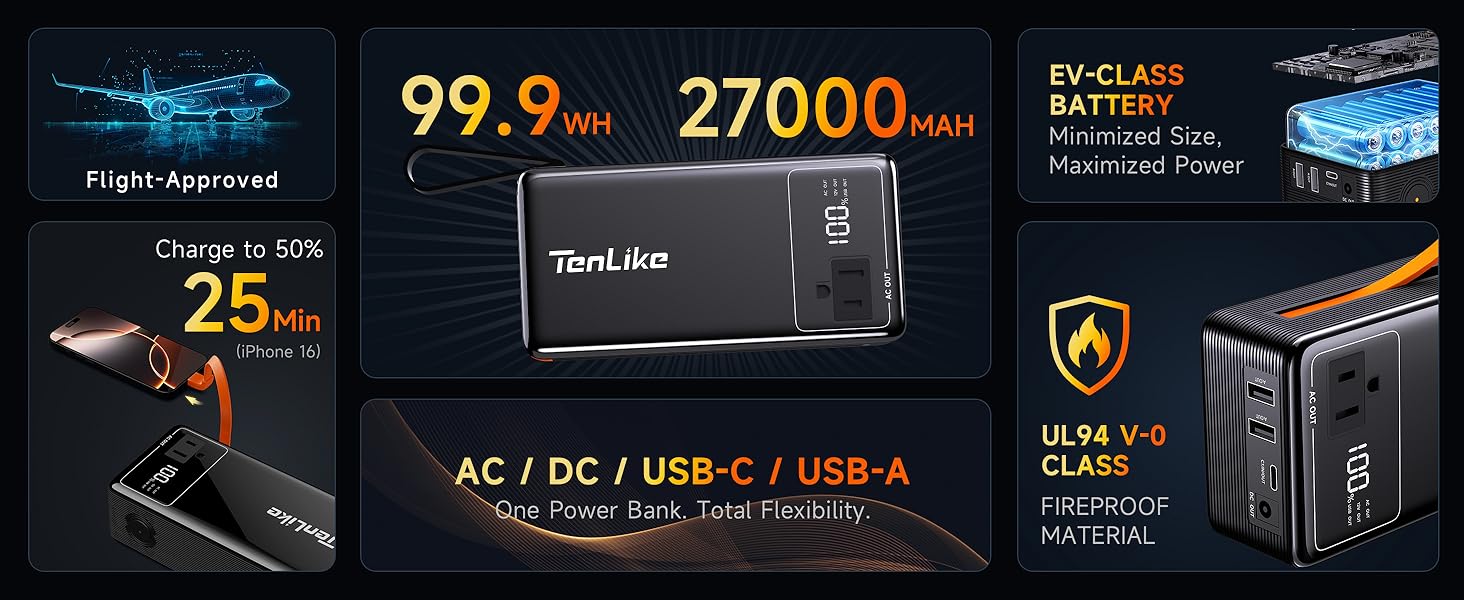
Figure 2: Recharging the Tenlike M100. The image illustrates the use of the built-in Type-C cable for recharging and notes that a 60W adapter can charge the device from 20% to 80% in one hour.
4. Operating Instructions
Powering On/Off:
- To turn on the power station, press and hold the power button for a few seconds until the display illuminates.
- To turn off, press and hold the power button again until the display turns off.
Using Output Ports:
The M100 offers multiple output options:
- USB-A / USB-C / DC Output: Short press the power button to toggle these outputs on or off.
- AC Output: Long press the power button to activate or deactivate the AC outlet. This conserves power when AC is not needed.

Figure 3: Simultaneous Charging. The power station is shown charging multiple devices including a laptop, tablet, smartphone, drone, and camera, demonstrating its multi-port capability.
Device Compatibility:
The M100 can power a wide range of devices. Refer to the compatibility chart below for guidance.
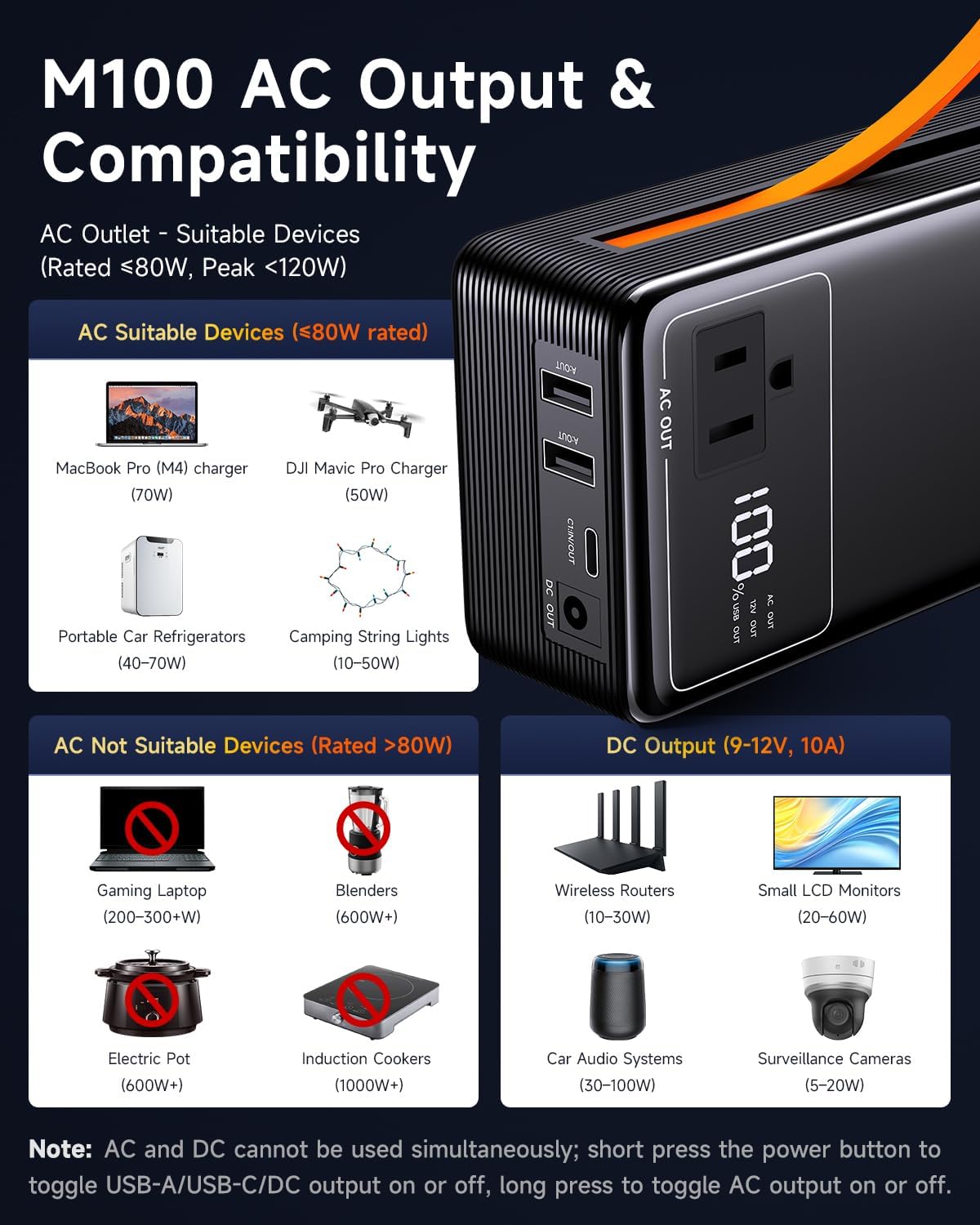
Figure 4: M100 AC Output & Compatibility. This chart provides examples of devices suitable for the AC output (rated <80W, peak <120W) and DC output, as well as devices not suitable for AC output (rated >80W).
Digital Display:
The smart display provides real-time information:
- Power Information: Shows remaining battery percentage.
- Charging Speed: "%" fast flashing indicates PD fast charging; "%" slow flashing indicates standard charging.
- AC / DC / USB Status: Icons indicate which output ports are active.
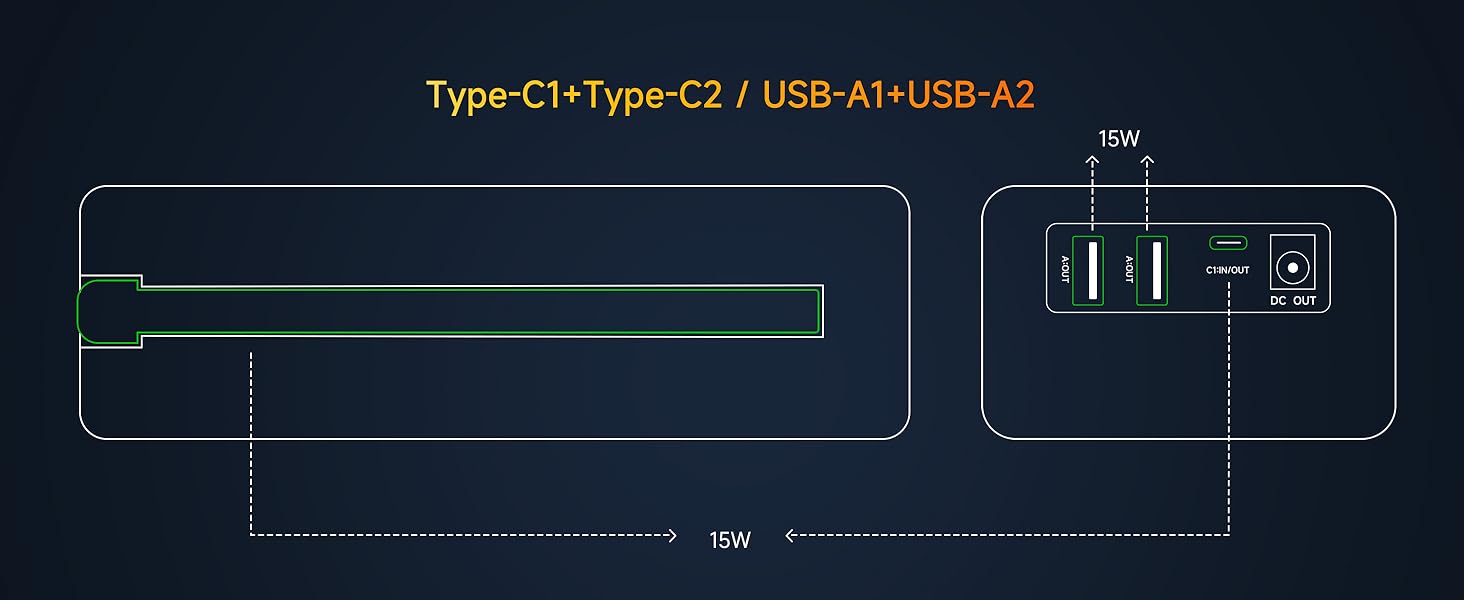
Figure 5: Smart Display. A detailed view of the M100's digital screen, explaining the various indicators for power level, charging status, and active outputs.
5. Maintenance
- Cleaning: Use a soft, dry cloth to clean the exterior of the power station. Do not use liquid cleaners or immerse the device in water.
- Storage: Store the power station in a cool, dry place away from direct sunlight and extreme temperatures. For long-term storage, it is recommended to charge the device to approximately 50-70% every 3-6 months to maintain battery health.
- Battery Care: The LiCoO2 battery has a cycle life of 1000+ charges. Avoid fully discharging the battery frequently to prolong its lifespan.
6. Troubleshooting
| Problem | Possible Cause | Solution |
|---|---|---|
| Power station does not turn on. | Battery is fully discharged. | Charge the power station using the provided adapter. |
| Device not charging from power station. | Output port is not activated. Device requires more power than available. Cable is faulty. | Short press power button for USB/DC, long press for AC. Check device power requirements against M100 specifications. Try a different cable. |
| Power station is charging slowly. | Using a low-wattage adapter. | Use a 60W PD adapter for faster charging (sold separately). |
| Power station rapidly loses charge while charging devices. | High power consumption by connected devices. AC and DC outputs used simultaneously. | Ensure total power draw does not exceed the power station's output limits. Remember AC and DC cannot be used simultaneously. Disconnect high-power devices if not essential. |
| E4 alarm or other error displayed. | Internal safety protection activated (e.g., overcurrent, overheating). | Disconnect all devices and turn off the power station. Allow it to cool down. If the issue persists, contact customer support. |
7. Specifications
| Feature | Detail |
|---|---|
| Brand | Tenlike |
| Model | M100 |
| Battery Capacity | 99.9Wh |
| Battery Type | LiCoO2 Lithium Ion |
| AC Output | 110V, 80W (Rated), 120W (Peak) |
| Type-C PD Output | 60W (x2) |
| USB-A Output | 15W (x2) |
| DC Output | 9-12V/10A (90W Max/Peak) |
| Dimensions (L x W x H) | 6.4" x 3.2" x 1.9" (1.9"L x 3.2"W x 6.4"H) |
| Weight | 1.65 lbs |
| Material | UL94 V-0 CLASS ABS |
| Included Components | 20W Power Adapter x1, Tenlike 99.9WH Power Station x1, Type-C Power Cable x1, User Manual + Quick Start Guide x1 |
8. Warranty and Support
The Tenlike Portable Power Station M100 comes with a 2-year warranty from the date of purchase. This warranty covers manufacturing defects and workmanship under normal use.
If you encounter any issues with your product or require technical assistance, please contact Tenlike customer support. We are committed to resolving any concerns within 24 hours.
For support, please visit the official Tenlike website or refer to the contact information provided in your Quick Start Guide.


