Introduction
This manual provides instructions for the installation, operation, and maintenance of the Miuzei Metal Case MC75 for Raspberry Pi 5. This case is designed to protect your Raspberry Pi 5 and integrate an active cooling solution, while also being compatible with various M.2 NVMe SSD adapter plates.
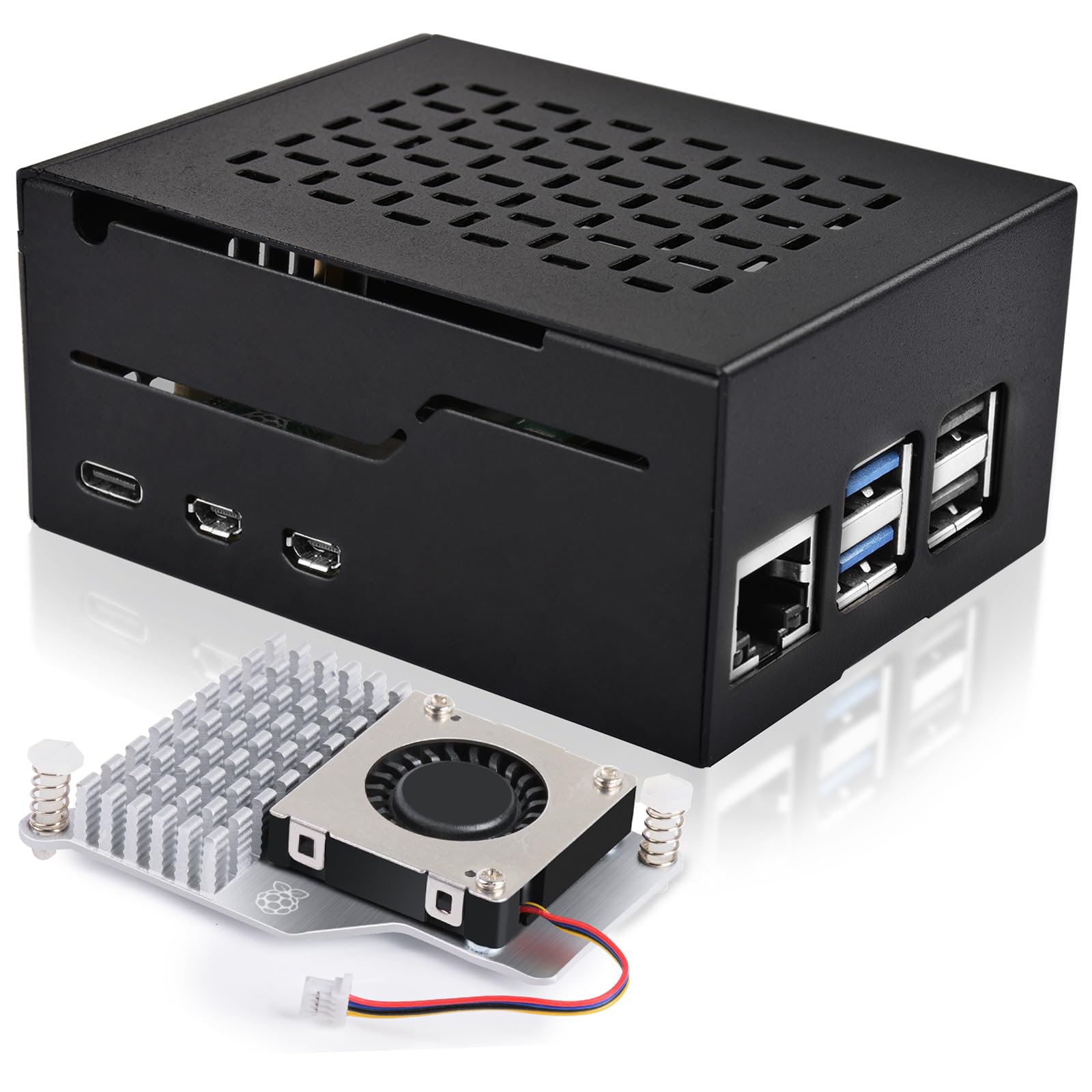
Figure 1: Miuzei Metal Case MC75 for Raspberry Pi 5. This image shows the assembled metal case with the integrated fan.
Package Contents
Before proceeding with installation, please verify that all components listed below are present in your package:
- 1 x Miuzei Metal Case for Raspberry Pi 5
- 1 x Official Raspberry Pi 5 Cooler (pre-installed or separate)
- 1 x Screw Package (containing necessary fasteners)
- 4 x Rubber Feet
- 1 x Screwdriver
Note: The Raspberry Pi 5 board, M.2 NVMe SSD shield, M.2 NVMe SSD, and power supply are NOT included and must be purchased separately.
Setup and Installation
Follow these steps to install your Raspberry Pi 5 and active cooler into the Miuzei Metal Case MC75.
- Prepare the Raspberry Pi 5: Ensure your Raspberry Pi 5 board is ready for installation. If you plan to use an M.2 NVMe SSD adapter (e.g., X1001/X1003/N04/N05), install it onto your Raspberry Pi 5 board first, following the adapter's specific instructions. The case supports various M.2 NVMe SSD adapter plates and SSD formats from 2280 to 2230.
- Install the Active Cooler: The official Raspberry Pi 5 cooler is designed to integrate with the case. If not already pre-installed, attach the cooler to your Raspberry Pi 5 board according to the Raspberry Pi 5 documentation. The cooling solution includes an aluminum heat sink with a temperature-controlled fan.
- Position the Raspberry Pi 5: Carefully place the Raspberry Pi 5 board (with cooler and optional SSD adapter) into the bottom part of the metal case. Ensure all ports align with the case openings. The case design allows for easy access to components like the 40-pin GPIO connector.
- Secure the Case: Place the top lid of the metal case over the Raspberry Pi 5. The case features a single-screw mounting design for quick assembly. Use the provided screwdriver and screws from the screw package to secure the lid.
- Attach Rubber Feet: Apply the four rubber feet to the designated spots on the bottom of the case. These feet provide stability and prevent scratching surfaces.
Caution: Ensure proper alignment of all components before tightening screws to prevent damage.
Operating Instructions
Once assembled, the Miuzei Metal Case MC75 provides an optimized environment for your Raspberry Pi 5.
- Power On: Connect a compatible power supply (not included) to your Raspberry Pi 5. The system will boot, and the integrated fan will activate as needed, controlled by the Raspberry Pi 5's temperature.
- Thermal Management: The integrated aluminum heat sink and temperature-controlled fan work together to dissipate heat efficiently, maintaining optimum temperatures even under full load. Professional case vents further support this heat dissipation.
- Access and Updates: The single-screw design allows for quick access to the internal components for hardware updates or maintenance.
Maintenance
To ensure the longevity and optimal performance of your Miuzei Metal Case MC75 and Raspberry Pi 5, follow these maintenance guidelines:
- Cleaning: Periodically clean the exterior of the case with a soft, dry cloth. For dust accumulation inside, carefully open the case (using the single screw) and use compressed air to clear dust from the fan and heatsink. Ensure the Raspberry Pi is powered off and disconnected from power before cleaning.
- Fan Inspection: Occasionally check the fan for any obstructions or unusual noises. If the fan is not operating correctly, it may impact cooling performance.
- Thermal Pad/Heatsink: The case lid and SSD PCB are designed with 10mm vertical space, ideal for heatsinks and thermal pads on M.2 NVMe SSDs. Ensure any thermal pads are correctly seated for efficient heat transfer.
Troubleshooting
If you encounter issues with your Miuzei Metal Case MC75, refer to the following common problems and solutions:
- Overheating:
- Ensure the active cooler fan is spinning. If not, check its connection to the Raspberry Pi 5.
- Verify that the heatsink is properly seated on the Raspberry Pi 5's CPU.
- Clean any dust accumulation from the fan and heatsink, as described in the Maintenance section.
- Ensure adequate airflow around the case; avoid placing it in enclosed spaces.
- Difficulty Closing Case:
- Check if the Raspberry Pi 5 board, active cooler, or any M.2 NVMe SSD adapter is incorrectly positioned or not fully seated.
- Ensure no cables are obstructing the closing mechanism.
- M.2 NVMe SSD Not Detected:
- Confirm that your M.2 NVMe SSD adapter is compatible with the case (X1001/X1003/N04/N05 are supported).
- Verify the M.2 NVMe SSD is correctly installed on the adapter and the adapter is properly connected to the Raspberry Pi 5.
- Consult the documentation for your specific M.2 NVMe SSD adapter and Raspberry Pi 5 for software configuration.
Specifications
| Brand | Miuzei |
| Model Name | MC75 |
| Manufacturer | Shenzhenshi chengnuo keji youxian gongsi |
| Colour | Black |
| Material | Metal |
| Case Type | Raspberry Pi Case |
| Motherboard Compatibility | Mini ITX (for Raspberry Pi 5) |
| Cooling Method | Air (Integrated Active Cooler with Temperature-Controlled Fan and Aluminum Heatsink) |
| Special Features | 1-Screw Mounting, 3mm Ultra-Narrow Frame, Compatible with M.2 NVMe SSD Adapters (X1001/X1003/N04/N05), Optimized for Heatsink/Thermal Pad on SSD PCB |
| Package Dimensions | 12.1 x 8.8 x 5.1 cm |
| Weight | 210 g |
Warranty and Support
For warranty information and technical support, please refer to the official Miuzei website or contact your retailer. Keep your purchase receipt as proof of purchase.
For further assistance, you may also refer to the Raspberry Pi 5 official documentation for specific board-related queries.