1. Introduction
Welcome to the world of vinyl with your new FancyRabbit H2501 Record Player. This manual provides essential information for setting up, operating, and maintaining your turntable to ensure optimal performance and longevity. Please read these instructions carefully before use.
The FancyRabbit H2501 combines classic vinyl playback with modern features, including an AT-3600L magnetic cartridge, belt drive, 2-speed playback, and integrated Bluetooth streaming. Enjoy high-fidelity sound through its quad stereo speakers or connect to external audio systems.
2. Product Overview
2.1 Key Features
- Precision Cartridge Setup: Features an AT-3600L magnetic cartridge and adjustable counterweight tonearm for smooth tracking and high-fidelity sound.
- Bluetooth Streaming: Stream music wirelessly from your phone or tablet. Easily switch between vinyl record player playback and digital music via built-in Bluetooth.
- 2-Speed Playback: Supports both 33 1/3 and 45 RPM speeds. Compatible with all 7", 10", and 12" vinyl records.
- Quad Stereo Speakers: Upgraded 4-speaker system delivers louder, fuller sound with enhanced clarity.
2.2 Components

Figure 1: Included Components
Your FancyRabbit H2501 package includes the Turntable Unit, Lid Cover, Platter, Felt Mat, Drive Belt, Power Adapter, Counterweight, 45 RPM Adapter, Quick Start Guide, and this User Manual.
2.3 Controls and Connections

Figure 2: Rear Interface Description
- Power Jack (DC IN 12V): Connect the power adapter here.
- Phono / Line Out Switch: Select between Phono (internal preamp) or Line Out (external preamp/receiver).
- AUX IN Jack: Connect other audio devices (e.g., MP3 players, CD players) via an AUX cable.
- RCA Jacks (AUX OUT): Connect to external powered speakers or an amplifier for enhanced sound.

Figure 3: Easy Control Panel
- Tone Knob: Adjusts the sound to suit your personal preferences.
- Mode Selector (33/45/BT): Select playback speed for vinyl (33 1/3 RPM, 45 RPM) or switch to Bluetooth mode.
- Volume Knob: Turns the power on/off and adjusts the volume.
3. Setup
3.1 Unboxing and Initial Assembly
Carefully remove all components from the packaging. Ensure all parts listed in Section 2.2 are present. Place the turntable unit on a stable, level surface.
Video 1: Overview of the FancyRabbit H2501 Record Player and its features.
3.2 Platter and Belt Setup
- Place the platter onto the turntable spindle.
- Locate the drive belt, typically found underneath the platter or separately packaged.
- Carefully stretch the drive belt around the motor pulley and the inner rim of the platter. Ensure the belt is not twisted.
- Place the felt mat on top of the platter.
3.3 Tonearm and Counterweight Adjustment
Figure 4: Tonearm and Counterweight
- Remove the stylus protector from the cartridge.
- Gently unlock the tonearm from its rest.
- Install the counterweight onto the rear of the tonearm.
- Adjust the counterweight until the tonearm is perfectly balanced (floating horizontally).
- Once balanced, rotate the numbered ring on the counterweight to '0' without moving the counterweight itself.
- Rotate the entire counterweight counter-clockwise to the recommended tracking force (typically 3.5g for the AT-3600L cartridge).
- Re-lock the tonearm to its rest.
4. Operating Instructions
4.1 Power On/Off and Volume
- To power on the unit, rotate the Volume knob clockwise. The indicator light will illuminate.
- To adjust the volume, continue rotating the Volume knob.
- To power off, rotate the Volume knob counter-clockwise until it clicks.
4.2 Vinyl Playback
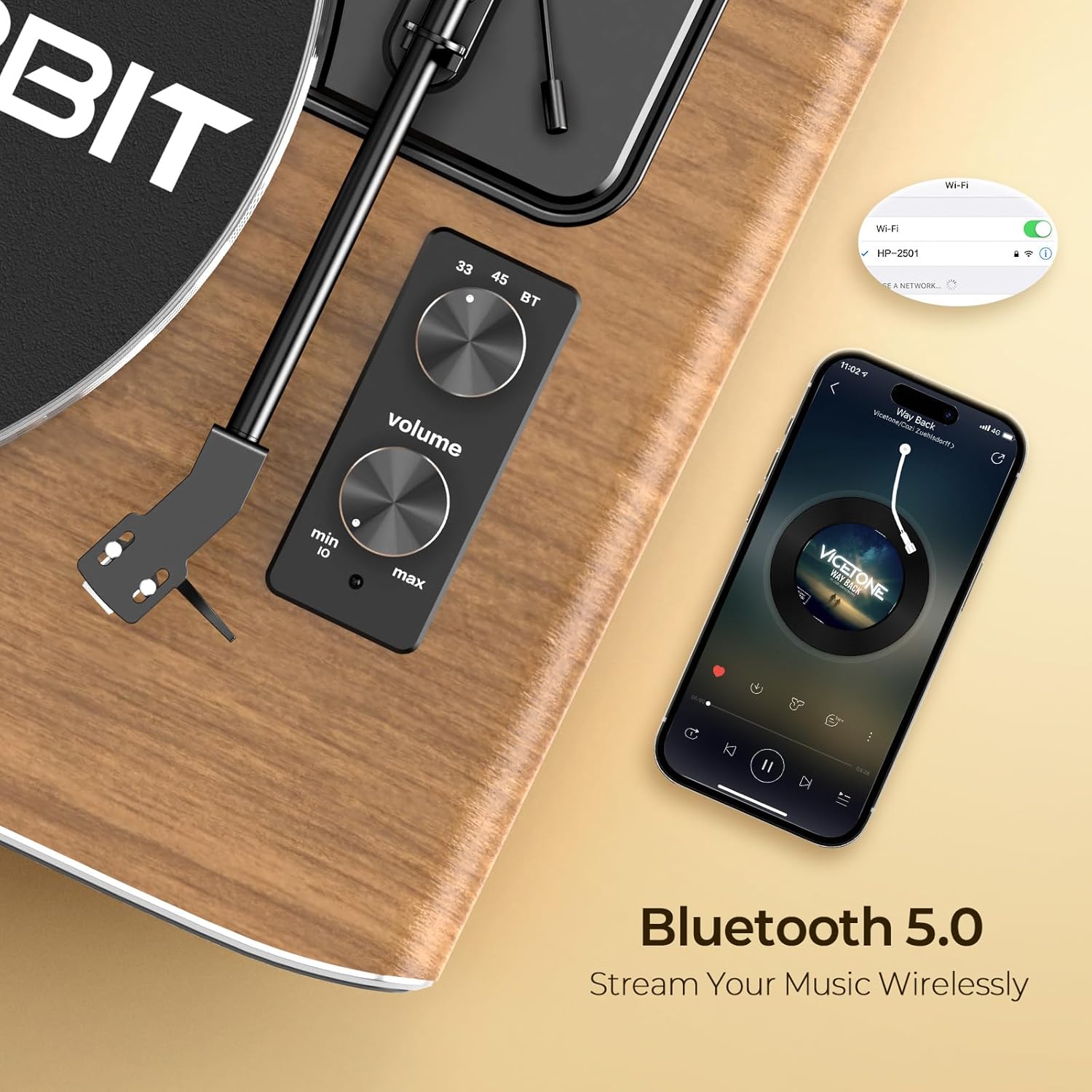
Figure 5: 2-Speed Playback
- Place a vinyl record on the platter.
- Select the appropriate speed (33 or 45 RPM) using the Mode selector knob. Use the 45 RPM adapter for 7-inch singles if needed.
- Unlock the tonearm and gently lift it using the cueing lever.
- Position the stylus over the desired track on the record.
- Lower the tonearm slowly using the cueing lever. The record will begin to play.
- At the end of the record, the turntable will automatically stop spinning. Lift the tonearm and return it to its rest.
4.3 Bluetooth Streaming
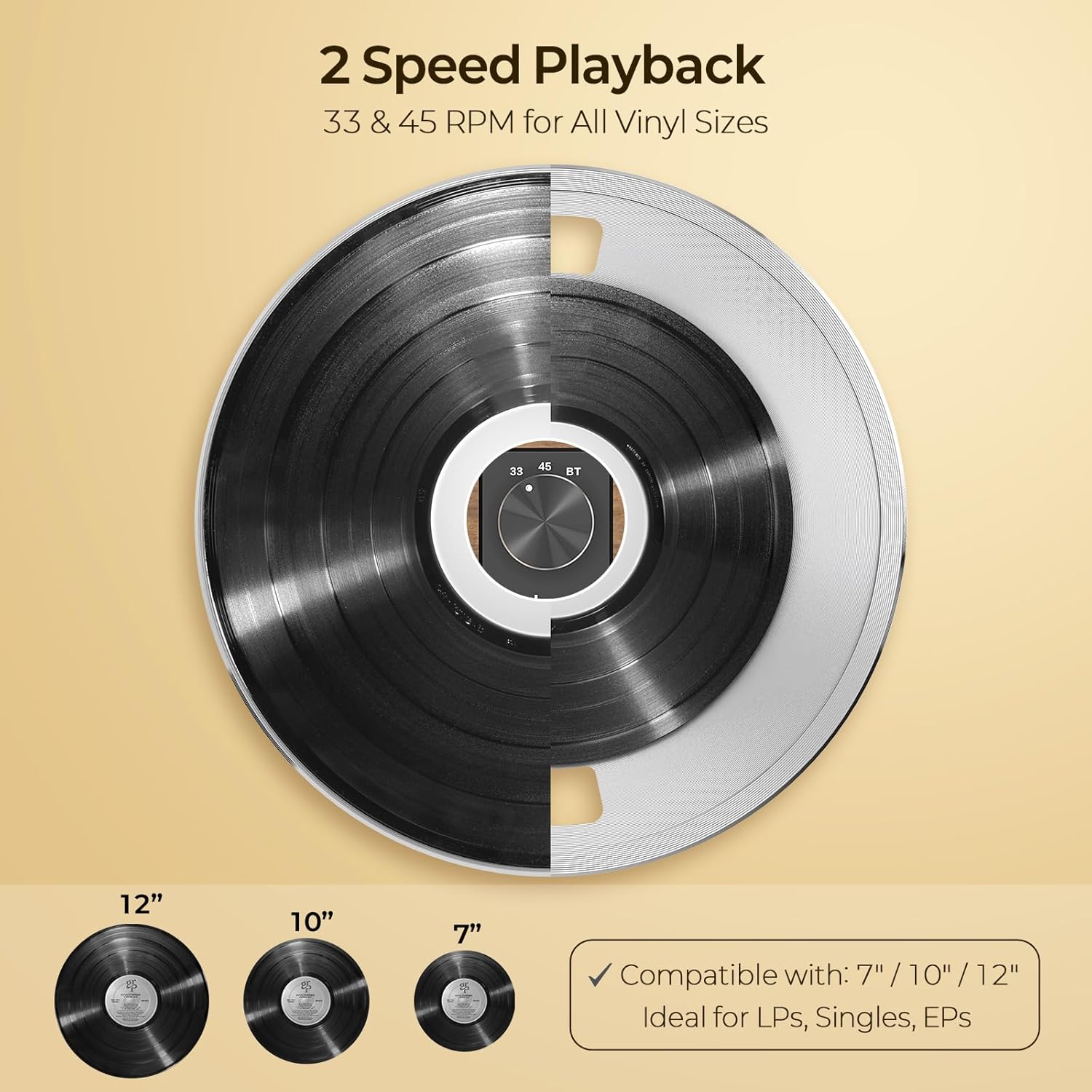
Figure 6: Bluetooth 5.0 Connectivity
- Rotate the Mode selector knob to 'BT' (Bluetooth). The indicator light will flash blue, indicating pairing mode.
- On your Bluetooth-enabled device (smartphone, tablet), search for 'HP-H2501' in the Bluetooth settings.
- Select 'HP-H2501' to pair. Once connected, the indicator light will turn solid blue.
- You can now stream audio from your device through the record player's speakers.
4.4 External Connections
The FancyRabbit H2501 offers various options for connecting to external audio equipment:
- AUX IN: Connect external audio sources (e.g., CD player, MP3 player) to the AUX IN jack using a 3.5mm audio cable.
- AUX OUT (RCA): Connect the RCA output jacks to an external amplifier or powered speakers for a different audio experience. Ensure the Phono/Line Out switch is set correctly based on your external equipment's input type.
5. Maintenance
- Cleaning the Stylus: Use a soft brush to gently clean the stylus from back to front. Avoid touching the stylus with your fingers.
- Cleaning the Record: Use a dedicated record cleaning brush or cloth to remove dust and debris before each play.
- Cleaning the Unit: Wipe the turntable unit with a soft, dry cloth. Avoid using harsh chemicals or abrasive cleaners.
- Dust Cover: Keep the dust cover closed when not in use to protect the turntable from dust.
6. Troubleshooting
| Problem | Possible Cause | Solution |
|---|---|---|
| No power | Power adapter not connected or faulty outlet. | Ensure power adapter is securely connected and try a different outlet. |
| No sound from speakers | Volume too low; incorrect mode selected; external speakers not connected properly. | Increase volume; ensure correct mode (33/45 RPM or BT) is selected; check external speaker connections if applicable. |
| Record skipping | Dust/debris on record or stylus; incorrect tracking force; turntable not level. | Clean record and stylus; re-adjust counterweight; ensure turntable is on a level surface. |
| Bluetooth not connecting | Turntable not in pairing mode; device too far; interference. | Ensure turntable is in BT mode (flashing blue light); move device closer; restart both devices. |
7. Specifications
| Feature | Detail |
|---|---|
| Brand | FancyRabbit |
| Model Number | H2501-Walnut |
| Playback Speeds | 33 1/3, 45 RPM |
| Cartridge Type | AT-3600L Magnetic Cartridge |
| Connectivity | Bluetooth 5.0, AUX IN, RCA AUX OUT |
| Speakers | Integrated Quad Stereo Speakers |
| Material | Metal, Plastic, Wood |
| Item Weight | 19.05 pounds |
| Package Dimensions | 21.57 x 17.24 x 11.73 inches |
8. Warranty and Support
The FancyRabbit H2501 Record Player comes with a complete installation guide and step-by-step video tutorial for quick and hassle-free setup. For any questions or assistance, our dedicated support team is available to help. Please refer to the contact information provided in your Quick Start Guide or visit the official FancyRabbit website for further support details.