
1. Product Overview
The Marsail Glass Standing Desk MSESD7W-QING is an electric height-adjustable desk designed for home and office use. It features a durable glass desktop, integrated USB charging ports, and a convenient storage drawer. This manual provides detailed instructions for assembly, operation, and maintenance to ensure optimal performance and longevity of your desk.
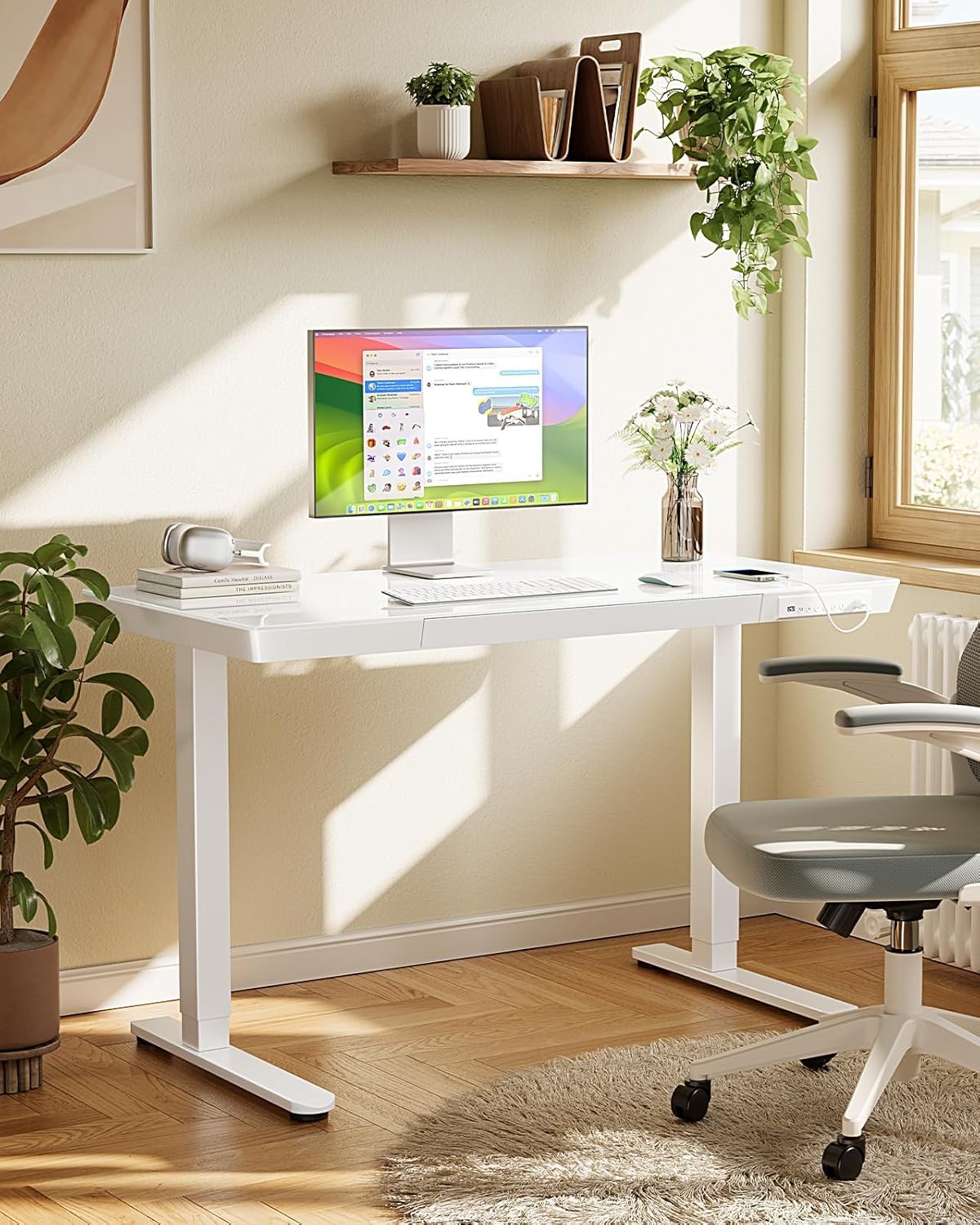
Image: The Marsail Glass Standing Desk in a modern office environment, showcasing its sleek design and ample workspace.
2. Important Safety Information
- Always ensure the desk is properly anchored to the floor to prevent tipping.
- Do not overload the drawer or exceed the desk's maximum weight capacity of 120 pounds.
- Be cautious when adjusting the desk height to avoid injury. Keep hands and objects clear of moving parts.
- Keep the desk and its electrical components away from water and heat sources.
- Always follow the assembly instructions carefully to ensure the desk is set up correctly and safely.
3. Package Contents
Before beginning assembly, verify that all components are present and undamaged. Refer to the included parts list in your package. The desk includes:
- One-piece Glass Tabletop
- Desk Legs (Metal Base)
- Electric Lifting Mechanism
- Control Panel with USB-A and Type-C Ports
- Storage Drawer with two zones
- Cable Management Tray
- Necessary installation tools (Allen Wrench)
- Installation Instruction Manual
4. Assembly Instructions
Setting up your Marsail Glass Standing Desk is designed to be hassle-free thanks to its one-piece tabletop and detailed instructions. It is recommended for 1 person to assemble.
- Unpack Components: Carefully remove all parts from the packaging. Lay them out on a clean, soft surface to prevent scratches.
- Attach Legs to Tabletop: Follow the included installation instruction manual to securely attach the desk legs to the one-piece glass tabletop using the provided hardware and Allen wrench. Ensure all screws are tightened.
- Connect Electrical Components: Connect the electric lifting mechanism and control panel according to the diagrams in the manual. Route cables through the cable management tray for a tidy setup.
- Install Drawer: Slide the storage drawer into its designated slot beneath the tabletop.
- Power On: Plug the desk into a power outlet. The control panel should illuminate.

Image: An exploded diagram illustrating the main components of the Marsail Glass Standing Desk, highlighting the one-piece tabletop and leg assembly.
5. Operating Instructions
5.1 Height Adjustment
The Marsail Glass Standing Desk allows for easy electric height adjustment between 28.3 inches and 46.5 inches. The control panel features intuitive buttons for seamless transitions.
- Up/Down Buttons: Use the + and - buttons to manually adjust the desk height to your desired level. The current height will be displayed on the digital screen.
- Preset Height Options: The desk offers three preset buttons (1, 2, 3) to save your favorite sitting and standing height settings.
- Adjust the desk to your desired height using the up/down buttons.
- Press the M button, then press the desired preset number (1, 2, or 3) within 3 seconds to save the height.
- To recall a saved height, simply press the corresponding preset number button.
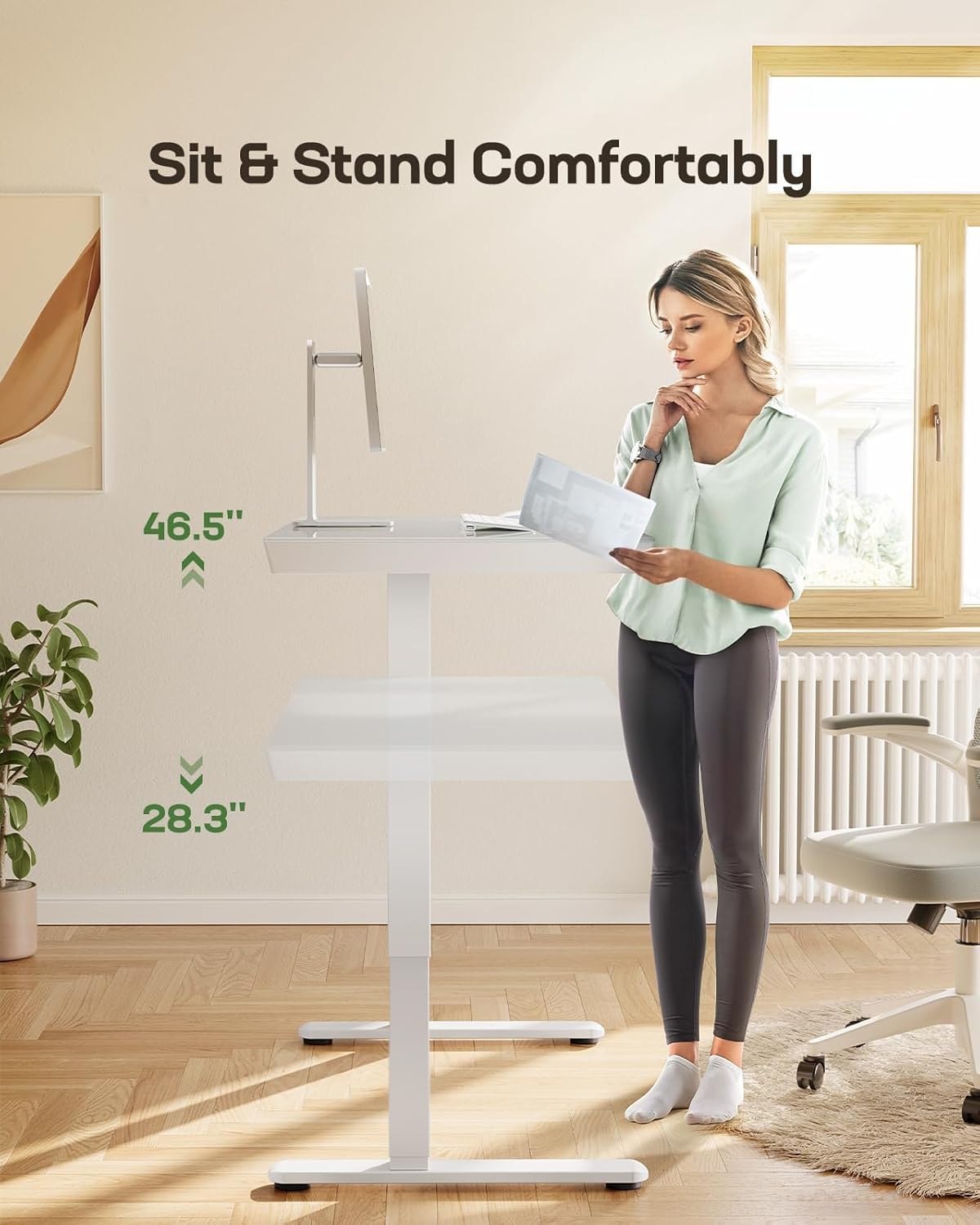
Image: A woman demonstrating the height adjustment feature of the Marsail Glass Standing Desk, transitioning from a sitting to a standing position.
Video: Demonstration of the Marsail Glass Standing Desk's height adjustment mechanism, showcasing its smooth and stable operation.
5.2 USB Charging Ports
The integrated USB-A and Type-C charging ports on the front panel allow you to conveniently charge your devices while you work.
- Simply plug your smartphone, smart watch, or other compatible devices into the available USB-A or Type-C ports.
- Ensure the desk is powered on for the charging ports to function.

Image: A close-up view of the desk's control panel, highlighting the integrated USB-A and Type-C charging ports for convenient device charging.
5.3 Storage Drawer
The spacious 25.4" x 12.4" drawer features two zones for organizing office supplies and desk accessories, helping to maintain a clutter-free workspace.
- Gently pull the drawer handle to open.
- Utilize the two distinct zones to separate and organize your items.
- Push the drawer firmly to close it completely.
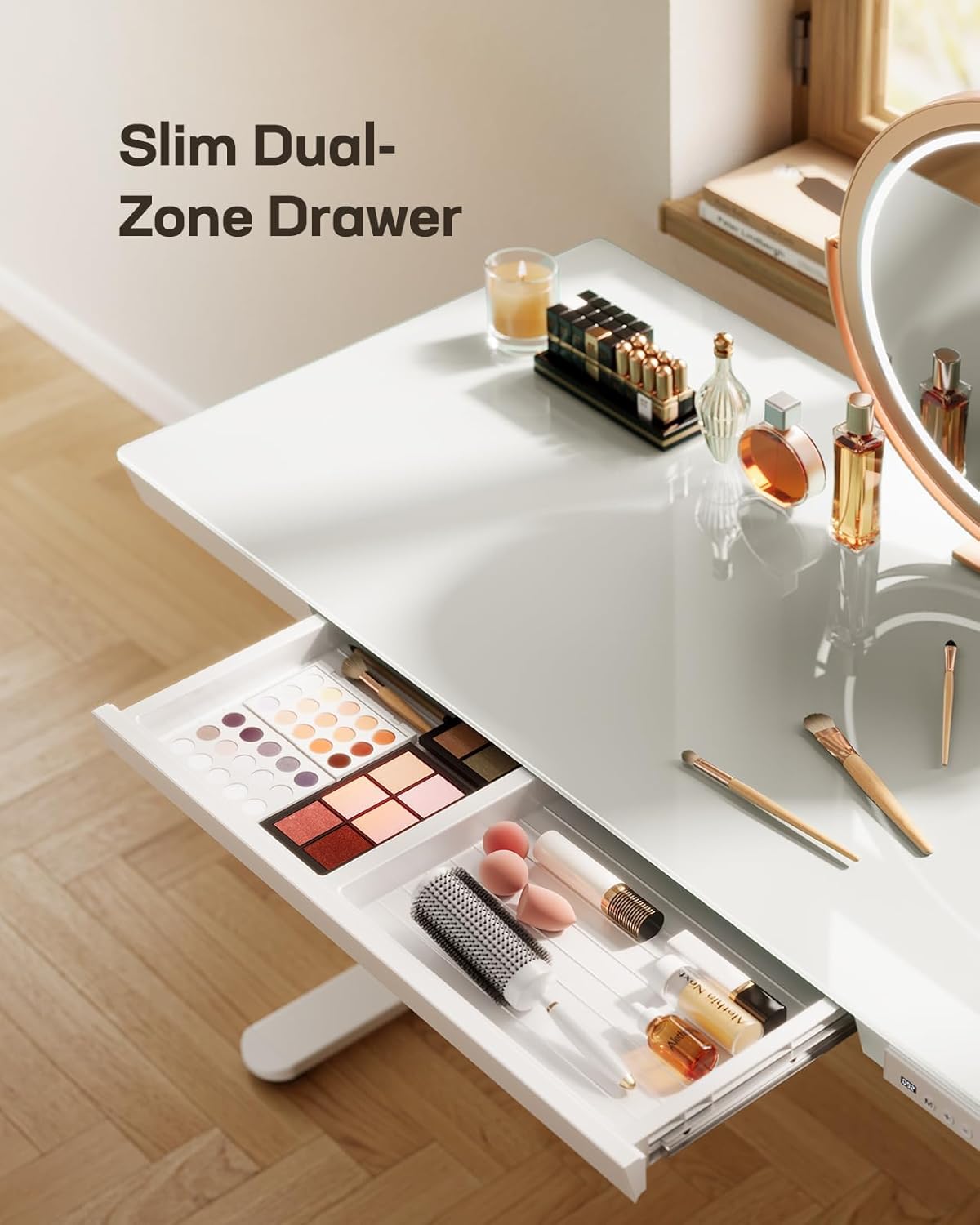
Image: The dual-zone drawer of the Marsail Glass Standing Desk is shown open, revealing organized compartments for various office supplies.
5.4 Glass Desktop Features
The tempered glass surface is not only durable and stylish but also functions as a dry-erase board.
- Use dry-erase markers directly on the glass surface for notes, reminders, or quick calculations.
- Wipe clean with a soft cloth or dry-erase eraser.

Image: A close-up of the tempered glass desktop, demonstrating its use as a dry-erase surface for writing notes.
6. Maintenance
- Cleaning: Wipe the glass desktop and metal frame with a dry cloth. Avoid abrasive cleaners or harsh chemicals that could damage the finish.
- Regular Checks: Periodically check all screws and connections to ensure they remain tight.
- Cable Management: Keep cables organized in the cable management tray to prevent tangles and damage.
7. Troubleshooting
If you encounter any issues with your Marsail Glass Standing Desk, please refer to the following common troubleshooting tips:
- Desk Not Adjusting:
- Check if the power cord is securely plugged into both the desk and the wall outlet.
- Ensure there are no obstructions preventing the desk from moving up or down.
- If the control panel displays an error code, consult the full troubleshooting section in the detailed manual provided with your product.
- USB Ports Not Charging:
- Verify the desk is powered on.
- Test with a different USB cable or device to rule out cable/device issues.
- Unstable Desk:
- Ensure all assembly screws are tightened.
- Check that the desk is placed on a flat, even surface.
- Do not exceed the maximum weight recommendation.
For further assistance, please contact Marsail customer support.
8. Specifications
| Brand | Marsail |
| Model Number | MSESD7W-QING |
| Product Dimensions | 24"D x 46.5"W x 28.3"H |
| Size | 48x24 Inch |
| Color | Pure White |
| Style | Glass Top |
| Top Material Type | Glass |
| Base Material | Metal |
| Minimum Height | 28.3 Inches |
| Maximum Height | 46.5 Inches |
| Maximum Weight Recommendation | 120 Pounds |
| Number of Drawers | 1 |
| Included Components | Built-in USB Port, Cable Management Tray, Electric Standing desk, Installation Instruction Manual, Necessary installation tools - Allen Wrench |

Image: A diagram illustrating the key dimensions of the Marsail Glass Standing Desk, including height and tabletop measurements.
9. Warranty and Support
The Marsail Glass Standing Desk comes with a Limited Warranty. For specific details regarding coverage and duration, please refer to the warranty information included with your product or contact Marsail customer support.
For any questions, technical support, or warranty claims, please visit the official Marsail website or contact their customer service department.


