
Eleglide T2
Eleglide T2 Electric Bicycle User Manual
Model: T2
Welcome
This manual provides essential information for the safe and efficient operation, maintenance, and troubleshooting of your Eleglide T2 Electric Bicycle. Please read this manual thoroughly before your first ride and keep it for future reference.

Image: The Eleglide T2 Electric Bicycle, showcasing its overall design and components.
Safety Guidelines
General Safety
- Always wear a helmet and appropriate safety gear.
- Familiarize yourself with local traffic laws and regulations.
- Perform a pre-ride inspection before each use.
- Do not ride under the influence of alcohol or drugs.
- Ensure proper lighting for night riding. The T2 features StVZO certified lighting for enhanced visibility without glare.
Braking System
The Eleglide T2 is equipped with premium hydraulic disc brakes. These brakes offer superior control, increased braking effort, and a 30% shorter braking distance compared to traditional mechanical brakes. The sealed hydraulic system is less prone to contamination, wear, or damage, ensuring longer lifespan and minimal maintenance.
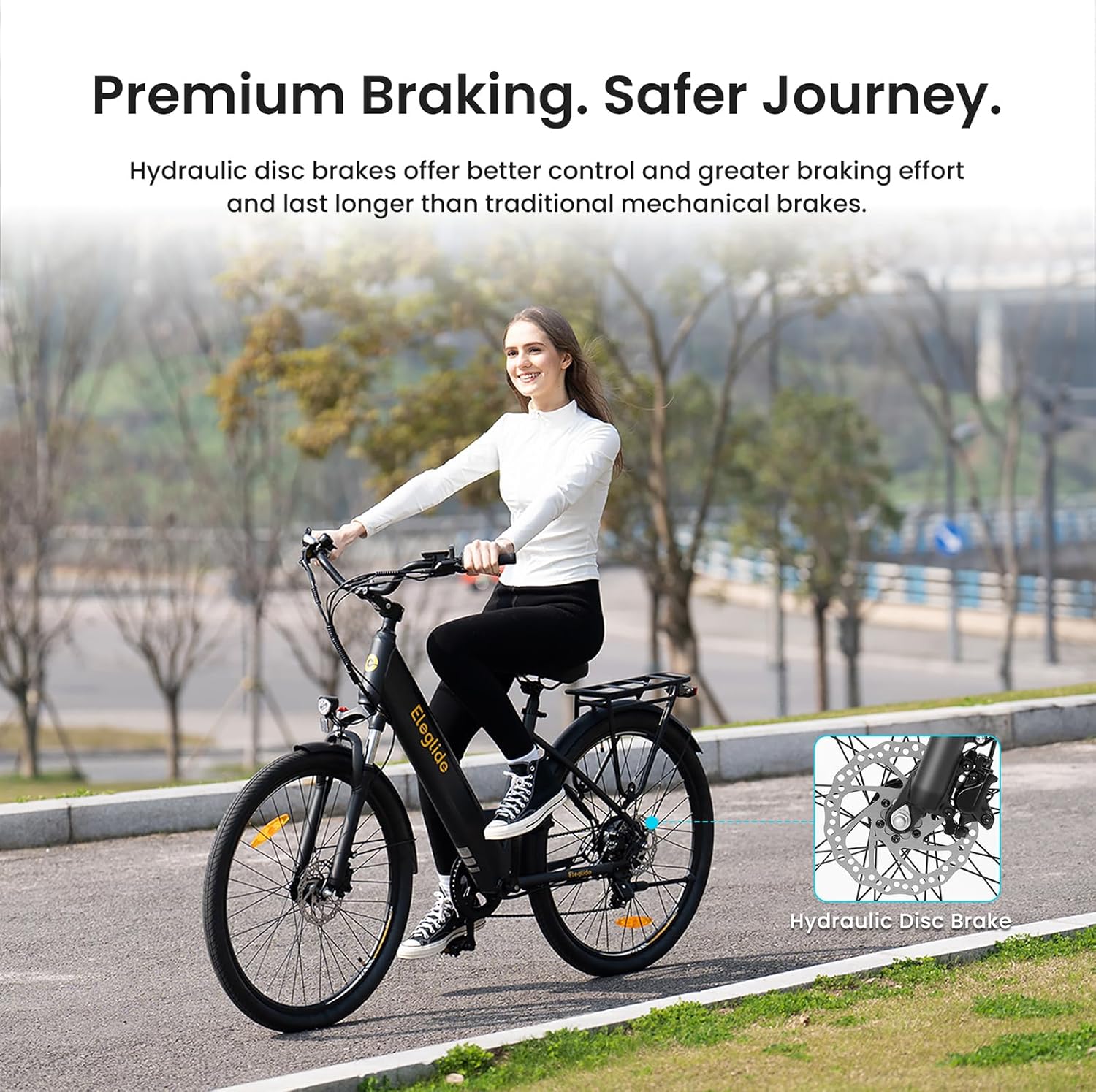
Image: Close-up view of the hydraulic disc brake system on the Eleglide T2, highlighting its advanced design for safer stopping.
Components Overview
The Eleglide T2 Electric Bicycle is designed with high-quality components for optimal performance and comfort.
Key Components:
- Frame: Durable stainless steel frame (STL).
- Motor: 250W, 36V brushless hub motor with 45 N.M max torque.
- Battery: Removable 36V, 13Ah (468Wh) lithium-ion battery.
- Brakes: Hydraulic disc brakes with automatic stop system.
- Suspension: Front suspension fork with lockout feature (80mm travel).
- Gears: Shimano professional 7-speed derailleur.
- Tires: 27.5" x 2.1" pneumatic rubber tires.
- Display: Smart LCD display.
- Saddle: Soft padded saddle.
- Rack: Sturdy luggage rack.
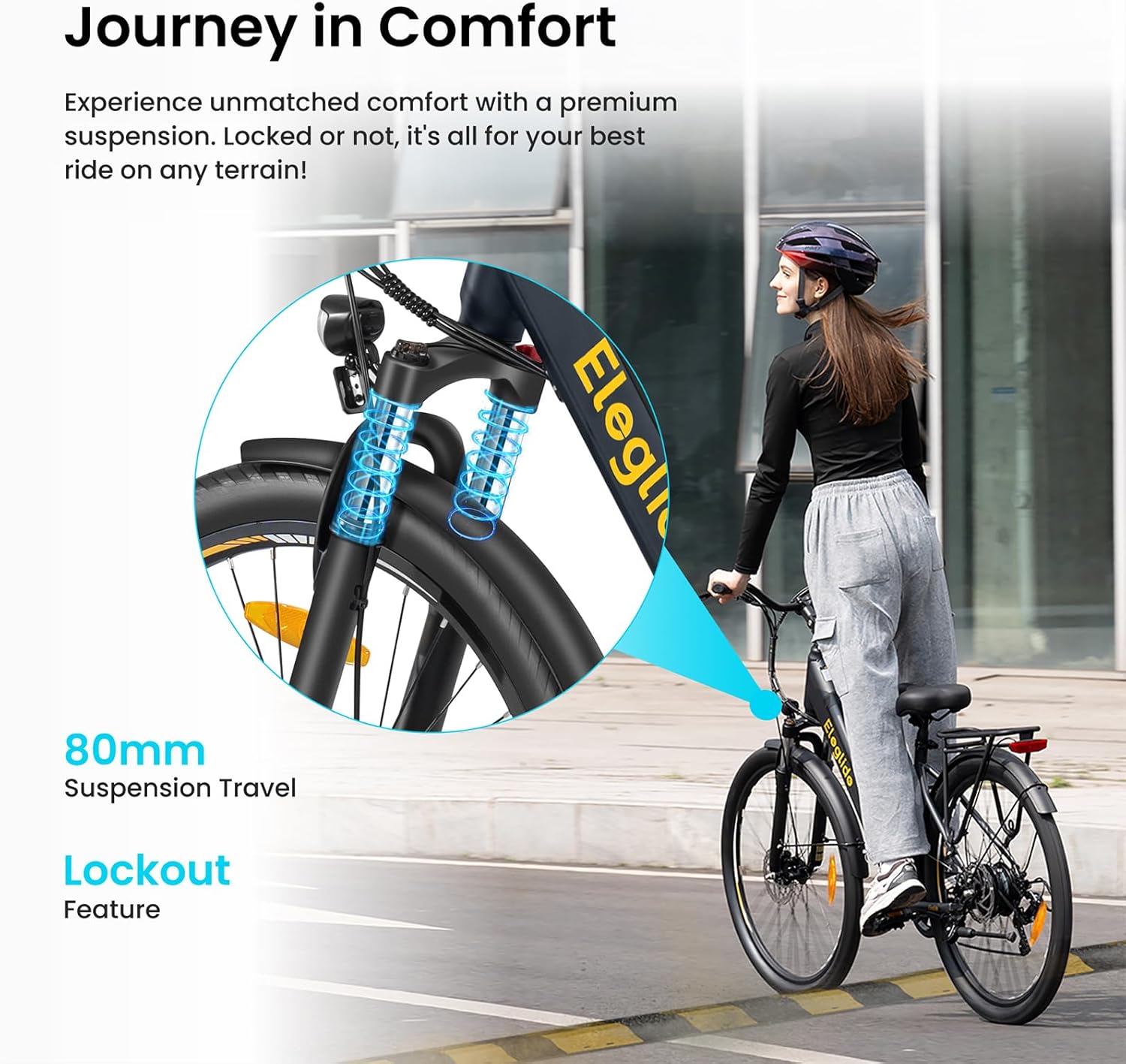
Image: Front suspension fork of the Eleglide T2, illustrating its 80mm travel and lockout feature for varied terrains.
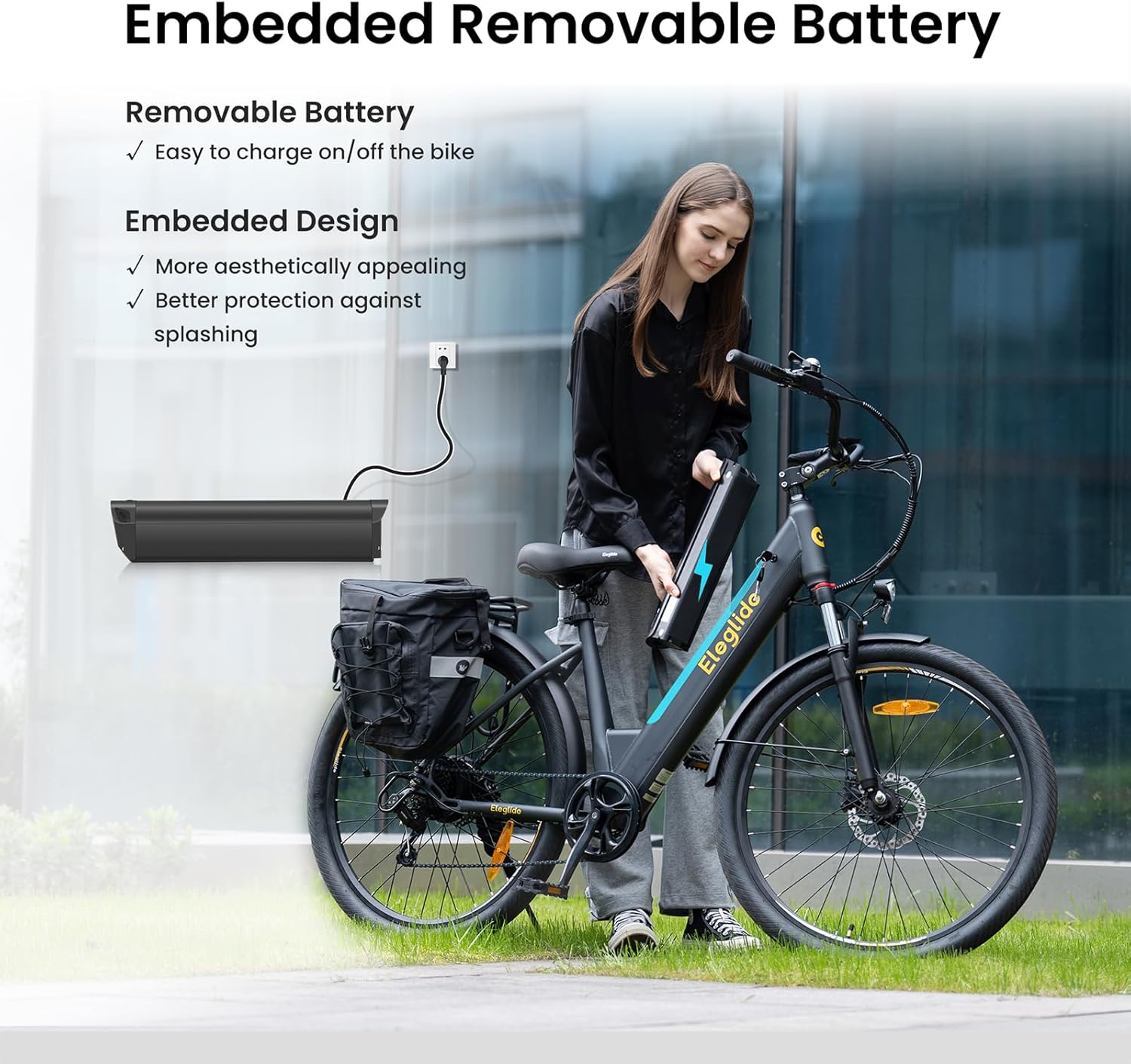
Image: The removable 468Wh battery of the Eleglide T2, showing how it can be charged on or off the bike.

Image: Detailed view of the Eleglide T2's smart LCD display, 27.5" pneumatic tires, sturdy luggage rack, and soft padded saddle.
Setup and Assembly
Your Eleglide T2 Electric Bicycle comes partially assembled. Please follow these general steps for final assembly. A detailed user manual and tool kit are included with your purchase.
Initial Steps:
- Unpacking: Carefully remove all components from the packaging.
- Handlebar Installation: Attach and secure the handlebar. Ensure all bolts are tightened to the recommended torque.
- Pedal Attachment: Identify left (L) and right (R) pedals and screw them into the crank arms. Note that the left pedal has a reverse thread.
- Seat Post Adjustment: Insert the seat post into the frame and adjust the saddle height for comfortable riding. The T2 allows for flexible adjustments of seat height (32.7"-43.3") and stem angle (10°-50°), with a handlebar height range of 46.1"-47.2".
- Tire Inflation: Inflate tires to the recommended pressure (30-45 psi).
- Battery Installation: Insert the battery securely into its compartment.
- Pre-Ride Check: Before your first ride, double-check all connections, brakes, and tire pressure.

Image: Diagram illustrating the adjustable seat height, stem angle, and handlebar height for ergonomic riding posture on the Eleglide T2.
Operating Instructions
Powering On/Off
Press and hold the power button on the smart LCD display to turn the bicycle on or off.
Pedal Assist Levels
The Eleglide T2 offers 5 levels of pedal assistance, allowing you to choose your desired speed: 12, 15, 18, 21, and 25 km/h. Use the controls on the display to cycle through these levels.
Walk Mode
Activate the 6 km/h walk mode for easy maneuvering when not riding.
Gear Shifting
Utilize the professional Shimano 7-speed derailleur to adapt to various terrains and riding conditions. Shift gears smoothly to maintain an optimal pedaling cadence.
Smart LCD Display & App Control
The intelligent LCD screen provides real-time information including speed, distance traveled, and battery level. For enhanced control, download the Eleglide smartphone application. The app allows for remote locking, password setting, screen timeout adjustment, and more, providing a comprehensive riding experience.

Image: Visual representation of the Eleglide T2's impressive 100km (62 miles) maximum range in assist mode, powered by its 36V 13Ah (468Wh) removable battery.
Maintenance
Regular maintenance ensures the longevity and safe operation of your Eleglide T2 Electric Bicycle.
Battery Care:
- Charge the battery fully before first use.
- Do not overcharge or completely drain the battery.
- Store the battery in a cool, dry place when not in use.
- The integrated design of the battery offers better protection against splashing.
Brake System:
- Regularly inspect brake pads for wear and replace as needed.
- Check hydraulic fluid levels periodically.
- Ensure brake levers provide firm and responsive braking.
Tires:
- Maintain tire pressure between 30-45 psi for optimal performance and safety.
- Inspect tires for cuts, punctures, or excessive wear.
General Cleaning:
Clean the bicycle regularly with a damp cloth. Avoid using high-pressure water jets directly on electrical components.
Troubleshooting
This section addresses common issues you might encounter with your Eleglide T2 Electric Bicycle. For problems not listed here, please contact customer support.
Common Issues:
- No Power:
Check if the battery is fully charged and properly seated. Ensure the power button on the display is pressed correctly.
- Motor Not Assisting:
Verify that pedal assist mode is activated and not in walk mode. Check for any error codes on the LCD display. Ensure the cadence sensor is clean and unobstructed.
- Brakes Feel Spongy:
This may indicate air in the hydraulic lines or worn brake pads. Consult a professional bicycle mechanic for hydraulic brake bleeding or pad replacement.
- Unusual Noises:
Inspect for loose components, chain issues, or debris in the drivetrain. Lubricate the chain regularly.
- Display Not Working:
Check battery connection and ensure the display cable is securely connected. If the issue persists, contact support.
Technical Specifications
Detailed specifications for the Eleglide T2 Electric Bicycle.
| Feature | Specification |
|---|---|
| Net Weight | 27.9 kg |
| Unfolded Dimensions | 1800 x 670 x 1100 mm |
| Frame Dimensions | 27.5 x 17.5 inches |
| Recommended Rider Height | 160-195 cm (5' 3"-6' 5") |
| Maximum Load | 120 kg (264.5 lb) |
| Speed Limit | 25 km/h |
| Maximum Range (Assist Mode) | 100 km |
| Pedal Assist Levels | 12/15/18/21/25 km/h |
| Walk Mode | 6 km/h |
| Waterproofing | IPX4 |
| Frame Material | Stainless Steel (STL) |
| Braking System | Hydraulic Disc Brakes with Automatic Stop |
| Motor Type | Hub Motor |
| Motor Rated Power & Voltage | 250 W, 36 V |
| Maximum Output Torque | 45 N.M |
| Derailleur Speeds | 7 (Rear) |
| Suspension Type | Suspension Fork with Lockout |
| Suspension Travel | 80 mm |
| Battery Voltage & Capacity | 36 V, 13 Ah |
| Battery Charge Time | 6.5 hours |
| Battery Energy Capacity | 468 Wh |
| Battery Protection System | Yes |
| Tire Dimensions | 27.5 inches x 2.1 inches |
| Tire Type | Pneumatic Rubber |
| Tire Pressure | 30-45 psi |

Image: Detailed diagram showing the dimensions and recommended rider height for the Eleglide T2 Electric Bicycle.
Warranty and Support
Eleglide provides a standard warranty for the T2 Electric Bicycle. Please refer to the warranty card included with your product for specific terms and conditions, including coverage duration and claim procedures.
For technical assistance, troubleshooting beyond this manual, or warranty claims, please contact Eleglide customer support through their official website or the contact information provided in your purchase documentation.
Manufacturer: Eleglide
Related documentsT2


Ask a question about this manual
Ask about setup, troubleshooting, compatibility, parts, safety, or missing instructions. Manuals+ will review the question and use this page’s manual context to help answer it.